🔒 EXCLUSIVE: Gallery - Uncensored 2025
This tutorial is written for those with knowledge of PSPSupplies Needed:Tube of choice: I'm using the wonderful art work of VeryManyTube purchased at store HEREFTU cluster created by Sonja's Sazzy World HEREFTU WordArt by Karmalized Scraps HEREMask of choice
Quick tutorial using cluster frame
Open cluster and duplicate, close originalResize to your likingUse papers or textures as centerI added close-up of tubes and changed blend modeApply WA of choiceApply main tube to cluster
Place your name where you like itAdd the Copyright and your License Number for the tubeResize to your liking and save as PNGThis tutorial was created on May 31,2023 by RhondaAny resemblance to another Tag or Tutorial is purely coincidental
This tutorial is written for those with knowledge of PSPSupplies Needed:Tube of choice: I'm using the wonderful artwork of KatharineFTU tube at PFD HEREPTU kit by Kizzed by Kelz HERE and HEREWA by Denz Designz HEREMask #314 by Weescotslass HERE
Ok Let's get Started:Open 725x725 canvasI used the following elements to create a cluster9,20,39,51,64,78Apply tube of choice to tag
Start building your tag with other elements from kitI used the following:Element 1Element 13Element 22Element 25Element 26Element 30Element 31Element 33Element 44Element 65Element 66Element 83Element 117
Apply WAApply mask of choice
Place your name where you like itAdd the Copyright and your License Number for the tubeResize to your liking and save as PNGThis tutorial was created on May 29,2023 by RhondaAny resemblance to another Tag or Tutorial is purely coincidental
This tutorial is written for those with knowledge of PSPSupplies Needed:Tube of choice: I'm using the wonderful artwork of Lorri KajennaTube can be purchased at PFD HEREPTU kits by Dreaming with Bella called Surfing the WavesKits can be purchased at her store HEREMask of choice
Ok Let's get Started:Open 725x725 canvasOpen elements 11,12,24 and place to canvasOpen element 10 and place to centerOpen element 25 and place to right behind house
Start building your tag with other elements from kitI used the following:Element 2Element 20Element 23Element 26Element 8Element 9Element 12Element 36Element 54Element 55Element 76Element 84Element 85Element 87Element 93
Apply tube of choiceApply mask of choiceKeep layers open in psp for future use
Place your name where you like itAdd the Copyright and your License Number for the tubeResize to your liking and save as PNGThis tutorial was created on May 29,2023 by RhondaAny resemblance to another Tag or Tutorial is purely coincidental
This tutorial is written for those with knowledge of PSPSupplies Needed:Tube of choice: I'm using the wonderful artwork of Kajenna ArtTube can be purchased at PFD HEREPTU kit by Hania's Design called AdventureKit purchased at PFD HEREMask of choice
Ok Let's get Started:Open 725x725 canvasOpen element 04, resize and place to canvas middle centerOpen element 100, resize and place behind the tent to rightOpen element 46, resize and place behind tentDuplicate and mirrorOpen tube of choice and place on canvas
Start building your tag with other elements from kitI used the following:Element 76Element 78Element 80Element 83Element 84Element 85Element 87Element 88Element 95Element 43Element 45Element 51Element 53Element 61Element 64Element 127Element 128Element 129Element 07
Apply WA of choice from kitI used #15
Keep layers open in pspAdd paper of choiceApply mask of choice
Place your name where you like itAdd the Copyright and your License Number for the tubeResize to your liking and save as PNGThis tutorial was created on May 27,2023 by RhondaAny resemblance to another Tag or Tutorial is purely coincidental
This tutorial is written for those with knowledge of PSPSupplies Needed:Tube of choice: I'm using the wonderful artwork of StellaFelice7Tube purchased from PFD HEREFTU kit by Melissaz Creationz HEREWA by me HEREWA left in layers, please do not rip apartMask #239 from MizTeeques Masks HERE
Ok Let's get Started:Open new image 725x725 canvasOpen element 29 and paste to canvasClick inside border frame with magic wandOpen pp 8, paste as new layer Selections invert, deleteClick inside center of frameSelections modify 10Move cursor under frameOpen pp10, paste as new layerSelections invert, deleteOpen element 15 and place behind frameOpen paper of choice and apply your mask
Start building your tag with other elements from kitI used the following:Element 11Element 13Element 14Element 16Element 17Element 18Element 21Element 22Element 23Element 24Element 25Element 1Element 2
Place your name where you like itAdd the Copyright and your License Number for the tubeResize to your liking and save as PNGThis tutorial was created on May 23,2023 by RhondaAny resemblance to another Tag or Tutorial is purely coincidental
This tutorial is written for those with knowledge of PSPSupplies Needed:Tube of choice: I'm using the wonderful artwork of Maryline CazenaveTube was purchased at CDO HEREPTU kit by TTD called Pink and Aqua Roses HEREWA by Ginger's House HERE Masks of choice
Ok Let's get Started:Open 725x725 canvasOpen tube of choice and place on canvas toward bottomStart building your tag with other elements from kitI used the following:Element 9Element 10Element 14Element 17Element 19Element 28Element 38Element 45Element 51Element 60Element 62Element 64Element 66Element 68Element 69
Merge layers or leave open for future useI used 2 different papers with maskCan't remember where my mask came from
Place your name where you like itAdd the Copyright and your License Number for the tubeResize to your liking and save as PNGThis tutorial was created on May 7,2023 by RhondaAny resemblance to another Tag or Tutorial is purely coincidental
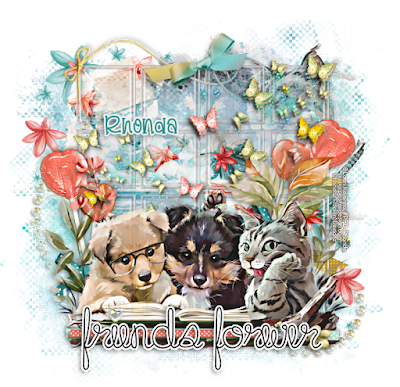
Ok Let's get Started:Open canvas 700x700Open acrylic squares (unshadowed), resize and place to centerOpen tube of choice, resize and place on new layer under squaresChange blend mode to overlay on right hand sideCenter this image how desiredPlace tube to square
Start building your tag with other elements from kitI used the following:Elements folder: backdrop, WA, gems, ribbon 1&2, ribbon curls, strings, suckersScatters folder: 1,2,3 and 4
Merge layers or keep openOpen paper of choice and apply mask
Place your name where you like itAdd the Copyright and your License Number for the tubeResize to your liking and save as PNGThis tutorial was created on May 2,2023 by RhondaAny resemblance to another Tag or Tutorial is purely coincidental