
Description
Limit Login Attempts Reloaded functions as a robust deterrent against brute force attacks, bolstering your website’s security measures and optimizing its performance. It achieves this by restricting the number of login attempts allowed. This applies not only to the standard login method, but also to XMLRPC, Woocommerce, and custom login pages. With more than 2.5 million active users, this plugin fulfills all your login security requirements.
The plugin functions by automatically preventing further attempts from a particular Internet Protocol (IP) address and/or username once a predetermined limit of retries has been surpassed. This significantly weakens the effectiveness of brute force attacks on your website.
By default, WordPress permits an unlimited number of login attempts, posing a vulnerability where passwords can be easily deciphered through brute force methods.
Limit Login Attempts Reloaded Premium (Try Free with Micro Cloud)
Upgrade to Limit Login Attempts Reloaded Premium to extend cloud-based protection to the Limit Login Attempts Reloaded plugin, thereby enhancing your login security. The premium version includes a range of highly beneficial features, including IP intelligence to detect, counter and deny malicious login attempts. Your failed login attempts will be safely neutralized in the cloud so your website can function at its optimal performance during an attack.
Features (Free Version):
- 2FA – Coming soon.
- Limit Logins – Limit the number of retry attempts when logging in (per each IP).
- Configurable Lockout Timings – Modify the amount of time a user or IP must wait after a lockout.
- Remaining Tries – Informs the user about the remaining retries or lockout time on the login page.
- Lockout Email Notifications – Informs the admin via email of lockouts.
- Denied Attempt Logs – View a log of all denied attempts and lockouts.
- IP & Username Safelist/Denylist – Control access to usernames and IPs.
- New User Registration Protection (Micro Cloud Accounts) – Protects default WP registration.
- Sucuri compatibility.
- Wordfence compatibility.
- Ultimate Member compatibility.
- WPS Hide Login compatibility.
- MemberPress compatibility.
- XMLRPC gateway protection.
- Woocommerce login page protection.
- Multi-site compatibility with extra MU settings.
- GDPR compliant.
- Custom IP origins support (Cloudflare, Sucuri, etc.).
- llar_admin own capability.
Features (Premium Version):
- Performance Optimizer – Offload the burden of excessive failed logins from your server to protect your server resources, resulting in improved speed and efficiency of your website.
- Enhanced IP Intelligence – Identify repetitive and suspicious login attempts to detect potential brute force attacks. IPs with known malicious activity are stored and used to help prevent and counter future attacks.
- Enhanced Throttling – Longer lockout intervals each time a malicious IP or username tries to login unsuccessfully.
- Deny By Country – Block logins by country by simply selecting the countries you want to deny.
- Auto IP Denylist – Automatically add IP addresses to your active cloud deny list that repeatedly fail login attempts.
- New User Registration Protection – Protects default WP registration.
- Global Denylist Protection – Utilize our active cloud IP data from thousands of websites in the LLAR network.
- Synchronized Lockouts – Lockout IP data can be shared between multiple domains for enhanced protection in your network.
- Synchronized Safelist/Denylist – Safelist/Denylist IP and username data can be shared between multiple domains.
- Premium Support – Email support with a security tech.
- Auto Backups of All IP Data – Store your active IP data in the cloud.
- Successful Logins Log – Store successful logins in the cloud including IP info, city, state and lat/long.
- Enhanced lockout logs – Gain valuable insights into the origins of IPs that are attempting logins.
- CSV Download of IP Data – Download IP data direclty from the cloud.
- Supports IPV6 Ranges For Safelist/Denylist
- Unlock The Locked Admin – Easily unlock the locked admin through the cloud.
*Some features require higher level plans.
Upgrading from the old Limit Login Attempts plugin?
- Go to the Plugins section in your site’s backend.
- Remove the Limit Login Attempts plugin.
- Install the Limit Login Attempts Reloaded plugin.
All your settings will be kept intact!
Many languages are currently supported in the Limit Login Attempts Reloaded plugin but we welcome any additional ones.
Help us bring Limit Login Attempts Reloaded to even more countries.
Translations: Bulgarian, Brazilian Portuguese, Catalan, Chinese (Traditional), Czech, Dutch, Finnish, French, German, Hungarian, Norwegian, Persian, Romanian, Russian, Spanish, Swedish, Turkish
Plugin uses standard actions and filters only.
Based on the original code from Limit Login Attempts plugin by Johan Eenfeldt.
Branding Guidelines
Limit Login Attempts Reloaded™ is a trademark of Atlantic Silicon Inc. When writing about the plugin, please make sure to use Reloaded after Limit Login Attempts. Limit Login Attempts is the old plugin.
- Limit Login Attempts Reloaded (correct)
- Limit Login Attempts (incorrect)
Screenshots
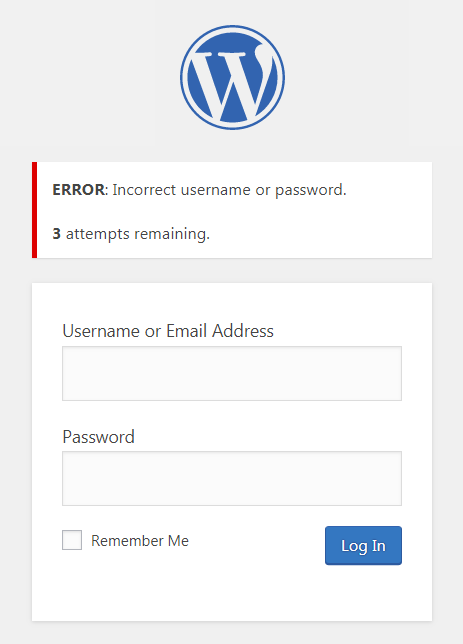
Login screen after a failed login with remaining retries 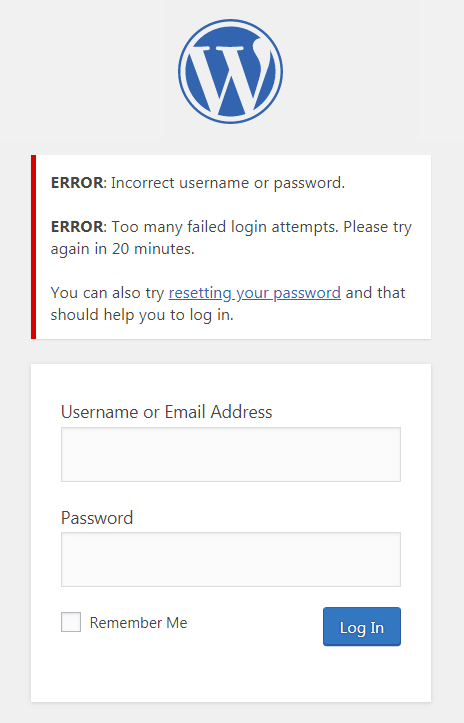
Lockout login screen 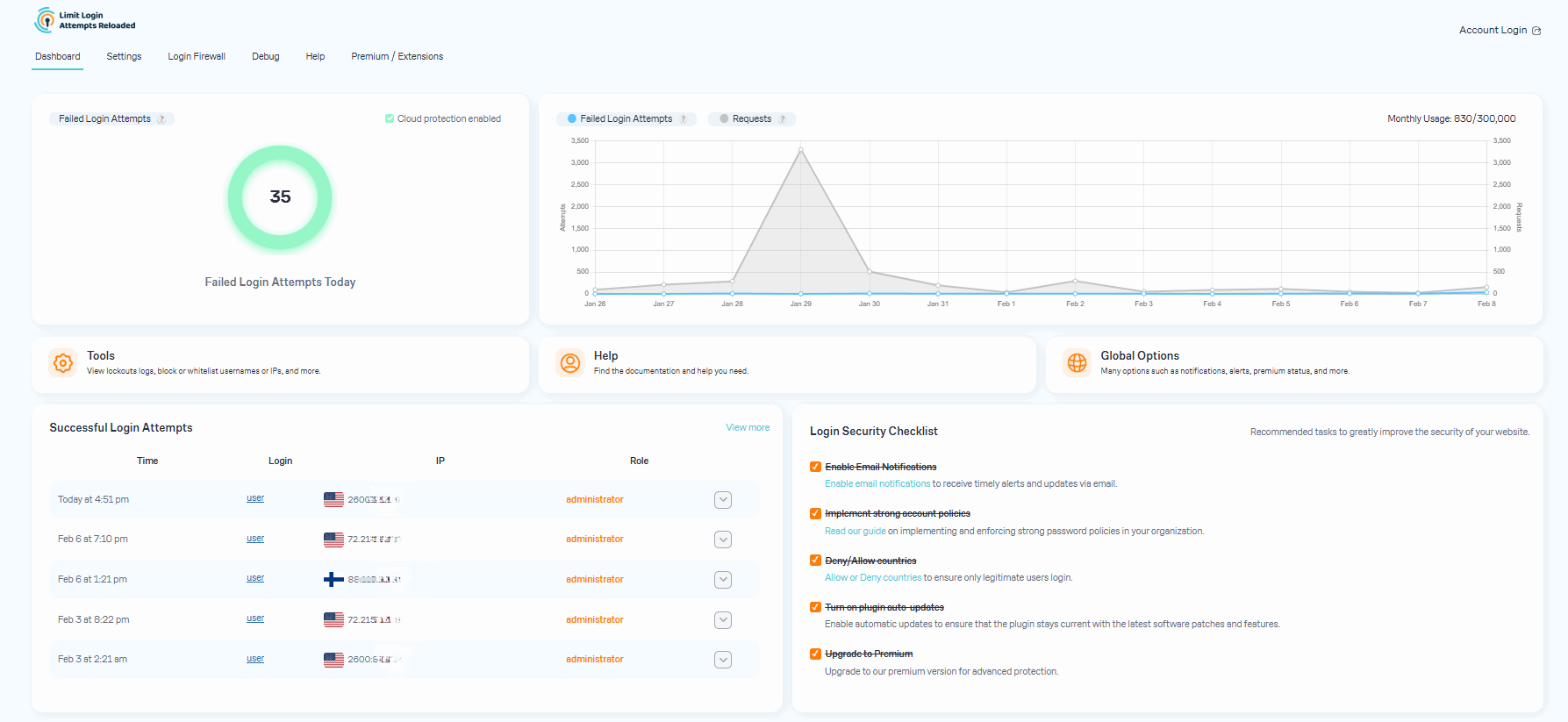
LLAR Dashboard 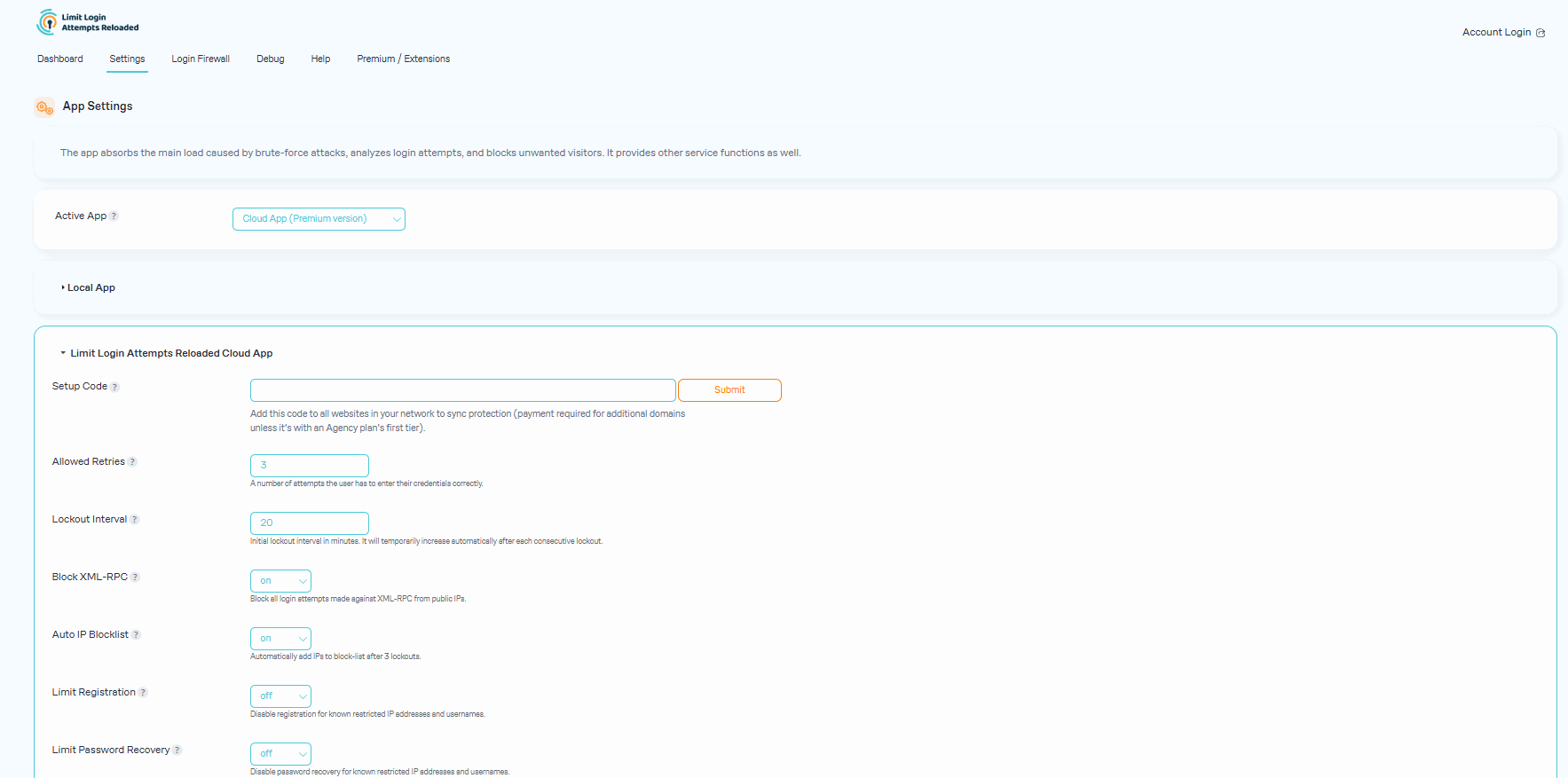
Plugin App Settings 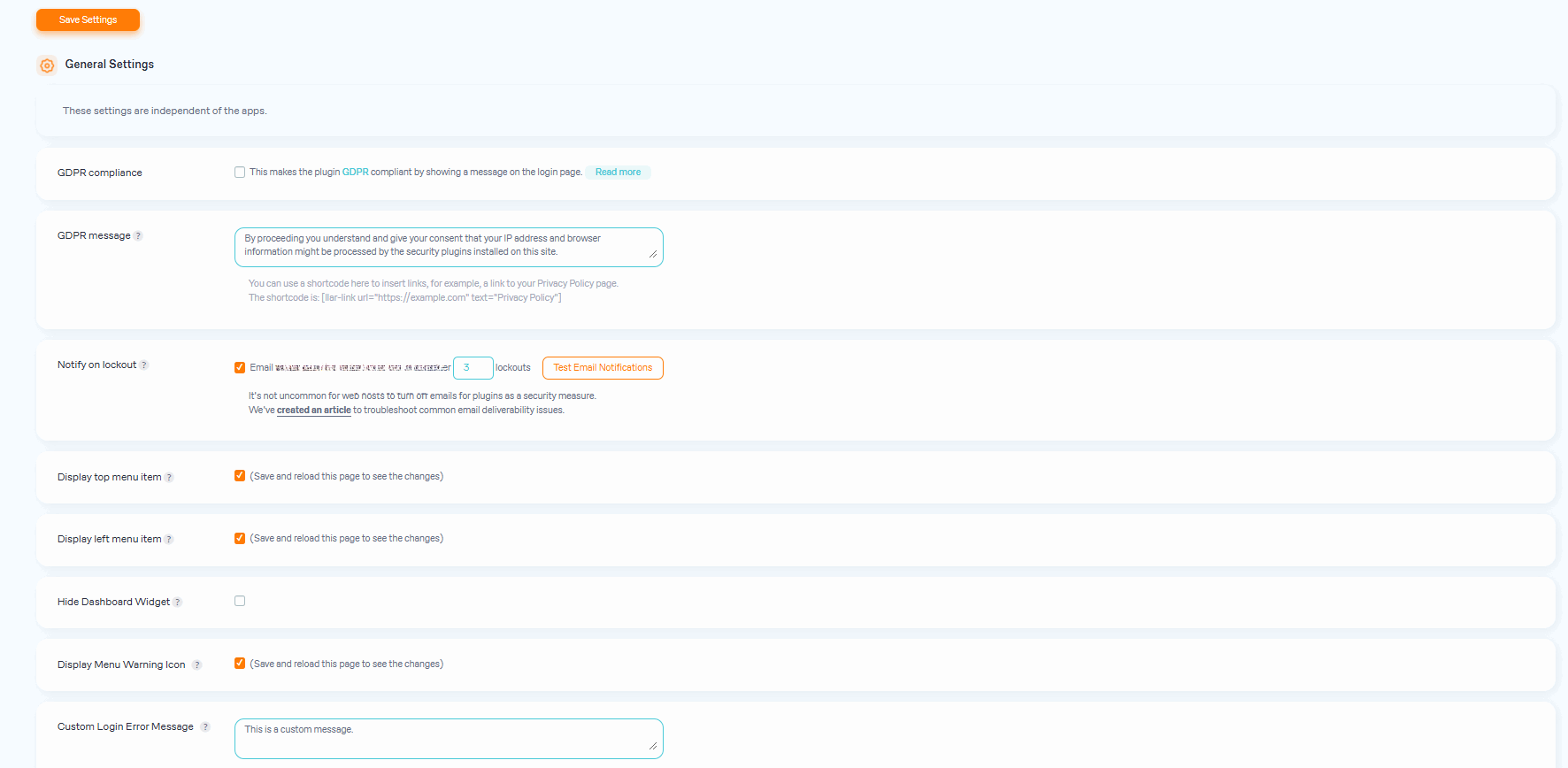
Plugin General Settings 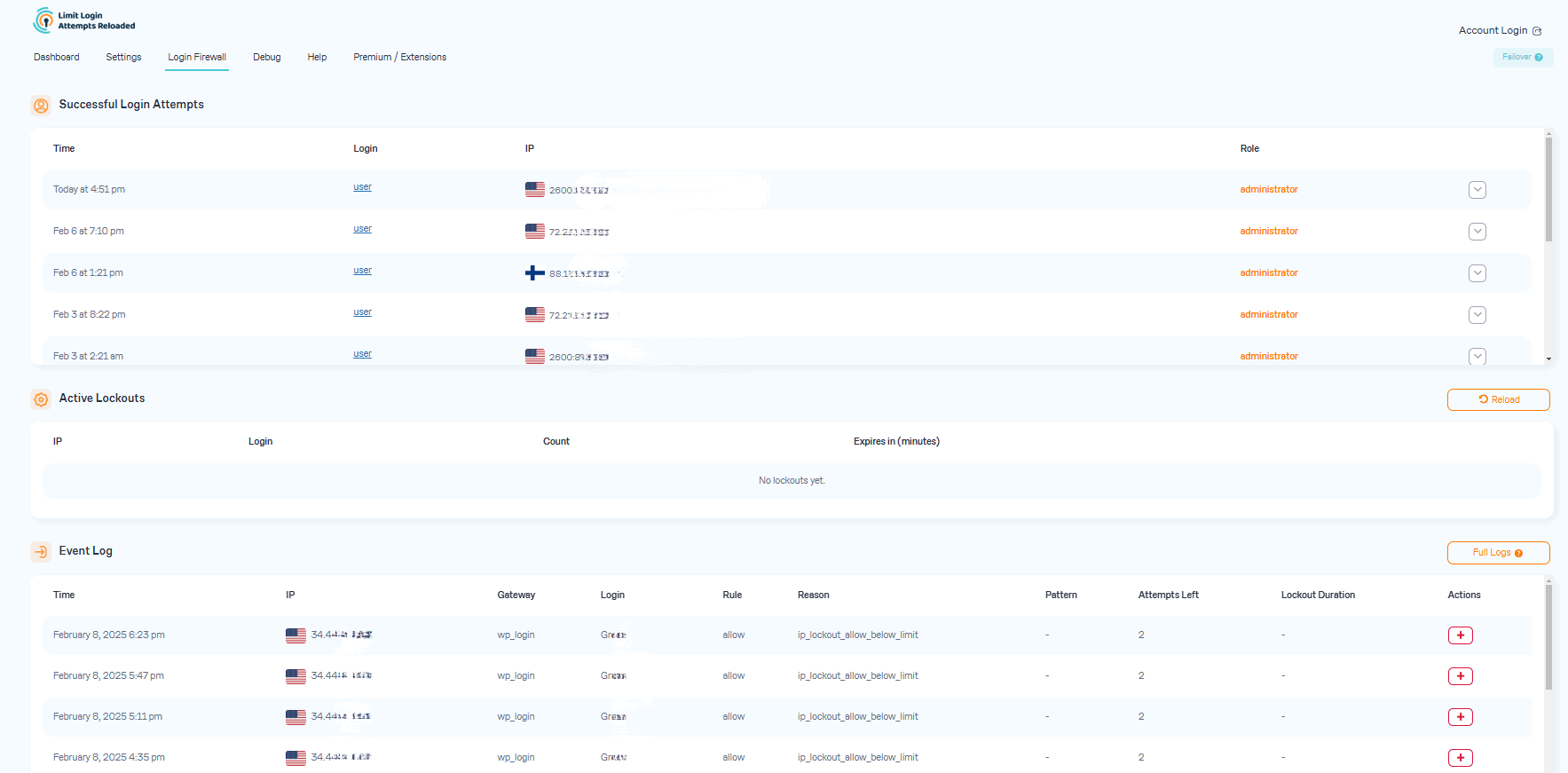
Login Firewall & Login Access Rules 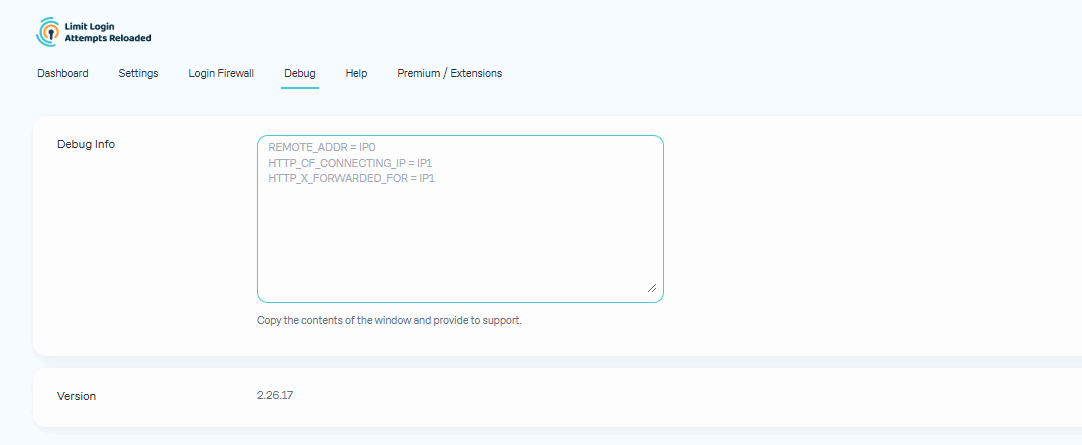
Debug 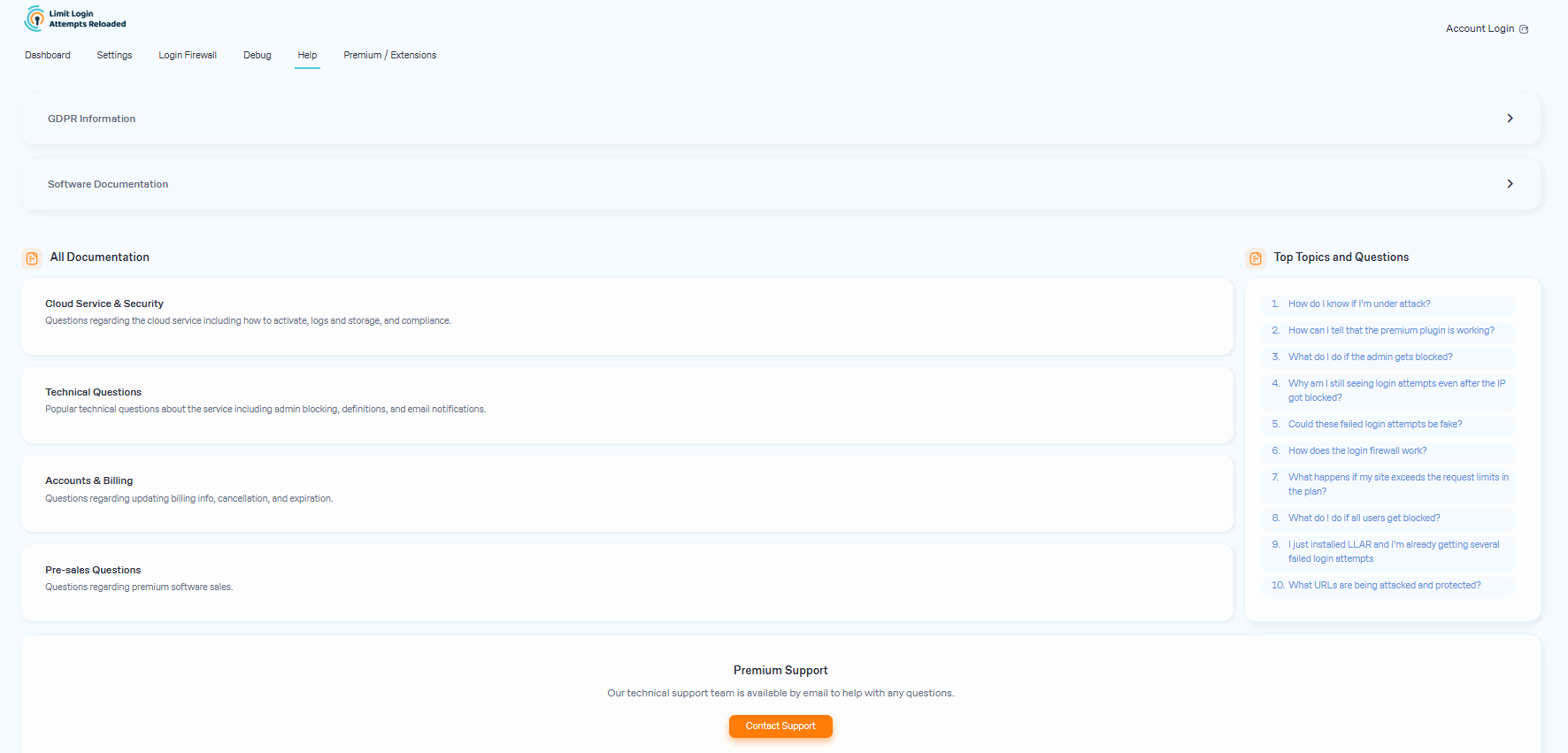
Support


FAQ
-
What do I do if all users get blocked?
-
If you are using contemporary hosting, it’s likely your site uses a proxy domain service like CloudFlare, Sucuri, Nginx, etc. They replace your user’s IP address with their own. If your server is not configured properly, all users will get the same IP address. This also applies to bots and hackers. Therefore, locking one user will lead to locking everybody else out. In the free version of the plugin, this can be adjusted using the Trusted IP Origin setting. In the premium version, the cloud service intelligently recognizes the non-standard IP origins and handles them correctly, even if your hosting provider does not.
-
How do I know if I’m under attack?
-
An easy way to check if the attack is legitimate is to copy the IP address from the lockout notification and check its location using a IP locator tool. If the location is not somewhere you recognize and you have received several failed login attempts, then you are likely being attacked. You might notice dozens or hundreds of IPs each day. Visit our website to learn how can you prevent brute force attacks on your website.
-
After you upgrade to our premium version, you will see a new dashboard in your WordPress admin that shows all attacks that will now relay through our cloud service. On the graph, you’ll see requests and failed login attempts. Each request will represent the cloud app validating an IP, which also includes denied logins.
In some cases, you may notice an increase in speed and efficiency with your website. Also, a reduction in lockout notifications via email.
-
Could these failed login attempts be fake?
-
Some users find it hard to believe that they could experience numerous unsuccessful login attempts, particularly when their site has just been established or has minimal human traffic. The plugin is not responsible for generating these failed login attempts. Newly created websites are frequently hosted on shared IP addresses, making it easy for hackers to discover them. Additionally, newly registered domain names are often crawled soon after creation, rendering a WordPress website susceptible to attacks. Such websites are attractive targets as security is not a primary concern for their owners. We’ve created an article that delves deeper into the issue of fake login attempts in WordPress.
-
What happens if my site exceeds the request limits in the plan?
-
The premium plan’s resource limits start from 100,000 requests per month, which should accept almost any heavy brute-force attack. We monitor all of our sites and will alert the user if it appears they are going over their limits. If limits are reached, we will suggest to the user upgrading to the next plan. If you are using the free version, the load caused by brute force attacks will be absorbed by your current hosting bandwidth, which could cause your hosting costs to increase.
-
What URLs are being attacked and protected?
-
The URLs being protected are your login page (wp-login.php, wp-admin), xmlrpc.php, WooCommerce login page, and any custom login page you have that uses regular WordPress login hooks.
-
Why is LLAR more popular than other brute-force protection plugins?
-
Our main focus is protecting your site from brute force attacks. This allows our plugin to be very lean and effective. It doesn’t require a lot of your web hosting resources and keeps your site well-protected. More importantly, it does all of this automatically as our service learns on its own about each IP it encounters. In contrast, a firewall would require manual blocking of IPs.
-
What to do when an admin gets blocked?
-
Open the site from another IP. You can do this from your cell phone, or using Opera browser and enabling free VPN there. You can also try turning off your router for a few minutes and then see if you get a different IP address. These will work if your hosting server is configured correctly. If that doesn’t work, connect to the site using FTP or your hosting control panel file manager. Navigate to wp-content/plugins/ and rename the limit-login-attempts-reloaded folder. Log in to the site then rename that folder back and whitelist your IP. By upgrading to our premium app, you will have the unlocking functionality right from the cloud so you’ll never have to deal with this issue.
-
What settings should I use In the plugin?
-
The settings are explained within the plugin in great detail. If you are unsure, use the default settings as they are the recommended ones.
-
By default, you will need to copy and paste the lists to each site manually. For the premium service, sites are grouped within the same private cloud account. Each site within that group can be configured if it shares its lockouts and access lists with other group members. The setting is located in the plugin’s interface. The default options are recommended.
Reviews


Contributors & Developers
“Limit Login Attempts Reloaded – Login Security, Brute Force Protection, Firewall” is open source software. The following people have contributed to this plugin.