

Descripción
Level up your WordPress security with the WP Ghost plugin! 99% Fewer Hacker Attacks on WordPress Sites
WP Ghost (formerly Hide My WP Ghost) is a comprehensive hack-prevention security solution for WordPress websites. It adds multiple layers of security to block hacker bots and prevent unauthorized access.
It works by changing and hiding common vulnerabilities, making it difficult for bots and hackers to exploit weak points in plugins, themes, and the WordPress core itself.
Join over 200,000 secured websites with WP Ghost. The plugin has blocked over 9 million brute-force attempts and stopped over 140,000 monthly hacks.
Key features include powerful protection against:
- Ataques de fuerza bruta
- Ataques de inyección de SQL
- Script Injection Attacks
- Vulnerability Exploit
- Malware Injection
- XML-RPC attacks
- File Inclusion Exploits
- Directory Traversal Attacks
- Default WP Paths Exploits
- Cross-Site Scripting (XSS)
- Throttling of Access Attempts to Entry Points
- y más
Protect your site today! WP Ghost hides and secures all common paths, plugins, and themes from hacker bots and spammers.
YouTube – Why You Must Have Hide My WP
WP Ghost is packed with over 65 security-free features:
Change and Hide Paths:
- Ocultar el archivo wp-admin de WordPress, y mostrar un error 404 o una página personalizada
- Ocultar el archivo wp-login.php de WordPress, y mostrar un error 404 o una página personalizada
- Hide WordPress Common Paths
- Hide WordPress Common Files
- Change the wp-admin and wp-login URLs
- Cambia la URL de contraseña perdida
- Cambia la URL de registro
- Cambia la URL de cierre de sesión
- Cambia la URL de activación
- Cambiar la URL de admin-ajax
- Cambiar la URL de wp-content
- Cambiar la URL de wp-includes
- Cabiar la URL de las subidas
- Cambiar la URL de los comentarios
- Cambiar la URL de autor
- Cambiar la URL de los plugins
- Cambiar el nombre de los plugins
- Cambiar la URL de los temas
- Cambiar el nombre de los temas
- Nombre del archivo “style.css” del tema personalizado
- Cambiar la URL de wp-jason en la API REST
- Cambiar la URL de categoría
Cambiar la URL de las etiquetas
Redirecciones personalizadas de acceso en el perfil de usuario
Personalizar las redirecciones de salida basadas en el perfil de usuario
Cambiar las URLs de relativas a absolutas
- Cambiar las URLs en las llamadas de ajax
- Cambiar las URLs para usuarios conectados
- Cambiar las URLs en los archivos de caché
- Cambiar las rutas en Sitemap.xml
- Cambiar las rutas en Robots.txt
Firewall:
- Two-factor Authentication By Code (2FA)
- Two-factor Authentication By Email (2FA)
- Two-factor Authentication By Passkey (2FA)
- Cabecera de seguridad contra las inyecciones XSS y de código
- Cabecera de seguridad Strict-Transport-Security
- Cabecera de seguridad Content-Security-Policy
- Cabecera de seguridad X-XSS-Protection
- Cabecera de seguridad X-Content-Type-Options
- Cabecera de seguridad X-Frame-Options
- Cortafuegos contra inyecciones de Script y SQL
- Filtro de seguridad de 7G Firewall
- 8G Firewall Security Filter
- Block by IP Addresses
- Block by User Agents
- Block by Referrers
- Block by Hostnames
- Hide Website from Theme Detectors
Ocultar opciones:
- Ocultar la ruta /wp-admin
- Ocultar la ruta /wp-login
- Ocultar la ruta /login
- Ocultar la ruta de wp-json de la API REST
- Ocultar la barra de herramientas del administrador en el perfil del usuario
- Ocultar IDs de estilos y meta
- Ocultar los comentarios HTML de WordPress
- Ocultar la versión y las etiquetas de WordPress
- Ocultar el enlace de precarga de DNS de WordPress
- Ocultar la meta generator de WordPress
- Ocultar encabezado de RSD (Really Simple Directory)
- Ocultar los emotíconos si no los utilizas
Desactivar las opciones:
- Desactivar el acceso a la API REST
- Desactivar el acceso por XML-PRC
- Desactivar los scripts incrustadas
- Deshabilitar DB-Debug en Frontend
- Desactivar los scripts de WLW Manifest
- Desactivar Seleccionar todo – Ctrl+A (Windows y Linux), ⌘+A (macOS)
- Desactivar Copiar – Ctrl+C (Windows y Linux), ⌘+C (macOS)
- Desactivar Cortar – Ctrl+X (Windows y Linux), ⌘+X (macOS)
- Desactivar Pegar – Ctrl+V (Windows y Linux), ⌘+V (macOS)
- Desactivar Guardar – Ctrl+S (Windows y Linux), ⌘+S (macOS)
- Desactivar “Inspeccionar elemento/Herramienta de desarrollador” – Ctrl+Shift+C (Windows y Linux),⌥+⌘+C (macOS)
- Desactivar “Ver código fuente” – Ctrl+U (Windows y Linux), Alt+⌘+U (macOS)
- Desactivar el clic derecho
- Desactivar arrastrar y soltar
- Desactivar el arrastre de imágenes con el ratón
- Desactivar la selección de texto
- Desactivar la exploración del directorio
Asignación de texto y URLs:
- Cambiar las URLs usando la asignación de URL
- Cambiar las clases usando la asiganación de texto
- Cambia las URLs del CDN usando la asignación de CDN
- Cambia las rutas en los archivos de caché
- Cambiar las rutas en el enlace del feed
- Cambia las rutas en el Sitemap XML
- Cambia las rutas en el Robots.txt
Protección contra fuerza bruta:
- Protección de fuerza bruta con Math reCAPTCHA
- Protección contra fuerza bruta con Google reCaptcha V2
- Protección de fuerza bruta con Google reCAPTCHA V3
- Brute Force Protection with Google Enterprise reCaptcha
- Brute Force Protection on Login
- Brute Force Protection on Password Lost
- Brute Force Protection on Signup
- Brute Force Protection on Comment
- Brute Force Protection on Woocommerce Login
- Brute Force Protection shortcode [hmwp_bruteforce]
- Personalizar mensajes, tiempo de espera e intentos
- Gestionar listas negra y blanca de IPs
Extra Features:
- Magic Link Login Without Password
- Temporary Logins Without Password
- Corregir las URLs relativas
- Ajustes de copia de seguridad y restauración
- Cambiar las clases en el código fuente usando la asignación de texto
- Cambiar las URLs en el código fuente usando la asignación de URL
- Cachear CSS, JS e imágenes para optimizar la velocidad de carga
- Comprobaciones e informes de seguridad semanales
Integraciones:
- Compatibilidad con WP Multisitio
- Compatible con Nginx
- Compatible con IIS
- Compatible con LiteSpeed
- Compatible con Apache
- Es compatible con Siteground
- Compatible con WP Engine
- Es compatible con el alojamiento de AWS
- Compatible con el alojamiento Inmotion
- Compatible con el alojamiento de Hostgator
- Compatible con el alojamiento de Godaddy
- Compatible con Host1plus
- Compatible con Payperhost
- Compatible con Fastcomet
- Compatible con Dreamhost
- Copatible con Bitnami Apache
- Compatible con Bitnami Nginx
- Compatible con el alojamiento Google Cloud
- Compatible con el alojamiento Litespeed
- Support for Flywheels Local
- Compatible con el alojamiento Flywheels
- Es compatible con el alojamiento de Ploi
- Es compatible con el alojamiento de Namecheap
- Es compatible con el alojamiento de RunCloud
- Es compatible con el alojamiento de WPEngine
Es compatible con el alojamiento de CloudPanel
Recomendado por WP Rocket
- Recomendado por WPML
Premium Security Features (over 80):
- WordPress Hardening
- Hide WordPress Common Paths by Extension
- Hide WordPress Files like wp-config.php, wp-config-sample.php, wp-load.php, wp-settings.php, wp-blog-header.php, readme.html, readme.txt, install.php, license.txt, php.ini, hidemywp.conf, bb-config.php, error_log, debug.log
- Events/Actions Monitoring (Cloud Backup)
- Brute Force Monitoring (Cloud Backup)
- Geo Security
- Country Blocking
- Vulnerability Management
- Files Permission Fix
- Database Prefix Change
- SALT Keys Change
- Premium Support
- and more
Hide My WP Premium Feature
Compatible server types: WP Multisite, Apache, Litespeed, Nginx, and Windows IIS.
Hosting Compatibility checked: WP Engine, Inmotion Hosting, Hostgator Hosting, Godaddy Hosting, Host1plus, Payperhost, Fastcomet, Dreamhost, Bitnami Apache, Bitnami Nginx, Google Cloud Hosting, Amazon AWS Lightsail, Litespeed Hosting, Flywheels Hosting, Kinsta Hosting, Ploi.io, CloudPanel, RunCloud, Rocket Domain, Yunohost
Actualizaciones de compatibilidad con plugins: Woocommerce, WPML, WPMUDEV, W3 Total Cache, Gravity, WP Super Cache, WP Fastest Cache, Hummingbird Cache, Cachify Cache, Litespeed Cache, SiteGround Optimizer, Nitropack,
Cache Enabler, CDN Enabler, WOT Cache, Autoptimize, Jetpack by WordPress, Contact Form 7, bbPress, Manage WP,
All In One SEO, Rank Math, Yoast SEO, Squirrly SEO, WP-Rocket, Minify HTML, Solid Security, Sucuri Security, Really Simple SSL, WordFence Security, WP Cerber Security, BBQ Firewall, Anti-Malware Security,
Back-Up WordPress, Elementor Page Builder, Divi Builder, Weglot Translate, AddToAny Share Btn, Limit Login Attempts Reloaded, Loginizer, Shield Security, Asset CleanUp, WP Hide & Security Enhancer, y más
Compatibility Plugins List: Hide My WP Compatibility Plugins
Compatibility Theme List: Hide My WP Compatibility Themes
WP Ghost changes and hides WP common paths, admin & login paths, plugin paths, and theme paths, protecting your site from hacker bots.
Nota: no se alteran físicamente archivos ni directorios. Todos los cambios se implementan mediante reglas de reescritura del servidor, asegurando que no haya impacto en el SEO ni en la velocidad de carga.
The plugin works with other security plugins and adds a layer of security to your WordPress website against hacker bots.
Check the Demo Website source code:
https://demo.wpghost.com/
(the elementor is changed in files and classes)Check the Redirected URLs in Demo Website (all are redirected to Front Page):
https://demo.wpghost.com/wp-admin
https://demo.wpghost.com/wp-loginCheck the Hidden Common Paths in Demo Website (all show 404 Page Not Found):
https://demo.wpghost.com/wp-content
https://demo.wpghost.com/wp-content/plugins
https://demo.wpghost.com/wp-content/themes
Over 90,000 hacking attacks per minute strike WordPress sites and WordPress hosting around the world, hitting not only large corporate websites packed with sensitive data, but also sites belonging to small businesses, independent entrepreneurs, and individuals running personal blogs.
Security of WordPress sites typically tops the list of concerns for new and experienced website owners alike.
For owners of WordPress sites, statistics like that one raises particular worries about the security not just of individual WordPress sites, but of WordPress itself.
¿Es tu web segura? Comprueba stu web con Free Website Security Check
Protect your WordPress website by hiding the authentication paths like wp-admin, wp-login.php, login, wp-signup.php, and change the common WordPress paths like wp-content, wp-includes, uploads, and more.
Ser capaz de proteger las rutas comunes es crítico, porque así conseguirás mantener a los bots hackers alejados de los datos sensibles de tu web.
Esto es crucial y te proporcionará una grata experiencia y resultados perfectos a largo plazo.
Seguro que valdrá la pena, no por mencionar que al ocultar las rutas comunes harás que sea más difícil atacarte.
Si no te proteges tu mismo, acabaras teniendo tarde o temprano una web hackeada.
Esta es una versión gratuita del plugin, por lo que puedes usarlo en todas tus webs sin ninguna restricción.
Secure your website in just minutes with the WP Ghost plugin. Protect your WordPress site against hacker bots and spammers!
GitHub version: https://github.com/johndarrel/hide-my-wp
¡Gracias a todos por vuestra confianza, apoyo y reseñas positivas!
¡Importante! Esta no es una versión nulled del plugin de Codecanyon “Hide My Wp”.
¿Estás Listo para Proteger tu Sitio Web de Hackers con el Plugin de Seguridad más AMIGABLE CON EL USUARIO?
Capturas de pantalla

Hide My WP > Change Paths > Level Of Security 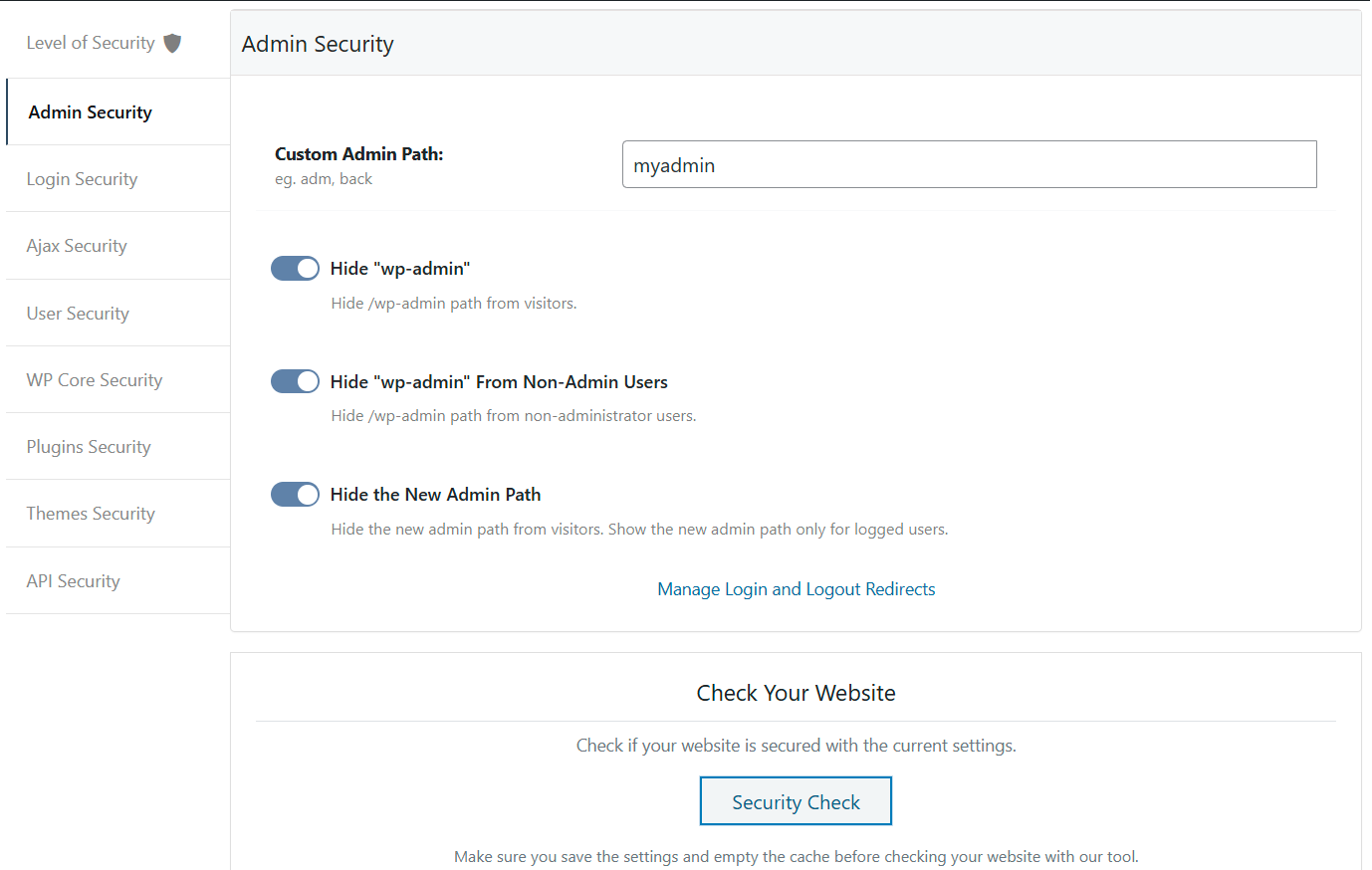
Hide My WP > Change Paths > Admin Security 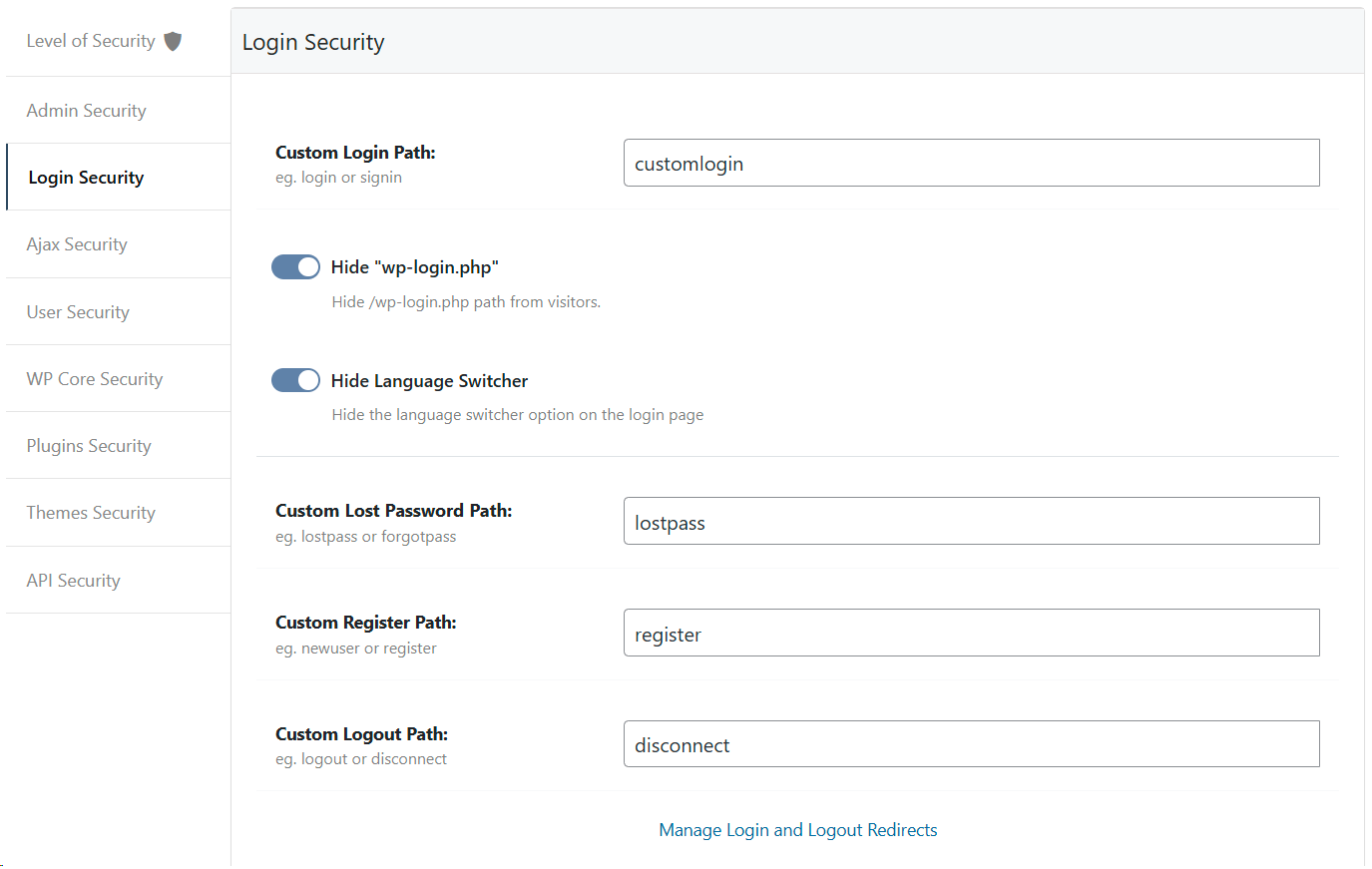
Hide My WP > Change Paths > Login Security 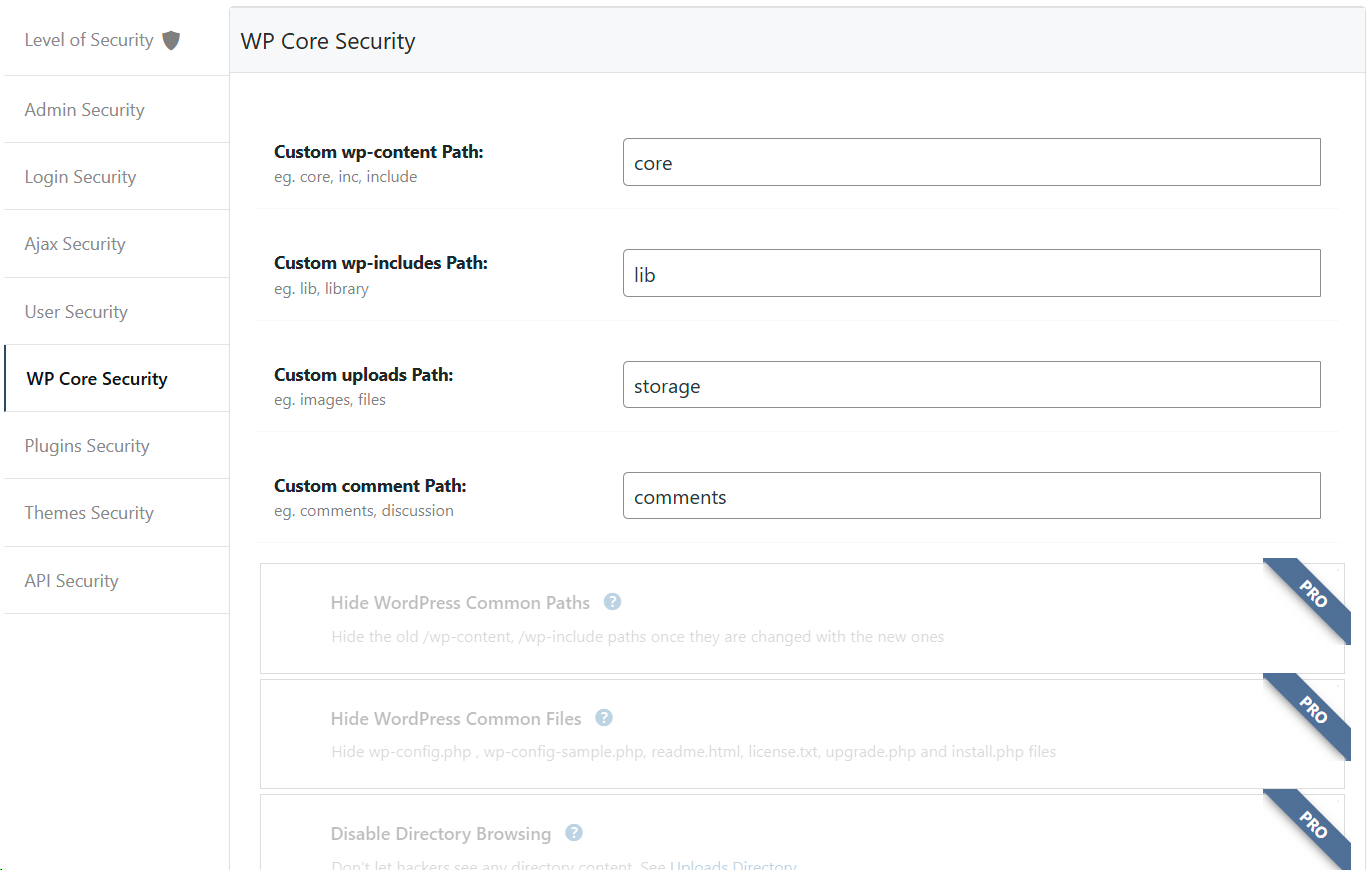
Hide My WP > Change Paths > Core Security 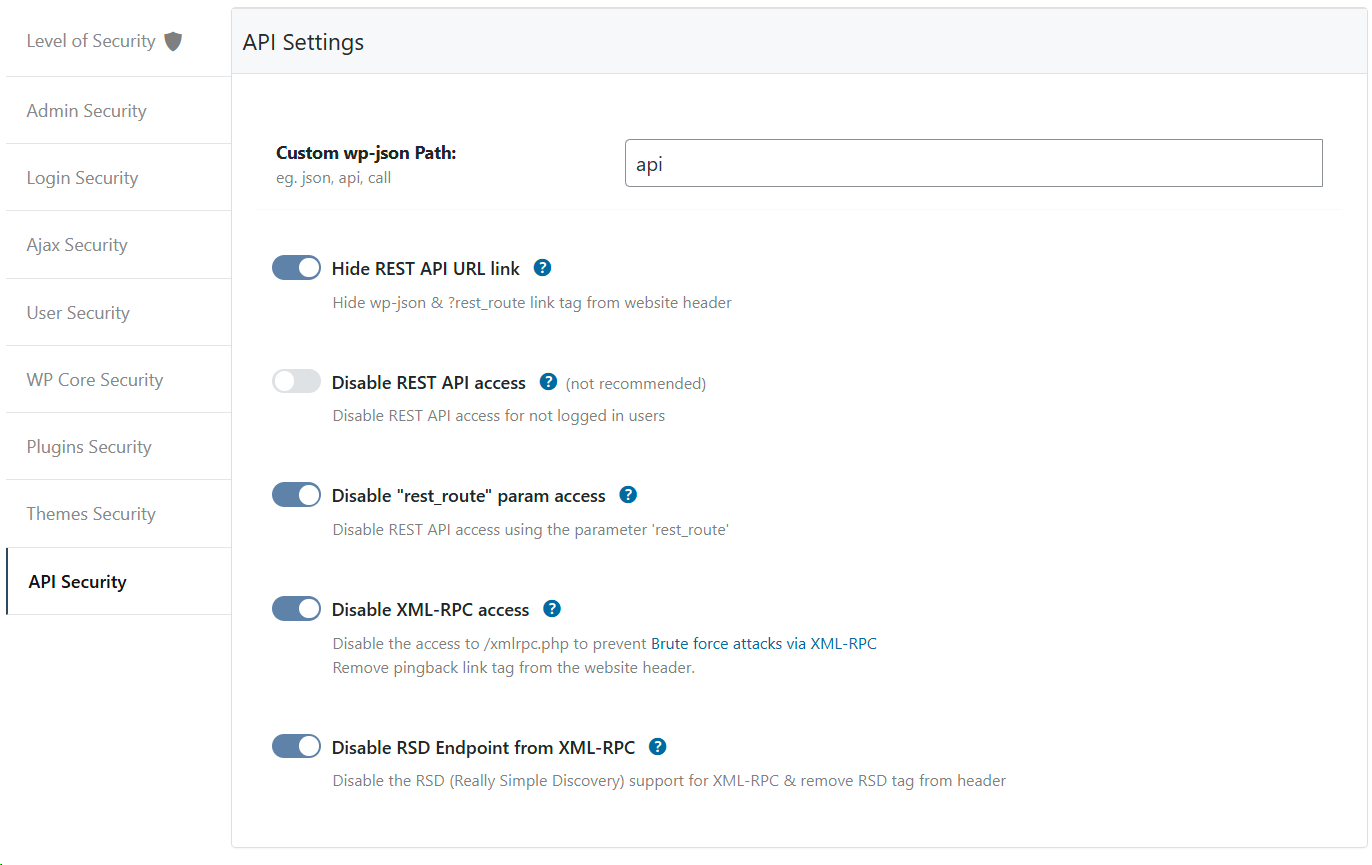
Hide My WP > Change Paths > API Security 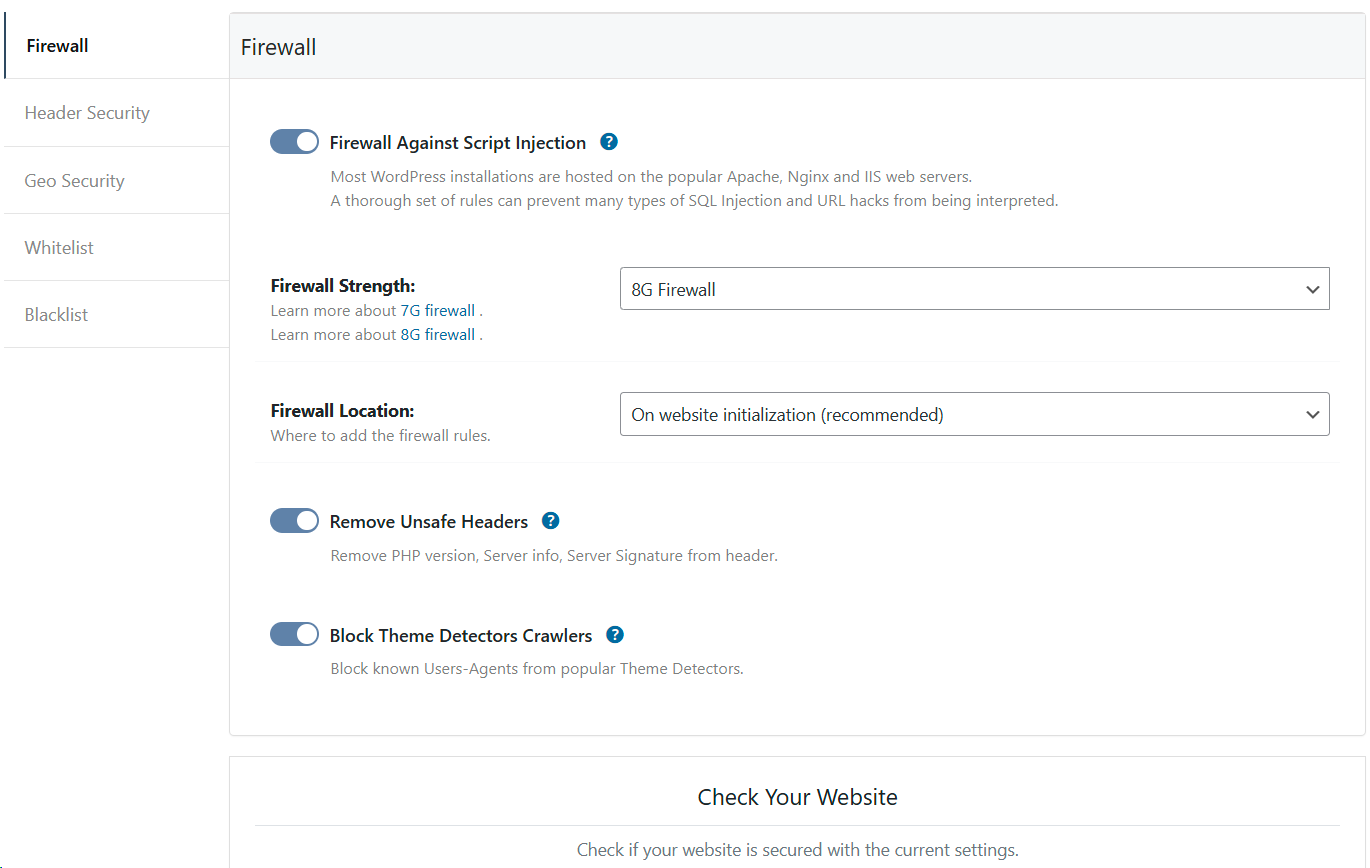
Hide My WP > Firewall > 8G Firewall 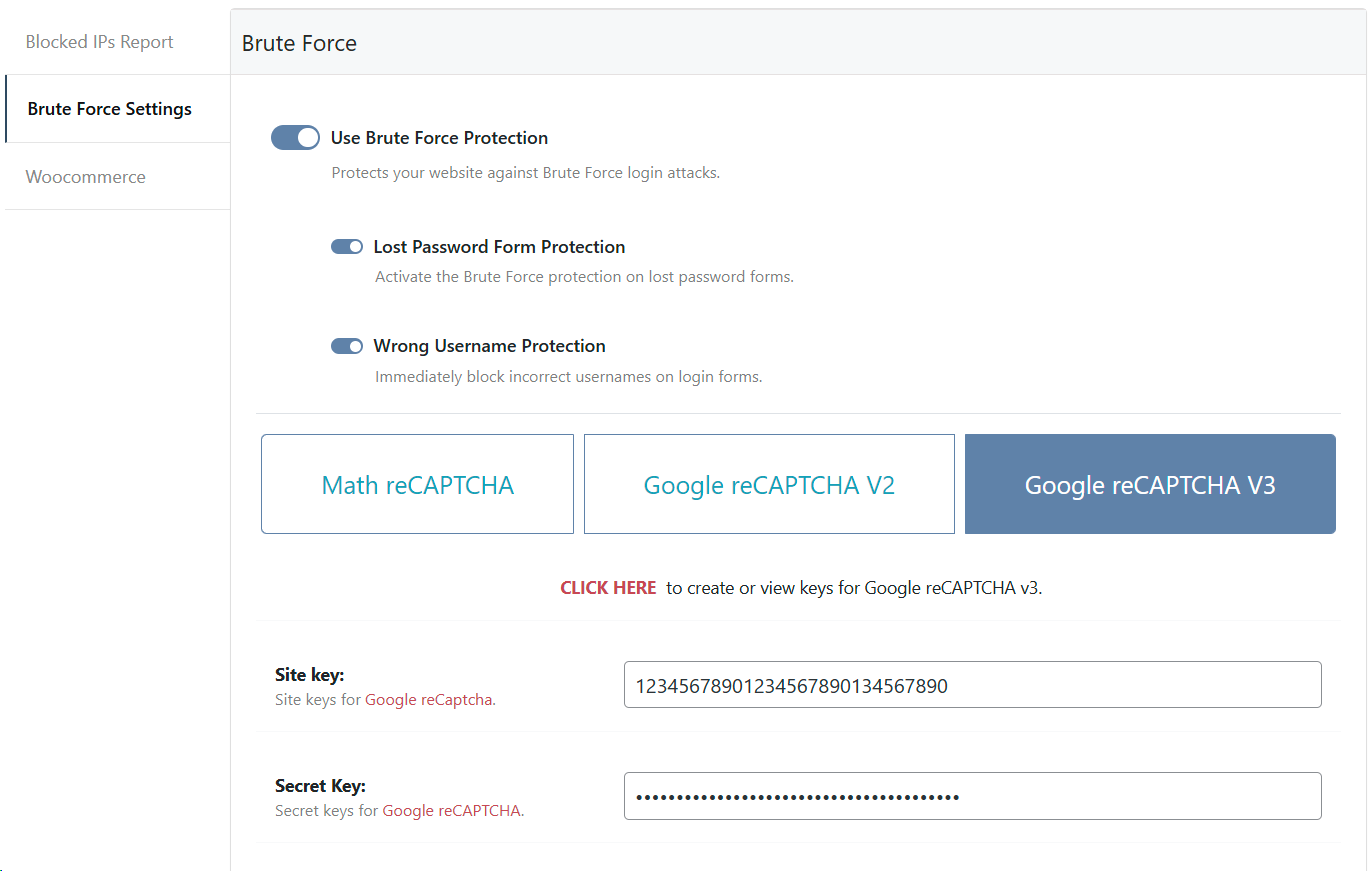
Hide My WP > Brute Force > reCaptcha Protection 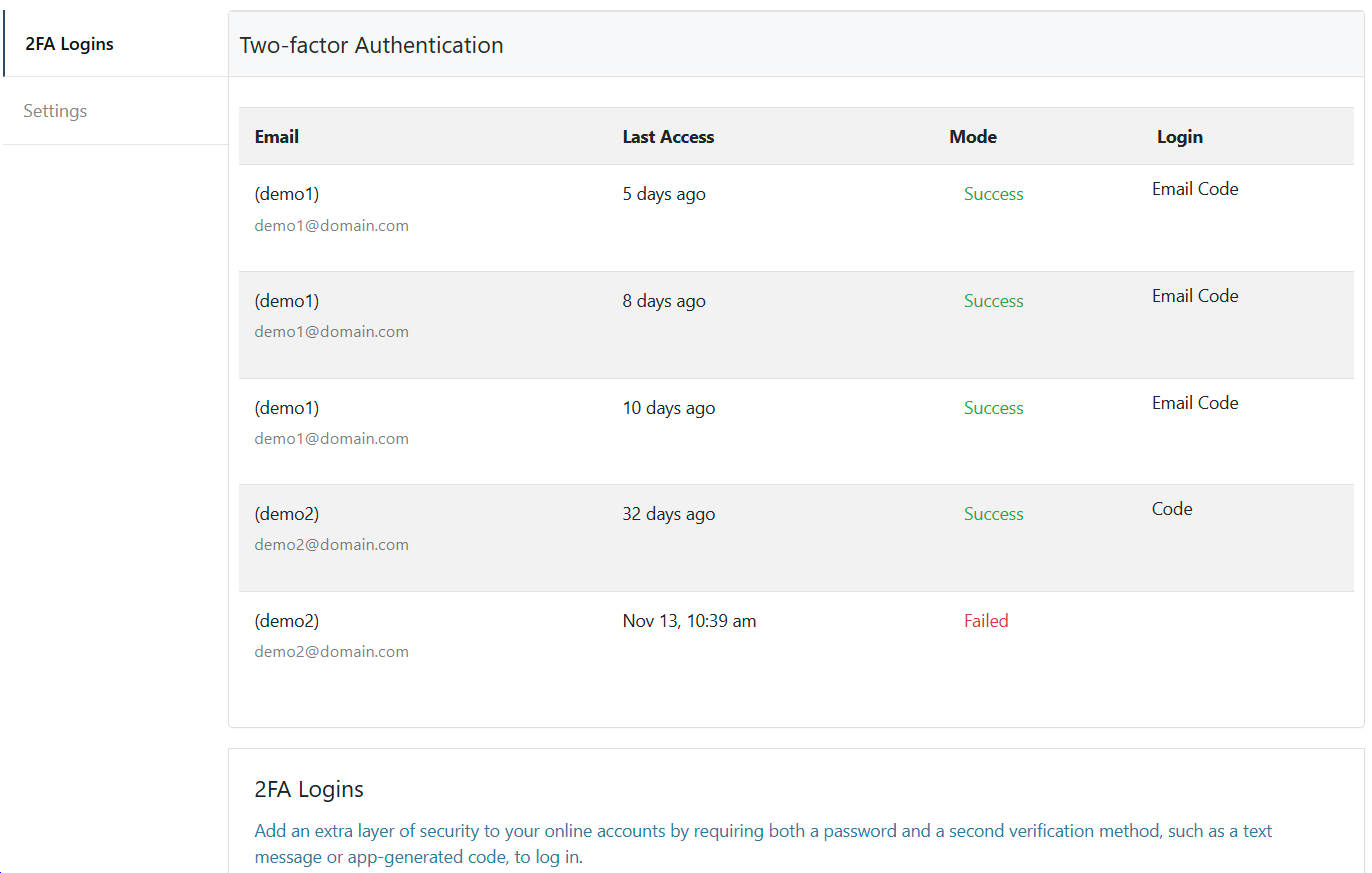
Hide My WP > Two Factor > 2FA Login 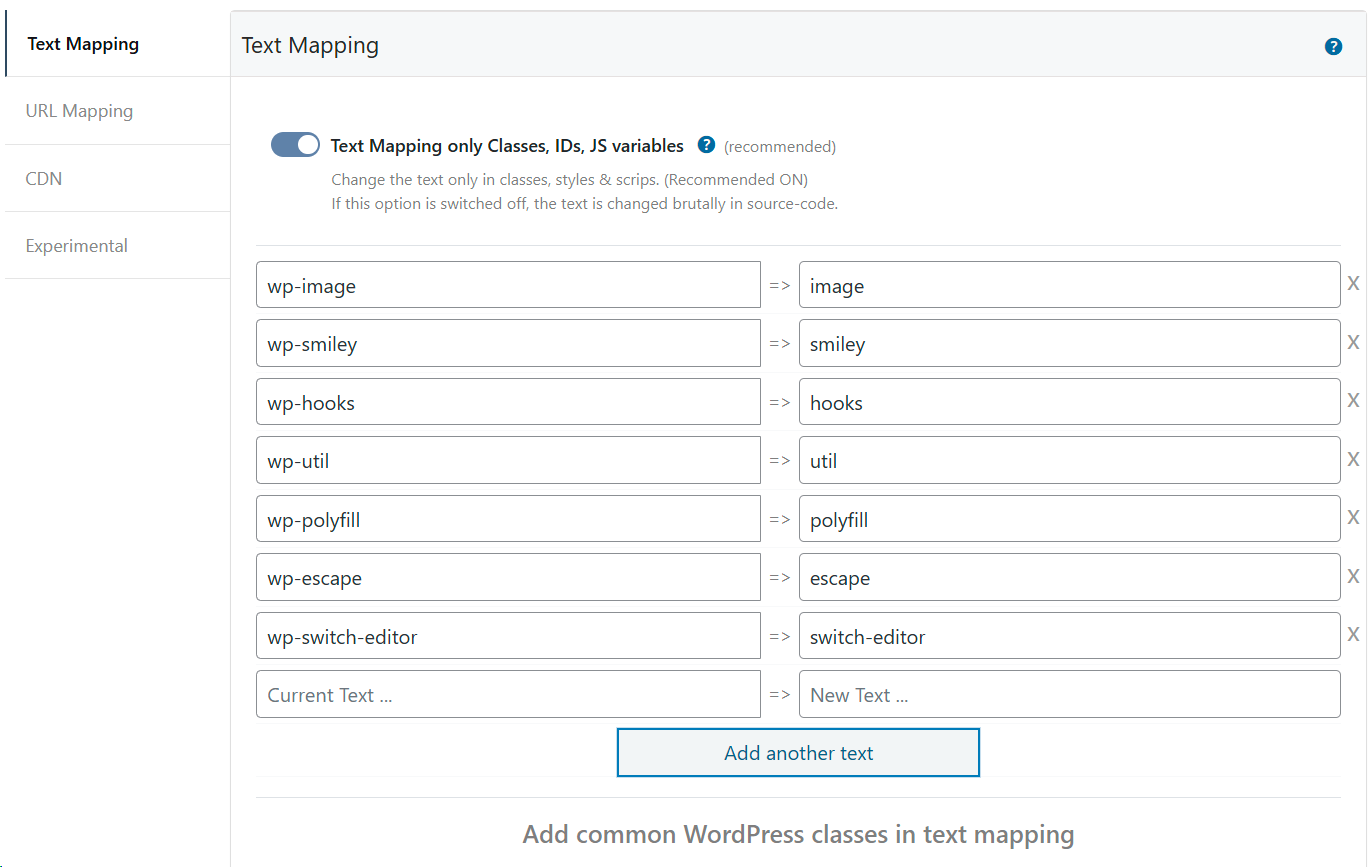
Hide My WP > Mapping > Text Mapping 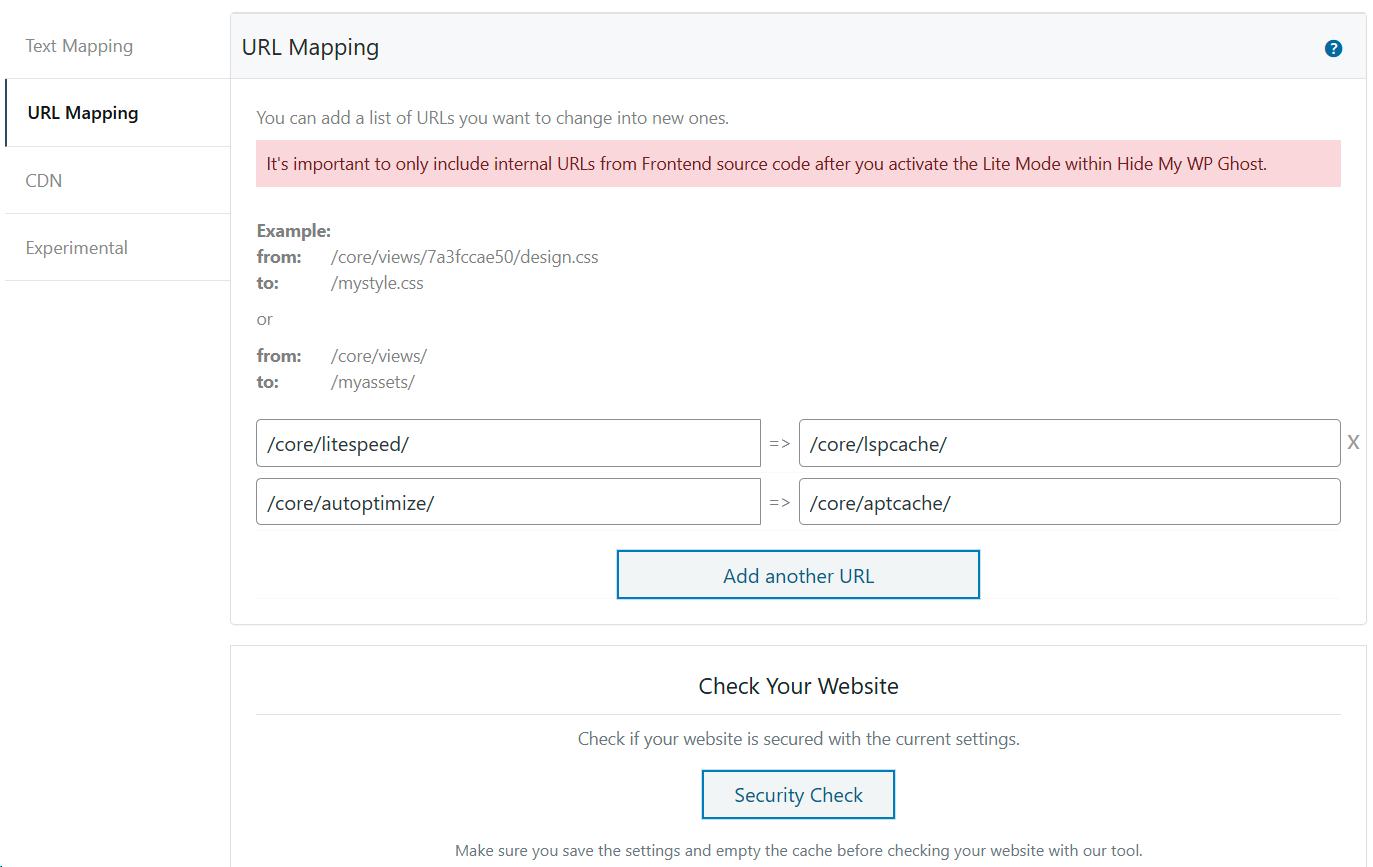
Hide My WP > Mapping > URL Mapping 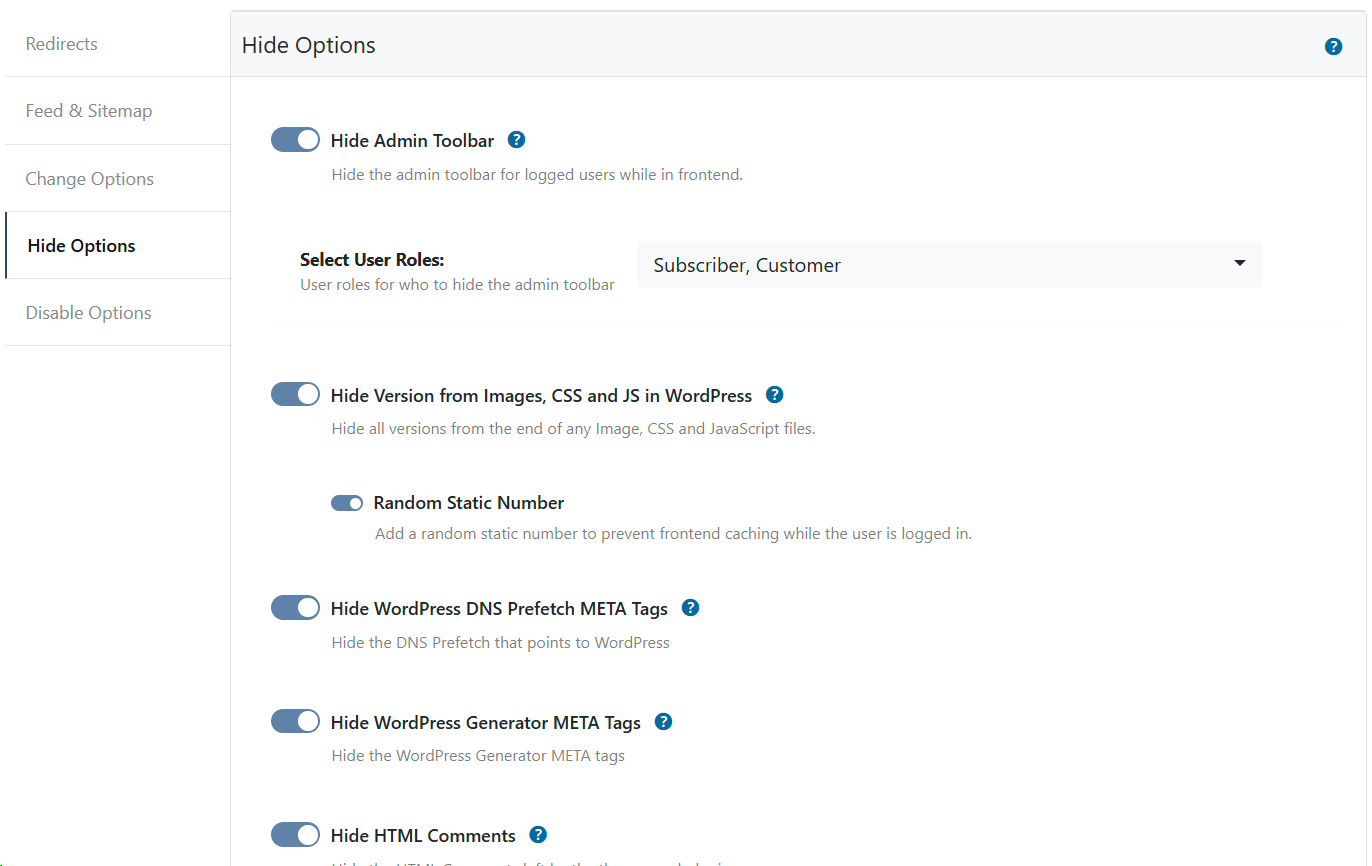
Hide My WP > Tweaks > Hide Options 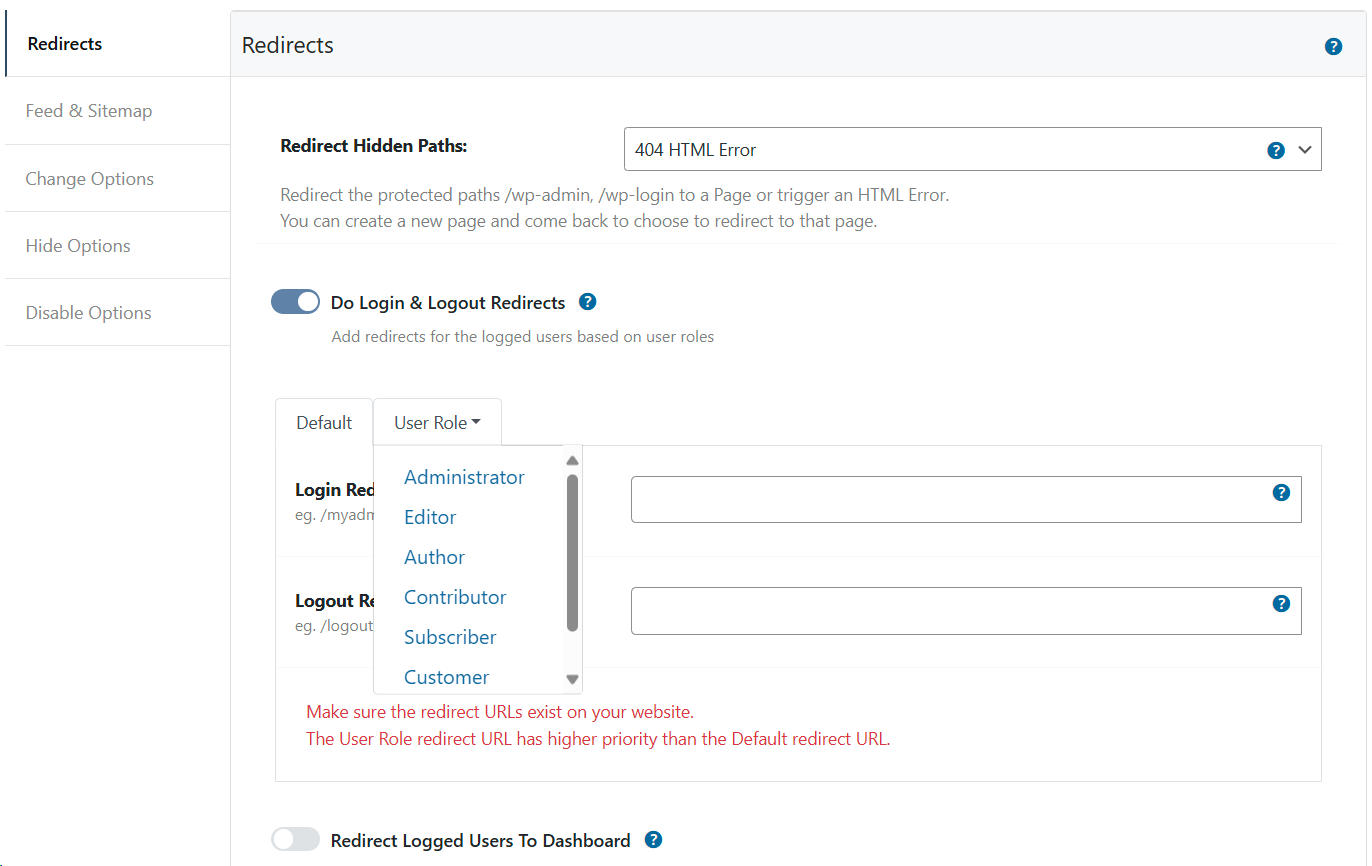
Hide My WP > Tweaks > Redirect Options 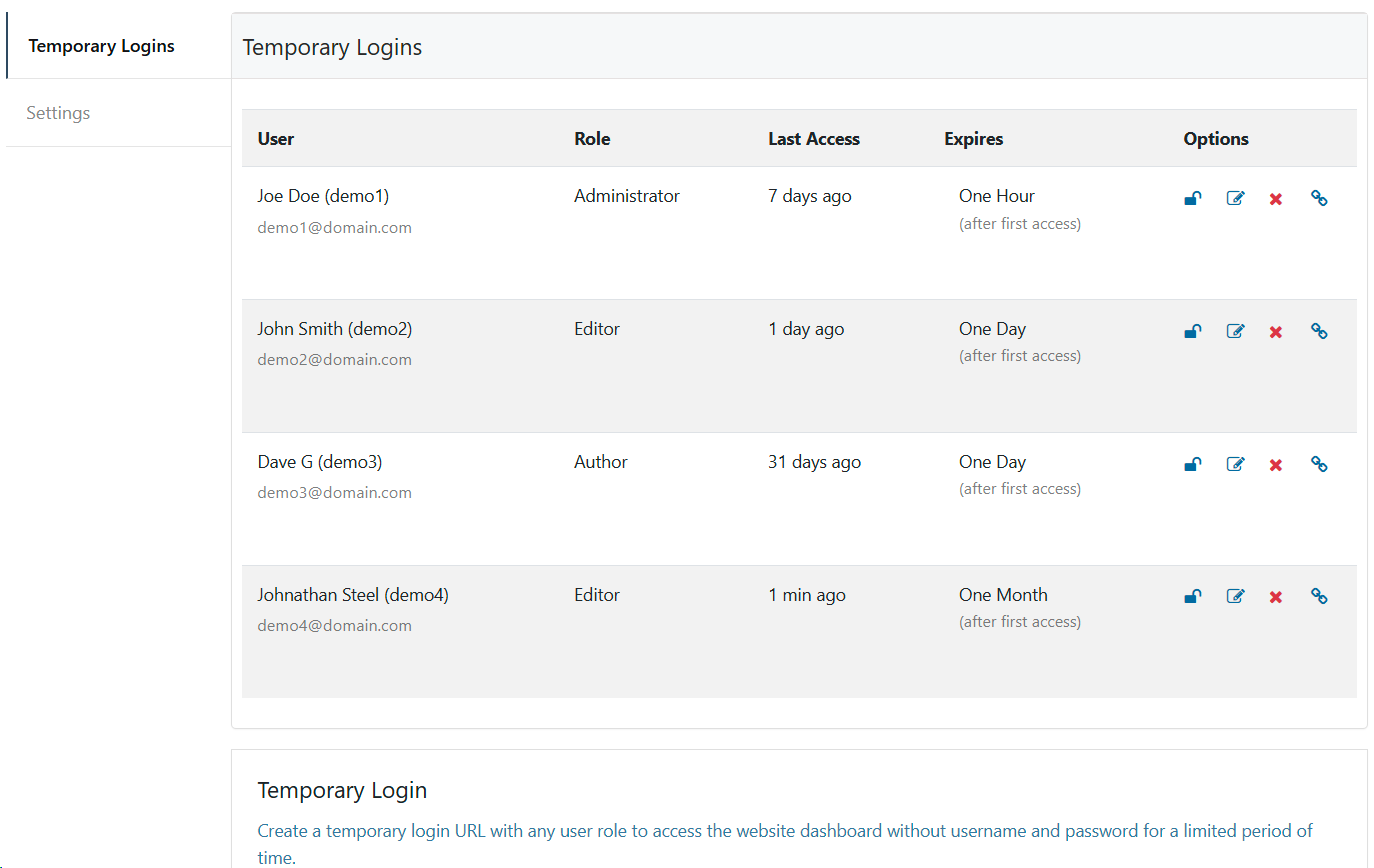
Hide My WP > Temporary Login > Logins 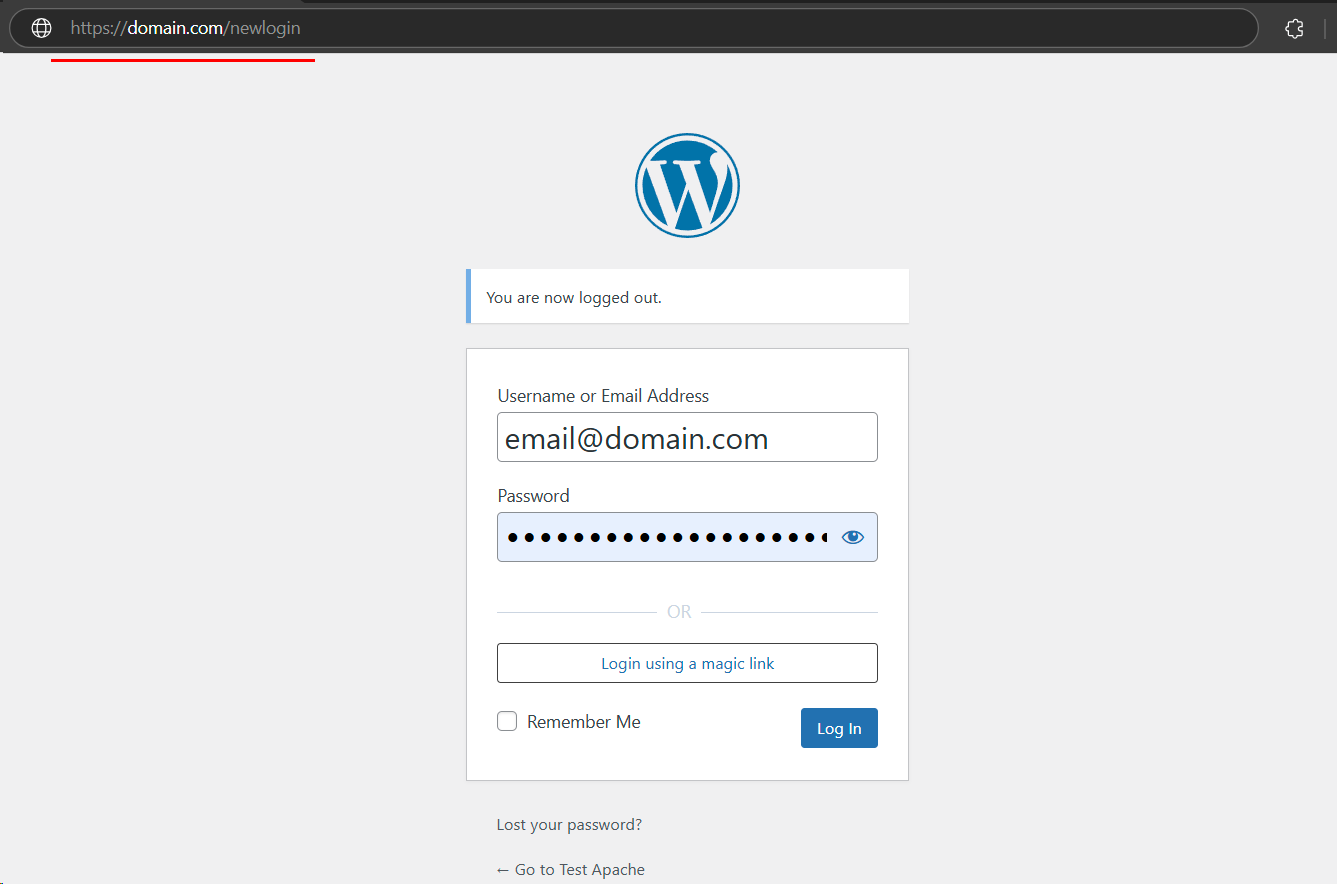
New Login Path /newlogin 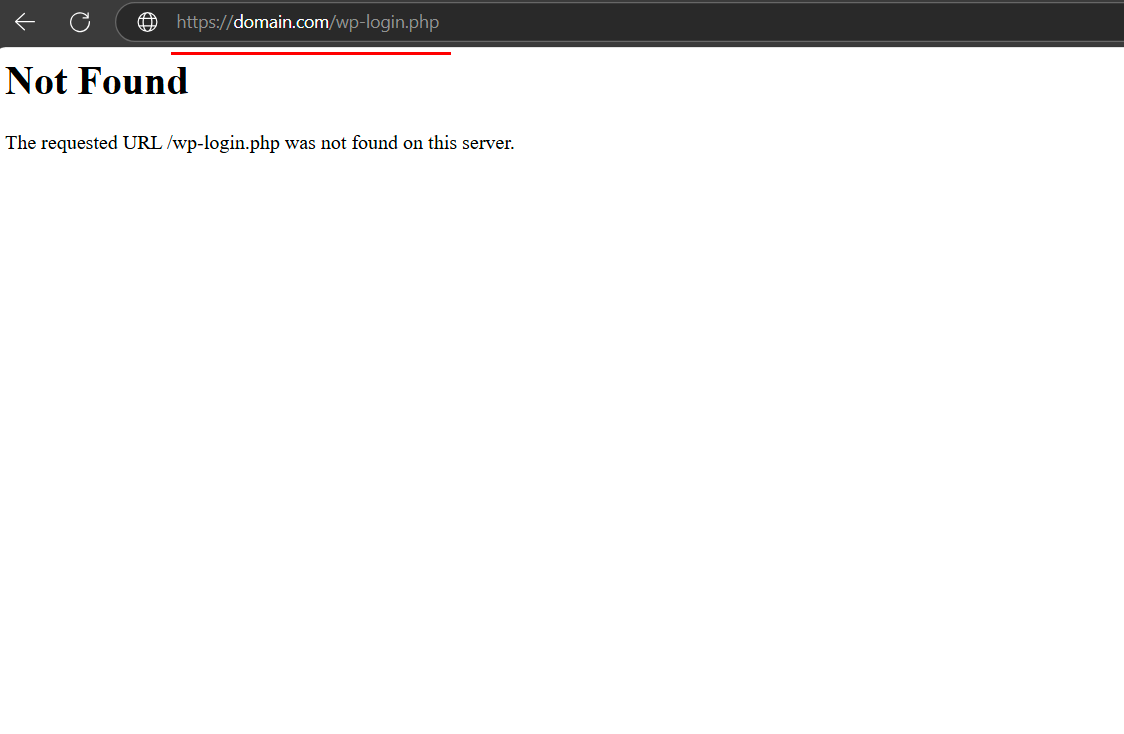
Old Login Path shows 404 Error /wp-login.php 
Old Admin Path shows 404 Error /wp-admin 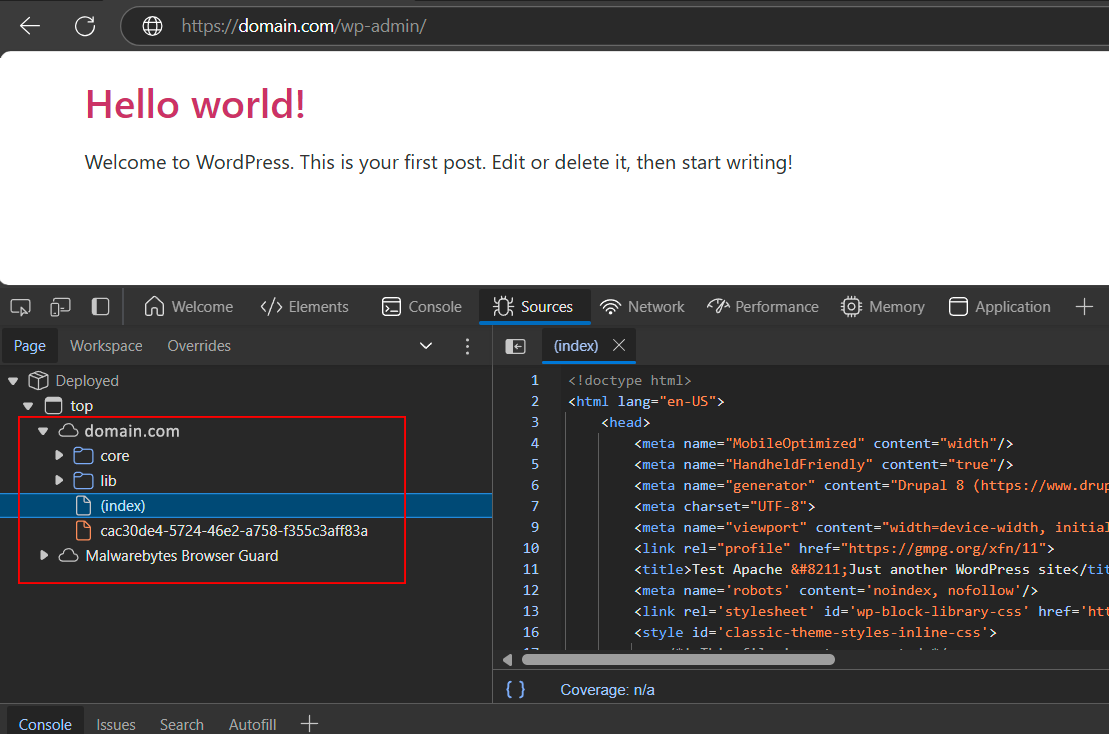
New custom core paths changed with Hide My WP Ghost


Instalación
Manually install the WP Ghost Lite plugin:
Step 1. Log In as an Administrator on your WordPress dashboard.
Step 2. In the WordPress menu, go to Plugins > Add New Plugin tab.
Step 3. Click on the Upload Plugin button from the top of the page.
Step 4. Click to browse and upload the hide-my-wp.zip file.
Step 5. After the upload, click the Activate Plugin button to activate the plugin.
Step 6. From the plugins list, click on the Settings link to go to plugin’s settings.
Step 7. Connect the plugin using your email address to get an instant free access token.
Step 8. Follow the setup guide from: https://wpghost.com/kb/install-wp-ghost-plugin/
Enjoy!
Install the WP Ghost Lite directly from the WordPress directory:
Step 1. Log In as an Administrator on your WordPress dashboard.
Step 2. In the WordPress menu, go to Plugins > Add New Plugin tab.
Step 3. Search for ‘WP Ghost’.
Step 4. After the plugin is shown, lick the Activate Plugin button to activate the plugin.
Step 5. From the plugins list, click on the Settings link to go to plugin’s settings.
Step 6. Connect the plugin using your email address to get an instant free access token.
Step 7. Follow the setup guide from: https://wpghost.com/kb/install-wp-ghost-plugin/
Enjoy!
FAQ
-
¿Funciona este plugin en WP Multisitio?
-
Si, el plugin funciona en WP Multisitio y lo podrás configurar en toda la red.
El plugin también funciona con los servidores Apache, NGINX, IIS y LiteSpeed
-
Is WP Ghost working on Nginx Server?
-
Si, el Plugin funciona en Nginx Server y serás guiado por los redireccionamientos y los ajustes de nginx.conf.
El plugin también funciona con los servidores Apache, IIS y LiteSpeed
-
El tema de mi web no está cargando correctamente después de cambiar las rutas. ¿Qué puedo hacer?
-
Este error parece más de los ajustes de las reglas de reescritura.
- Make sure you purge the cache if you have cache plugins after you save the WP Ghost settings.
- En caso de que los archivos “.htaccess” (para Apache), “nginx.conf” (para NGINX) o “web.config” (para IIS) no tengan permisos de escritura, tendrás que agregar los permisos de reescritura manualmente.
- Si tienes un servidor Nginx, asegúrate de recargar el Nginx después de guardar los ajustes.
- Si el tema todavía no se está cargando bien, contáctanos y podemos configurar el plugin para ti de forma gratuita.
You can find useful information here: https://wpghost.com/kb/
-
Olvidé las URLs de inicio de sesión y de administración personalizadas. ¿Y ahora qué?
-
No te asustes.
Todavía puedes acceder a tu sitio con la URL segura que descargaste cuando guardaste los ajustes
-
¡Bloqueado de mi propio sitio! He configurado el plugin y cuando me desconecté no pude volver a entrar
-
Renombra el directorio de plugins /wp-content/plugins/hide-my-wp para que los plugins no oculten más la ruta wp-login.php
Accede utilizando http://domainname/wp-login.php y vuelve a activar el plugin.
Asegúrate de recordar el parámetro seguro y será mucho más fácil.
-
Does WP Ghost work for the WordPress.com website?
-
Because of the Jetpack security in the WordPress.com website, WP Ghost can’t change the admin and login paths.
Si ya activaste Hide My WP en WordPress.com, elimina el directorio /wp-content/plugins/hide-my-wp para desactivar el plugin.
-
¿Funciona este plugin si no tengo enlaces permanentes personalizados en mi sitio?
-
No. Necesitas tener los enlaces permanentes personalizados establecidos en Ajustes > Enlaces permanentes.
Recibirás un aviso en la página de ajustes si algo no está bien configurado.
-
¿Qué hacer antes de desactivar el plugin?
-
Es mejor cambiar al modo predeterminado en Ajustes > Hide My WP.
Si no lo haces, el plugin cambiará automáticamente su sitio a las URL seguras y te dirá qué hacer en caso de que no tengas permiso de escritura para los archivos de configuración
-
¿Este plugin es gratuito?
-
Yes. The Lite features of the WP Ghost plugin will always be free.
Incluiremos todas las actualizaciones necesarias de seguridad para WordPress.
To unlock all the features, please visit: WP Ghost – Pricing Plan
-
¿Cómo configurar el plugin en el servidor Nginx?
-
Please follow this tutorial step by step to set up the WP Ghost for Nginx server:
Setup WP Ghost on Nginx Server
Configure WP Ghost On Nginx Web Server With Virtual Private ServerInstall WP Ghost on Kinsta Server
Install WP Ghost on RunCloud Server
Install WP Ghost on WPMUDEV Server
Install WP Ghost on Ploi.io Server
Install WP Ghost on Flywheel Server
Install WP Ghost on Amazon AWS Lightsail Server -
¿Cómo ocultar tu web a los detectores de temas de WordPRess?
-
Cambiar las rutas comunes de WordPress no garantiza que el CMS WordPress esté completamente oculto.
Las rutas antiguas todavía son accesibles y los hackers todavía pueden inyectar SQL y Javascript en plugins y temas vulnerables instalados.
Read more: How to Hide Your Site From WordPress Theme Detectors
-
¿El plugin es suficiente para proteger mi sitio web de todos los hackers?
-
The Free version of WP Ghost will not protect you from all hacker attacks. For extra security you need the premium version.
WP Ghost hides all the common paths and patterns used but bots to detect that you are using WordPress.
-
¿Cómo puedo cambiar las rutas de WP en el escritorio del administrador?
-
By default, WP Ghost changes the paths only in frontend.
No te recomendamos esto, pero si también quieres cambiar la ruta en el escritorio del administrador, agrega esta línea en el archivo wp-config.php.
define('HMW_ALWAYS_CHANGE_PATHS', true);Save the settings in WP Ghost and the WordPress paths will be changed in admin backend area.
-
¿Por qué la nueva ruta del administrador está redirigida a la página de inicio?
-
By default, when you set WP Ghost plugin in Lite Mode, you can login only with the new login path.
Para activar la opción de acceder a la nueva ruta del administrador y ser redirigido a la nueva ruta de acceso, haz esto:
Switch OFF the option WP Ghost > Change Paths > Admin Security > Hide the New Admin Path
Una vez que desactives la opción y guardes los ajustes, cuando accedas a la nueva ruta del administrador, se te redirigirá la la nueva ruta de acceso.
Reseñas
