
Descripción
Limit Login Attempts Reloaded functions as a robust deterrent against brute force attacks, bolstering your website’s security measures and optimizing its performance. It achieves this by restricting the number of login attempts allowed. This applies not only to the standard login method, but also to XMLRPC, Woocommerce, and custom login pages. With more than 2.5 million active users, this plugin fulfills all your login security requirements.
The plugin functions by automatically preventing further attempts from a particular Internet Protocol (IP) address and/or username once a predetermined limit of retries has been surpassed. This significantly weakens the effectiveness of brute force attacks on your website.
By default, WordPress permits an unlimited number of login attempts, posing a vulnerability where passwords can be easily deciphered through brute force methods.
Limit Login Attempts Reloaded Premium (Try Free with Micro Cloud)
Upgrade to Limit Login Attempts Reloaded Premium to extend cloud-based protection to the Limit Login Attempts Reloaded plugin, thereby enhancing your login security. The premium version includes a range of highly beneficial features, including IP intelligence to detect, counter and deny malicious login attempts. Your failed login attempts will be safely neutralized in the cloud so your website can function at its optimal performance during an attack.
Features (Free Version):
- 2FA – Coming soon.
- Limit Logins – Limit the number of retry attempts when logging in (per each IP).
- Configurable Lockout Timings – Modify the amount of time a user or IP must wait after a lockout.
- Remaining Tries – Informs the user about the remaining retries or lockout time on the login page.
- Lockout Email Notifications – Informs the admin via email of lockouts.
- Denied Attempt Logs – View a log of all denied attempts and lockouts.
- IP & Username Safelist/Denylist – Control access to usernames and IPs.
- New User Registration Protection (Micro Cloud Accounts) – Protects default WP registration.
- Compatibilidad con Sucuri
- Compatibilidad con Wordfence
- Ultimate Member compatibility.
- Compatibilidad con WPS Hide Login.
- MemberPress compatibility.
- Protección de la puerta de enlace XMLRPC.
- Protección de la página de inicio de sesión de Woocommerce.
- Multi-site compatibility with extra MU settings.
- Cumpole con elGDPR.
- Custom IP origins support (Cloudflare, Sucuri, etc.).
- llar_admin capacidad propia.
Features (Premium Version):
- Performance Optimizer – Offload the burden of excessive failed logins from your server to protect your server resources, resulting in improved speed and efficiency of your website.
- Enhanced IP Intelligence – Identify repetitive and suspicious login attempts to detect potential brute force attacks. IPs with known malicious activity are stored and used to help prevent and counter future attacks.
- Enhanced Throttling – Longer lockout intervals each time a malicious IP or username tries to login unsuccessfully.
- Deny By Country – Block logins by country by simply selecting the countries you want to deny.
- Auto IP Denylist – Automatically add IP addresses to your active cloud deny list that repeatedly fail login attempts.
- New User Registration Protection – Protects default WP registration.
- Global Denylist Protection – Utilize our active cloud IP data from thousands of websites in the LLAR network.
- Synchronized Lockouts – Lockout IP data can be shared between multiple domains for enhanced protection in your network.
- Synchronized Safelist/Denylist – Safelist/Denylist IP and username data can be shared between multiple domains.
- Premium Support – Email support with a security tech.
- Auto Backups of All IP Data – Store your active IP data in the cloud.
- Registro de inicios de sesión correctos – Almacena los inicios de sesión correctos en la nube, incluyendo información de IP, ciudad, estado y latitud/longitud.
- Enhanced lockout logs – Gain valuable insights into the origins of IPs that are attempting logins.
- CSV Download of IP Data – Download IP data direclty from the cloud.
- Supports IPV6 Ranges For Safelist/Denylist
- Unlock The Locked Admin – Easily unlock the locked admin through the cloud.
*Algunas características requieren planes de nivel superior.
¿Actualizando desde el antiguo plugin Limit Login Attempts?
- Ves a la sección de plugins del área de administración de tu web.
- Elimina el plugin Limit Login Attempts.
- Instala el plugin Limit Login Attempts Reloaded.
¡Todos tus ajustes permanecerán intactos!
Actualmente, el plugin Limit Login Attempts Reloaded es compatible con muchos idiomas, pero cualquier idioma adicional es bienvenido.
Ayúdanos a llevar Limit Login Attempts Reloaded a más países.
Traducciones: búlgaro, portugués brasileño, catalán, chino (tradicional), checo, holandés, finlandés, francés, alemán, húngaro, noruego, persa, rumano, ruso, español, sueco, turco
El plugin usa únicamente acciones y filtros estándar.
Basado en el código original del plugin Limit Login Attemps de Johan Eenfeldt.
Directrices de marca
Limit Login Attempts Reloaded™ is a trademark of Atlantic Silicon Inc. When writing about the plugin, please make sure to use Reloaded after Limit Login Attempts. Limit Login Attempts is the old plugin.
- Limit Login Attempts Reloaded (correct)
- Limit Login Attempts (incorrect)
Capturas de pantalla
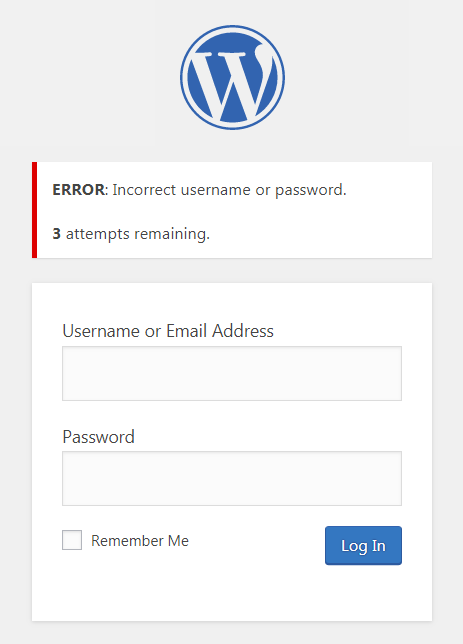
Pantalla de acceso después de un acceso fallido con los reintentos restantes 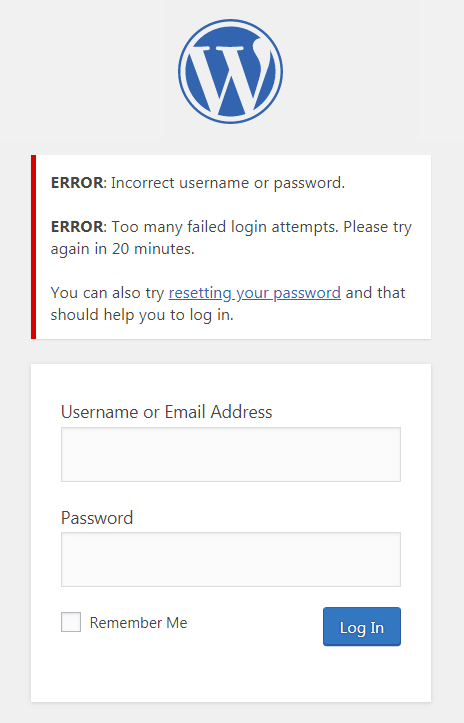
Pantalla de acceso bloqueada 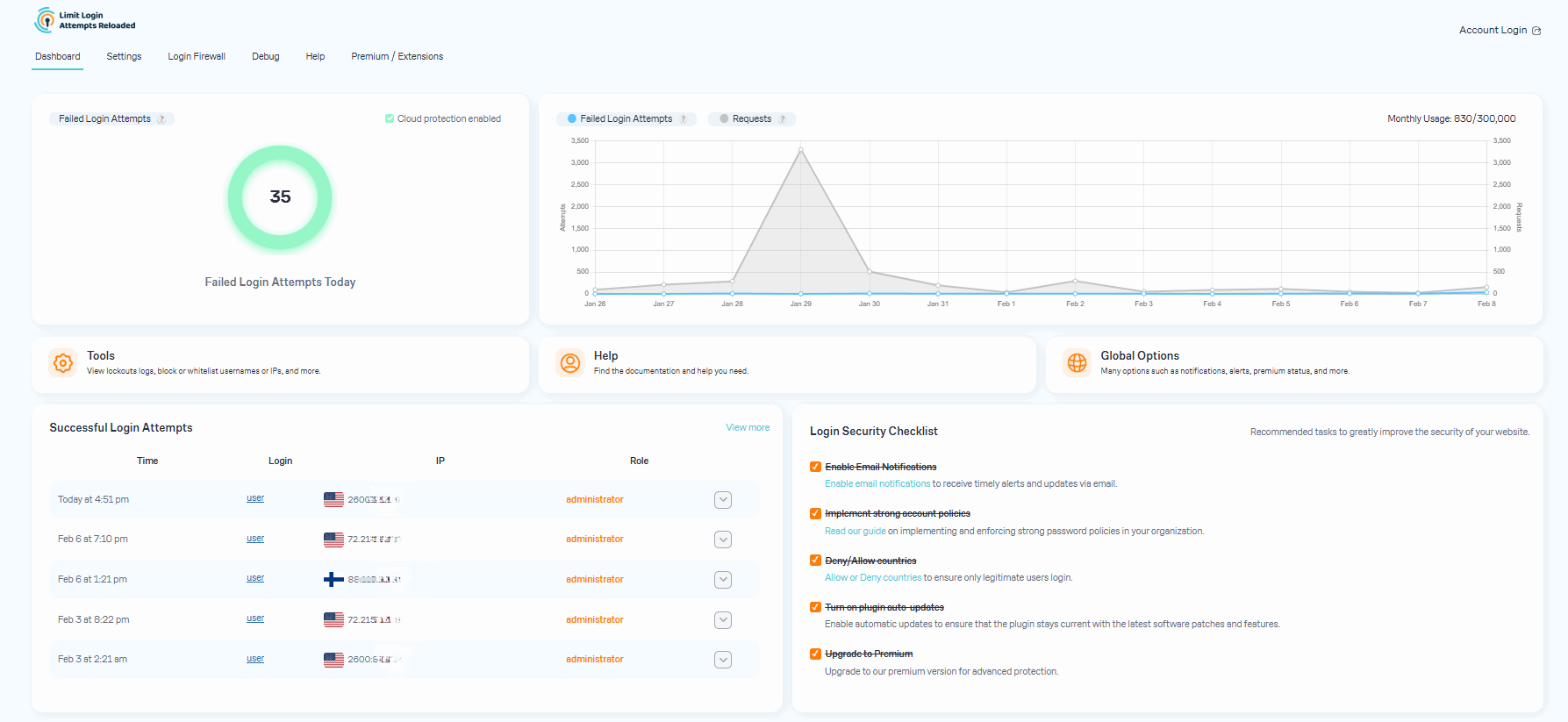
LLAR Dashboard 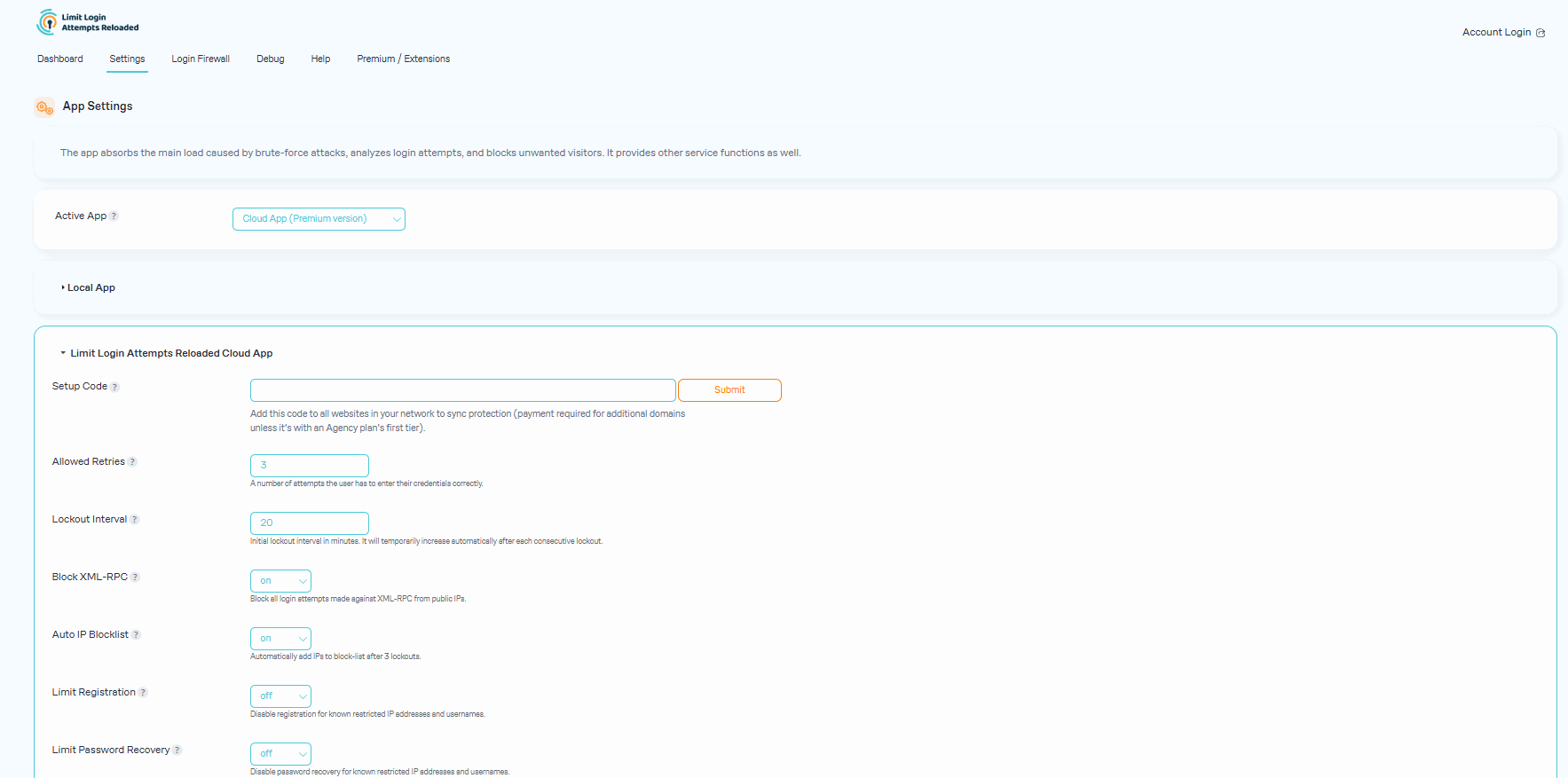
Plugin App Settings 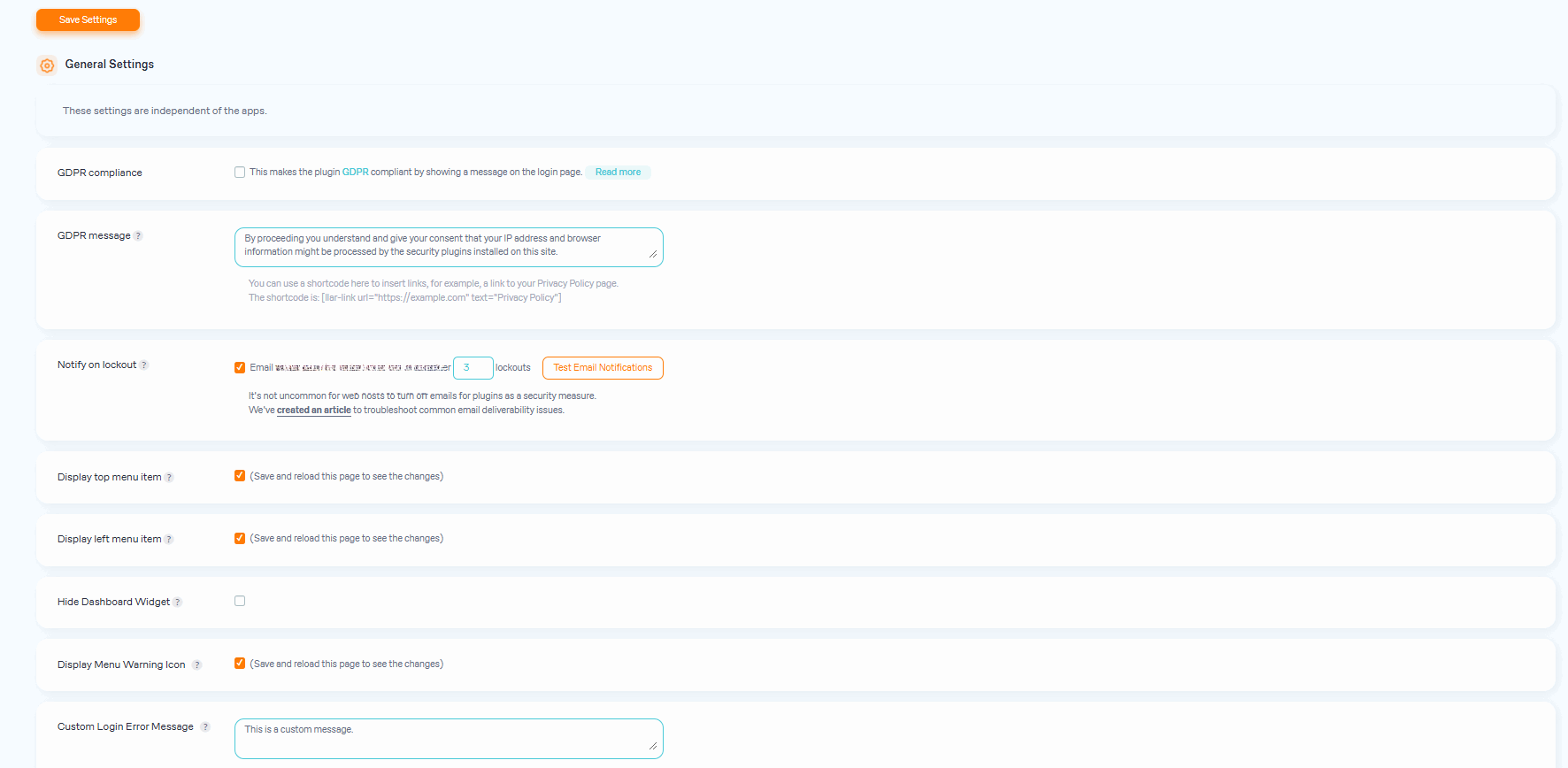
Plugin General Settings 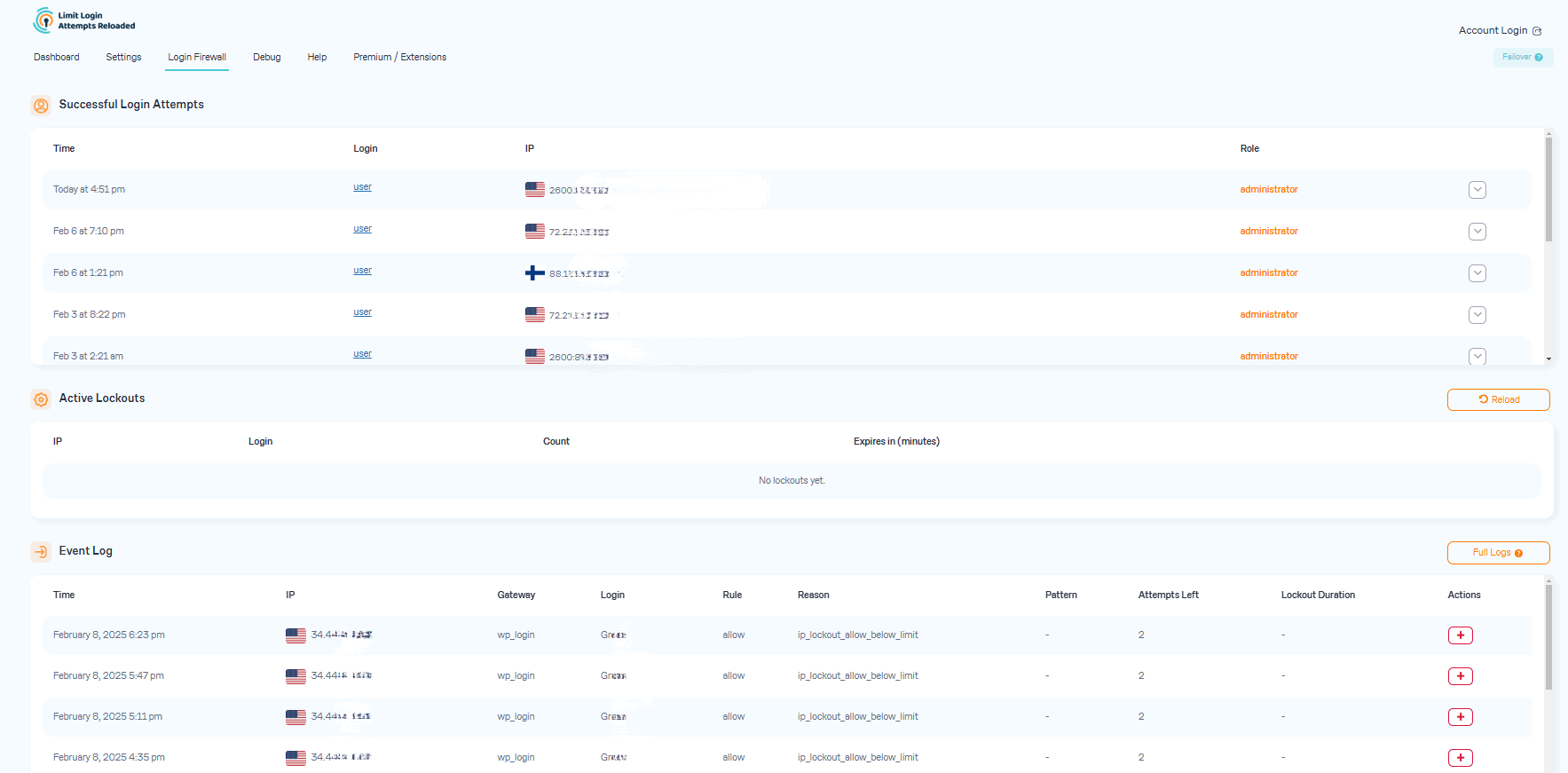
Login Firewall & Login Access Rules 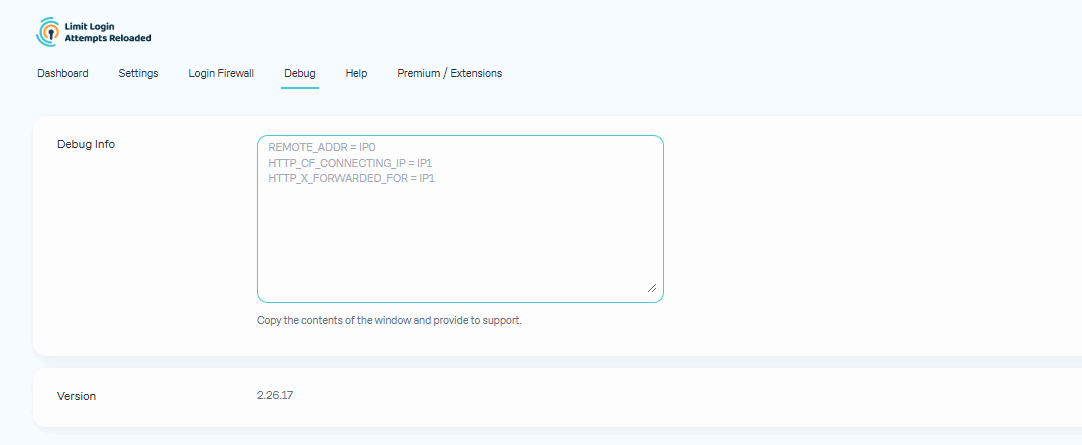
Debug 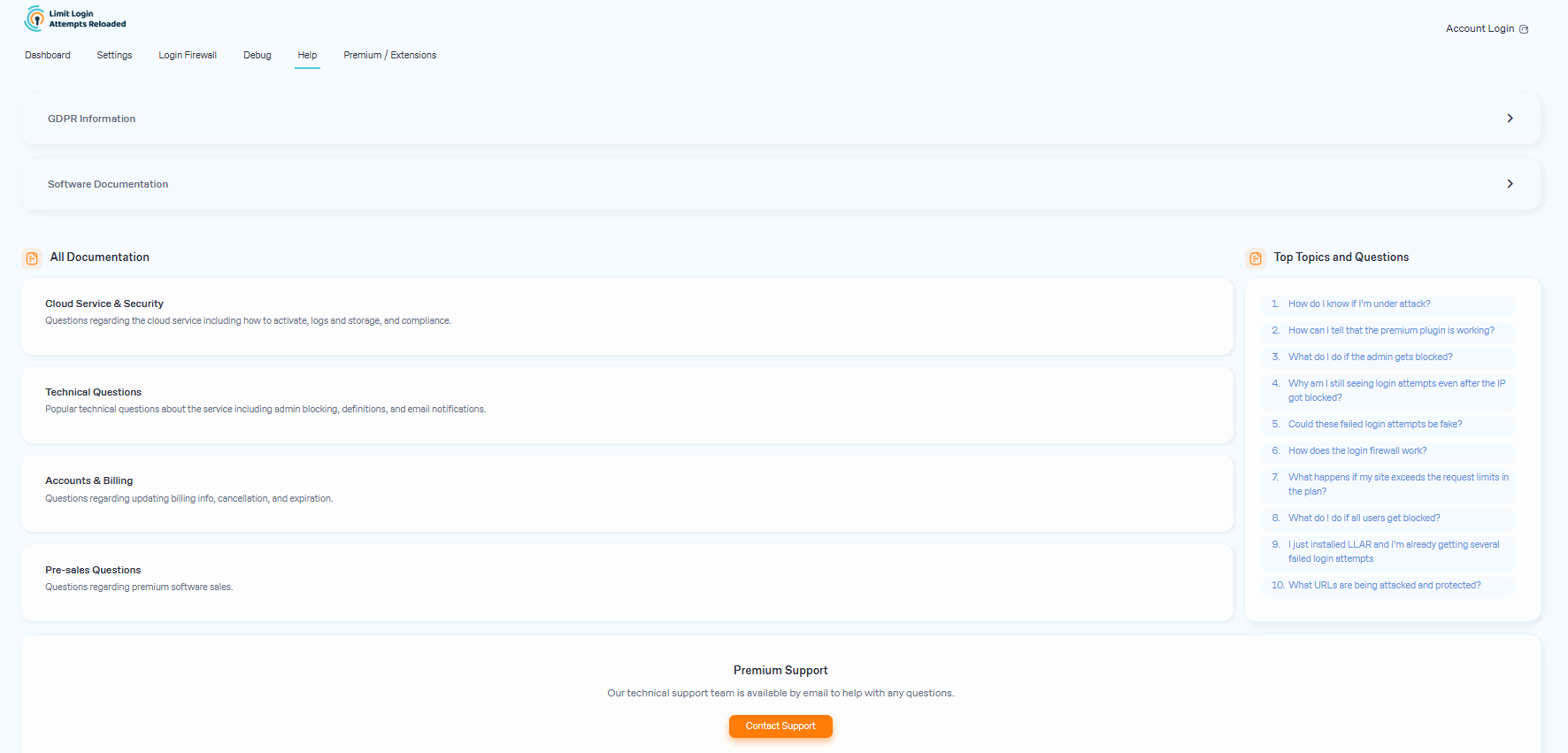
Support


FAQ
-
¿Qué hago si todos los usuarios quedan bloqueados?
-
If you are using contemporary hosting, it’s likely your site uses a proxy domain service like CloudFlare, Sucuri, Nginx, etc. They replace your user’s IP address with their own. If your server is not configured properly, all users will get the same IP address. This also applies to bots and hackers. Therefore, locking one user will lead to locking everybody else out. In the free version of the plugin, this can be adjusted using the Trusted IP Origin setting. In the premium version, the cloud service intelligently recognizes the non-standard IP origins and handles them correctly, even if your hosting provider does not.
-
How do I know if I’m under attack?
-
An easy way to check if the attack is legitimate is to copy the IP address from the lockout notification and check its location using a IP locator tool. If the location is not somewhere you recognize and you have received several failed login attempts, then you are likely being attacked. You might notice dozens or hundreds of IPs each day. Visit our website to learn how can you prevent brute force attacks on your website.
-
After you upgrade to our premium version, you will see a new dashboard in your WordPress admin that shows all attacks that will now relay through our cloud service. On the graph, you’ll see requests and failed login attempts. Each request will represent the cloud app validating an IP, which also includes denied logins.
In some cases, you may notice an increase in speed and efficiency with your website. Also, a reduction in lockout notifications via email.
-
Could these failed login attempts be fake?
-
Some users find it hard to believe that they could experience numerous unsuccessful login attempts, particularly when their site has just been established or has minimal human traffic. The plugin is not responsible for generating these failed login attempts. Newly created websites are frequently hosted on shared IP addresses, making it easy for hackers to discover them. Additionally, newly registered domain names are often crawled soon after creation, rendering a WordPress website susceptible to attacks. Such websites are attractive targets as security is not a primary concern for their owners. We’ve created an article that delves deeper into the issue of fake login attempts in WordPress.
-
What happens if my site exceeds the request limits in the plan?
-
The premium plan’s resource limits start from 100,000 requests per month, which should accept almost any heavy brute-force attack. We monitor all of our sites and will alert the user if it appears they are going over their limits. If limits are reached, we will suggest to the user upgrading to the next plan. If you are using the free version, the load caused by brute force attacks will be absorbed by your current hosting bandwidth, which could cause your hosting costs to increase.
-
What URLs are being attacked and protected?
-
The URLs being protected are your login page (wp-login.php, wp-admin), xmlrpc.php, WooCommerce login page, and any custom login page you have that uses regular WordPress login hooks.
-
Why is LLAR more popular than other brute-force protection plugins?
-
Our main focus is protecting your site from brute force attacks. This allows our plugin to be very lean and effective. It doesn’t require a lot of your web hosting resources and keeps your site well-protected. More importantly, it does all of this automatically as our service learns on its own about each IP it encounters. In contrast, a firewall would require manual blocking of IPs.
-
What to do when an admin gets blocked?
-
Open the site from another IP. You can do this from your cell phone, or using Opera browser and enabling free VPN there. You can also try turning off your router for a few minutes and then see if you get a different IP address. These will work if your hosting server is configured correctly. If that doesn’t work, connect to the site using FTP or your hosting control panel file manager. Navigate to wp-content/plugins/ and rename the limit-login-attempts-reloaded folder. Log in to the site then rename that folder back and whitelist your IP. By upgrading to our premium app, you will have the unlocking functionality right from the cloud so you’ll never have to deal with this issue.
-
¿Qué ajustes debería usar en el plugin?
-
Los ajustes se explican dentro del plugin con gran detalle. Si no estás seguro, utiliza los ajustes por defecto, ya que son los recomendados.
-
By default, you will need to copy and paste the lists to each site manually. For the premium service, sites are grouped within the same private cloud account. Each site within that group can be configured if it shares its lockouts and access lists with other group members. The setting is located in the plugin’s interface. The default options are recommended.
Reseñas


Colaboradores & Desarrolladores
“Limit Login Attempts Reloaded – Login Security, Brute Force Protection, Firewall” es software de código abierto. Las siguientes personas han contribuido a este plugin.
Colaboradores

“Limit Login Attempts Reloaded – Login Security, Brute Force Protection, Firewall” ha sido traducido en 36 idiomas. Gracias a los traductores por sus contribuciones.
¿Interesado en el desarrollo?
Revisa el código, echa un vistazo al repositorio SVN, o suscríbete al registro de desarrollo por RSS .
Historial de cambios
2.26.27
- PHP 5.6 compatibility fix.
2.26.26
- Added login URL to notification emails for better debugging.
2.26.25
- Fixed MemberPress compatibility.
- Fixed a popup notice when a user was on the whitelist (local mode).
- Added the individual domain to the notification email subject.
- Updated formatting of the cloud login link.
- Improved onboarding popup behavior.
2.26.24
- Fixed: json_decode(): Passing null to parameter #1 ($json) of type string is deprecated warning.
- Help and extensions page visual changes.
- Assets cleanup.
2.26.23
- Fixed conflict with Hub and similar themes.
- Reorganized links.
2.26.22
- Fixed REMOTE_ADDR if server is misconfigured.
- Lint.
2.26.21
- Update notice position corrected.
- Debug tab – more info added.
- Lint.
2.26.20
- Fixed formatting issues for Safari on some pages.
- Added displaying of Customer ID.
- Menu minor fix.
- Onboarding process updated.
2.26.19
- Added links to the IP2Location page.
2.26.18
- Better displaying IPv6 in the log.
2.26.17
- Added default registration protection for cloud accounts (free and paid).
2.26.16
- Fixed GDPR message issue for some themes.
2.26.15
- Fixed translation compatibility with WordPress 6.7.
- Fixed GDPR message on the Woocommerce login page.
- Fix: load login-page-styles.css (on wp-login.php) only if it is necessary (thanks to georgejipa).
- CSS fixes.
2.26.14
- Improved compatibility with custom login pages, including WooCommerce and UltimateMember.
- Standardized display of login messages.
- A new Custom Error Message setting is added. The message is being appended to all asynchronous messages.
- Fixed translation compatibility with WordPress 6.7.
- CSS fixes.
2.26.13
- New “llar_admin” capability added to let other roles access the plugin.
- CSS fixes.
- Sticky headers added to the log tables.
- Small interface changes.
2.26.12
- Better displaying IPv6 in successful login attempts block.
- Possible intersections in tabs with other plugins fixed.
- PHP 8, 9 compatibility updates.
- Reprogramación.
2.26.11
- Fixed possible style conflicts related to tables.
- Fixed possible PHP warnings.
- Fixed some I18N issues, thanks to alexclassroom!
- Better displaying multiple roles in login logs.
2.26.10
- Log of successful login attempts implemented for Micro Cloud (Free) and Premium users.
- Checklist of recommended actions implemented.
- Settings page reorganized.
2.26.9
- Chart library updated.
2.26.8
- Fixed possible WooCommerce conflict.
2.26.7
- Better informing on Micro Cloud.
2.26.6
- Micro Cloud API url fix.
2.26.5
- Better informing on cloud status.
2.26.4
- Added country translation.
- Better Micro Cloud API response handling.
- A link fixed.
2.26.3
- CSS issue fixed on Logs tab.
2.26.2
- CSS issue fixed.
2.26.1
- Micro Cloud link fixed.