
Beskrivelse
WordPress Contact Form Builder Plugin
WPForms is a drag & drop WordPress form builder that’s EASY and POWERFUL. Create contact forms, feedback forms, subscription forms, payment forms (including Stripe, Square & PayPal), and other types of forms for your site in minutes with just a few clicks!
At WPForms, user experience is our #1 priority. Our pre-built form templates and workflows make WPForms the most beginner-friendly contact form plugin on the market. You don’t have to hire a developer. Create a form in less than 5 minutes with our drag & drop form builder or use a template to get a head start.
WPForms Pro
This plugin is the Lite version of WPForms Pro, which comes with email subscription forms, multi-page contact forms, file uploads, conditional logic, and extra payment integrations. Click here to purchase the best premium WordPress contact form plugin now!
Drag & Drop Contact Form Builder
Create custom contact forms in minutes with our easy-to-use drag and drop online form builder. But don’t just take our word for it. See what WordPress experts are saying:
WPForms is by far the easiest form plugin to use. My clients love WPForms and it’s one of the few plugins they can use without any training. As a developer I appreciate how fast, modern, clean and extensible it is.
Bill Erickson – Expert WordPress Consultant
Pre-built Form Templates
WPForms comes with 2000+ pre-built form templates.
Whether you’re looking to create a simple contact form, marketing form, request a quote form, donation form, payment order form, registration form, Stripe payment form, or a subscription form, we have a form template already prepared and ready to use.
Mobile Ready, SEO Friendly, and Optimized for Speed
WPForms contact forms are 100% responsive and mobile-friendly. We optimized every query on the frontend and the backend to ensure that it’s one of the fastest WordPress contact form plugins.
You can embed your contact form on any page with an optimized title and description, so WPForms is one of the most SEO friendly contact form plugins too.
Fields & Features You Need to Succeed
With star ratings, file uploads, repeater fields, survey fields, and multi-page contact forms, you can easily build the right custom form for your site’s needs. Plus, integrate your contact forms with an email marketing service in just a few steps and collect payments with Stripe, PayPal, and Square for bookings and orders without the need for a dedicated eCommerce plugin.
See what one business owner has to say about their WPForms contact form:
As a business owner, time is my most valuable asset. WPForms allows me to create smart contact forms with just a few clicks. With their pre-built form templates and the drag & drop builder, I can create a new form that works in less than 2 minutes without writing a single line of code. Well worth the investment.
David Henzel – Co-founder of MaxCDN
Surveys & Polls
Create custom survey forms like Survey Monkey. Our WordPress survey plugin addon comes with smart survey fields including Likert scale, star ratings, and NPS. Embed your surveys and polls anywhere in WordPress.
Default WordPress Forms
Aside from building simple contact forms, WPForms also helps you create better default WordPress forms, like custom WordPress login forms and custom WordPress user registration forms. Create a password-protected contact form or even a members-only contact form.
Bloggers and publishers can use our WordPress post submission forms to accept guest posts, testimonials, and more.
Payment Forms, Donation Forms, Booking Forms, and More
While WPForms started out as a contact form plugin, it has evolved into a powerful custom forms solution for any type of payment or booking form.
WPForms integrates with PayPal, Stripe, Square Payments, and Authorize.Net so you can easily accept credit card payments or take payments via PayPal. Bonus: you can also take signatures.
We’re proud to be a Stripe Verified Partner. This partnership allows us to build the best Stripe integration with early access to features. You can use our Stripe integration to accept both one-time payments as well as recurring payments while syncing all form data to your Stripe account.
Custom Calculator Forms
Using the WPForms Calculations addon, you can build custom formulas and display results on the frontend.
Create simple arithmetic calculations or build complex conditional calculations with rounded values, averages, time ranges, and more! It’s the best calculator plugin for WordPress.
Forms Optimized for Conversions
With our Form Pages addon, you can create distraction-free custom form landing pages to increase conversions.
To improve form completion rates, we created Conversational Forms which helps you make your feedback forms feel more human by adding an interactive layout. (See Conversational Forms Demo).
Easy to Customize and Extend
You can easily customize your contact forms with our section dividers, HTML blocks, and CSS. Embedding forms in Elementor and Divi has never been easier thanks to our native integrations.
We also know that our developer friends may want more control, so we added tons of hooks and filters.
Full WPForms Feature List
- Online form builder – powerful drag & drop contact form builder. Create WordPress contact forms, payment forms, and other online forms without writing any code.
- 100% mobile responsive.
- GDPR friendly.
- Payment Forms – Take payments, donations, down payments, recurring payments, service payments with our Stripe (FREE) integration.
- Form templates pre-built and ready to import.
- Form styling for fields, labels, and buttons.
- Spam protection built in, plus integrations with hCaptcha, Google reCAPTCHA, and Cloudflare Turnstile.
- AI Forms to automatically create and refine forms through natural conversation.
- Instant form notifications via email.
- Custom form confirmations with success messages or thank you pages.
- Smart phone field that adapts to your visitor’s location.
- AI Choices to automatically populate Multiple Choice, Checkboxes, and Dropdown field options.
- Coupons for free shipping and sale discounts.
- Calculator forms for payment, shipping, billing, and more.
- File upload fields for user submissions.
- Multi-page forms with progress bars.
- Smart conditional logic to show or hide fields.
- Repeater field that enables the person filling out the form to easily add another field or group of fields to fill out. Perfect for group registration forms, custom order forms, and more.
- Signatures for agreements or payment forms.
- User registration forms and custom login forms.
- Post submission forms to collect user-generated content.
- Geolocation to collect location data along with submissions.
- Surveys and Polls with interactive reports.
- Form abandonment detection to collect partial form submissions.
- Form locker to control access using passwords, dates, and more.
- Offline forms to collect submissions without an internet connection.
- Form landing pages to boost conversions.
- Conversational forms to boost overall completion rates.
- Lead forms to get more submissions with multi-step layouts.
- Webhooks to send data without third party connectors.
- User Journey reports so you know which content is driving form conversions.
- Save and Resume to let visitors save and come back later.
- Entry Automation to export and delete form entries on a daily, weekly, or monthly basis.
Integrations
- Google Sheets
- Zapier
- PayPal Commerce
- Stripe – We’re a Stripe Verified Partner for Payments.
- Square
- Authorize.Net
- Mailchimp
- AWeber
- Campaign Monitor
- GetResponse
- Constant Contact
- Airtable
- Notion
- Drip
- ActiveCampaign
- HubSpot
- Brevo
- MailerLite
- MailPoet
- ConvertKit
- Salesforce
- Slack
- Dropbox
- Google Calendar
- Google Drive
- Twilio
- Pipedrive
- Make
- Zoho CRM
You can see why WPForms is the best WordPress contact form plugin on the market! Want to unlock these features? Upgrade to our Pro version.
Krediteringer
This plugin is created by Jared Atchison and Syed Balkhi.
Branding Guidelines
WPForms® is a registered trademark of WPForms LLC. When writing about the contact form plugin by WPForms, please make sure to uppercase the initial 3 letters.
- WPForms (correct)
- WP Forms (incorrect)
- wpforms (incorrect)
- wpform (incorrect)
Noter
WPForms is absolutely, positively the most beginner-friendly WordPress contact form plugin on the market. It is both easy and powerful.
We took the pain out of creating online forms and made it easy. Check out all WPForms features.
Also, I’m the founder of WPBeginner, the largest WordPress resource site for beginners. It was a huge priority for me to make a WordPress contact form plugin that beginners can use without any training.
I feel that we have done that here. I hope you enjoy using WPForms.
Mange tak,
Syed Balkhi
Skærmbilleder
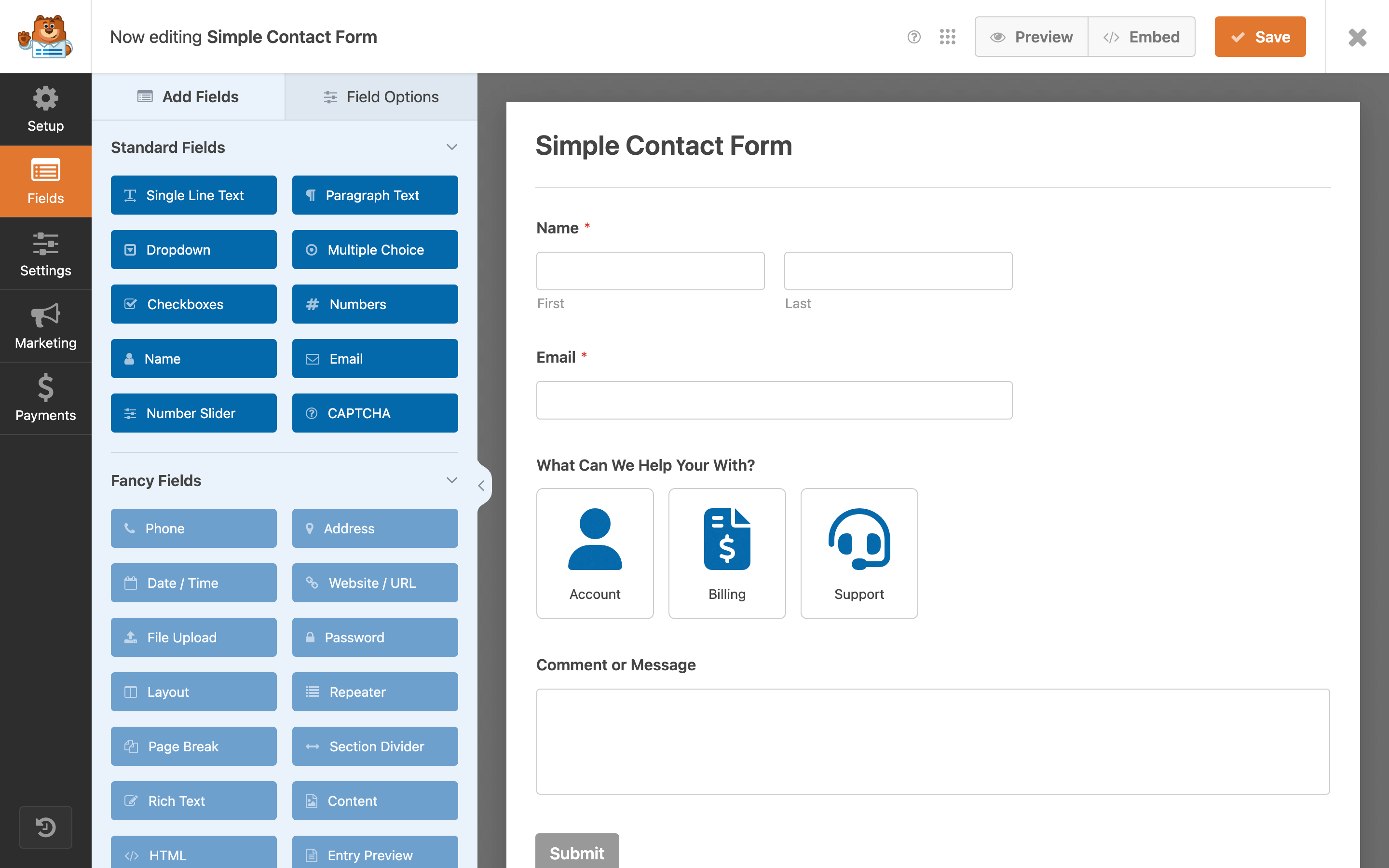
WPForms Drag & Drop Form Builder 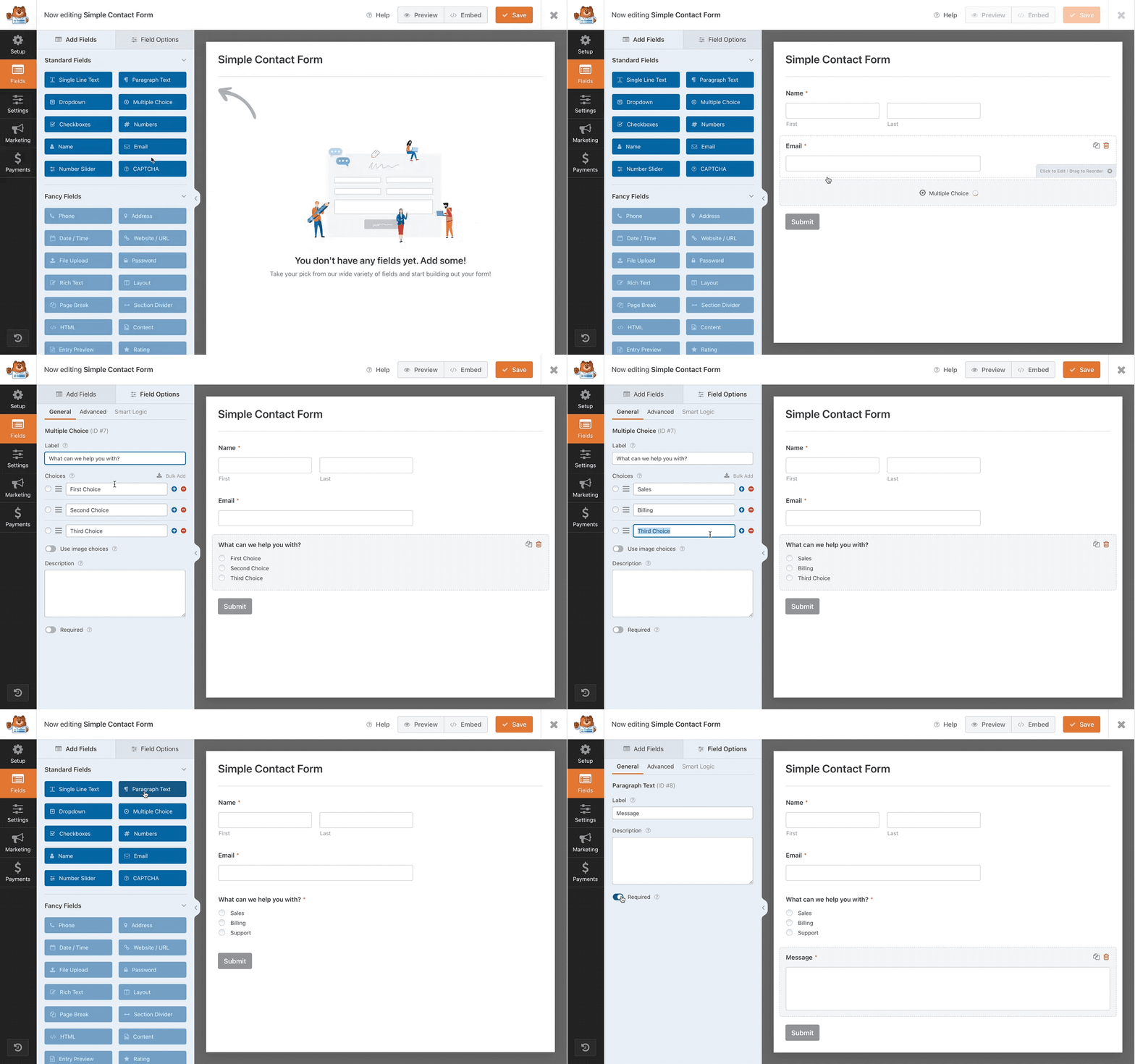
Adding New Fields 
Generate choices using AI 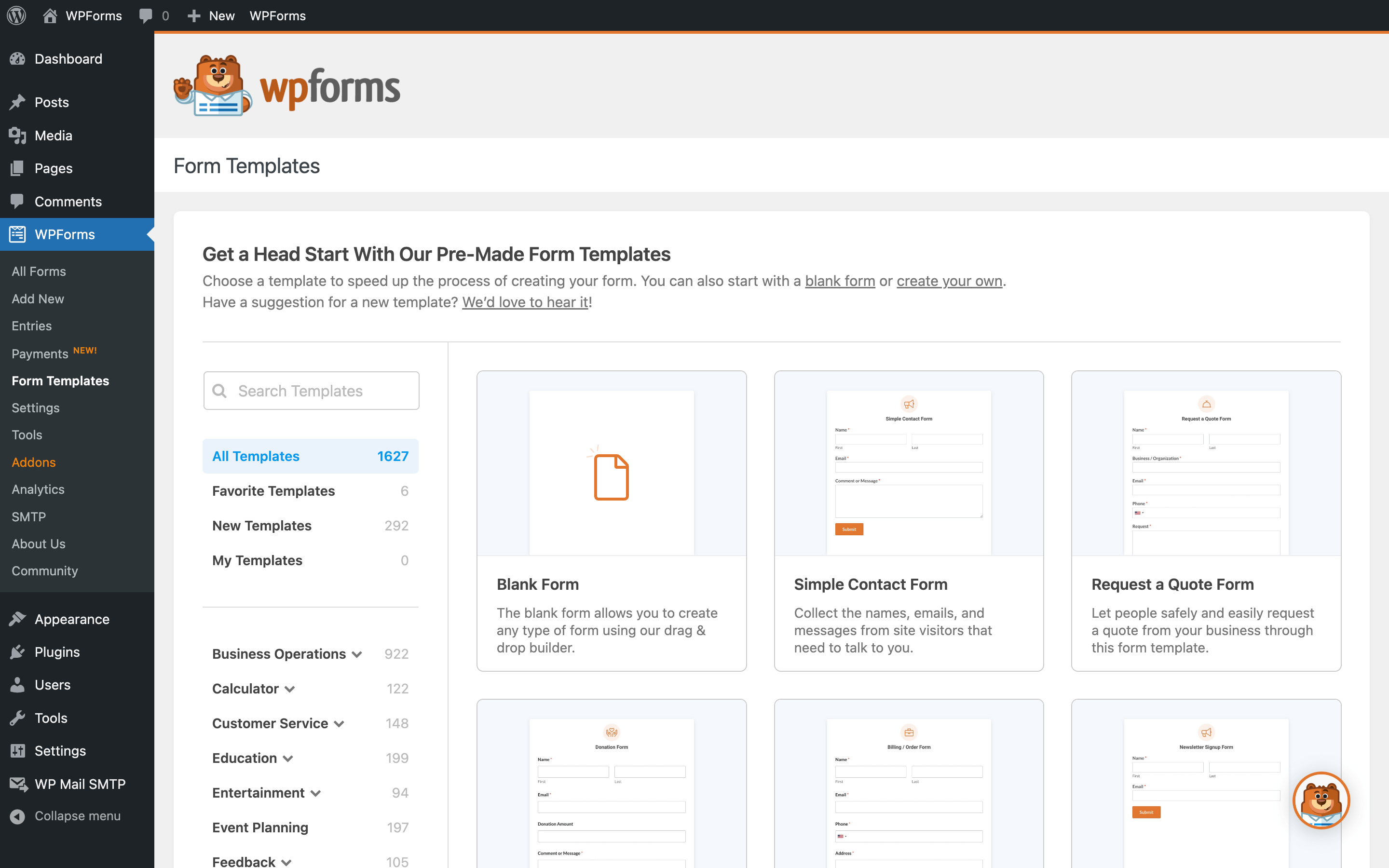
Form Templates 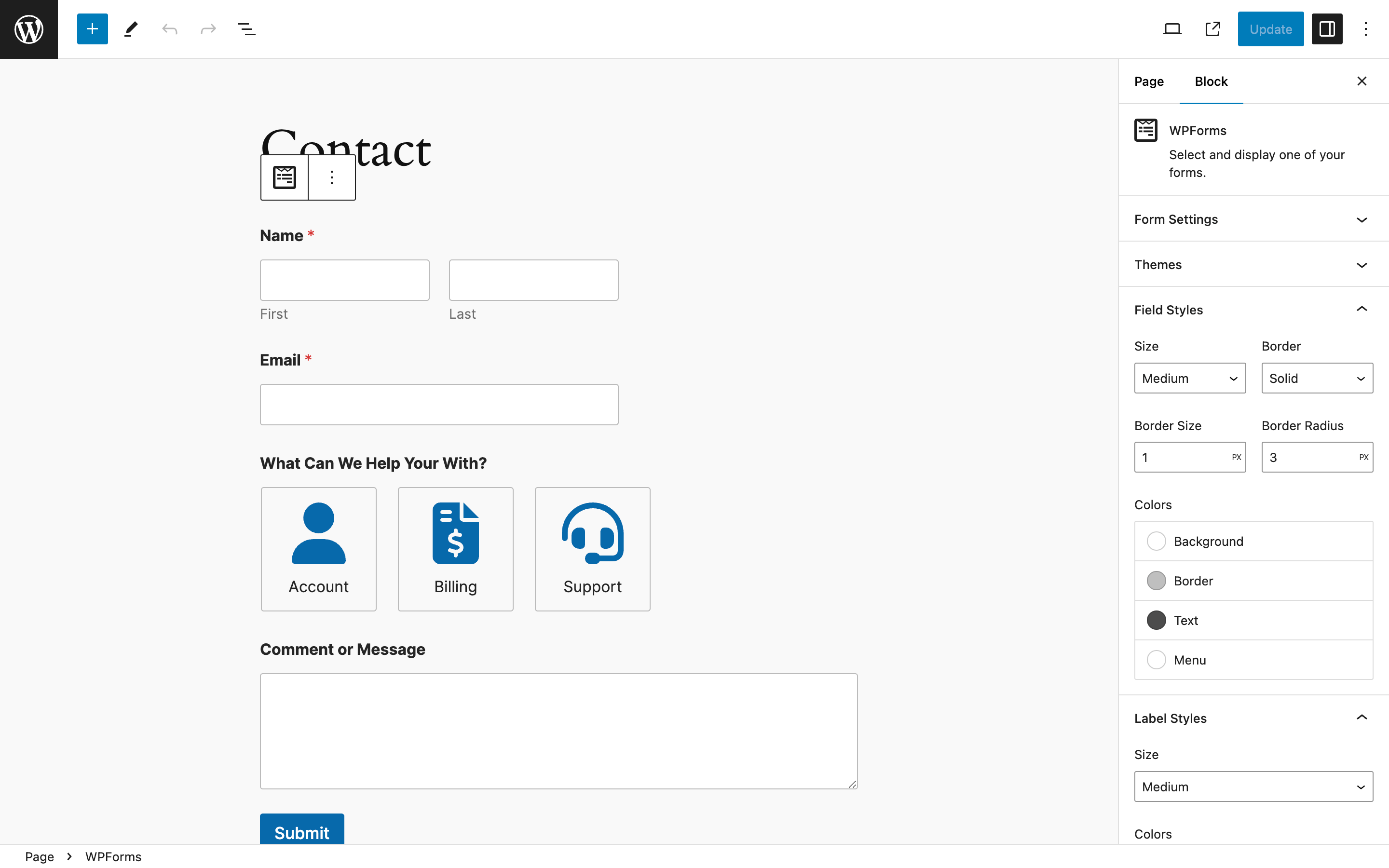
WPForms Block With Style Options 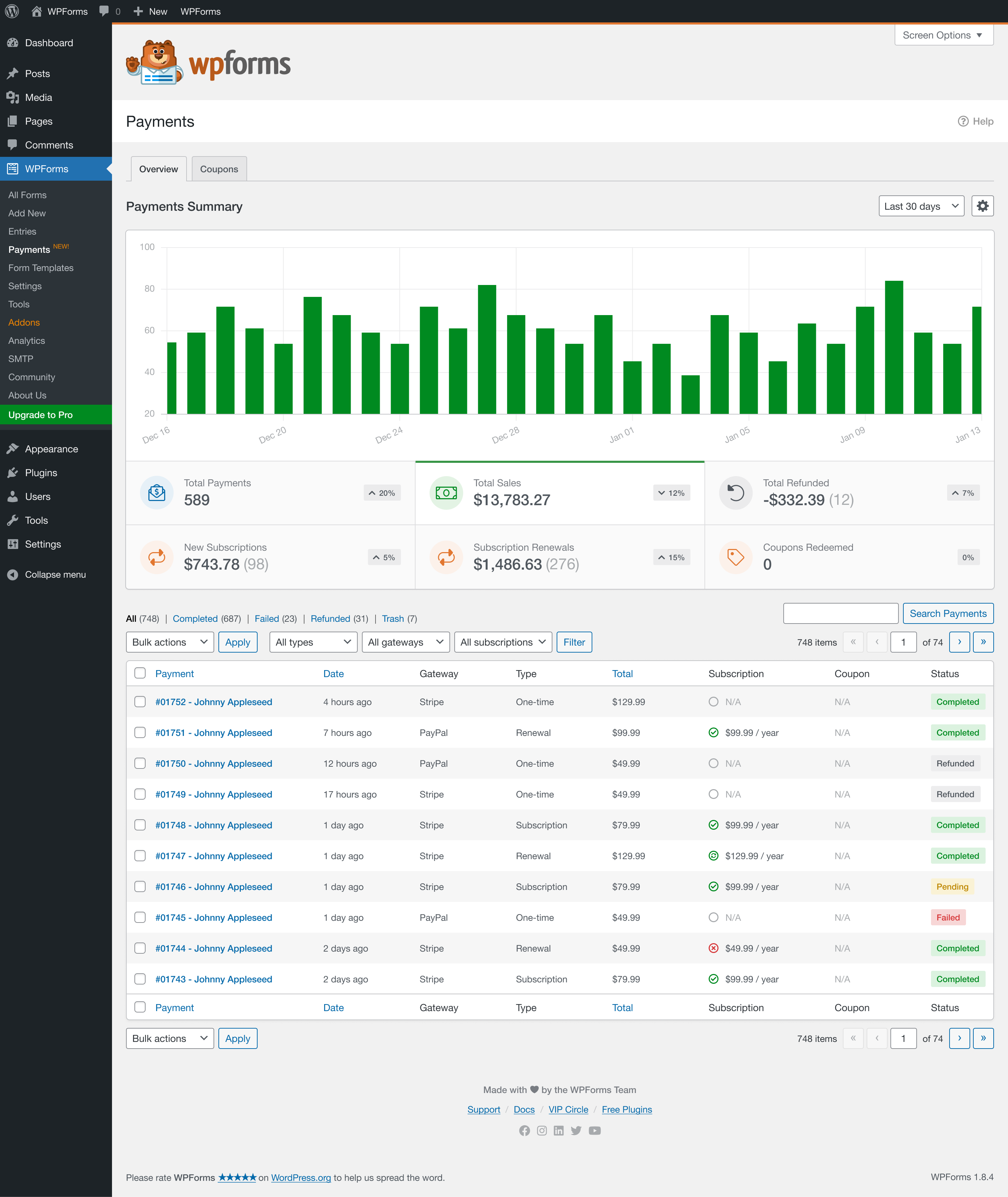
Payments Overview 
Single Payment 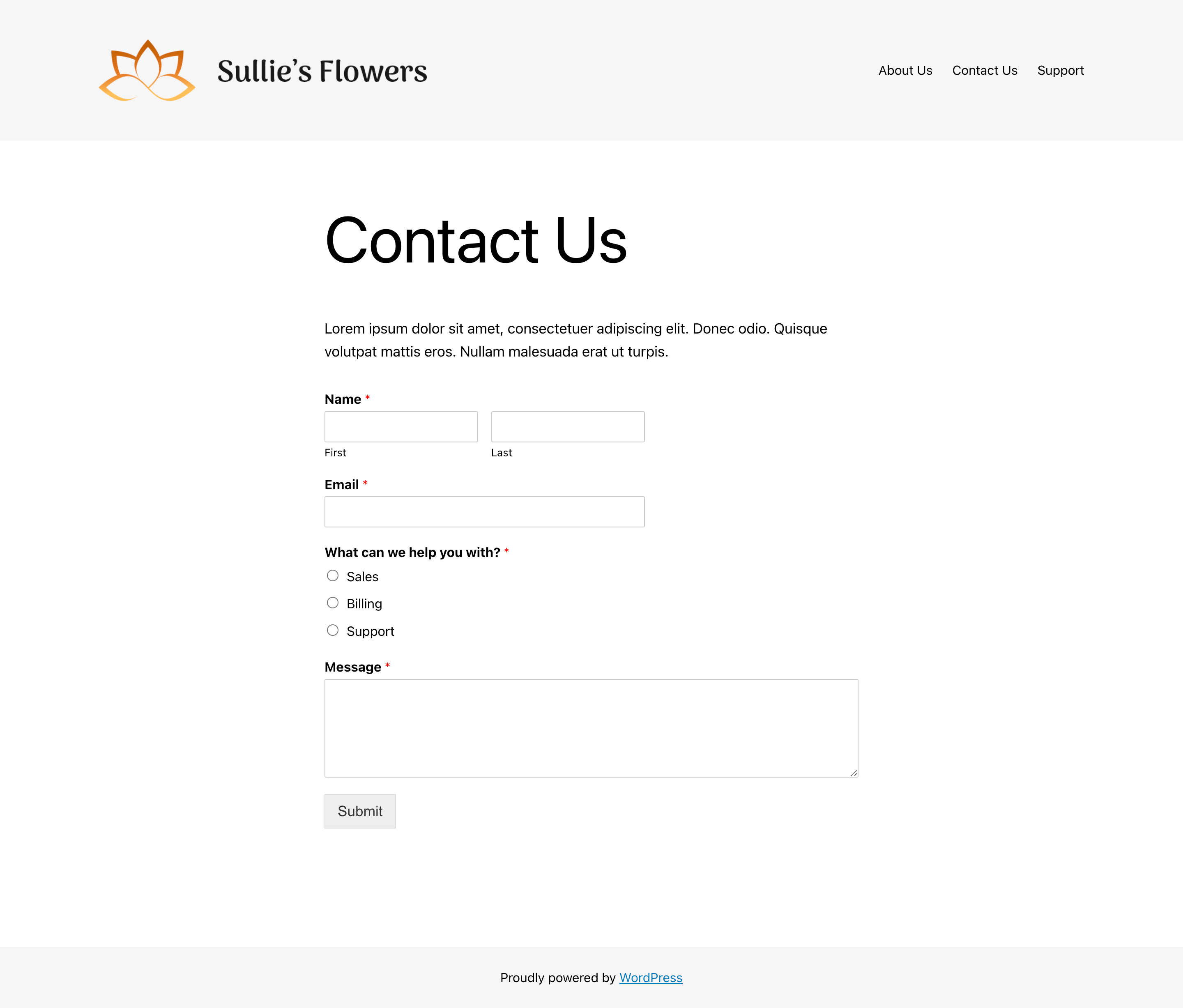
Form Preview 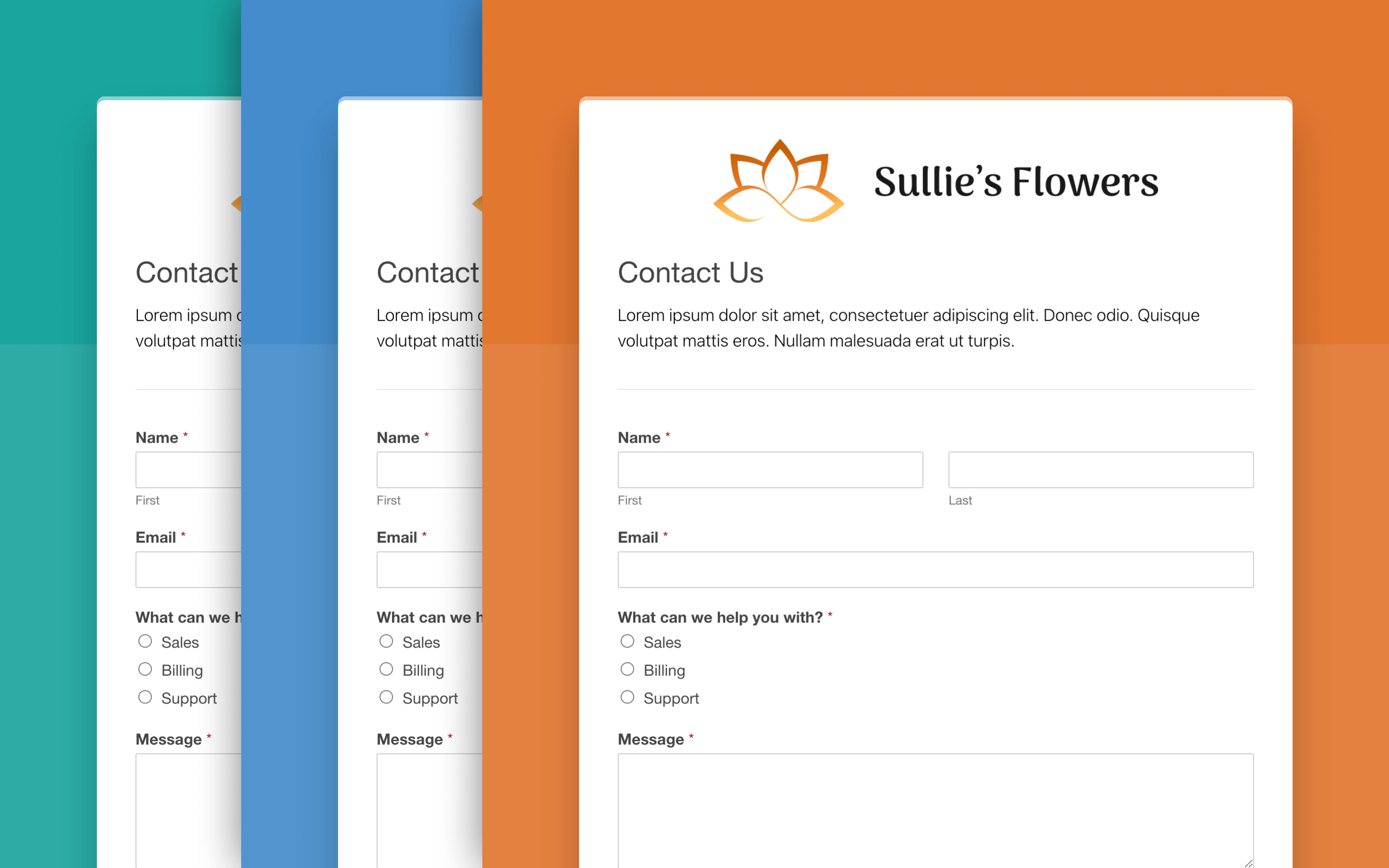
Form Pages with Multiple Styles 
Conversational Form


Blokke
Dette plugin giver 1 blok.
- Wpforms Form Selector
Installation
- Install WPForms Lite either via the WordPress.org plugin repository or by uploading the files to your server. (See instructions on how to install a WordPress plugin)
- Activate WPForms Lite.
- Navigate to the WPForms tab at the bottom of your admin menu and click the “Add New” button to begin creating your new WordPress contact form.
- Want more features? Purchase the full version of WPForms!
FAQ
-
Who should use WPForms?
-
WPForms is perfect for business owners, bloggers, designers, developers, photographers, and basically everyone else. If you want to create a custom WordPress form, then you need to use the WPForms drag & drop form builder.
-
Do I need to have coding skills to use WPForms?
-
Absolutely not. You can create and manage forms without any coding knowledge (100% drag & drop form builder). WPForms is the most beginner-friendly contact form plugin on the market.
-
What type of WordPress forms can I build with WPForms?
-
WPForms drag & drop form builder combined with our addons is the most powerful WordPress contact form plugin on the market. Here are some types of WordPress forms you can create:
- Simple Contact Forms
- Job Application Contact Form
- Feedback Survey Contact Form
- Make a Suggestion Contact Form
- Change Request Forms
- Online Booking Forms
- Event Booking Form
- Video Release Forms
- PTO Request Contact Form
- Maintenance Request Contact Form
- Scholarship Application Forms
- File Download Forms
- Employment Verification Forms
- Make a Referral Contact Form
- Volunteer Registration Contact Form
- Offline Contact Form
To see a full list, visit our Form Template Gallery, which has over 2000+ pre-made contact form templates.
-
Which Form Fields Does WPForms offer?
-
We made the WPForms form builder to be both easy and powerful.
Here are the contact form fields that come with WPForms Form Builder (also known as Standard Fields):
- Text Field
- Paragraph Text (Textarea)
- Dropdown Field
- Multiple Choice (Radio Buttons)
- Checkboxes
- Numbers Field
- Name Field
- Email Address Field
- Number Slider Field
Here is a list of our advanced contact form builder fields (Fancy Fields):
- Smart Phone Field with international format verification
- Address Field
- Date / Time Field
- Website / URL Field
- File Upload – Great for File Upload Form
- Password Field
- Rich Text – Add a WYSIWYG field, perfect for guest blog post forms
- Layout Field – Position form fields inside columns using custom or premade layouts
- Repeater Field – Allow users to duplicate fields or groups of fields in your forms
- Page Break Field – Great for Multi-Page Contact Form with Progress Bar
- Section Divider – Great for Long Contact Forms
- HTML Field – add Custom HTML inside your form
- Content Field – Add headings, lists, and media to your forms without writing code
- Entry Preview – Allow your form users to preview their form entries before they’ve submitted them
- Star Rating – Great for Survey Forms and Polls
- Hidden Field
- Questions CAPTCHA – Great for Preventing Contact Form Spam
- Math CAPTCHA – Great for Preventing Contact Form Spam
- Likert Scale – Great for Survey Forms
- hCAPTCHA – Great for Preventing Contact Form Spam
- Cloudflare Turnstile – Great for Preventing Contact Form Spam
- Signature Field – Great for Contracts and Booking Forms
- Net Promoter Score (NPS Field) – Great for Survey Forms
- Google ReCAPTCHA – Great for Preventing Contact Form Spam
Here is a list of our Payment Fields that will help you create an order form, donation form, booking form, and other payment forms:
- Single Item
- Multiple Items
- Checkbox Items
- Dropdown Items
- Total (Calculation Field)
- Credit Card (Stripe, Square, and Authorize.Net)
- PayPal
-
Can I integrate WPForms with my CRM or Email Marketing Service?
-
Yes, WPForms offers seamless integration with over 1,000+ popular email marketing and CRM software.
You can easily send data from your contact form and other WordPress forms to your favorite CRM, email newsletter, and other marketing platforms.
Here is a list of our popular marketing integrations:
- Mailchimp
- Constant Contact
- AWeber
- Drip
- Campaign Monitor
- GetResponse
- ActiveCampaign
- Zapier
- Salesforce CRM
- Brevo (ex Sendinblue)
- MailerLite
- MailPoet
Using our Zapier integration, you can easily connect WPForms with over 7,000+ marketing apps including:
- PipeDrive CRM
- Google Sheets
- Active Campaign
- Zoho CRM
- Zoho Mail
- Zoho Invoice
- Agile CRM
- Slack
- Trello
- Infusionsoft by Keap
- Microsoft Excel
- Dropbox
- HelpScout
- Zendesk
- Freshbooks
- Freshsales
- Intercom
- Click Funnels
- Microsoft Dynamics 365 CRM
- Capsule CRM
- Insightly CRM
- Printfection
- Acuity Scheduling
- Quickbooks Online
See all WPForms Zapier Integrations.
Note: WPForms was voted Zapier’s 6th fastest-growing app in the world.
-
Can I create a Payment Form with WPForms?
-
Yes, WPForms is not your average contact form plugin. You can use it to create any type of form including payment forms.
We make it easy for you to accept payments using Stripe, Square, Authorize.Net, and PayPal Commerce.
Both our Stripe and Authorize.Net integrations help you easily accept credit card payments online.
Our PayPal integration allows you to accept PayPal payments online.
-
Can I Import / Export Forms with WPForms?
-
Yes, WPForms makes it easy to import / export your contact forms and other WordPress forms created with the WPForms form builder. This is incredibly useful for developers and agencies who are building websites for clients.
You can also create custom form templates that you can use on client websites. For more see our documentation.
Aside from that, WPForms also allows you to import forms from other WordPress Contact Form plugins such as Contact Form 7, Ninja Forms, and Pirate Forms.
If you’re not happy with your WordPress contact form plugin, then definitely give WPForms a try!
-
I’d like access to all features. How can I get them?
-
You can get access to more features, addons, and support by upgrading to our Pro version. Purchasing a Pro license gets you access to the full version of WPForms, automatic updates, priority support, and all WPForms Addons!
-
Is WPForms translation ready?
-
Yes, WPForms has full translation and localization support via the wpforms textdomain. Based on your site language, required .mo and .po translation files will be downloaded and placed into the default WordPress languages directory. The same is true for every WPForms Addon, as well.
-
Does WPForms include spam protection?
-
Yes, WPForms includes spam protection which is enabled on all forms by default in the form settings.
Additionally, Google reCAPTCHA, hCaptcha, and Cloudflare Turnstile are also supported and can be set up at WPForms > Settings > CAPTCHA.
WPForms is fully compatible with all versions of Google reCAPTCHA:
- Checkbox reCAPTCHA v2
- Invisible reCAPTCHA v2
- reCAPTCHA v3
Lastly, Custom Captchas are available which allow you to create math- or question-based CAPTCHAs for your contact forms.
Anmeldelser


Bidragsydere & udviklere
“WPForms – Easy Form Builder for WordPress – Contact Forms, Payment Forms, Surveys, & More” er open source-software. Følgende personer har bidraget til dette plugin.
Bidragsydere


“WPForms – Easy Form Builder for WordPress – Contact Forms, Payment Forms, Surveys, & More” er blevet oversat til 32 sprog. Tak til oversætterne for deres bidrag.
Interesseret i udvikling?
Gennemse koden, tjek SVN repository, eller abonner på