
Reusable Content
Create reusable blocks of Markdown content to use repeatedly across your project’s Guides and API reference pages!
Simplify Your Docs Maintenance Workflow with Reusable Content!
Edit once, update everywhere. Reusable Content blocks help you minimize manual errors and ensure that changes to your developer hub occur in all the places they’re needed. 😉
How Reusable Content Works
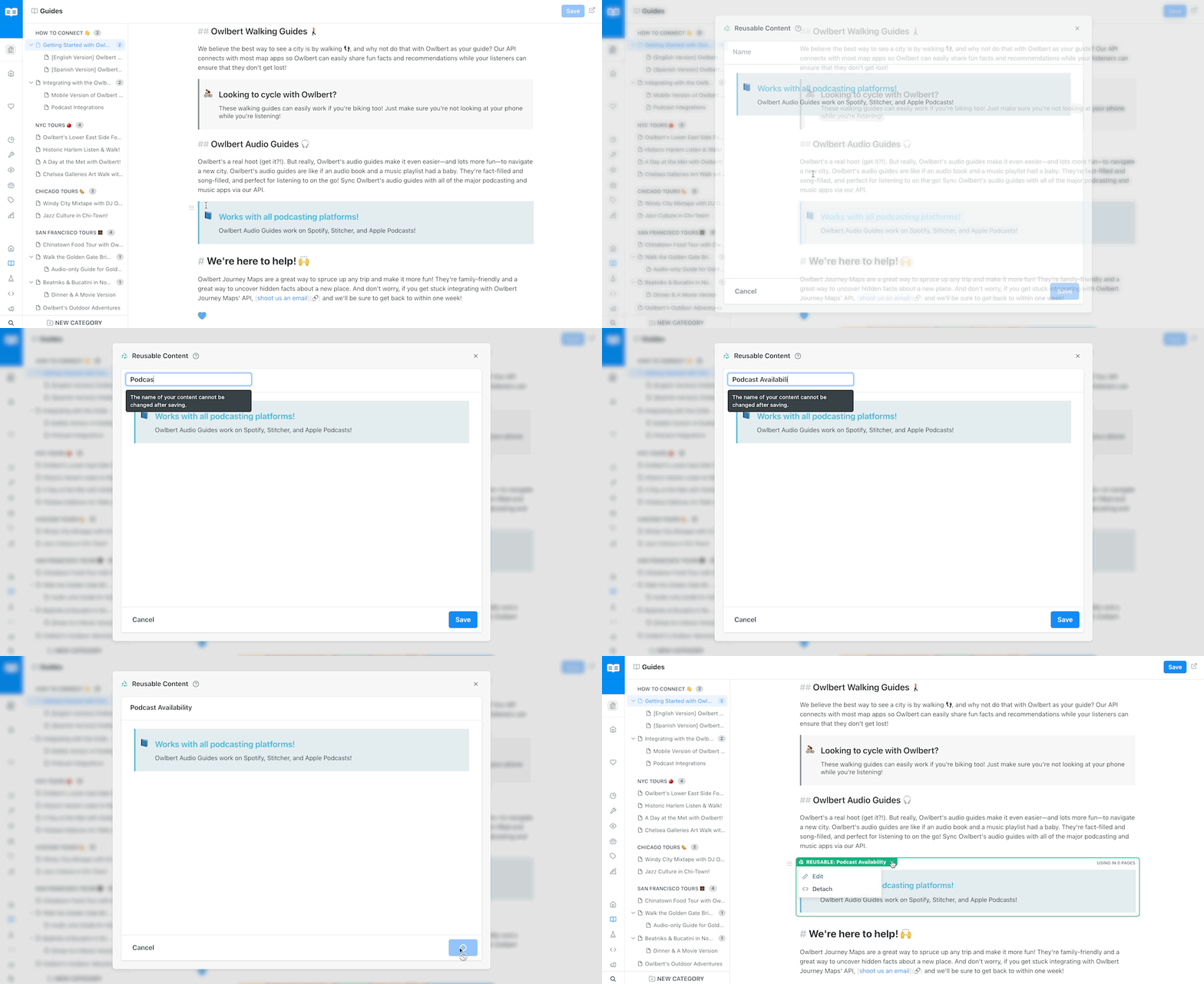
Reusable Content, as the name implies, allows ReadMe Admins to create blocks of Markdown content that can be used repeatedly across multiple pages in their projects’ docs. When anyone in your project with Admin access edits and updates a Reusable Content block, it automatically updates across every instance where it’s used—a huge time savings benefit!
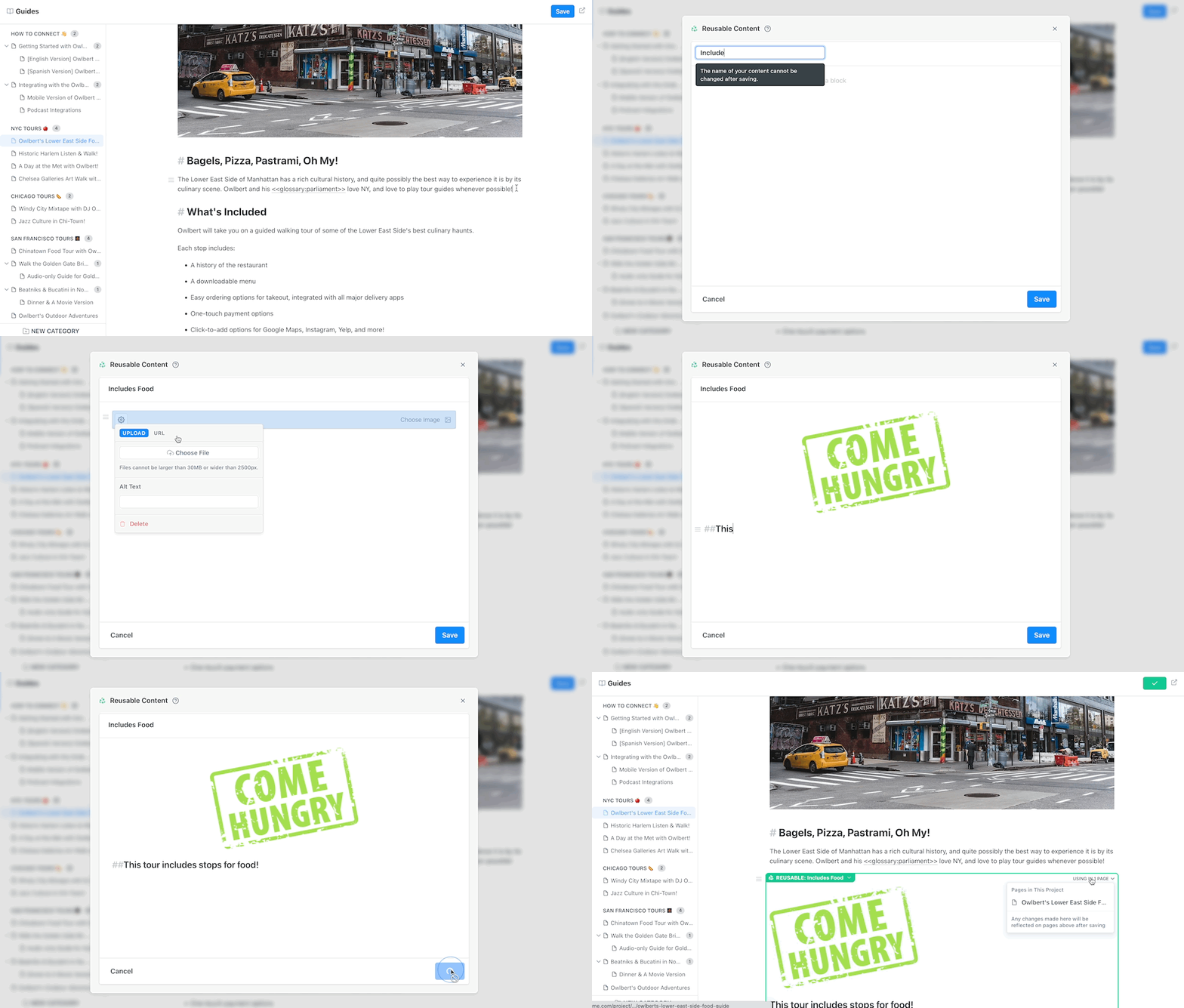
Reusable Content acts as a block, and lives in the editor’s slash menu. Creating a Reusable Content block isn’t just for text—it supports all Markdown!—which means you can have Reusable Content blocks that include images, code snippets, callouts, and more!
Benefits of Using Reusable Content Blocks
1️⃣ More efficient documentation creation - for our ReadMe Admins who are responsible for producing and managing extensive API documentation, the ability to make changes across multiple pages in your docs by updating a Reusable Content block (vs. having to hunt for each instance and manually update it) significantly streamlines the docs editing and maintenance workflow!
2️⃣ Better accuracy and fewer mistakes - Fewer manual edits, and more automated changes, means less room for error! Whether it’s including version specific content, adding relevant callouts for specific plan types, or ensuring that all related pages link back to one another, Reusable Content blocks allow your team to scale documentation production and ensure greater quality assurance across the board.
3️⃣ More clarity across your documentation = a better UX for developers visiting your hub - Reusable Content blocks allow Project Admins to streamline and unify how they communicate concepts that are repeated throughout your developer hub. Developers rely on your documentation to understand how to integrate and successfully use your API or product, and when that documentation is clear and consistent, it helps developers have a better experience in your hub and with using your API/product overall!
Reusable Content is available on ReadMe Business and Enterprise plans!If you’re on our Business or Enterprise plans, you’ll be able to create Reusable Content blocks from the Editor slash menu (or by using the < syntax). Enterprise Groups will also have access to the Reusable Content page in their Enterprise Group dashboard. If you’re on our Free, Startup, or Open Source plans, you’ll need to upgrade your plan in order to access this feature. You can do that in the Upgrade Plan page in your project dashboard!
Using Reusable Content Across Your Project
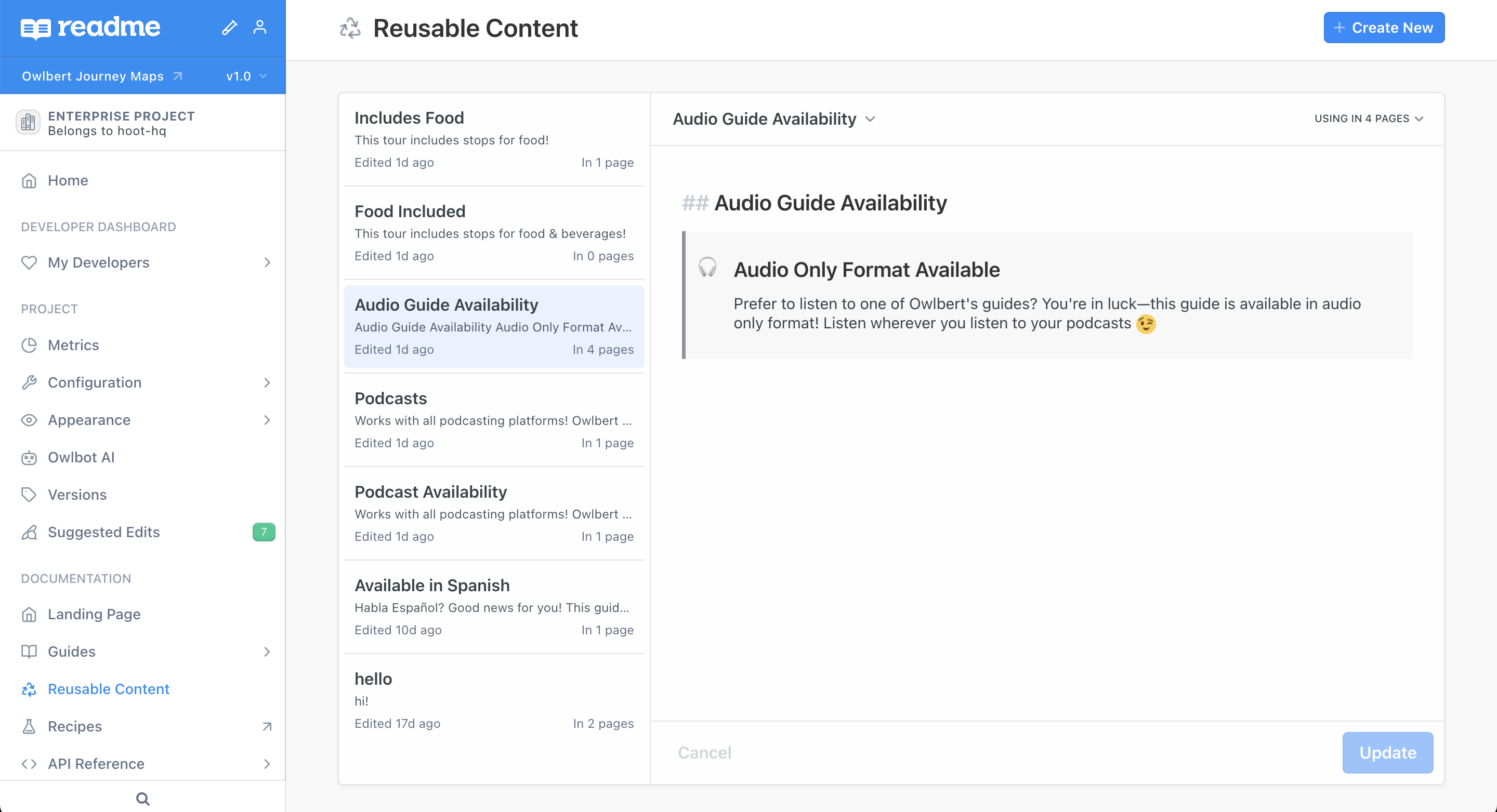
Business plan project dashboards and Enterprise child projects have a Reusable Content page in the Documentation section of their project dashboards. This page provides a centralized place to see and manage all Reusable Content blocks used across a project. Within this page Admins can create new Reusable Content blocks, edit existing ones, and delete blocks (only if they’re not being used in any pages).
Creating a New Reusable Content Block on a Guides or API Reference Page
There are