
Descripción
The easiest to use Google Maps, Leaflet and Open Layers Map Plugin (including a Map Block)!
Add a customized Google map, map block or Store Locator to your WordPress posts and/or pages quickly and easily with the supplied shortcode. No fuss. No iFrames and super easy to use! Perfect for contact page maps, routes, maps showing delivery areas and any other use you can think of!
While the free version of WP Go Maps allows you to create a Google map with as many markers as you like, the Pro version allows you to do so much more!
Create Elementor Maps, map blocks and map widgets easily with our WP Go Maps Elementor map block integration, straight out the box!
Do you use the classic editor? We still support map widgets for classic WordPress installations. No need to compromise, the map widget includes the same functionality as our map blocks!
The WP Go Maps Pro Version version allows you create custom Google maps with high quality markers containing locations, descriptions, images, categories, links and directions.
Lite Version (Free)
- The most popular Google Maps plugin on WordPress
- Choose between Google Maps, Leaflet, Azure Maps, Stadia Maps, Maptiler, LocationIQ, Zero Cost or Open Layers Maps
- Super easy to use, no coding required!
- Create as many map markers as you need by simply typing in the address
- Mapas adaptables
- Elementor Map block
- Edit your map markers with the click of a button
- 9 popular map themes to choose from
- Create or add your own map theme
- Drag map markers to an exact location
- Add a map block to your page
- Google Maps Streetview supported
- UTF-8 character support
- Map widget functionality
- Funcionalidad de mapa en pantalla completa
- Compatible con la localización
- Choose from four Google maps types: roadmap, terrain, satellite and hybrid
- Define your own width, height and zoom level for your map
- Add animations to your map markers!
- Store locator functionality
- Restrict a store locator search by country
- Add Polygons to your Map
- Add Polylines / Routes to your map
- Create a map in less than a 30 seconds!
- Right click to add a marker to your map
- No advertising or links
- Google Maps Autocomplete
- Google Maps Transport Layer
- Set the max zoom level for your map
- Serve your map marker data via your database or an XML file
- Compatible with caching plugins
- Compatible con Cloudfare
- Latest Google Maps API
- Latest OpenLayers API
- Latest Leaflet API
Professional Edition
- Create multiple maps!
- Allow your visitors to get directions to your markers.
- Add descriptions, links and images to your map markers.
- Añade categorías a los marcadores de tu mapa
- Filtrar marcadores por categoría
- Mashup multiple maps
- Advanced map blocks
- Store locator map block
- Directions map block
- Bloque Infowindow
- Bloque de mapa (filtro)
- Add different marker icons, or your own icons to make your map really stand out!
- List your map markers in the four ways; basic list, basic table, carousel, advanced table
- Allow visitors to use their map location as the starting or ending point for the directions
- Choose between the Default Google Maps Infowindow and the new Modern Infowindow
- Export/Import your markers to a CSV file for quick editing.
- Link Fusion tables to your Google Maps
- Show your visitor’s location on the Map
- Import KML/KMZ files to your map
- More advanced options for the Store Locator
- Allow users to use their map location for the store locator
- Store locator search by category
- Hide all map markers until a store locator search is done
- Move your marker list inside the map window
- Multiple map widget functionality
- Add retina-ready map marker icons
- WordPress Network friendly
- Get the WP Go Maps Professional Edition
Traducciones
Get a free copy of the WP Go Maps Pro version in exchange for translating our plugin!
- Inglés – por defecto
- Ruso (Alexandra Bondareva)
- Alemán
- Francés (Arnaud Thomas)
- Polaco (Michal Kotnowski)
- Finés (Johanna Joutti)
- Holandés (Jan Wind)
- Hebreo (Gal Dotan)
- Danés (Patrick Jepsen)
- Italiano (Tommaso Mori & Massimo Bregani)
- Croata (Sven Kopun)
- Griego (Konstantinos Koukoulakis)
- Rumano (Cosmin Stroe)
- Español (Carmelo Villegas Cruz)
- Portugués (Jose Antonio Ribeiro)
- Portugués brasileño (Roberto Costa)
- Turco (Suha Karalar)
- Sueco (Martin Sleipner)
- Búlgaro (Lyubomir Kolev)
- Indonesio (Neno)
- Lituano
- Checo
^Language file needs to be updated
Demos
WP Go Maps Lite
- Basic Google Map with Markers
- Store Locator
- Polygons & Polyines/Routes
- Google Maps Transit Layer
- Capa de tráfico de Google Maps
- Capa para ciclistas de Google Maps
WP Go Maps Pro
- Mapa de Google con marcadores avanzados
- Listas de marcadores – Simple
- Listas de marcadores – Avanzado
- Direcciones de Google Maps
- Mapa adaptable
- Categorías de marcadores (Filtrado)
- Localizador avanzado de tiendas
- Editor de mapas WP Go (Capturas de pantalla del back-end)
- Marcadores generados por visitantes – (Extensión WP Go Maps VGM)
- Estilos personalizados para mapas (Extensión WP Go Maps Gold)
Documentación
- Installing WP Go Maps
- Creating your first map
- Adding a map block to your page or post
- Google Maps mashup (Pro)
- Exporting and importing map markers (Pro)
- Changing the Google Maps language
- Create a google map and marker using custom fields (Pro)
- View all documentation
Diagnóstico
Capturas

The «Lite» version of WP Go Maps. 
The «Pro» version of WP Go Maps. 
WP Go Maps Pro version: Users can get directions to your map markers 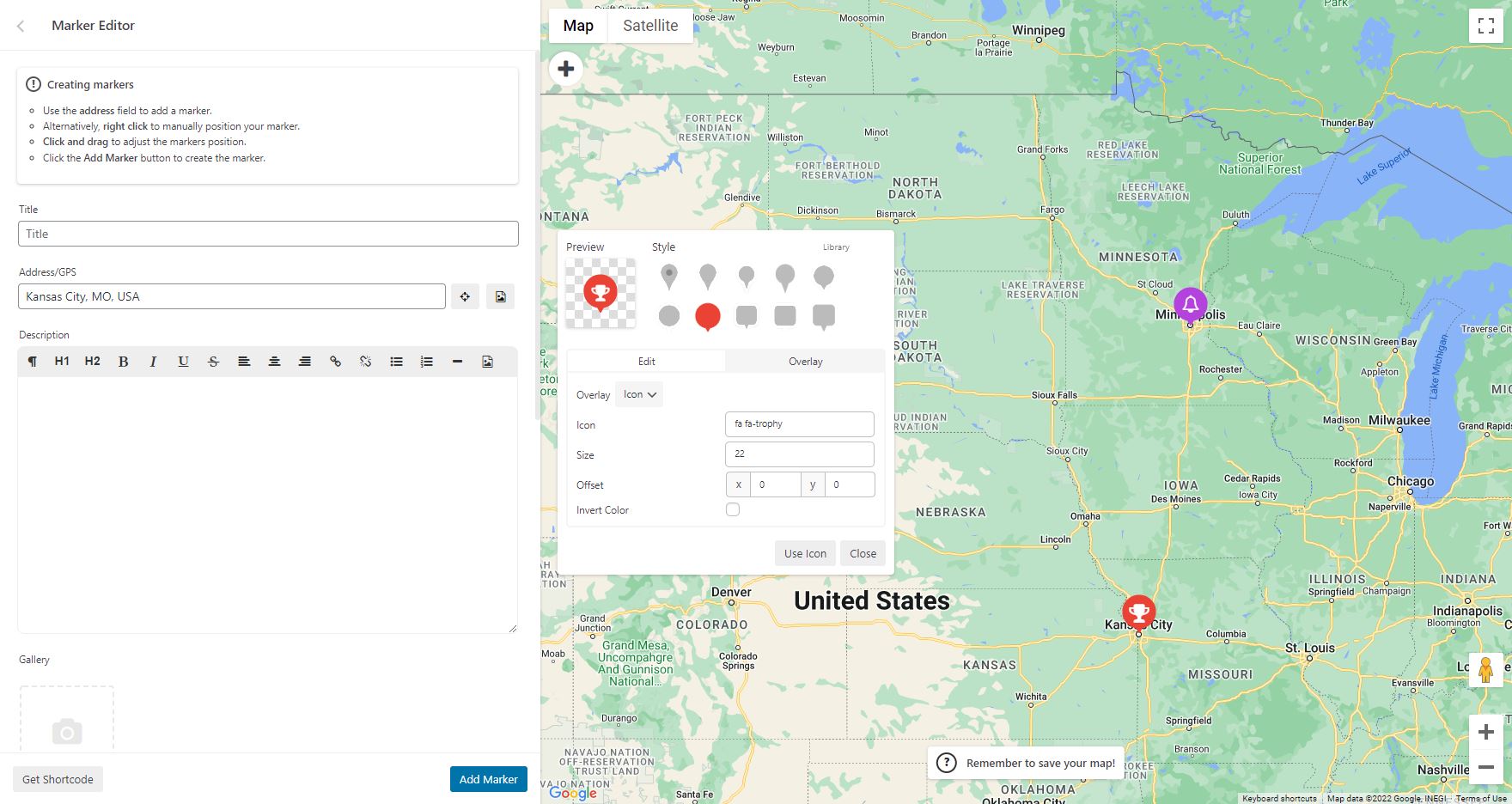
WP Go Maps Pro version: Add custom markers to your Google map 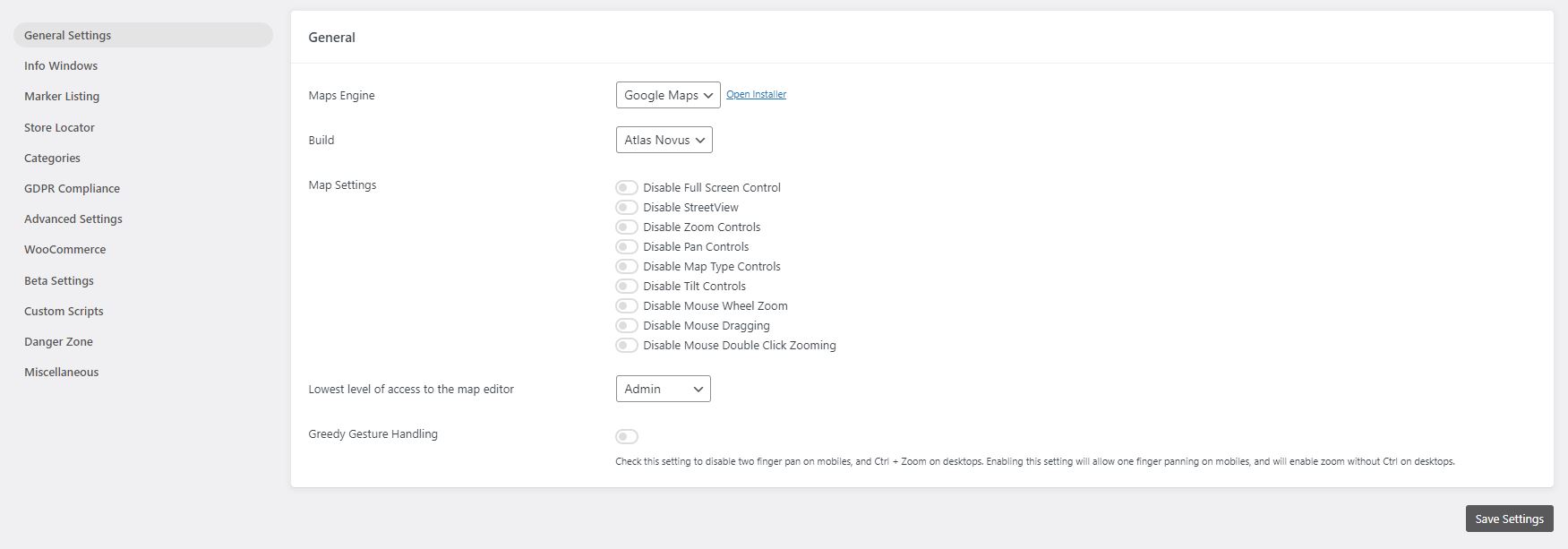
WP Go Maps Lite version: General settings page 
WP Go Maps Pro version: General settings page 
WP Go Maps Pro version: InfoWindow settings page 
WP Go Maps Pro version: Advanced Google map options. 
WP Go Maps Pro version: Map marker listing options 
WP Go Maps Pro version: Export/Import your map markers 
WP Go Maps Pro version: Responsive carousel map marker listing 
WP Go Maps Lite version: Store Locator Settings 
WP Go Maps Lite version: Store Locator Map 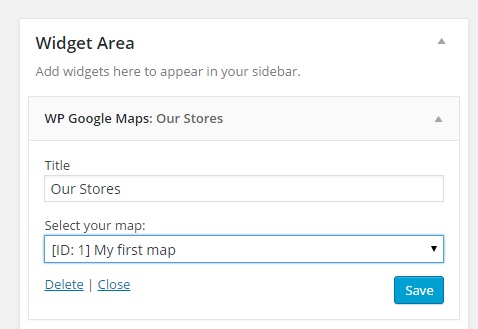
WP Go Maps Lite version: Map Widget 
Selecciona un tema para tu mapa o escoge un tema de nuestra biblioteca de temas


Bloques
Este plugin proporciona 2 bloques.
- Map The easiest to use Google Maps plugin! Create custom Google Maps with high quality markers containing locations, descriptions, images and links. Add your customized map to your WordPress posts and/or pages quickly and easily with the supplied shortcode. No fuss.
- Store Locator WP Go Maps Store Locator block, allowing to separate your store locator from your map
Instalación
First time WP Go Maps user
Thank you for choosing WP Go Maps! In order to create your Google map, simply activate the plugin and click on «Maps» in your left navigation menu.
Once the WP Go Maps page loads, set the options for your map (height, width, map type, zoom level etc) and then use your mouse to drag your Google map to your desired location and press the «Save map» button.
Copy and paste the shortcode into your post or page and WP Go Maps will automatically create the map on your page using the settings you chose above.
Adding your first map marker
To add a marker to your Google map, scroll to below the map in your admin section and enter the address or GPS location in the Address input field. Click «Add Marker» and WP Go Maps will add your marker to the address you specified.
Setting up a Google Maps Store Locator
In order to make use of WP Go Maps Store Locator functionality, simply click on the «Store Locator» tab in the map creation page and select «Yes»
FAQ
-
¿Cómo consigo WP Go Maps Pro?
-
Simply visit https://www.wpgmaps.com and purchase the WP Go Maps Professional Edition. Free updates and support included forever.
-
I’ve installed the plugin, now what?
-
Once installed and activated, a link should appear in your left navigation panel within your WP-ADMIN section. Click on the «WP Go Maps» link and follow the on screen instructions.
-
How do I put a Google map on my page/post?
-
In order to show your custom Google map on your page or post, simply copy the shortcode supplied and paste it into your page or post. WP Go Maps will automatically configure the map to the settings you selected in the map edit page.
-
¿Cómo añado un bloque de mapa a mi página o entrada?
-
It’s super easy to add a map block to your page or post. Simply add a block in the normal page editor, then type in «Map» and you should see the map block option. For more information please review this tutorial
-
How do I add a map widget to my widget area?
-
To add your map to your widgets area, simply go to Appearance->Widgets and drag the «WP Go Maps» Map Widget to your sidebar. You then edit the map widget to reflect the correct map.
-
How can I report security bugs?
-
You can report security bugs through the Patchstack Vulnerability Disclosure Program. The Patchstack team help validate, triage and handle any security vulnerabilities. Report a security vulnerability.
Reseñas


Colaboradores y desarrolladores
«WP Go Maps (formerly WP Google Maps)» es un software de código abierto. Las siguientes personas han colaborado con este plugin.
Colaboradores


«WP Go Maps (formerly WP Google Maps)» está traducido en 23 idiomas. Gracias a los traductores por sus contribuciones.
Traduce «WP Go Maps (formerly WP Google Maps)» a tu idioma.
¿Interesado en el desarrollo?
Revisa el código , echa un vistazo al repositorio SVN o suscríbete al registro de desarrollo por RSS.
Registro de cambios
10.0.04 – 2025-12-04
- Added pro features page and menu item
- Added additional page construction hooks
- Added demo list to maps view page
- Added LocationIQ to engine swap toolbar
- Improved PHP 8.5 stability & compatibility
- Fixed issue where engine swap toolbar would not set tileserver defaults for first time users
- Fixed issue where map list clicks were not being handled correctly for action buttons
- Fixed issue where PHP 8.5 would throw a deprecation warning due to an outdated switch case
- Fixed issue with our internal links, docs, site, support, forums, throughout the plugin
- Fixed issue where bulk marker selection button would not work in some environments
- Fixed issue where info-window link controls were available in basic
- Updated marker listing demo image
10.0.03 – 2025-11-27
- Added first time usage flow which opens the marker creator once for new users (UX Improvement)
- Added engine swap toolbar to map editor for first time usage, once dismissed does not show again (UX Improvement)
- Added a new setting to enable dynamic translations, as this must be an opt in for large data sites
- Updated internal CTA buttons and controls from gold to blue (UX Improvement)
- Removed a console log within the map initialization controller, it is not relevant with delayed loading
- Removed the disable dynamic translation, instead we now allow this via an opt in instead
10.0.02 – 2025-11-17
- Added shapes and overlays sub-section to map editor, moving all relevant datasets into that panel (UX Improvement)
- Added ability to click on a map from the map list to open the editor (UX Improvement)
- Added primary button color to edit map button within map list (UX Improvement)
- Added blue highlight to primary dataset creation buttons to make it clearer how to add datasets (UX Improvement)
- Added button to marker quick tip notice to jump straight to marker creation (UX Improvement)
- Added conditional checks for major version mismatches in compiler, preventing mismatched major versions from throwing build errors
- Added a one time hint tool to our internal map editor tour system, which will show helpful usage hints after the main tour is completed.
- Fixed issue where Google Maps logo would not display on some installations, within the engine selector
- Fixed issue where plugins that load bootstrap in our editor might cause editor placement issues, plugin conflict
- Fixed issue where map preview would not generate on some themes. We now generate a draft page, which is reused and pruned when new previews are created
- Moved save map notice in map editor to top anchor
- Moved add marker quick tip notice in map editor to bottom left anchor
- Removed bounds reset system when adding a marker to a map, to allow multiple markers to be added to the same region without reset
10.0.01 – 2025-11-10
- Fixed issue with compatibility layer for older versions of Pro add-on (V8 and below)
10.0.00 – 2025-11-10
- Added Leaflet engine support
- Added Azure engine, powered by Leaflet
- Added Stadia engine, powered by Leaflet
- Added Maptiler engine, powered by Leaflet
- Added LocationIQ engine, powered by Leaflet
- Added support for OpenLayers V10
- Added ability to use legacy (V6) OpenLayers, should be considered deprecated. Will be removed in the future
- Added ability to change address providers, for autocomplete and client side geocoding
- Added additional address providers including Google Maps, Azure Maps, Nominatim, LocationIQ and engine default
- Added ability to provide a supplementary address provider API key if needed
- Added ability to switch tile servers, with another from the same provider, on a per map basis
- Added additional tile server options, with providers and automated groupings
- Added ability to set line thickness on both rectangles and circles
- Added tile server previews for improved customization
- Added support for dynamic content translations with WPML
- Added Atlas Novus as the default internal build
- Added danger zone tool to reindex any spatial coordinate data for markers, where a spatial coordinate has gone missing
- Added ability to adjust rectangle boundaries with boundary input
- Added ability to bulk delete shapes
- Added ability to center on shapes and datasets within the editor
- Added dropdown context meny to shape datatables
- Added option to cachebust REST API requests
- Added improved GDPR styling, it becomes the new default
- Added quick delete button to info-window within the map editor
- Added ability to override any HTML template part via a child theme override
- Added map preview system, allowing maps to be previewed on frontpage
- Added default indexes to all tables to improve performance
- Added spatial indexes to tables where applicable to improve performance
- Added fullscreen map editor panel mode, for dataset listings, allowing more data to be viewed
- Added extended maximum zoom level (22) which is supported by all map engines
- Added mobile settings tab to editor
- Added ability to set a different map width/height for mobile devices
- Added new default engine/installer preset for zero cost mapping, for all new installations
- Added ability to reduce marker editor geocoder usage. Skips geocoding if lat/lng coordinates are present, opt in available in settings
- Added ability to select store locator button style (Icons (default), or Text) on a per map basis
- Added accessibility support, with the goal of being WCAG Level AA compliant
-
- Aria labels and roles added where needed
-
- Improved focus cues and managing of indexing
-
- Keyboard navigation added (tab, enter, space, and escape for panels)
-
- Hierarchy restructuring where needed to better support navigation
-
- Tested with various tools:
-
-
- Microsoft Accessibility Insights: Pass (FastPass)
-
-
-
- Axe DevTools: Pass (WCAG Level AA)
-
-
-
- Google Lighthouse: Pass (100% Accessible)
-
-
-
- Wave Tools: Pass
-