

توضیحات
BackWPup is the most comprehensive backup & restore plugin for WordPress.
🎉 BackWPup 5.5– New Features & Improvements
BackWPup 5.5 is now available! Building on previous releases, it brings back your most‑requested features and delivers a refreshed, more controlled backup experience—shaped by your feedback.
🚀 What’s new in BackWPup?
✅ Archive format per backup: Pick the archive type for each backup (ZIP, TAR, etc.) to match your storage and restore needs.
✅ Archive name per backup: Give each backup a clear, custom filename so they are easy to recognize at a glance.
If you happen to experience any issues with the new version, contact us directly here so we can investigate your case. We are committed to resolving any concerns quickly and are actively working to ensure a smooth experience for everyone.
How It Works: The 3-Step Backup Wizard
-
What – Choose your backup contents through our intuitive setup wizard
-
When – Set your backup schedule (hourly, daily, weekly, or monthly)
-
Where – Select your preferred storage destination(s)
Create comprehensive backups and restore your data with ease!
🌟 The Best WordPress Backup & Restore Plugin
Easily create a complete WordPress backup, store it on external services (such as Dropbox, S3, FTP, Google Drive, OneDrive and more) and restore your backup directly from your WordPress admin, in just a few clicks.
BackWPup is designed for ease of use. Even beginners can create a reliable backup of their WordPress sites with just a few clicks. With BackWPup, you can enjoy peace of mind knowing your data is safe and secure. Whether you are a small business owner or managing a large enterprise, BackWPup is the ultimate solution for protecting your WordPress site.
💎 BackWPup Pro Features
Take your WordPress backups to the next level with BackWPup Pro. Get additional features like:
-
Additional Cloud Storage options (Amazon Glacier, Google Drive, OneDrive, HiDrive).
-
Encrypted backups for enhanced security
-
Custom API keys for Dropbox and SugarSync
-
Standalone restore application for recovery without WordPress access
-
Seamless site migration by restoring to a new URL with BackWPup.
-
Premium support with dedicated ticket system
-
And much more!
Get BackWPup Pro for the complete backup and restore solution.
⏰ Schedule and Manage Backups Easily
With BackWPup, you have full control over your backup process. You can back up your entire WordPress site, including files and database, save them to multiple locations, and easily restore your site from a backup if anything goes wrong. You can choose what to back up, how often to perform backups, and where to store them:
-
Comprehensive Backups: Backup your entire WordPress installation, including the /wp-content/ folder, database and any additional non-WordPress files and folders.
-
Flexible Scheduling: Schedule automatic backups to run hourly, daily, weekly, monthly —with the freedom to pick any specific date in the month
-
Immediate Backups: Instantly run any scheduled backup job with the “Backup Now” button—perfect for on-demand backups before updates or changes.
-
Custom Backup Jobs: Combine files and database into a single job, or set up separate jobs for advanced workflows.
-
Store your backup in different locations:
Free version: Dropbox, Amazon S3, FTP, Rackspace Cloud, Microsoft Azure, SugarSync.
Pro version: Additional storage options including Amazon Glacier, Google Drive, OneDrive and HiDrive Get BackWPup Pro
This flexibility makes BackWPup the best choice for WordPress backup.
🛟 Easily Restore Your WordPress Site
Restore your site effortlessly from a backup with our one-click restore option. To restore a backup, go to the BackWPup plugin settings in your WordPress admin area. Select the backup you wish to restore, click on the three dots menu and click ‘Restore Full Backup’. And the restore is done. This feature ensures that even in the event of data loss or site issues, you can quickly and efficiently restore your site to its previous state.
Access-Free Recovery
Locked out of your dashboard? No problem. The standalone restore app on the Pro version lets you restore your site from any backup, even when you can’t access WordPress. Perfect for emergencies. Get BackWPup Pro
⚡ Improve Your Site’s Reliability and Performance
Did you know that regular backups and database maintenance can improve the performance and reliability of your WordPress site? With BackWPup, you can ensure that your data is always protected and that your site is always running smoothly.
By scheduling regular backups and database maintenance, you can avoid data loss and downtime. BackWPup makes it easy to protect your data and keep your site running at its best.
Even Google recommends regular backups and database maintenance to ensure the reliability and performance of your site. With BackWPup, you can follow best practices and keep your site secure and reliable.
😎 Easy Migration
BackWPup makes migrating your WordPress site simple. Whether you’re switching hosts or moving to a new server, easily export your files and database, then restore everything with just a few clicks—quick and hassle-free. Available only on the Pro version – Get BackWPup Pro
❓ Is BackWPup Free?
You can use BackWPup for free with all its basic features. The free version includes complete backup, scheduling, support for external storage services (like Dropbox, S3, FTP, and more) and restore.
The pro version offers many additional features including more settings, destinations, and of course access to our premium support. Check out our premium plans: https://backwpup.com/#buy
ℹ️ Who Are We?
We are WP Media, the company behind WP Rocket, the best performance plugin for WordPress.
Our mission is to improve the web. We are making it faster with WP Rocket, lighter with Imagify and safer with BackWPup.
👋 Get in Touch!
- Website: backwpup.com
- Contact Us: https://backwpup.com/contact/
🔌 Related Plugins
-
WP Rocket: The best performance plugin to speed up your WordPress website.
-
Imagify: The best image optimization plugin to speed up your website with lighter images.
-
Lazy Load: The best Lazy Load script to reduce the number of HTTP requests and improve the website’s loading time.
-
Heartbeat Control by WP Rocket: Heartbeat Control by WP Rocket: The best plugin to control the WordPress Heartbeat API and reduce CPU usage.
-
RocketCDN: The best CDN plugin for WordPress to propel your content at the speed of light – no matter where your users are located in the world.
-
Increase Max upload file size: The best plugin to increase the upload file size limit to any value with one click.
License: GPLv2 or later
License URI: http://www.gnu.org/licenses/gpl-2.0.html
عکسهای صفحه
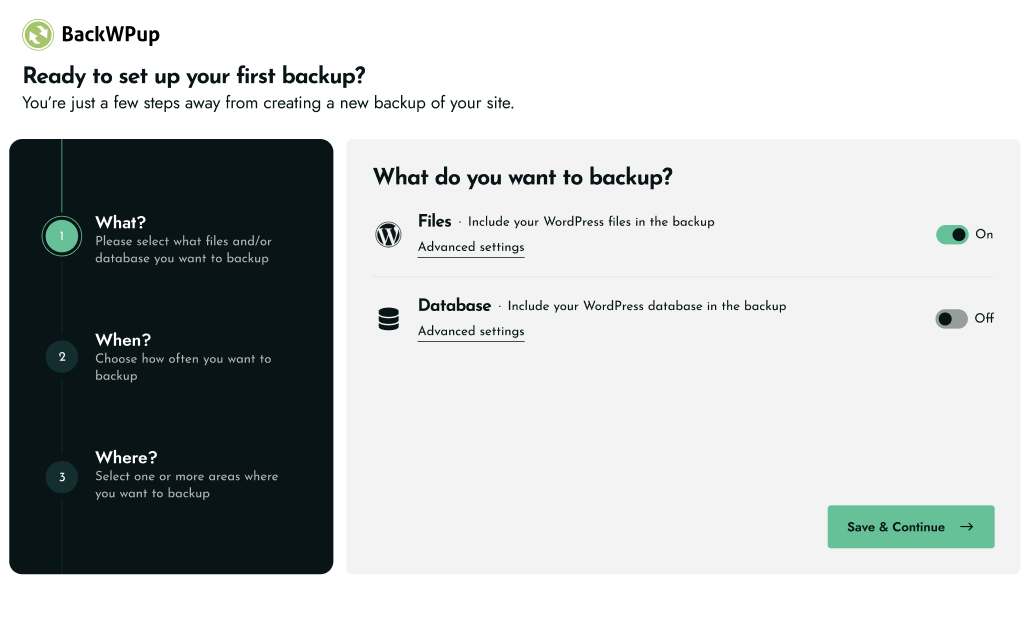
WHAT – Choose your backup contents through our intuitive setup wizard 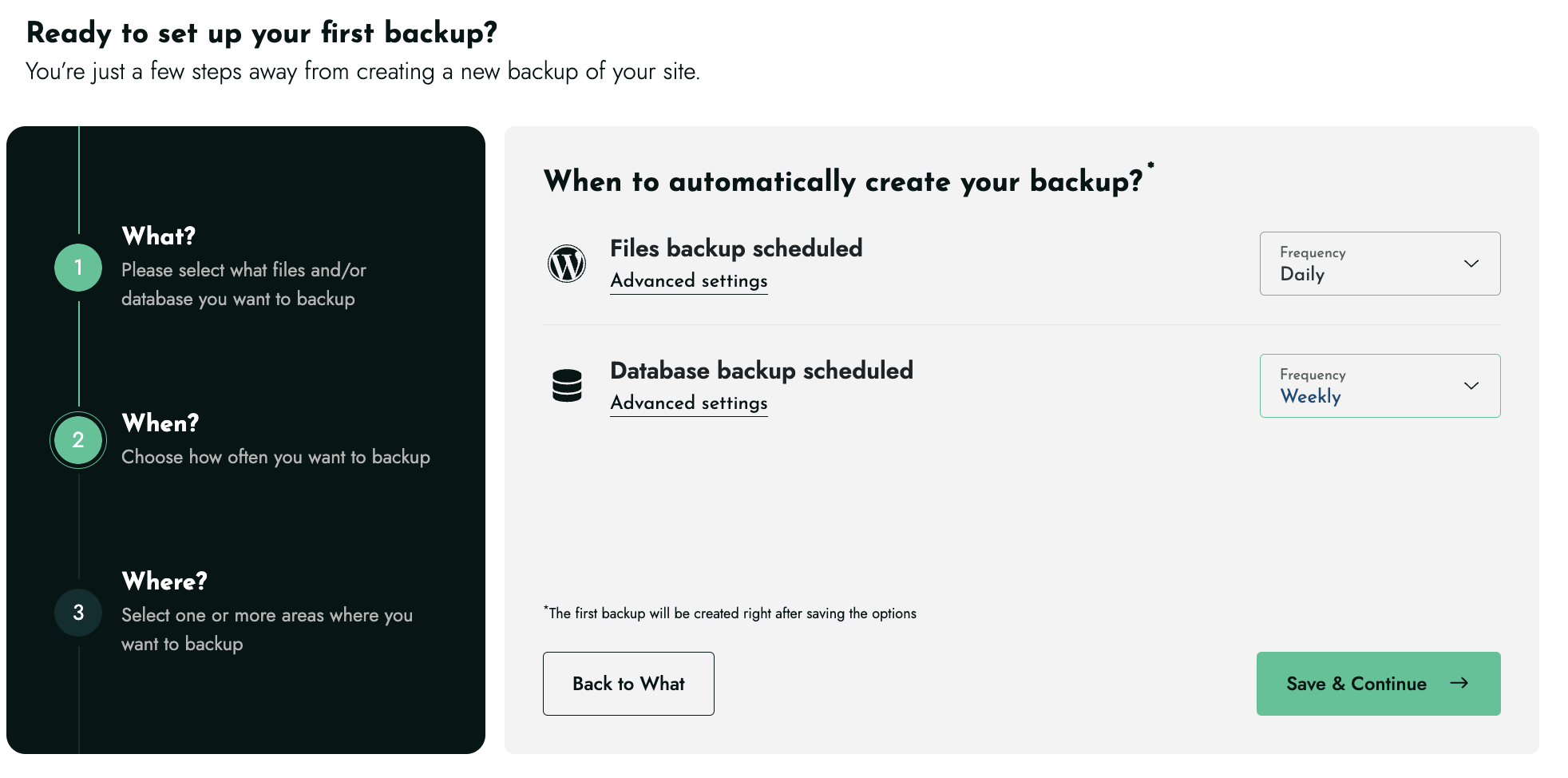
WHEN – Set your backup schedule (hourly, daily, weekly, or monthly) 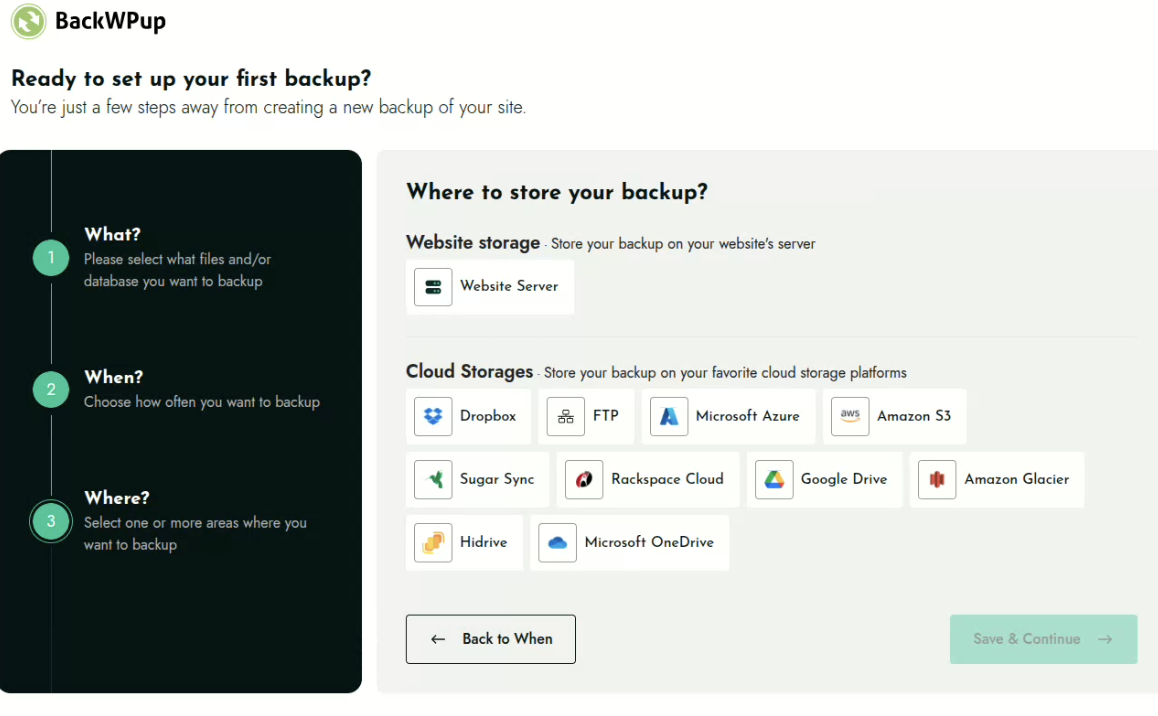
WHERE – Select your preferred storage destination(s) 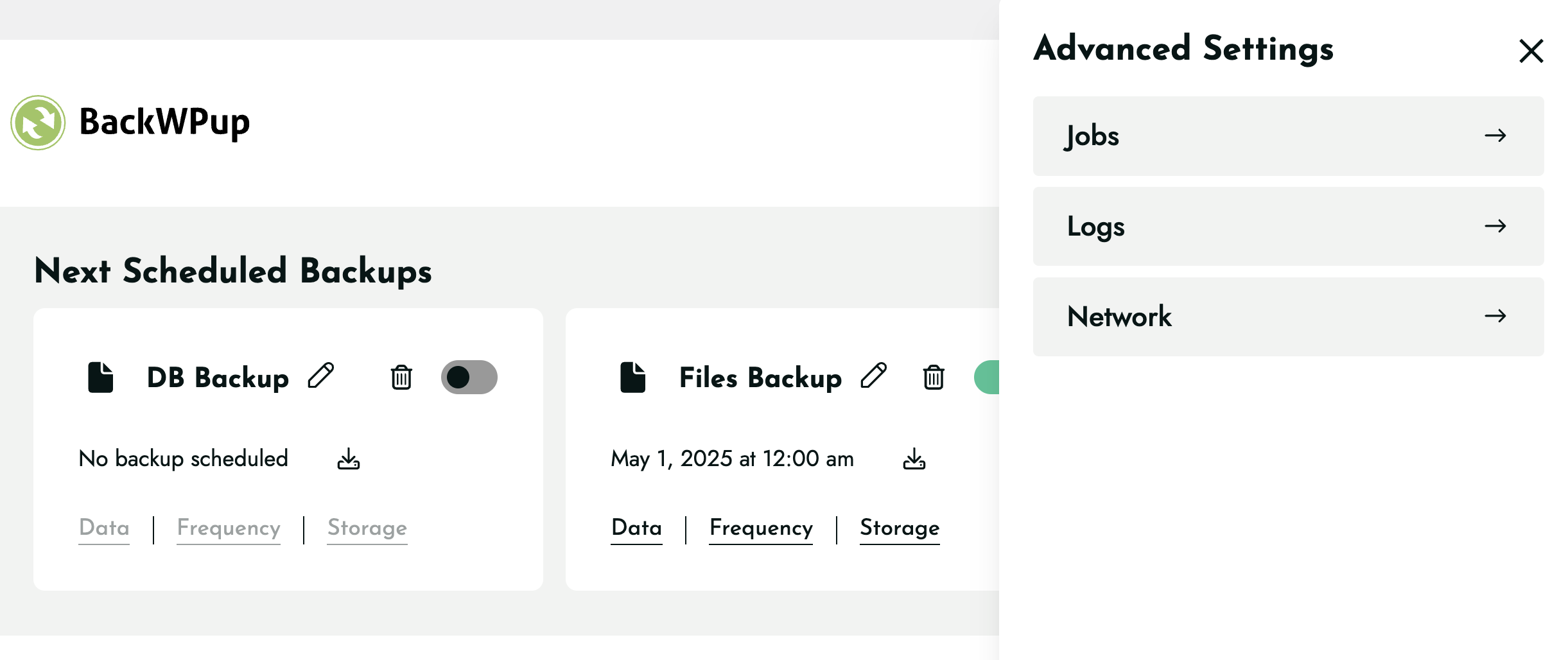
Configure all your backup settings 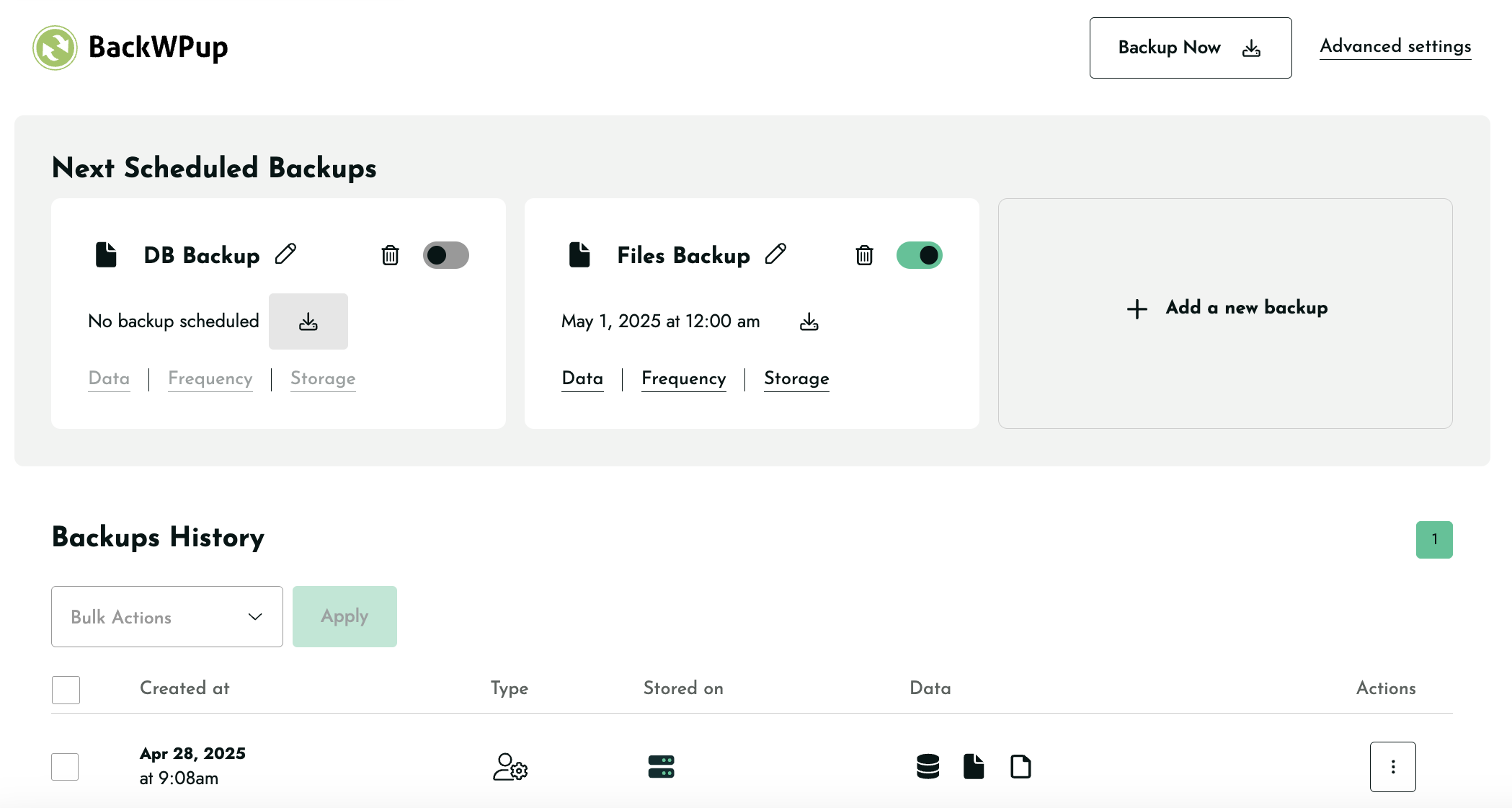
Add new backup, backup history, next scheduled backups all in one place 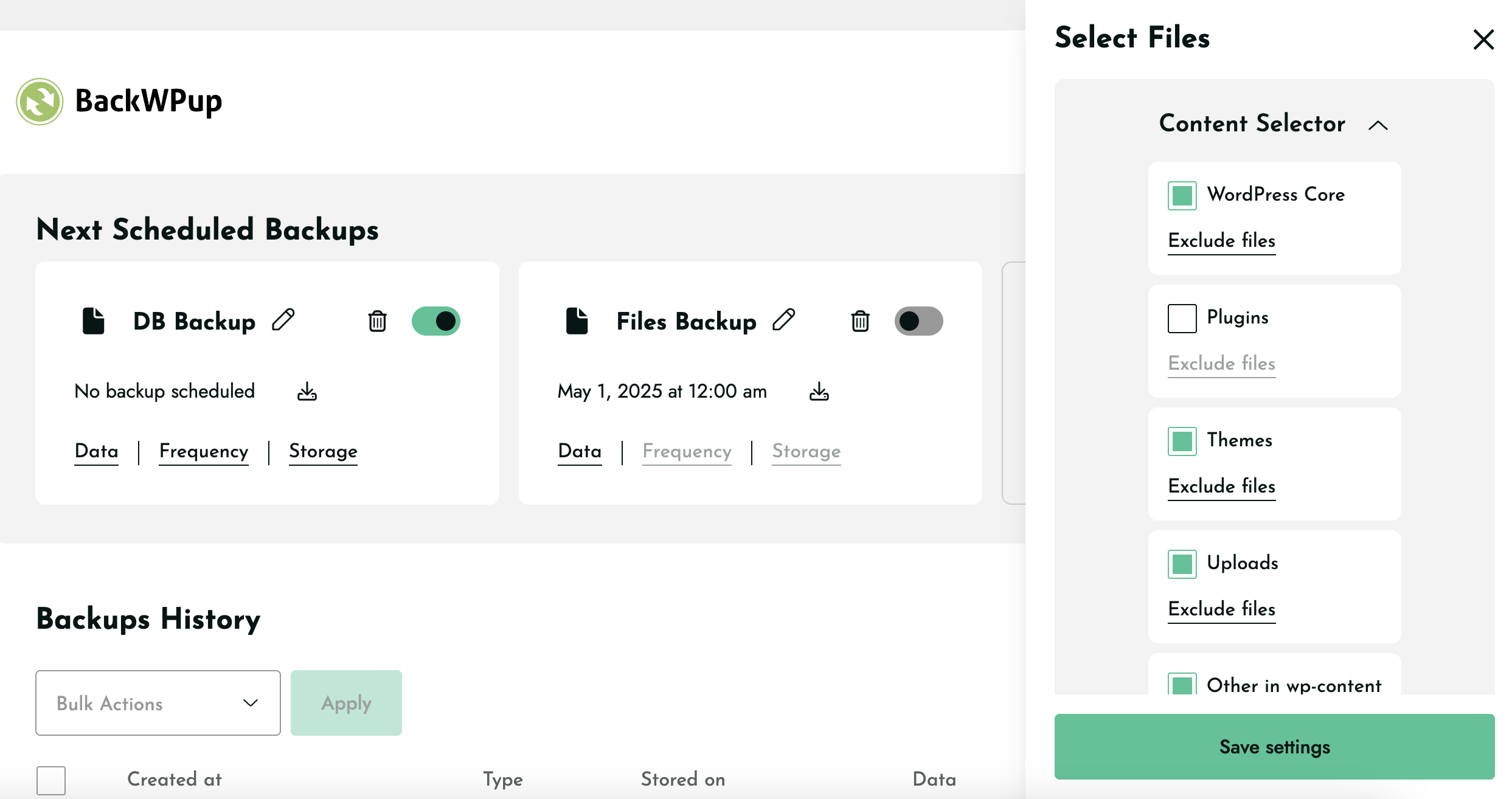
Content selector to exclude or include files for backups 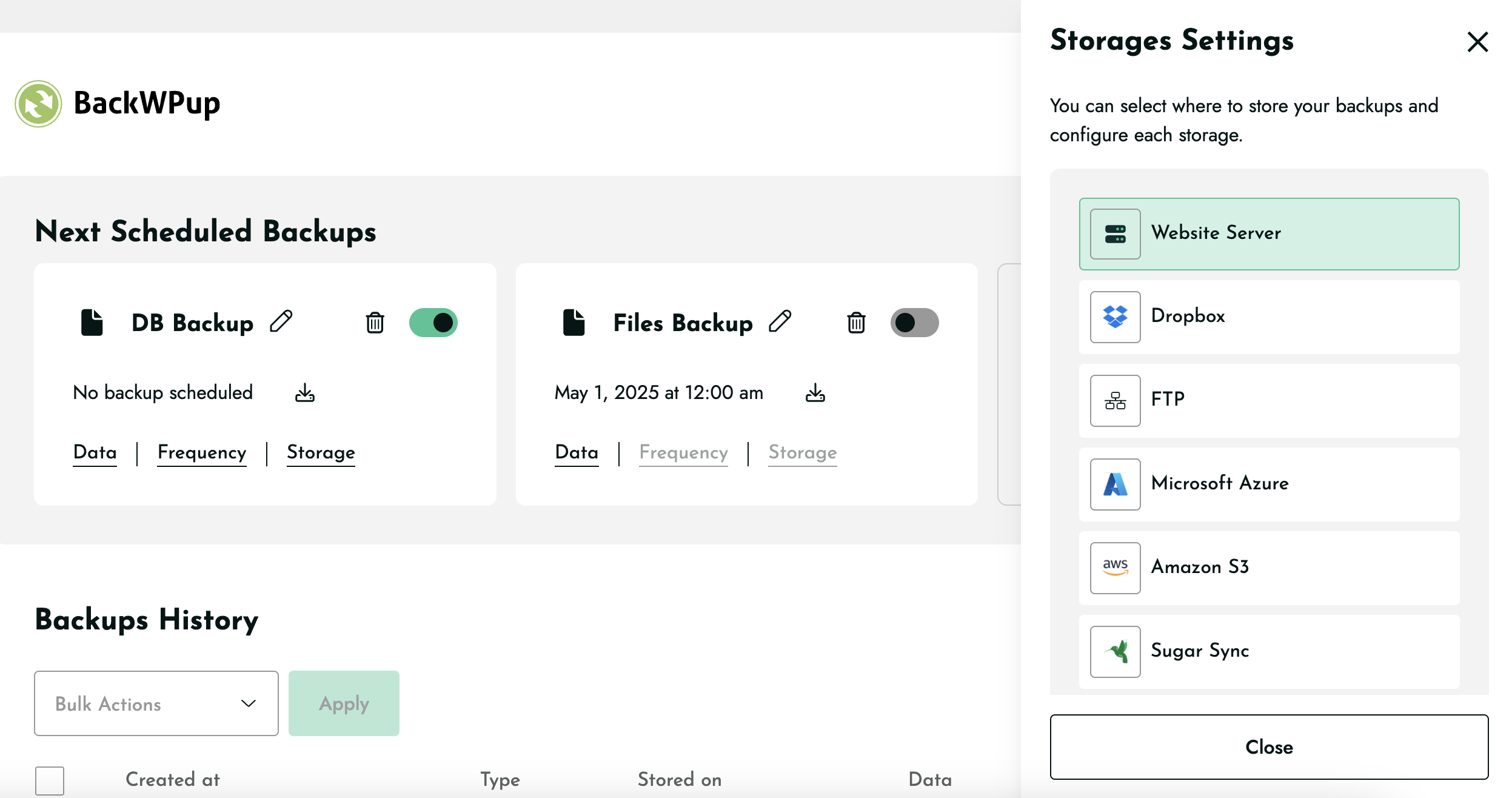
Storage settings to select location to store backups


نصب
WordPress Admin Method
- Go to you administration area in WordPress
Plugins > Add - Look for
BackWPup(use search form) - Click on Install and activate the plugin
FTP Method
- Upload the complete
backwpupfolder to the/wp-content/plugins/directory - Activate the plugin through the ‘Plugins’ menu in WordPress
Pro Version
[You can find a detailed tutorial in the BackWPup documentation]. (https://backwpup.com/docs/install-backwpup-pro-activate-licence/)
نقد و بررسیها


توسعه دهندگان و همکاران
“BackWPup – افزونه پشتیبان گیری و بازیابی وردپرس” نرم افزار متن باز است. افراد زیر در این افزونه مشارکت کردهاند.
مشارکت کنندگان


“BackWPup – افزونه پشتیبان گیری و بازیابی وردپرس” به 20 زبان ترجمه شده است. با تشکر از مترجمین برای همکاری و کمکهایشان.
ترجمه “BackWPup – افزونه پشتیبان گیری و بازیابی وردپرس” به زبان شما.
علاقه مند به توسعه هستید؟
Browse the code, check out the SVN repository, or subscribe to the development log by RSS.
گزارش تغییرات
5.6.1
Release date: December 11, 2025
- Fix: Legacy backup job links stopped working after upgrading from version 5.6.0.
- Fix: Storage configuration was failing for multiple storage providers (Amazon S3, Amazon Glacier, Azure Storage, Google Cloud Storage, OneDrive, Rackspace).
- Added: Compatibility for legacy backup job link formats to ensure older jobs continue to work without any changes.
5.6.0
Release date: November 25, 2025
- Enhancement: Introduced WP-CLI support for running backups
- Enhancement: Improved Mixpanel event tracking accuracy
- Added support for triggering backups via link
- Fix: Resolved a compatibility issue with Visual Composer
5.5.2
Release date: November 03, 2025
- Security fix: Safe handling of job attributes concatenated into HTML attributes on the admin UI
- Enhancement: Compatibility with Kinsta hosting with backup rate limits
- Enhancement: Better handling of missing PHP cURL extension
- Enhancement: Improved upload of large backups on HiDrive
- Enhancement: Facilitated diagnosis for support with dedicated tooling
- Fix: Consistently displaying the “Help Us Improve BackWPup!” notice
5.5.1
Release date: October 20, 2025
- Security Fix: Missing Authorization to Sensitive Information Exposure
- Fix: HiDrive backup download partially not working.
- Fix: HiDrive backup not working properly due to major storage issue.
- Fix: Compatibility issue with .donotbackup file and open_basedir environments.
- Fix: Minor UX issues when including files in backups.
- Fix: OneDrive allow users to reauthenticate.
5.5.0
Release date: September 16, 2025
- New Feature: Archive format per backup
- New Feature: Archive name per backup
5.4.1 Release date: September 2, 2025
- Fix: Additional Guzzle Dependency conflicts causing errors.
5.4 Release date: August 20, 2025
- New feature: Add extra files or folders for backups
- Fix: Sending unwanted warning email because of .donotbackup file.
- FIx: Showing cursor pointer on non-clickable elements.
- FIx: Backup downloads are not working for FTP storage.
- Fix: Guzzle Dependency conflict causing errors in backups.
- Fix: The Encrypt archive option is disabled after the update.
- Fix: The backup now icon is closer to the date of scheduled backups.
- Fix: No backup is created for any storage when OneDrive is selected during onboarding.
5.3.2
Release date: August 12, 2025
- Bugfix: Log notification emails were not sent for successful backup
- Removed: Remove unused/deprecated codes
- Enhancement: Refactor the plugin admin notice code
- Bugfix: Save button is not clickable on low browsers window height
- Bugfix: Google Drive & OneDrive API fields not fully visible
- Bugfix: Encryption “Save” button not visible below Asymmetric Key
- Bugfix: Decryption key needed for free plugin
- Enhancement: Storage deselect ux issues
5.3.1
Release date: July 22, 2025
- Bugfix: Default archive format resets to Tar format after update to 5.3
- Bugfix: Updating to 5.3 causes Fatal error due to corrupted data
- Bugfix: License activation fails due to service provider issue
- Bugfix: Upload to FTP backup limit issue on 5.3
5.3.0
Release date: July 14, 2025
- New feature: Backup File & Database together in a single job
- Bugfix: New jobs ignore the global archive format and default to .Tar
- Bugfix: SugarSync error message after authenticating
- Bugfix: Google Drive not working correctly during onboarding
- Enhancement: Show only successful backup entries in the backup history
- Enhancement: Long job title spills outside the pop-up
- Enhancement: Configure backup data settings without selecting it
- Enhancement: Fixed Schedule backup title is too long issue
- Enhancement: Added tooltips for schedule backup icons
- Enhancement: Add new backup UI ux issues
- Enhancement: Improvement of cloud storage code
5.2.3
Release date: May 22, 2025
- Bugfix: Fixed fatal error when both Free and Pro versions are activated together.
5.2.2
Release date: May 20, 2025
- New feature: Deselect Website Server as a default storage destination
- Enhancement: Reduce overall plugin size
- Bugfix: Google Drive does not remain selected
- Bugfix: Plugin interface becomes non-functional & not clickable
- Bugfix: Error during backup for Dropbox storage
- Bugfix: Dropbox authentication error
5.2.1
Release date: April 30, 2025
- Bugfix: Fixed fatal error caused by cal_days_in_month() function on 5.2 for unsupported servers.
5.2.0
Release date: April 29, 2025
- New feature: Add “Backup Now” button to each scheduled job
- Enhancement: Monthly frequency to allow users to select the exact day
- Enhancement: Show the Toast messages on specific actions instead of every actions
5.1.3
Release date: April 23,2025
- Added: Filter to show legacy/disabled jobs
- Added: Notice for legacy disabled jobs
- Enhancement: Replaced Files icon (currently WP logo) with a new file icon
- Enhancement: Adding new jobs moves the existing job placement in the interface
- Enhancement: Increased the default timeout for toast messages
- Bugfix: Old jobs auto disabled for users from v5.0.9 & v5.1.0 to v5.1
- Bugfix: Legacy jobs link not triggering the job
- Bugfix: Clicking “Save & Continue” before the page fully loads skips onboarding
- Bugfix: Added WP default admin styles in the Legacy jobs page
- Bugfix: WordPress timezone changes mess up the frequency feature
- Bugfix: The “Backup Now” error when there’s no job available
- Bugfix: Fix a problem with the encryption Save button doing nothing
- Bugfix: Long load time on clicking Data after adding File job exclusion
- Bugfix: Backup job pencil icon grows smaller with long titles
- Bugfix: Conflict with MainWP child plugin
5.1.2
Release date: April 15,2025
- Enhancement: Display the warning message for customers affected by the bug in 5.1 version of the plugin