
⚡ NEW: Profile/aidinz - Collection

Skip to main content

Shotgun Surgeons

209
Posts
5
Topics
61
Followers
644
Following
A member registered Feb 05, 2014 · View creator page →

Creator of

Recent community posts

Hi, I want to buy your bundle but I have couple of the items and on checkout it doesnt remove them. Support hasnt replied yet.

There isn't an explanation why keep the older version.

(1 edit)

Sorry, I meant when I bought the asset it gave me two versions to download. v1.1.1 and v1.1.2.

In top left and bottom left there seems to be duplicate fraomes. Is this correct?

It was very hard to find it when I saw it used at Cursed Gem. How the two versions are different?

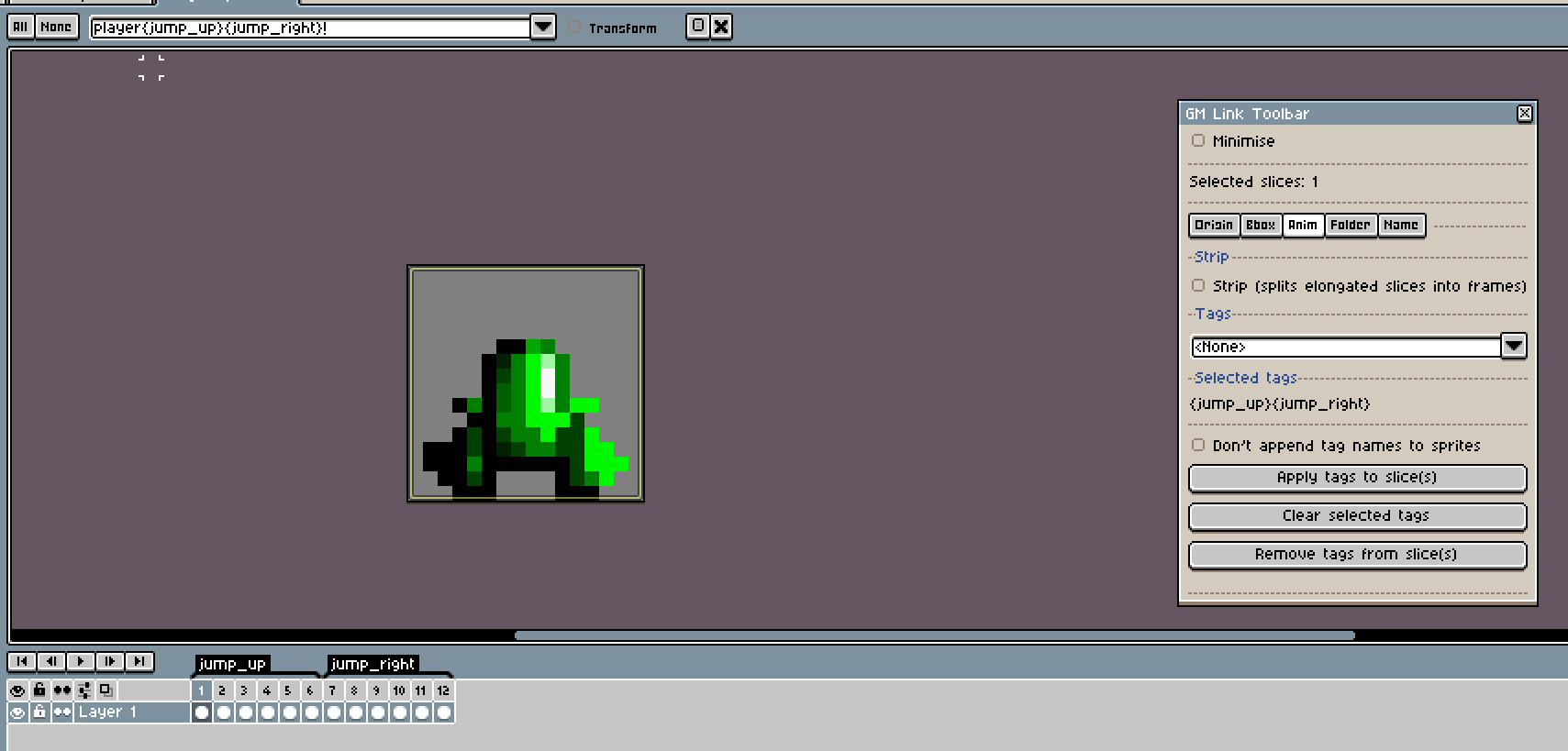
Problem lies in the fact that the Toolbar doesn't show properties and is only commands. I always click on it and select slices to see their properties.

Here for example problem was "don't append tag" was ticked when I added tags initially but then I removed it and was confused why it still not appending.

(8 edits)

How can I all animations of a character in one Aseprite doc and when I export, I'd have all of them update/created?

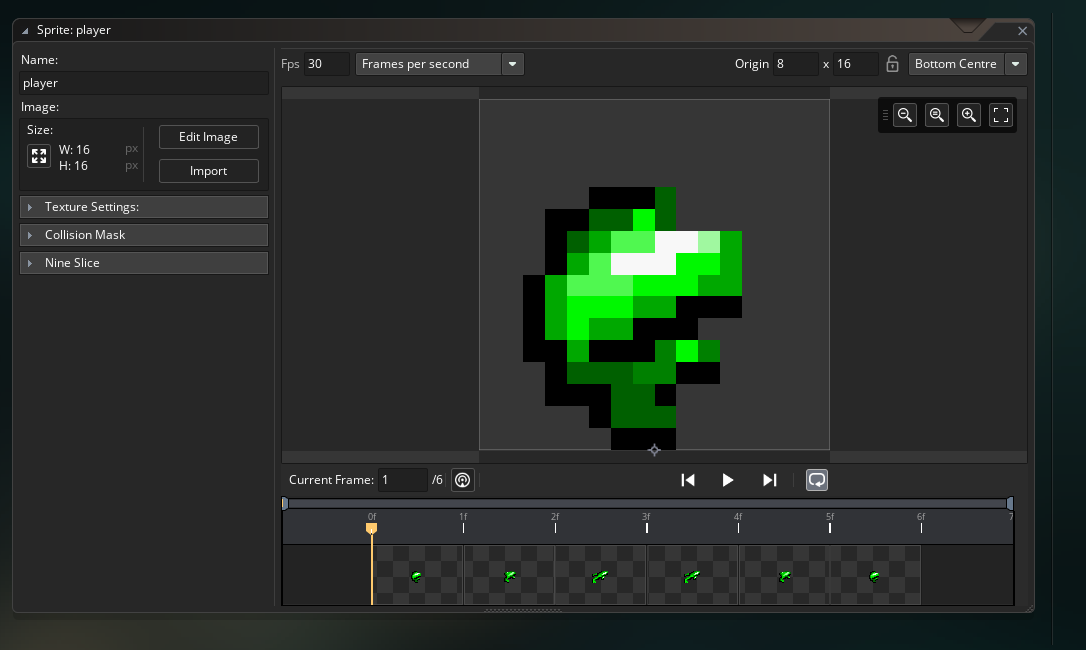
I added tags to the slice but it just exports the first one (without tag name). So maybe it is replacing first one:

<de_cbutton id="de-cute-id" style="background-image: url("moz-extension://0207092d-fb1d-41f6-8e0b-0c597ca57f13/bestgirl.png"); top: 791.117px; left: 16px;"></de_cbutton>
(1 edit)

In the first method of animation explained above, do you have to make slice too?

Because in an Aseprite document that has one animation in frames, tagging doesn't export as mentioned above.

Which of the 3 animation method do you use?

(1 edit)

I can't recreate it but it was constantly adding tag to my slice despite checking the box and I thought I was doing something wrong. Turns out it needed to uncheck and check.

(I even cleared hash for this, even though I think is unrelated)

Hi,

Since any change you do to the exported file from GM-Link is not reflected back to Aseprite slice, why would you want to change sprite settings in GameMaker? Am I missing something?

I mean if you edit and update, they will be gone, to best of my knowledge.

Cheers

Hi,

In the demo video on youtube, when you update, GameMaker restarts and opens that sprite automatically. Did you cut the part that you manually open the sprite? Because I've never seen it do it.

(1 edit)

Perfect! For future ppl: You set 9-slice on first frame and it will be applied for the rest of the strip. (It's seems a bit odd to use the horizontal handle since it's so long, but trust me, "this is the way".)


I've decided not to delete my questions that I find answers for so they may help future videos or manual.

(1 edit)

How to set bounding box for sprite sheet animations? i.e. when all frames of an animation is next to each other in a sprite sheet.

I have a very big sprite sheet that all my animations are in it.

Which one do you suggest?

ohhhh, so sprites are spr_gmlink_base and if I edit it, everything will be edited from then on.

Is it possible to change the base folder of "sprites"? As far as I can tell, all we can do will be after "sprites" folder. In my game I put sprites in object's folder, i.e. <root>/player/spr_player_idle.

Thanks!

Why most options on second page of the configuration panel disabled, at least for me.