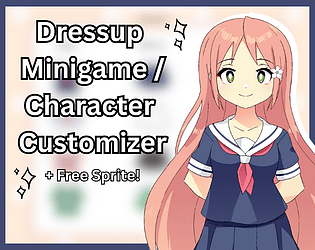
Tested this again and it works for me, so my guess is that there might have been a problem with the way you copied the code or files into your project? Sorry I can't be of much help!
Download the zip file, unzip it, open it. In the "game" folder, copy the script.rpy file and the "images" folder. Paste them into your own project (inside your "game" folder). From there, you can decide when the minigame appears in your game using any .rpy file. If this is too confusing for you, I recommend getting some more practice in RenPy first, maybe try finishing a short visual novel to get used to it. Hope this helps!
Thank you so much for the thoughtful comment and for playing my game!
Because this was my first experience with RPG Maker, there are many things I didn't even know came off as unprofessional or unpolished (such as the aspect ratio changing, or the transfers always activating regardless of the direction the player is facing), or cliché! I appreciate all the feedback, and your gameplay being mostly focused on technical isuues has taught me a lot!
I'll keep all of your comments in mind if I ever make another game in RPG Maker : )
(And I really apologize for the bummer ending, I can confirm though, that after opening the gate the game would have ended).
Very unique premise, works really well with the story and characters and makes the game feel really rich despite it being so short and simple. Great job!
Great premise, really good art and I always appreciate a sassy, straight to the point mc! I did run into a bug that softlocked me unfortunately, so I had to start over, but other than that it's a great game!
The art and music made it feel so cozy, I almost felt like I was relaxing in the pot too!
The way Froggy explains their feelings is very realistic and relatable. I liked the answers we could give as well! Sometimes saying "I don't know" is the most realistic thing you can say.
Both Clyde and Fennel are great characters, they really made me invested in the story!
Very unique vibe and atmosphere!
Also I have no idea what the manager's deal is, but it's really fun and I love it.