Thanks for the feedback, duly noted!
⚡ NEW: Profile/nilaysavant - Full Archive
Nilay Savant
Creator of
Recent community posts
Uploaded Native Builds for Win/Linux/Mac for platforms with poor WebGPU support.
In the spirit of the jam and its rules, I recommend rating the game based on the WebGPU build (submitted before the deadline). Although there’s no difference between the native and WebGPU version.
Otherwise feel free to give me any feedback for the native builds as they should provide a better experience out of the box.
Hey, thanks for checking out my game!
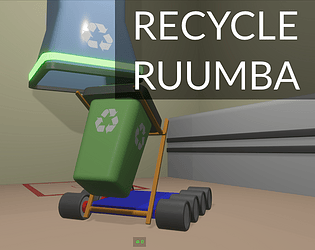
Yes, its using rapier for physics. You can create a vehicle controller using the individual rigid bodies as shown in the example. It might not be the dedicated controller you’re expecting, but for this use case I would want to construct one from the rigid bodies like I did.
Glad you found my game relatable!
Hey, thanks for checking out my game!
Initially the movement was indeed smoother, it using a “acceleration based” model (rapier.rs). But then I found it was getting really hard to get the Ruumba in a desired position, it very often accelerated out of control. Switching to a “force based” model made it have low momentum and turn in a jerky way, but it was much easier to get it in place. I found this model more realistic in my experience with Robots. But then again I understand that there may more more tuning needed to get it right, for eg, the rotation can be a bit too sensitive at times and so on. Yes with keyboard you may never get the smooth movement and an analog stick controller is the way to go, as it is the case for real world robots.
A first person and a font-locked follow camera would be a useful addition!
The containers and friction is a problem that I think can be solved a lot better. I just could not try it out in time for the Jam and went with a more hacky solution. Its on my todo.
Thanks for your feedback!
Hey, thanks for your feedback!
Yes, I agree I need to improve the experience teaching the controls.
Regarding the flying build, I did try to improve it using the Bevy Grid gizmos. But was running into some bugs, may raise an issue. Also had added a plane underneath to improve visibility but this too was making things buggy.
Glad that you enjoyed it! Will work on the short comings
Love the imminent of the Sun expanding and engulfing planets turned into a really addicting yet super simple game! The audio fills in very well!
I know my reflexes, but I feel there’s some input lag of sorts, maybe on the web? Not so sure.
I really wanted to be able to plan and execute multiple jumps (like more than 2), but I couldn’t. It would be really satisfying if this is possible!
Hey, thanks for checking out my game!
I just tested on Firefox on my Linux(PopOS) system:
- Full Screen works fine! (Although it does throw ambiguous an error in console).
Edit: I increased the size of the embed window, its playable in embed now!
- Shift + RMB also works but also shows the rick-click menu on Firefox (doesn’t seem to be the case for Chrome).
It would be great if you can mention your OS and some details on your system. Could be likely an issue with Bevy/WGPU/WINIT ?
Yes the inputs are slightly more complex, but thats the part of building a sandbox, surely you could bind them in the settings (temporary). But I wish I could build a better experience in the Jam time frame!
Thanks again for your feedback!
Various settings aren’t available when using the “main menu settings button.” They only show up from the “game over settings button.” I only knew to go looking for this after seeing it in the screenshots.
Yes, I know about this. Its basically directly referencing resources. I’ll be creating an abstraction to allow settings in the main menu as well.
This might be the only Bevy Jam game I’ve seen with a keybindings menu. Unfortunately it didn’t seem to work. Changing keybindings or sensitivity had no effect.
Hmm, that’s super weird. I have tested this, it does work. Maybe the sensitivity range is a bit too small for you. Or maybe you need to click on the resume button (for pointer lock). This can create some issues. Key binds working fine on my end as well. I’m also running this on an M2 Mac. Although I might add the settings don’t persist across games and it resets. This should be fixed with the above as well.
Combat seemed a little unsatisfying. In the screenshots, it seems like you’re doing tricks and dodging and stuff, but when I played, the turrets locked on very quickly and shot very quickly. I felt like my only option was shorts peeks from cover. I later discovered after being pushed out of range by enemy bullets that my gun has a longer range than theirs and it become a trivial thing.
I did spend a while trying to work out the combat. But since this was only one level, I made it quite difficult. I’ll definitely consider making some improvements to this to make it satisfying!
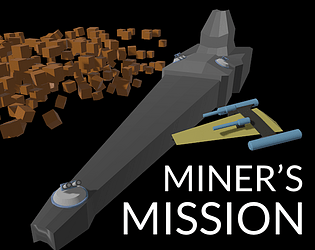
I was quite confused about mining at first. It wasn’t obvious that the mining laser had a very short range. Visually, it seemed like I must be hitting the blocks, but nothing was happening.
Hmm. I’ll be adding audio and sound effects. That should help with some feedback to the player when mining beam is actually affecting the asteroids.
Thanks a ton for spending your time playing and giving me such insightful feedback!


