
Plugins play a vital role in customizing and enhancing your WordPress sites. They are used to add functionality like contact forms, ecommerce, and analytics to your sites with no coding required.
Like WordPress, which receives regular updates, plugins also receive regular updates to add new features, patch a security hole, increase compatibility, and more. That’s why Kinsta included Plugin and Theme Management among the tools available within MyKinsta for each of your sites.
However, updating plugins across many sites can still be daunting for busy customers like agencies. This article demonstrates a solution that uses the Kinsta API to simultaneously manage plugins across multiple sites.
What You’re Building
This guide focuses on building an advanced solution using the Kinsta API, now offering endpoints for retrieving and updating plugins.
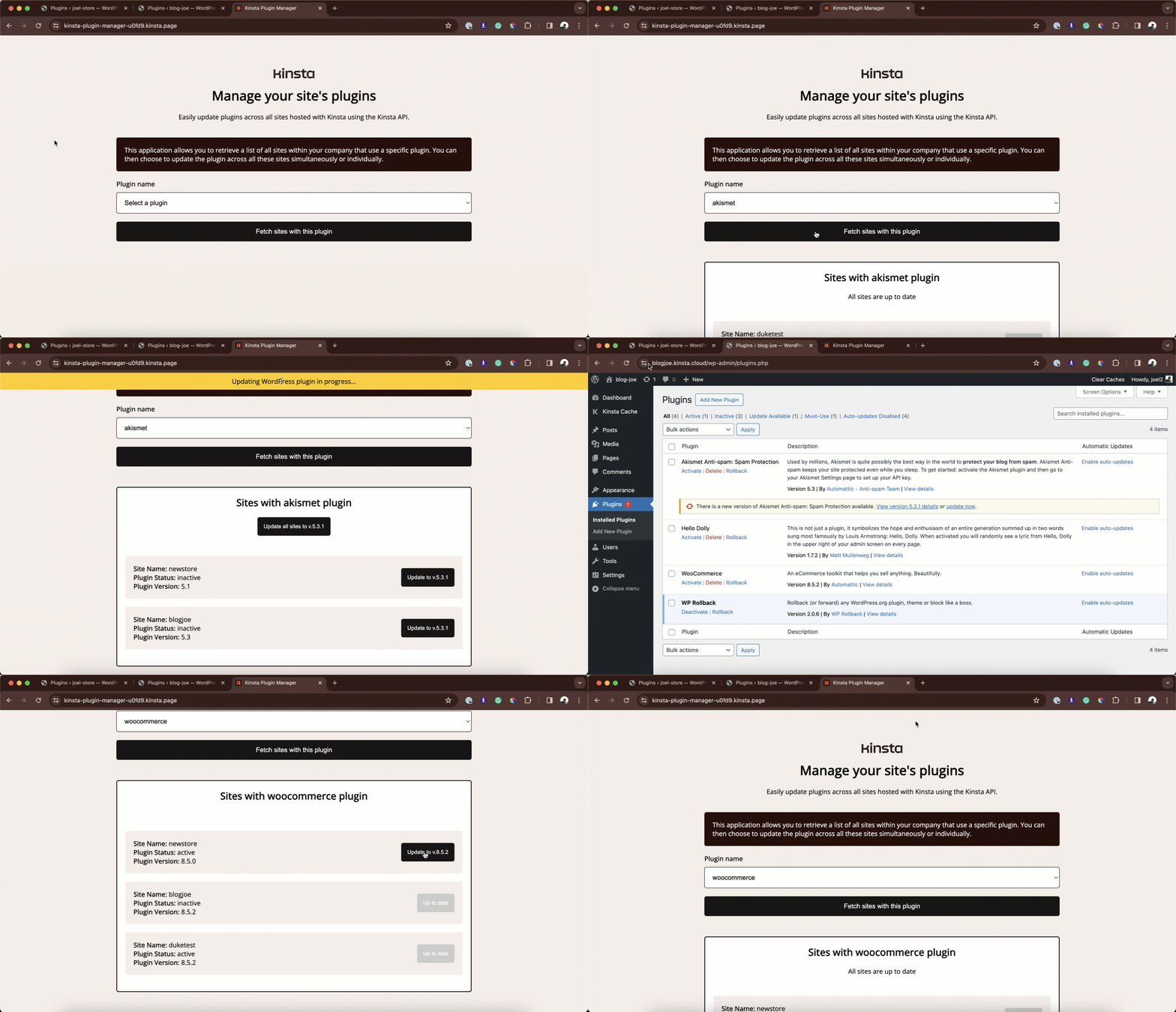
In it, we create a custom React application that fetches all plugins from your Kinsta company account. This tool allows you to identify and update a specific plugin across multiple sites, streamlining the process significantly.
Application prerequisites
To follow along with this project, you should have the following:
- Fundamental understanding of HTML, CSS, and JavaScript.
- Some familiarity with React.
- Node.js and npm (Node Package Manager) or yarn installed on your computer.
Understanding the Kinsta API
The Kinsta API is a powerful tool that allows you to interact programmatically with Kinsta services like hosted WordPress sites. It can help automate various tasks related to WordPress management, including site creation, retrieving site information, getting the status of a site, browsing and restoring backups, and more.