
Can you make money online? Sure. Is it easy? Not exactly. However, one of the most consistently profitable ways to secure passive income comes in the form of a membership site. And to build a membership site, it’s important to learn about the best WordPress Membership plugins.
With a membership plugin, you’re able to block some, or all, of your content, allowing users access when they pay an upfront or recurring fee. And that’s the key to stable cash flow: recurring revenue. When you sell individual products or services, each customer needs to be convinced that they should buy again, whether this is done through email marketing, abandoned cart messaging, or social media.
Companies that collect automated payments (think Dollar Shave Club, Netflix, or your cable company) don’t have to think as much about sales and marketing. They’re more focused on making current customers happy (maybe not the cable company).
Recurring memberships like these tend to grab some of those customers who never use the service or product, yet they keep paying.
In short, membership websites can mean big money, as long as you find the right niche, focus hard on providing quality products/services, and choose the best WordPress membership plugins to guide you along the way.
What Types of Membership Sites Can You Build?
An idea for a membership site is just that, an idea. It obviously takes much more time, money, and effort to establish a reputable, profitable membership business. Having said that, it’s nice to be able to bounce ideas around and get the creative sparks flying. Here are some ideas of the types of membership sites you can build.
- An online course with one or multiple topics. Courses might include projects, documents (like PDFs) videos, and quizzes.
- A product membership, where digital or physical items are sent to members on a recurring basis or as a one-off situation. “Box of the month” clubs are popular examples of this type of membership.
- A service-based membership program with members paying for a certain amount of services per month or year. An online or over the phone coaching program is a good example of this.
- A fixed-term program where the customer pays for a short membership. For instance, a smoking cessation program might end after three months.
- An online community with forums, live chats, articles, and other resources that aren’t available to the public. Users pay membership fees to have full access to chat with others and learn about topics in the niche.
- The everything-at-once membership, where the members pay fixed or monthly fees to receive everything you offer on the site. This isn’t as common, but you may find that some of your ecommerce customers are willing to pay a high, ongoing fee to basically get everything, or a large portion, of what you sell. We like this the most for smaller online stores.
- The drip-feed model, where content is slowly revealed to members depending on how far they get in a program. It’s also common for new drip content to be released on a monthly basis. Think online courses or premium blogs. Many podcasts are starting to do this as well, with bonus content outside of the episodes.
Are There Certain Features to Look for in WordPress Membership Plugins?
You bet. The good news is that the majority of WordPress membership plugins we highlight today cover most of the required features. It’s still a good idea to go through the following list, mark down the items you consider most important, then make your plugin decision based on your requirements.
- Content drip tools
- Digital download support
- Recurring subscriptions
- User login and profile management
- Multi-level subscriptions
- Social logins
- Coupons and discounts
- Email marketing and communication tools
- Course building tools
- Support for multiple payment gateways
- Templates or themes to design your membership site
- Member management
- Support for areas like forums and live chats
- API access for developers
- Quick shortcodes or buttons to restrict content anywhere on your site
The list above is only a taste of the must-have features, but it’s a good start. Overall, you’re bound to stumble upon some other unique tools from all WordPress membership plugins. With that said, continue on for the full roundup of the best WordPress membership plugins.
24 Best WordPress Membership Plugins
Although we recommend reading through this entire article, viewing the features, and testing out each WordPress membership plugin, here’s a quick list of the options we’re outlining below.
Also, whatever plugin you end up choosing, make sure to keep it updated. Membership plugins often manage payments, access control, and user data — running outdated versions can lead to bugs or even security issues. If you’d rather not worry about that, Kinsta’s Automatic Updates add-on can handle plugin and theme updates for you, complete with visual regression testing and automatic rollbacks if something breaks.
Now, keep reading to learn all about the pros and cons of our favorite WordPress membership plugins. These are listed in no particular order.
1. Ultimate Membership Pro WordPress Plugin – $29
The Ultimate Membership Pro WordPress Plugin gives you the tools needed to sell subscriptions and memberships, regardless of the type of site you run. It integrates with WooCommerce for semi-automatic billing and subscriptions to regular products. It’s marketed as one of the top-selling WordPress membership plugins on CodeCanyon, and that claim checks out.
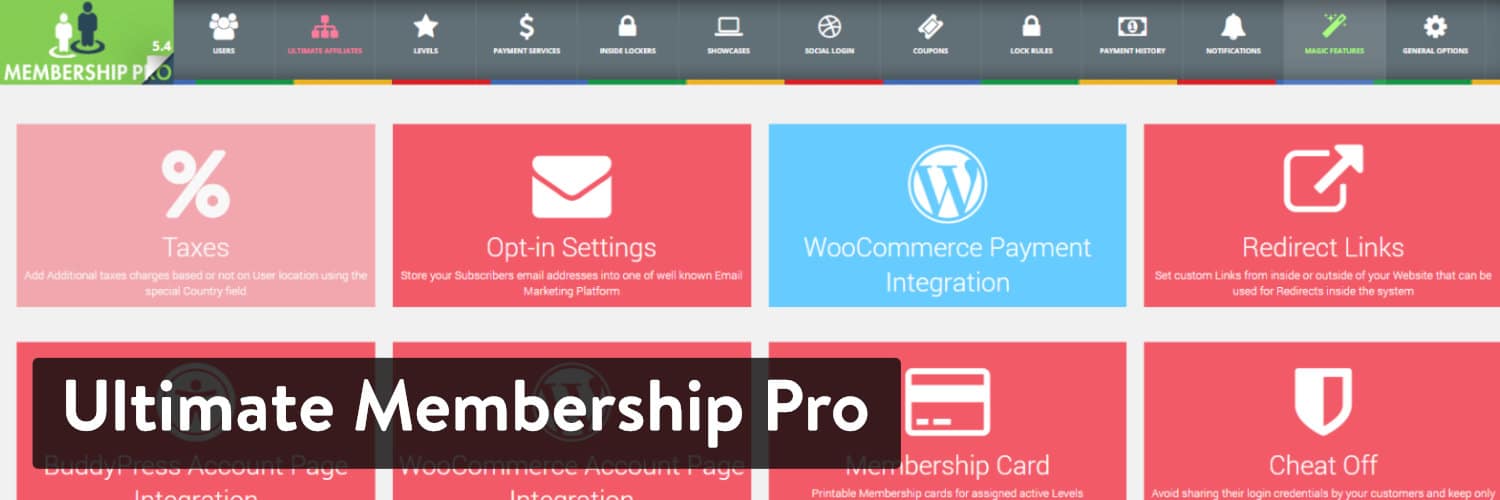
The multiple levels of membership help your users choose how much they want to pay, while the free and trial settings give customers a taste of what you have to offer.
The Ultimate Membership Pro dashboard looks sleek and nicely organized, even for a plugin with so many features. Sometimes people forget how important developer support is when it comes to WordPress plugins.
The Ultimate Membership Pro plugin is an example of how a dedicated developer makes an enormous difference for updates, answering user questions, and delivering reliable features that users actually want to see.
In addition, the developer occasionally has discounts on the plugin, so keep an eye out for those. It’s already an affordable membership plugin, and future customer support comes along with it if you want to pay a little extra.
Benefits of Ultimate Membership Pro:
- It lets you restrict pages such as WordPress posts and pages.
- Configure recurring payments on a daily, weekly, or monthly basis.
- Let your customers log in with their social accounts.
- Hide part of your navigational menu until the user pays for a membership.
- Drip your content and send out email notifications.
- Use custom fields to make your registration forms more suitable for your site.
- The plugin lets you integrate with nine popular email marketing services.
- You can restrict members from sharing their accounts.
- Integrate with BuddyPress for a full online community.
- The Ultimate Membership Pro plugin has reasonable pricing for an incredible list of features.