

설명
빠르고 간편한 페이지 빌더인 Brizy는 누구나 사용할 수 있는 차세대 웹사이트 빌더입니다. 디자이너나 개발자 기술이 필요하지 않습니다. Brizy를 사용하면 다른 어떤 것도 쉽게 느껴지지 않습니다!
하이라이트
스마트하고 깔끔한 편집
대부분의 페이지 빌더는 원격 사이드바에 특정 요소에 대한 모든 옵션이 몰려 있어 당면한 작업에 집중하기 어렵습니다. 워드프레스닷컴의 웹사이트 빌더는 편집 중인 요소와 가까운 전면 및 중앙에 필요한 항목만 표시합니다.
직관적인 드래그 앤 드롭
Moving content elements, columns or rows is a breeze with our intuitive Drag & Drop feature. Just grab and drag them to the desired position and everything will instantly fall into place.
keyword
페이지 빌더 디자인 요소
텍스트, 버튼, 이미지, 아이콘, 동영상, 지도 등 다양한 요소를 사용하여 빠르게 페이지 디자인을 만들 수 있습니다.
500개 이상의 사전 제작 블록
전환을 염두에 두고 전문적으로 제작된 Brizy 웹사이트 빌더 디자인 키트는 500개 이상의 블록으로 구성된 컬렉션으로, 몇 분 안에 웹사이트를 만들 수 있습니다.
4000개 이상의 아이콘 포함
아웃라인과 글리프 버전으로 제공되며, 가장 까다로운 아이콘 요구 사항도 모두 충족합니다. 카테고리를 필터링하거나 키워드로 검색하여 원하는 아이콘을 빠르게 찾을 수 있습니다.
글로벌 스타일링
한 번의 클릭으로 웹 페이지의 비슷한 색상을 모두 바꾸고 싶었던 적이 있나요? Brizy 페이지 빌더를 사용하면 가능합니다! 뿐만 아니라 동일한 속성을 공유하는 모든 텍스트를 한 번에 변경할 수도 있습니다.
모바일 친화적
모바일 보기 모드로 즉시 전환하면 이러한 유형의 디바이스에만 적용되는 변경 사항을 적용할 수 있습니다. 이를 통해 페이지 디자인을 차별화하고 작은 화면에 최적화할 수 있습니다.
스마트 텍스트 편집기
클릭하고 입력하기만 하면 모든 텍스트를 제자리에서 편집할 수 있습니다. 색상, 글꼴, 정렬을 그 자리에서 바로 변경할 수 있어 최종적으로 디자인이 어떻게 보일지 완벽하게 표현할 수 있습니다.
올바르게 완성된 이미지
Brizy 페이지 빌더를 사용하면 강력하고 사용하기 쉬운 옵션을 활용하여 웹사이트 이미지를 완벽하게 제어할 수 있습니다. 업로드, 초점 맞추기, 확대/축소 및 크기 조정이 모두 몇 초 만에 손쉽게 이루어집니다.
콘텐츠 조정
몇 번의 클릭만으로 콘텐츠의 너비, 높이, 정렬을 조정할 수 있습니다. 직관적인 옵션이 필요한 위치에 배치되어 있습니다.
실행 취소 / 다시 실행
실수를 하거나 삭제하지 말아야 할 항목을 삭제해도 걱정하지 마세요. 실행 취소 기능을 사용하면 모든 것을 되돌릴 수 있습니다.
Brizy가 마음에 드시나요?
- 페이스북 그룹에 가입하세요.
스크린샷

요소를 추가하여 나만의 디자인 만들기 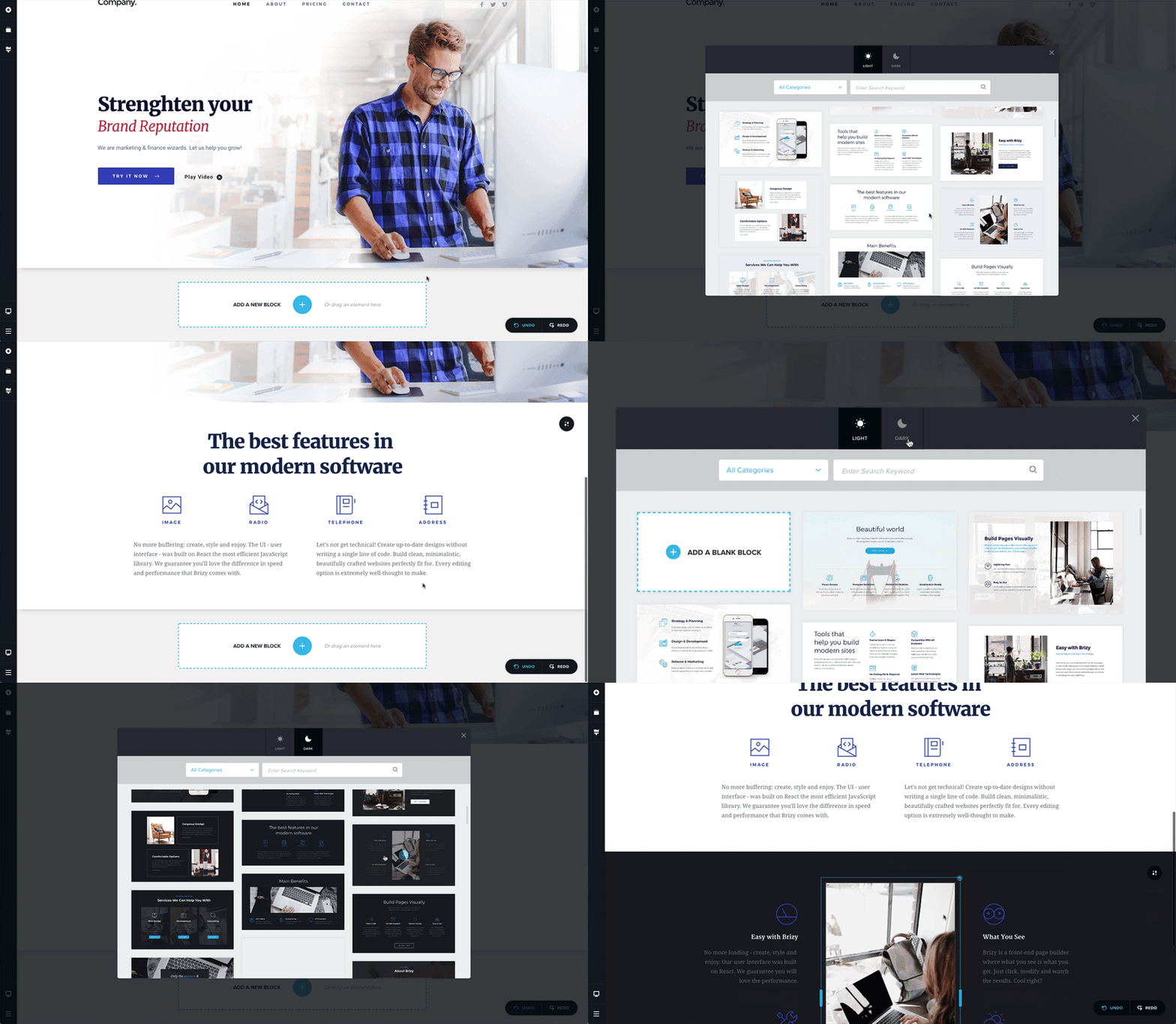
150개 이상의 사전 제작 블록 추가 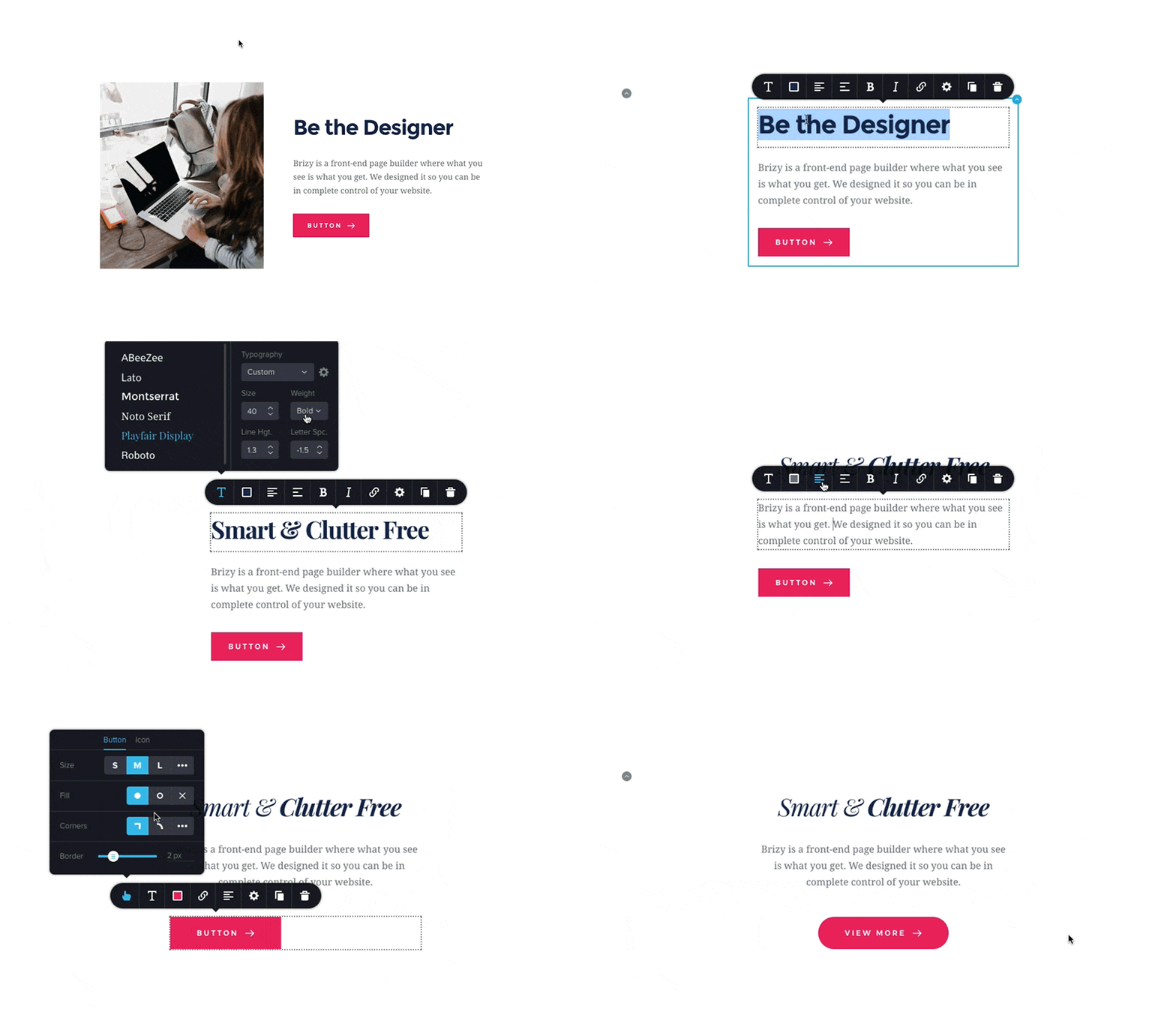
인터페이스는 당면한 작업에 필요한 것만 표시합니다. 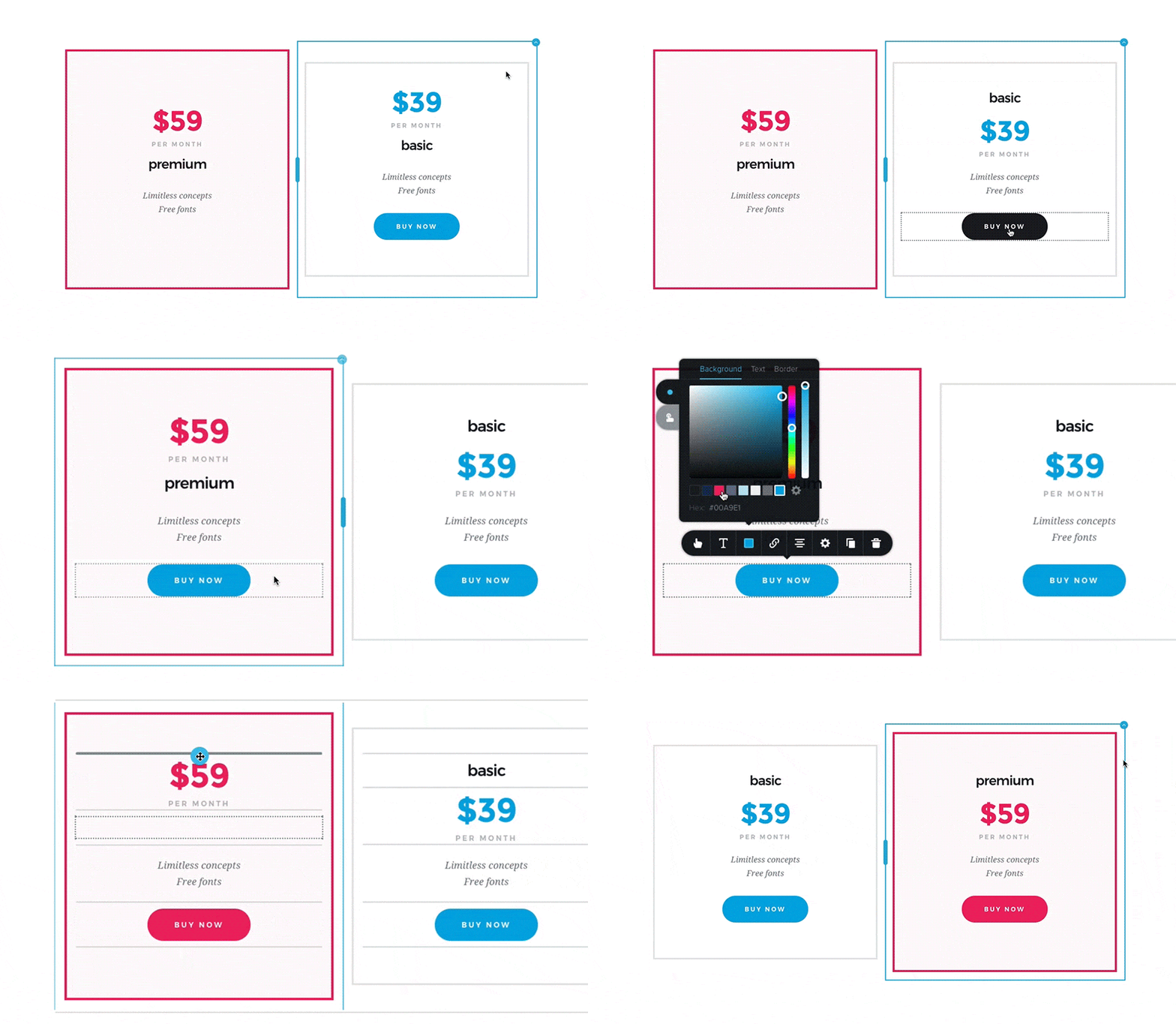
요소를 드래그하면 어디에 드롭할지 알 수 있습니다. 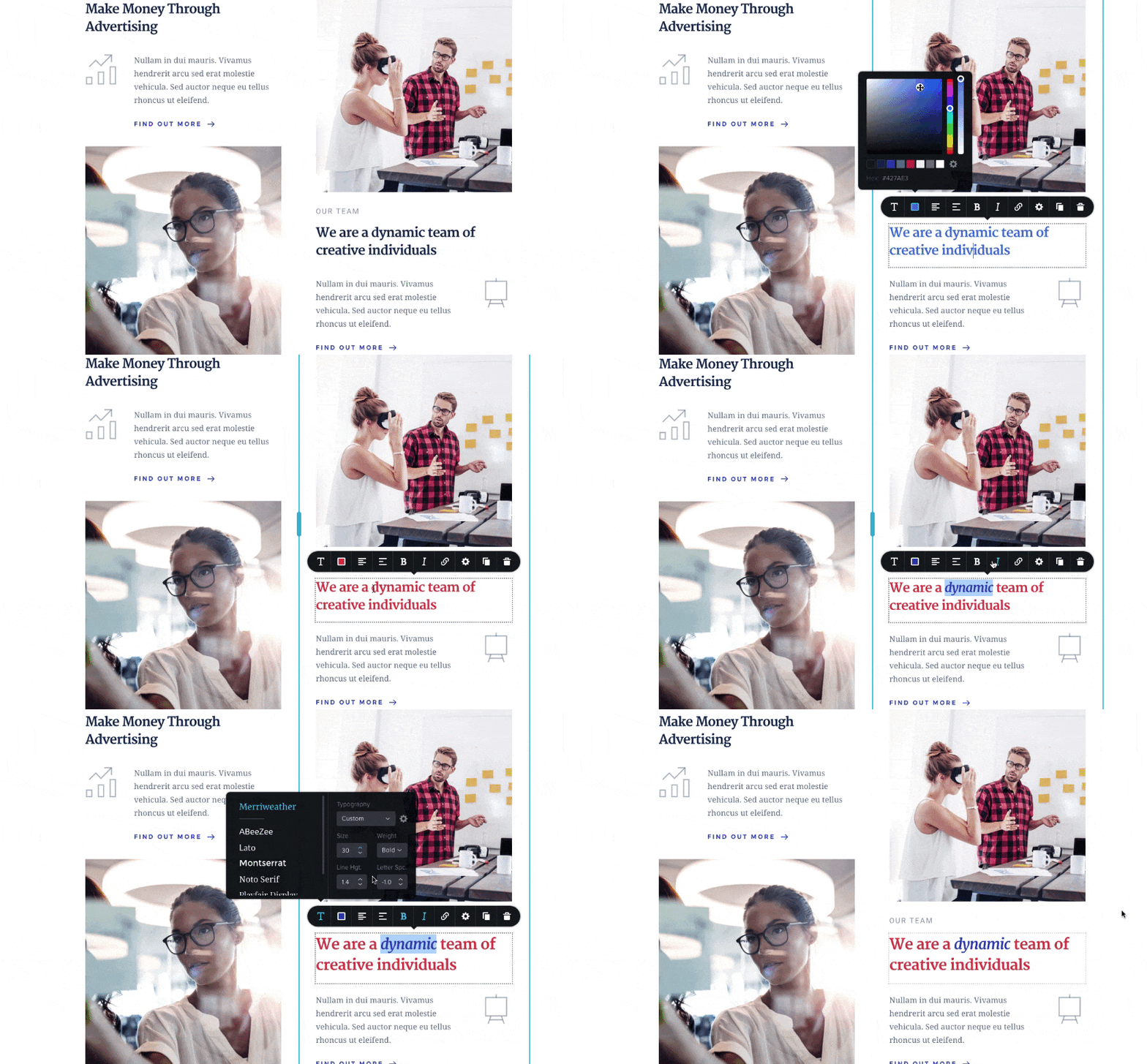
스마트 텍스트 편집기 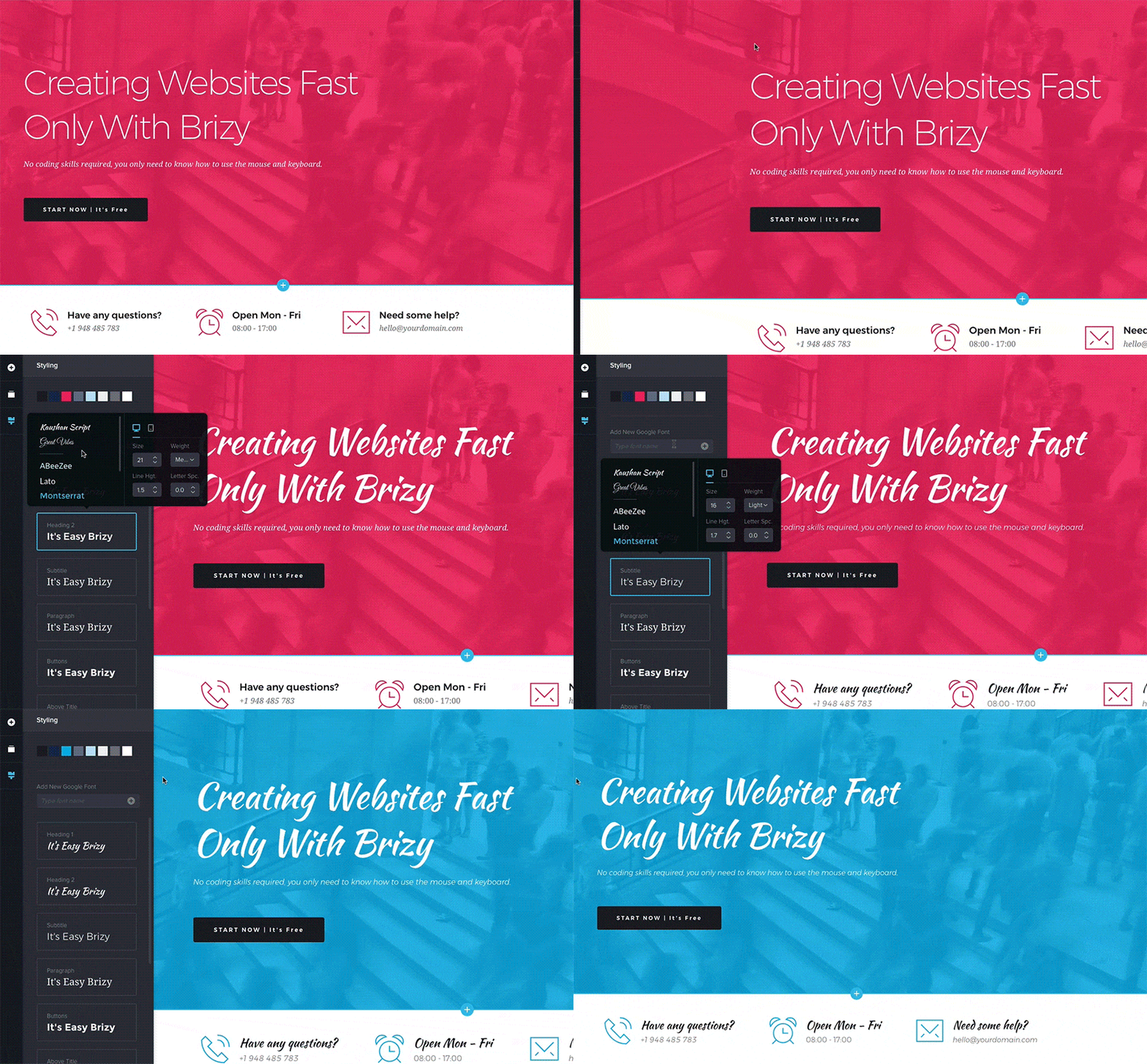
몇 초 만에 페이지 전체에 다양한 글꼴과 색상을 사용해 보세요 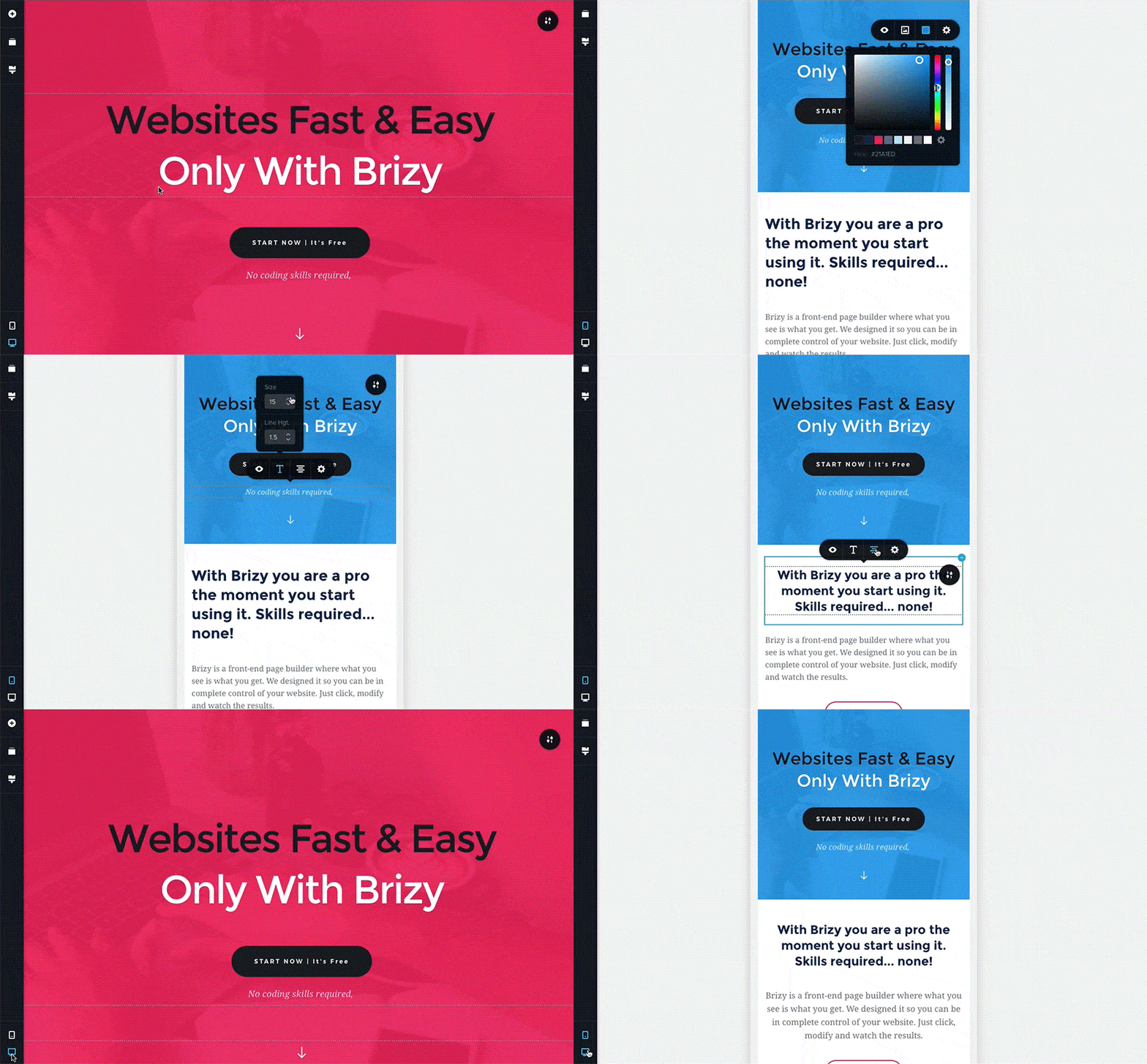
모바일 보기에서 편집한 내용은 모바일 디바이스에만 적용됩니다. 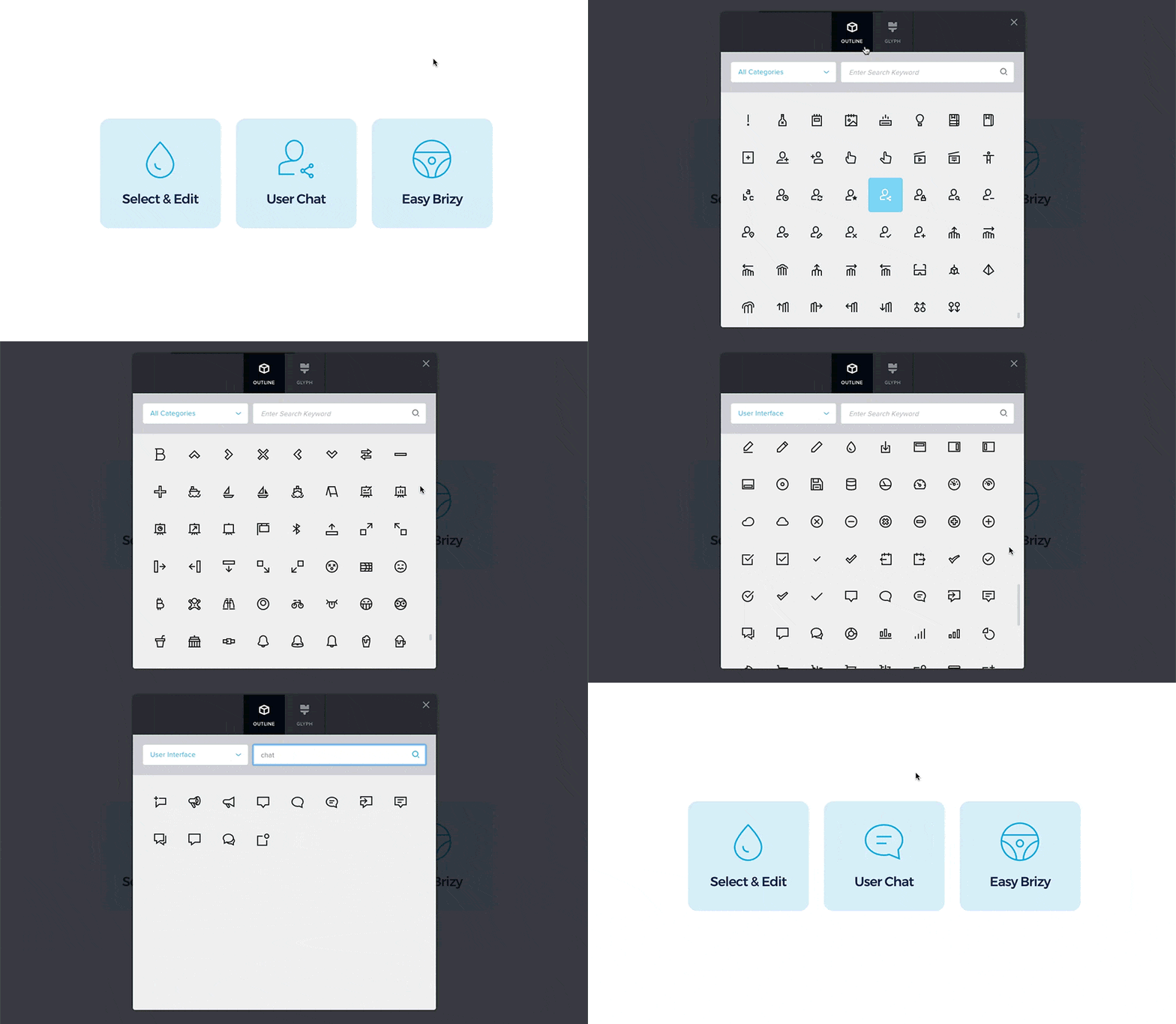
Brizy에는 27개 카테고리로 구분된 4000개 이상의 아이콘 라이브러리가 제공됩니다. 
이미지 초점, 확대/축소 및 크기 조정이 모두 손쉽게 이루어집니다. 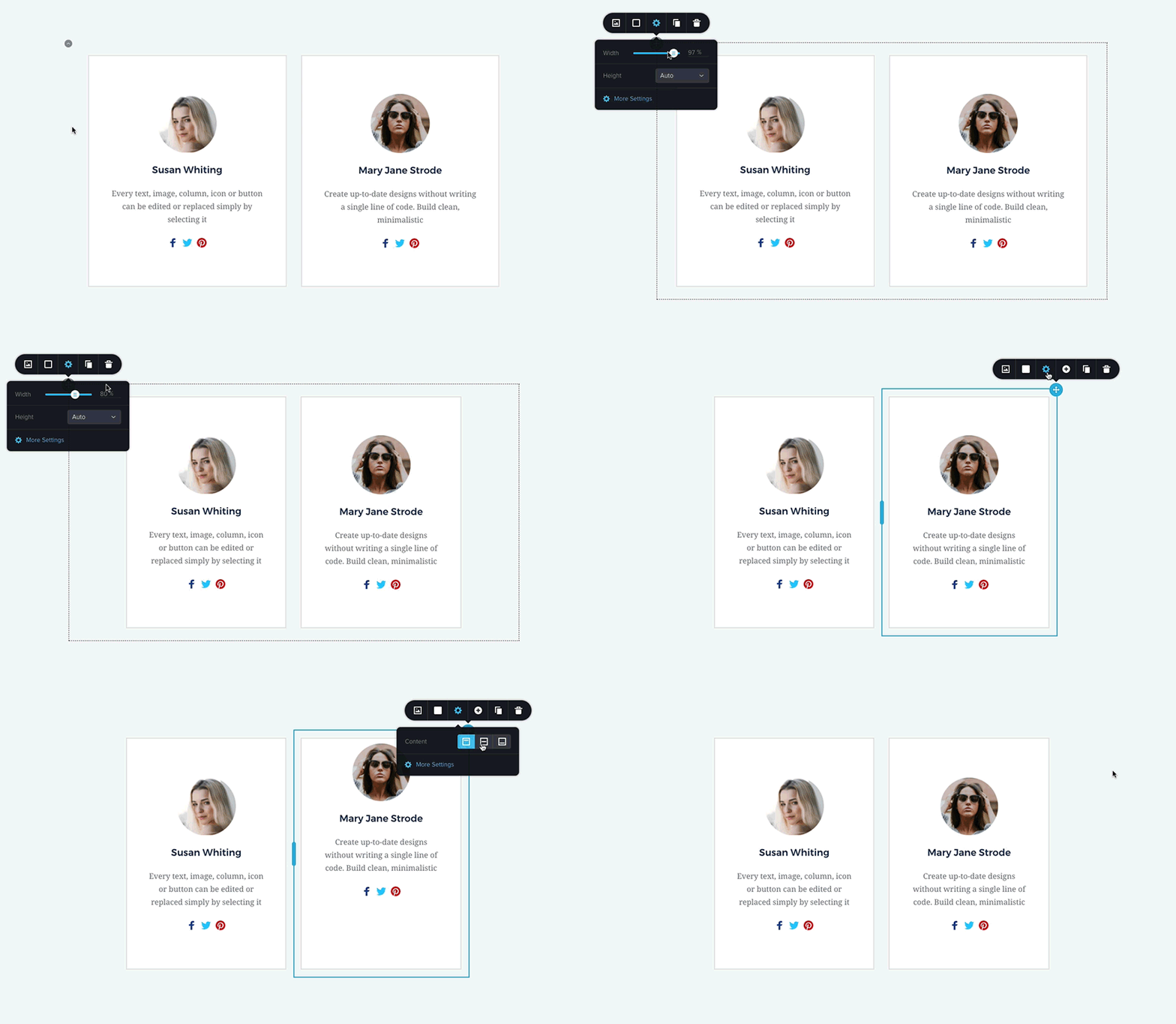
원하는 대로 콘텐츠 조정 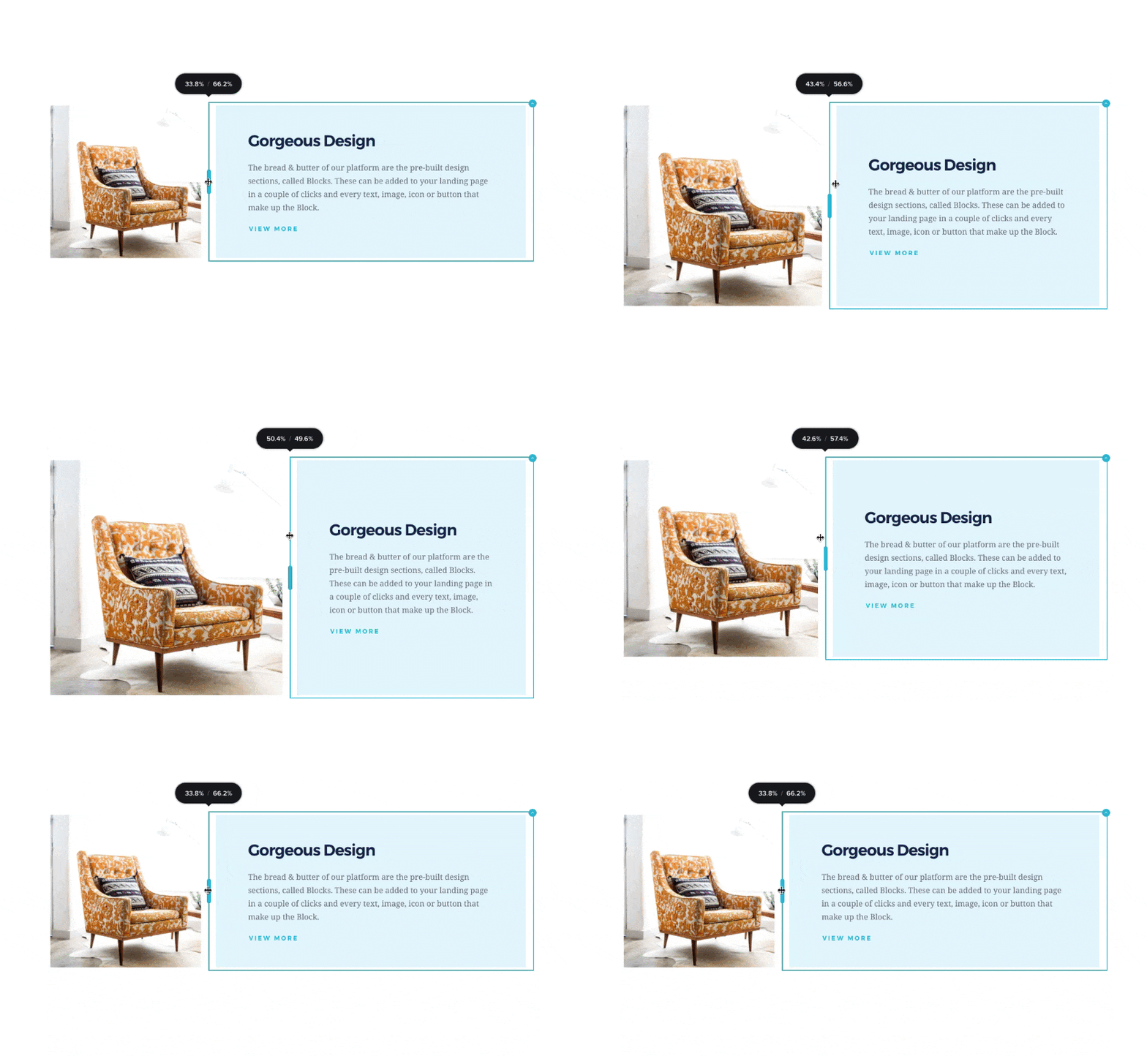
사이에 표시되는 핸들을 드래그하여 열 크기 조정


설치
최소 요구 사항
- 워드프레스 4.5 이상
- PHP 버전 5.4 이상
- MySQL 버전 5.0 이상
호스트 지원을 권장합니다:
- PHP 버전 7.0 이상
- MySQL 버전 5.6 이상
- 64MB 이상의 WP 메모리 제한(128MB 이상 권장)
설치
- 워드프레스에 내장된 플러그인 설치 관리자를 사용하여 설치하거나 zip 파일을 압축을 풀고 워드프레스 설치의
wp-content/plugins/디렉터리에 콘텐츠를 끌어다 놓습니다. - 워드프레스에서 ‘플러그인’ 메뉴를 통해 플러그인을 활성화합니다.
- 페이지로 이동 > 새로 추가
- Brizy로 편집’ 버튼을 누릅니다.
서비스 약관
FAQ
-
소스 코드, 제안 및 이슈
-
공개 깃허브에서 할 수 있는 것
-
보안 버그는 어떻게 보고하나요?
-
보안 취약점은 Patchstack 취약점 공개 프로그램을 통해 신고할 수 있습니다. Patchstack 팀은 모든 보안 취약점을 검증, 분류 및 처리하는 데 도움을 드립니다. 보안 취약점 신고하기
후기


기여자 & 개발자


변경이력
2.7.21 – 2025-12-18
- Fixed: Text copy and paste shows editable text in preview
2.7.20 – 2025-12-15
- New: Translations now add country codes to image alt text
- New: Form agreement checkbox option
- New: Column element includes a max-height option
- New: Block kits selection issue resolved
- Fixed: Tabs toolbar no longer opens incorrect tabs
- Fixed: RichText slider options no longer trigger infinite re-render
- Fixed: Page compilation error resolved
- Fixed: Video element default link now works correctly
- Fixed: Global style font changes now apply correctly in preview
- Improved: Lazy loading added for preview.pro.min.css
- Improved: Builder upgraded to the latest Redux version
- Improved: State management migrated from Recoil to Valtio
- Improved: ESLint and related dependencies updated
- Improved: Testing Library React dependencies updated
- Improved: Editor now uses an internal scrollbar instead of react-custom-scrollbars
2.7.19 – 2025-12-03
- 수정: 이메일에서 리치텍스트가 제대로 작동하지 않음
2.7.18 – 2025-12-01
- 개선: 입력 텍스트 – 툴바를 즉시 닫을 때 값 유지
- 개선: 성능 향상을 위한 구식 JavaScript 코드 제거
- Fixed: Rich-Text – added static className support for background image blots
- Fixed: Rich-Text – dynamic content for third-party integrations now replaces correctly
- Fixed: Rich-Text – image mask restored for third-party instances
- Fixed: Rich-Text – preview now shows latest edits for third-party use
- Fixed: Rich-Text – links now work properly in third-party preview
- Fixed: Media Library – select menu now opens correctly
- Fixed: Addable – improved third-party compatibility and behavior
- Fixed: Icons – outline icons display correctly in the editor
- Fixed: Box Shadow – blur 0 now applies properly
- Fixed: Tabs – toolbar now opens the correct tab
2.7.17 – 2025-11-10
- 신규: 네비게이터 컴포넌트
- 수정: getCopiedValue 처리 전 플랫 가족 객체 처리
- 수정: 빈 버튼 링크 끝에 ‘#’이 추가됨
- 수정: 아이콘 프롬프트가 첫 렌더링 시 아이콘을 로드하지 않음
- 개선: 오디오 – 설정으로 사용자 정의 오디오 숨기기 기능 추가
- 개선: 플레이스홀더 로딩 성능
- 개선: 빌더 코드 리팩토링 — redux/selectors.js 전체를 새 selector-new.ts로 이동 및 selector-new로 이름 변경
2.7.16 – 2025-10-21
- New: Counter – added “fix value” option for better number control
- New: Context Menu – improved copy/paste styling on Firefox
- New: Section – introduced CSS variable for full-height sections
- New: Typography – improved custom-style handling
- Fixed: Story – widget sizes preserved when pasting styles
- Fixed: Story – custom attributes now work correctly
- Fixed: Typography – toolbar now applies default font style properly
- Fixed: Row – “show on device” visibility works correctly
- Fixed: Link – absolute URLs keep their original link format
2.7.15 – 2025-09-30
- New: Rich-Text – added tags support for dynamic content
- New: Rich-Text – toolbar now toggles automatically while typing
- New: Forms – dynamic IDs for checkboxes and radio fields
- New: Third-Party – new toolbar placement option
- Fixed: Colors – updated Brizy UI version to resolve styling issues
2.7.14 – 2025-09-04
- New: Links – phone numbers and email addresses now automatically prepend tel: and mailto:
- New: Image – option to enable/disable lazy loading
- New: Rich-Text – toolbar now opens directly next to the selected text
- New: Webhooks – display name shown instead of full URL
- New: Posts – placeholder added when no content is available
- New: Conditions – improved selection for global block conditions
- Fixed: Global Blocks – updating a global block no longer causes infinite loading
- Fixed: Context Menu – no empty context menu appears for the first container inside a popup
- Fixed: Section – elements are correctly added inside Section Slider (fade mode)
2.7.13 – 2025-09-01
- 수정: 보안 강화
2.7.12 – 2025-08-26
- New: Rich-Text – tooltip option added
- New: Update Button – hover color now white for better visibility
- New: Section – hotkeys for faster block actions
- Fixed: Jenkins – workspace now cleaned after each build, tags publish correctly
- Fixed: Links – smooth scroll behavior
- Fixed: Links – “rel” attribute now includes ‘noreferrer’ for blank pages
- Fixed: Links – block linking now works correctly
- Fixed: reCAPTCHA – z-index styles corrected
- Fixed: Controls (Select2) – popper now renders correctly
- Fixed: Form – submit button no longer “jumps” on hover
- Fixed: Form – select field in Mega Menu works correctly in editor
- Fixed: Button – alignment Fixed when using hover animations
- Fixed: Editor – padding removed between content and scrollbar in tablet/mobile view
- Fixed: Visual – file upload from ‘ElementModel’ always returns a model
- Fixed: Context Menu – now closes properly in Firefox
- Fixed: Screenshots – block screenshot ID updates when backend provides New ID
- Fixed: Publish Button – no more infinite loading when saving a draft
- Fixed: Global Blocks – link redirects to global blocks work correctly
- Fixed: Background – overlay now works on responsive devices even if opacity is 0 on desktop
- Fixed: Animated Headline – text no longer wraps into multiple rows incorrectly
- Fixed: Section – global blocks are no longer duplicated
- Fixed: Rich-Text – tooltip retrieves dynamic CSS correctly in preview
- Fixed: Compiler – missing sections in preview now render properly
- 개선: 이미지 요소를 TypeScript로 전환하여 안정성 및 유지보수성 향상
2.7.11 – 2025-08-18
- 수정: Readme 파일 오타
2.7.10 – 2025-08-18
- 수정: 글로벌 블록 링크가 항상 작동하지 않던 문제
2.7.9 – 2025-08-18
- 수정: 글로벌 블록 링크가 항상 작동하지 않던 문제
2.7.8 – 2025-08-14
- 수정: 앵커 링크 내 글로벌 블록 이름 표시되지 않음
- 수정: 커스텀 아이콘에 대한 CORS 오류
2.7.7 – 2025-08-11
- 수정: 컴파일러 에디터 버전
2.7.6 – 2025-08-11
- 수정: 컴파일러 에디터 버전
2.7.5 – 2025-08-11
- 신규: 아이콘, 버튼, 이미지 요소에 대한 툴팁 옵션
- 신규: 아이콘 요소에 역할 및 ARIA-hidden 속성 적용 (접근성 개선)
- 신규: 버튼, 링크 및 양식 항목에 포커스 표시기 추가 (접근성 개선)
- 신규: 비디오 및 오디오 요소에 대한 캡션 지원
- 신규: 업로드된 오디오 트랙 제목 표시
- 신규: 캐러셀 및 섹션 슬라이더에 애니메이션 중지 옵션
- New: Multi-step form – set custom width for navigation buttons
- 신규: 빈 필드 및 유효하지 않은 이메일 주소에 대한 양식 유효성 검사 오류
- 신규: 통합을 위한 타사 컨테이너 추가
- 신규: 컨텍스트 메뉴 사용 후 안정적으로 닫힘
- New: White Label – “Brizy” name is hidden in exported block/layout JSON files
- 개선: 비디오 요소 높이 처리
- Improved: Image element – better width/height calculation
- Improved: Image element – smoother re-render process
- 개선: 미디어 구성 정보를 브라우저 컴파일러에 전달
- 개선: 타사 컴포넌트 이미지 소스 가져오기 유틸리티 함수 추가
- 개선: 선택 드롭다운 위치 조정
- 개선: 접근성 모드에서 위젯 위치 지정
- Improved: Rich-text – consistent “em” font size in dynamic content
- 개선: 일부 시각적 편집기 구성 요소를 편집기/미리보기 파일로 분리하여 로딩 속도 향상, 추가로 임포트 정리
- Fixed: CSS – styleBgColorHex now works correctly with palette colours
- Fixed: Form – fields now receive focus correctly
- Fixed: Internal Link – search now finds items correctly
- Fixed: Sections – smoother scrolling between sections in Blocksy theme
- Fixed: Row – reverse columns option works as expected
- 수정: 스테이징 사이트를 프로덕션으로 이동 시 이미지 링크가 올바르게 업데이트됨
2.7.4 – 2025-07-23
- 수정: 역방향 열
- 수정: 팝업 트리거 일회성 조건
2.7.3 – 2025-07-18
- 수정: 컴파일 페이지에서 HTML 세니타이징
2.7.2 – 2025-07-17
- 수정: 중복 캐시 무효화 제거
2.7.1 – 2025-07-16
- 수정: 누락된 글로벌 블록
2.7.0 – 2025-07-15
- 신규: 시선을 사로잡는 텍스트용 애니메이션 헤드라인 요소
- 신규: AlphaModal 컴포넌트가 비추천 기본값 대체