

وضاحت
Managing multiple WordPress sites can be a time-consuming and frustrating task. The MainWP Dashboard empowers you to take back your time by allowing you to efficiently manage and secure all your WordPress sites from your own centralized Dashboard.
Designed for agencies, freelancers, and web professionals, MainWP offers comprehensive control with a privacy-first approach. Harness the power of MainWP for updates, backups, and more, ensuring your sites are always running smoothly and securely.
Features for Advanced WordPress Management:
- Centralized Updates: Keep all your WordPress sites up-to-date with single-click updates.
- Secure Backups: Implement scheduled or on-demand backups for complete site security.
- Manage both your sites and your clients with the Client Management module
- The built-in Cost Tracker allows you to easily keep track of client costs
- Private and Self-hosted: Your data stays yours, with full privacy and control.
Stop the Software as a Service (SaaS) Treadmill:
Built on WordPress’s core principles, the MainWP Dashboard plugin is uniquely positioned as the go-to solution for WordPress management. It combines ease of use with robust features and unmatched privacy.
The MainWP plugins are open-source and privacy-focused and come with their own privacy policies to ensure that the plugins do not collect any personally identifiable information (PII).
The MainWP Dashboard is extendable, allowing third-party developers to hook into it. It also provides support for CLI and has its own REST API, so anything you need or want to run your business your way can be developed for your MainWP Dashboard.
All of this makes MainWP the best non-SaaS alternative to ManageWP, InfiniteWP, WPRemote, and WP Umbrella.
Getting Started with MainWP:
MainWP is designed to be user-friendly and intuitive, even for those new to WordPress management plugins. With a straightforward setup process and a clean, organized dashboard, you’ll be able to start managing your WordPress sites efficiently in no time.
- Setting up MainWP is straightforward—install the dashboard on a private WordPress site, add the MainWP Child plugin to your other WordPress sites, and take control.
Your Guarantee of Privacy
The MainWP plugins come with their own privacy policies to ensure that the plugins do not collect any personally identifiable information (PII).
How Is MainWP Free? What’s the Catch? How Will You Continue to Pay Development Costs?
MainWP Dashboard is 100% FREE and always will be. Whether you manage 5 sites or 5,000, the core dashboard remains free.
We make money by offering MainWP Pro, which provides access to a wide range of premium add-ons. These premium add-ons are organized into two clear categories:
-
Integrations:
Add-ons in this category enable seamless connections with popular third-party services and plugins, allowing you to integrate the tools you already use directly into your MainWP Dashboard. -
Extensions:
These are custom-built, standalone add-ons developed exclusively for the MainWP Dashboard, designed to add unique and specialized functionality to enhance your WordPress management experience.
For more details, visit our Premium Add-ons page and see how our free and pro features compare at Free vs. Pro: Know the Difference.
Experience the MainWP Difference
Are you ready to take the hassle out of managing your WordPress sites? MainWP makes it easy to keep everything updated, secure, and running just the way you need it. With over 20k site owners trusting MainWP with over 700k WordPress sites, every day, you’ll quickly see how much simpler website management can be. Try it today and feel the difference for yourself!
تصوير

Sites – Overview 
Sites – Manage Sites 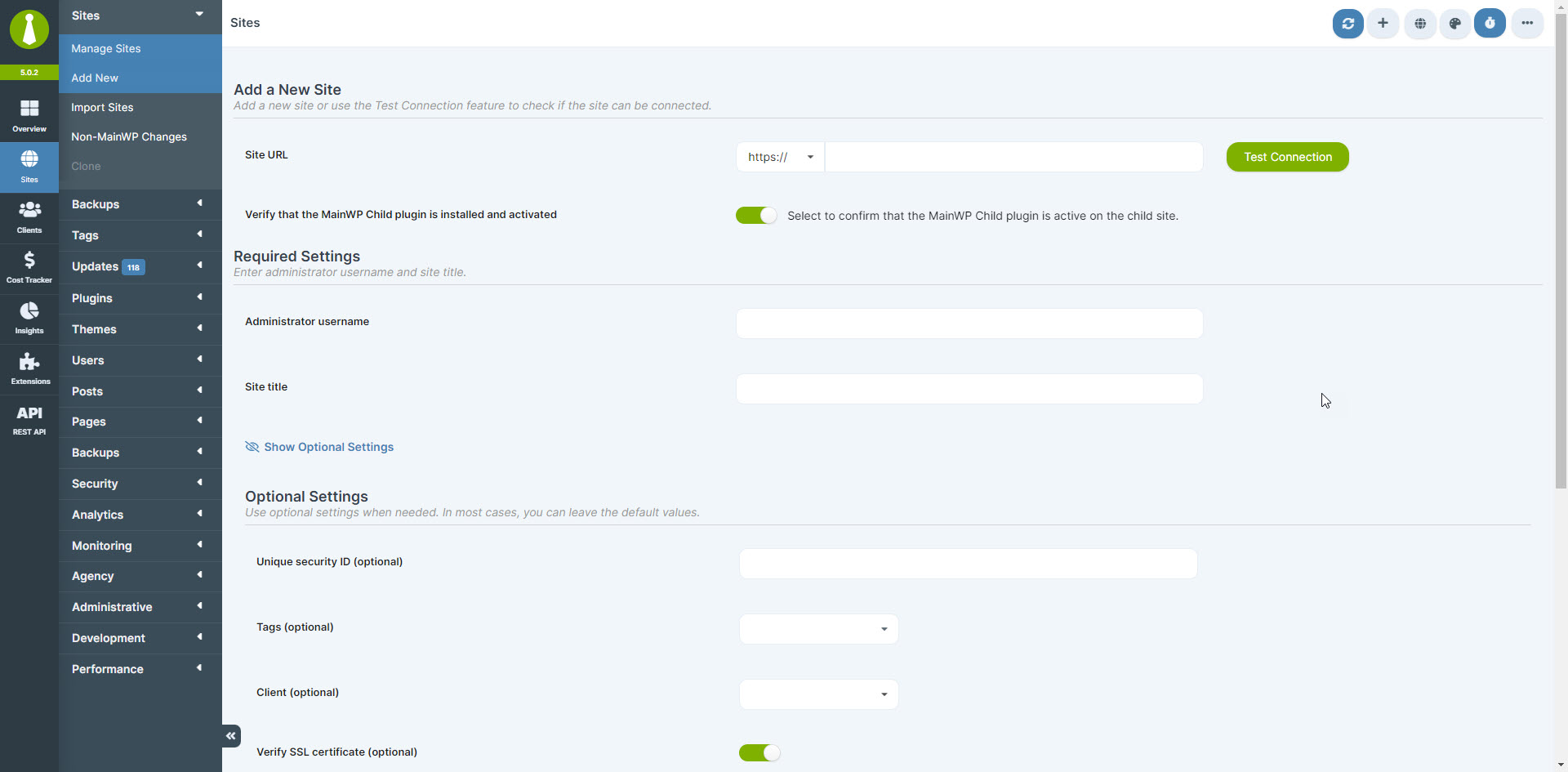
Sites – Add a New Site 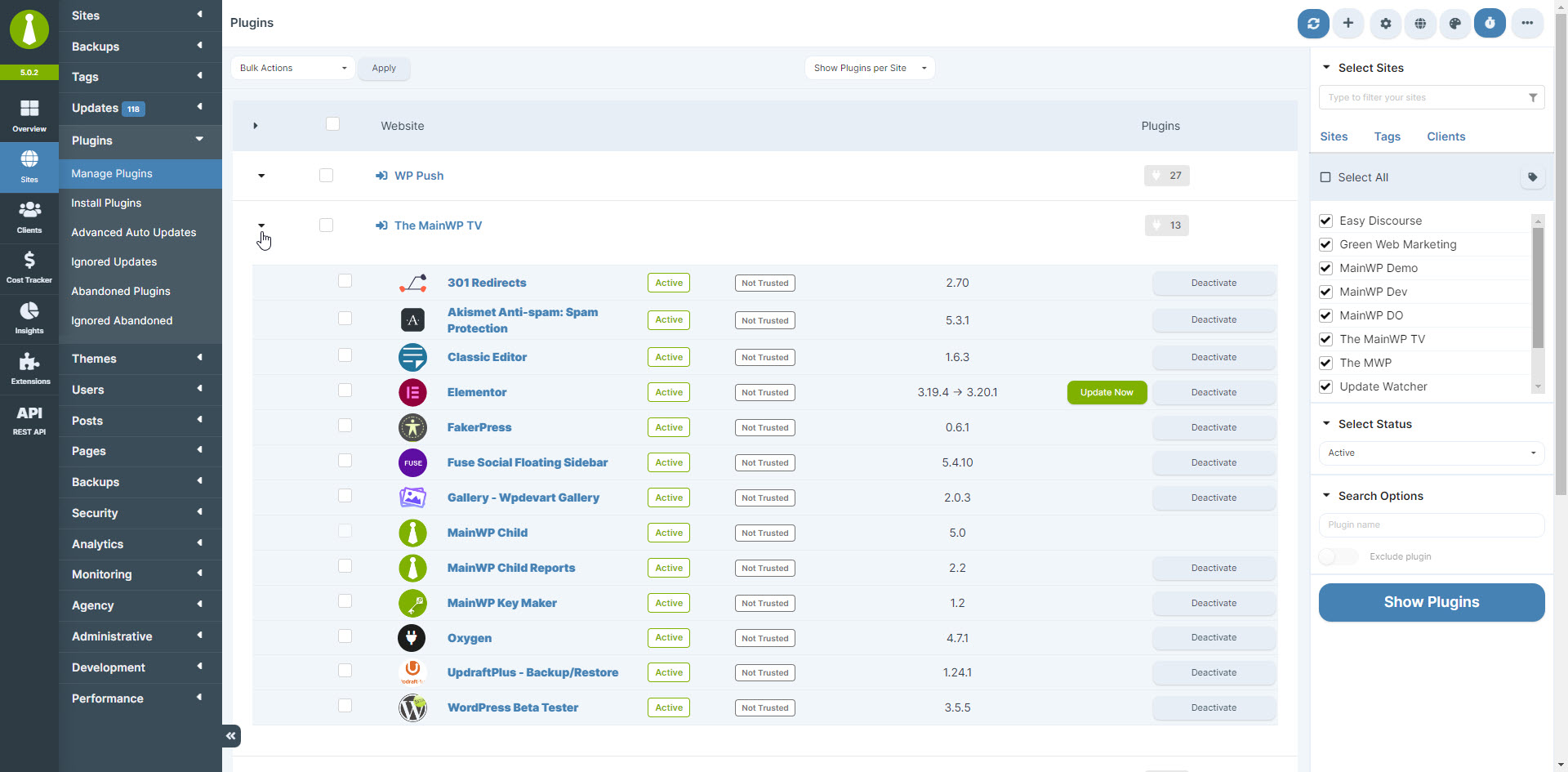
Sites – Manage Plugins 
Sites – Manage Posts 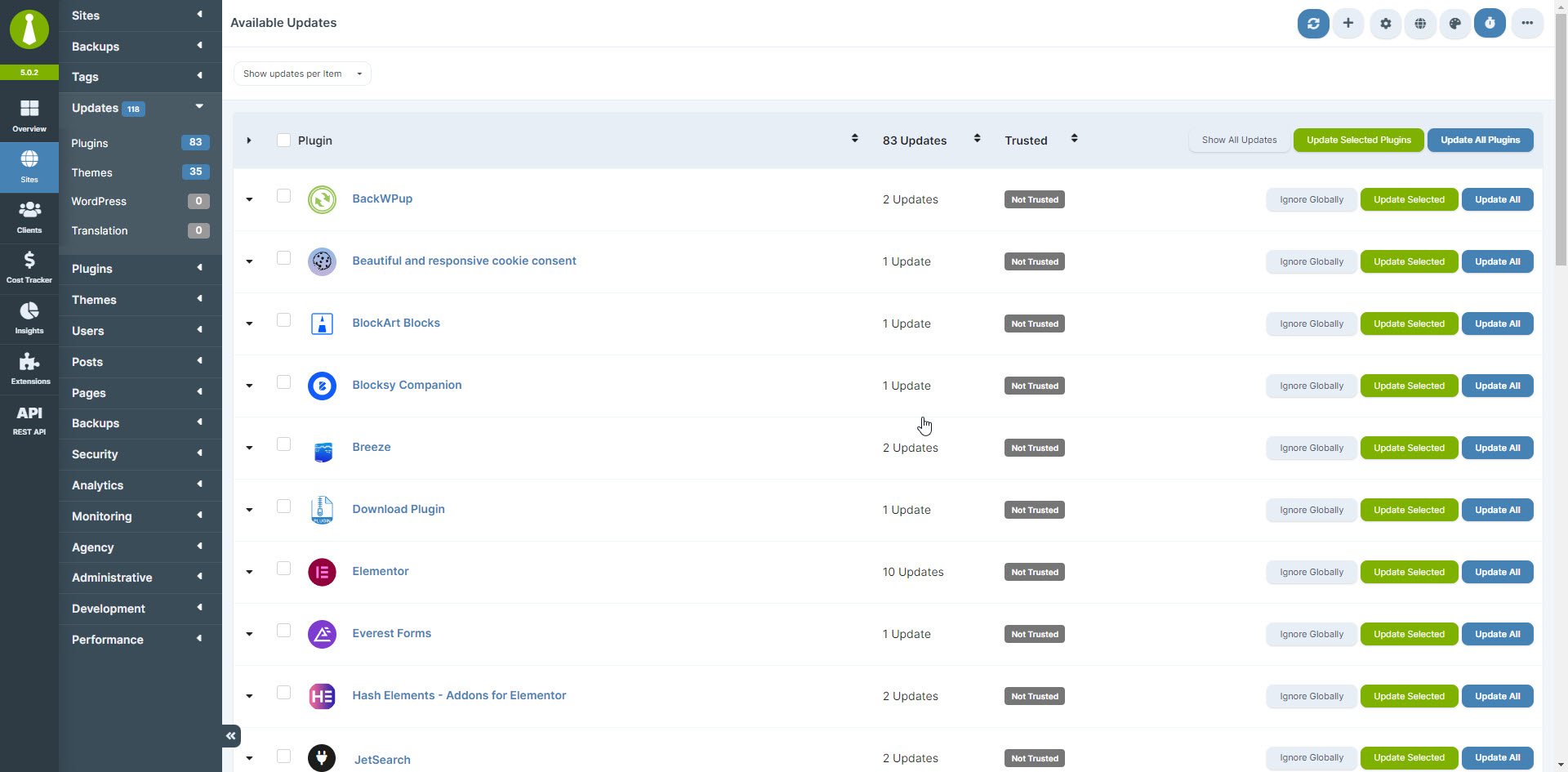
Sites – Manage Updates 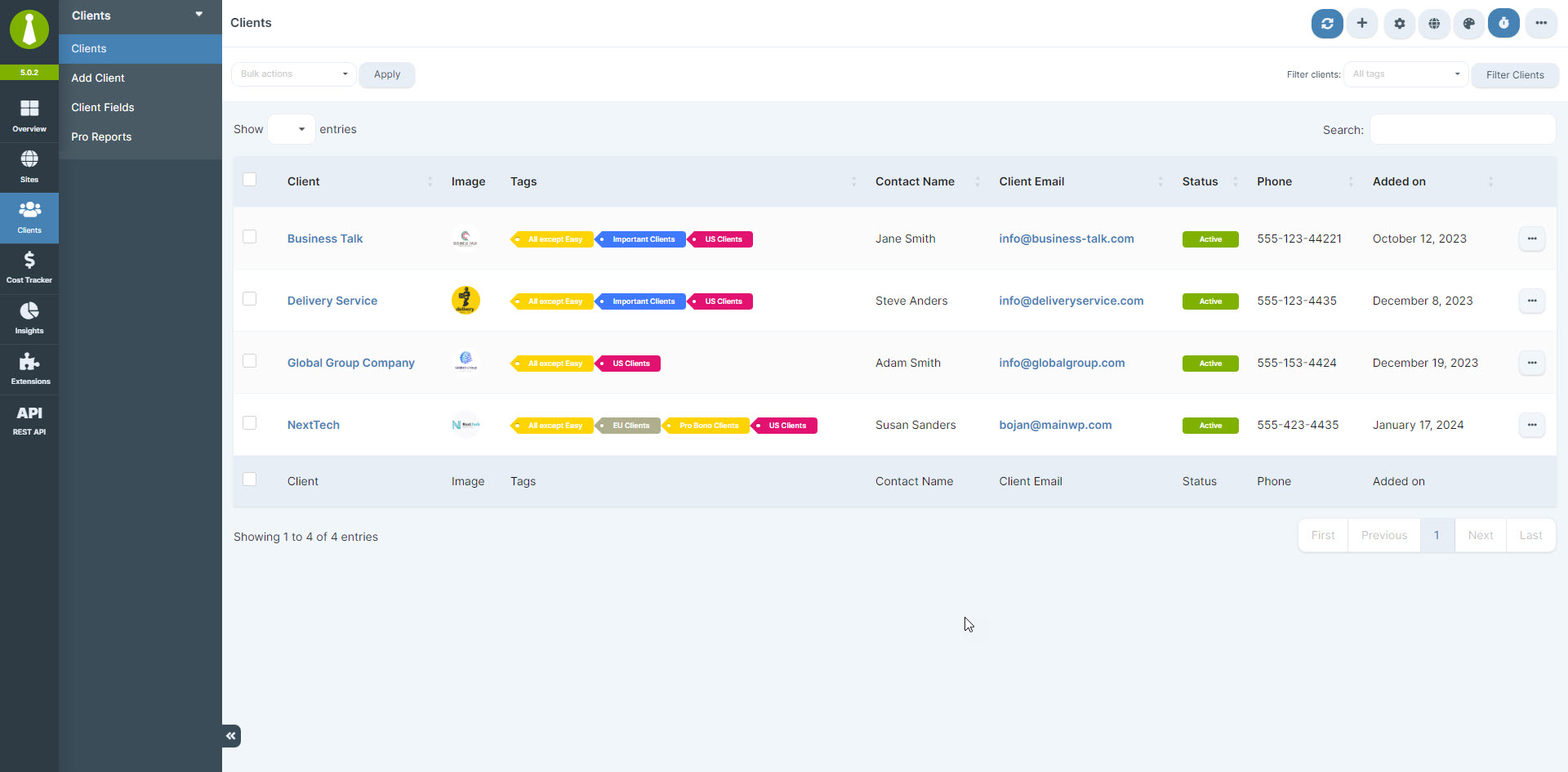
Clients – Manage Clients 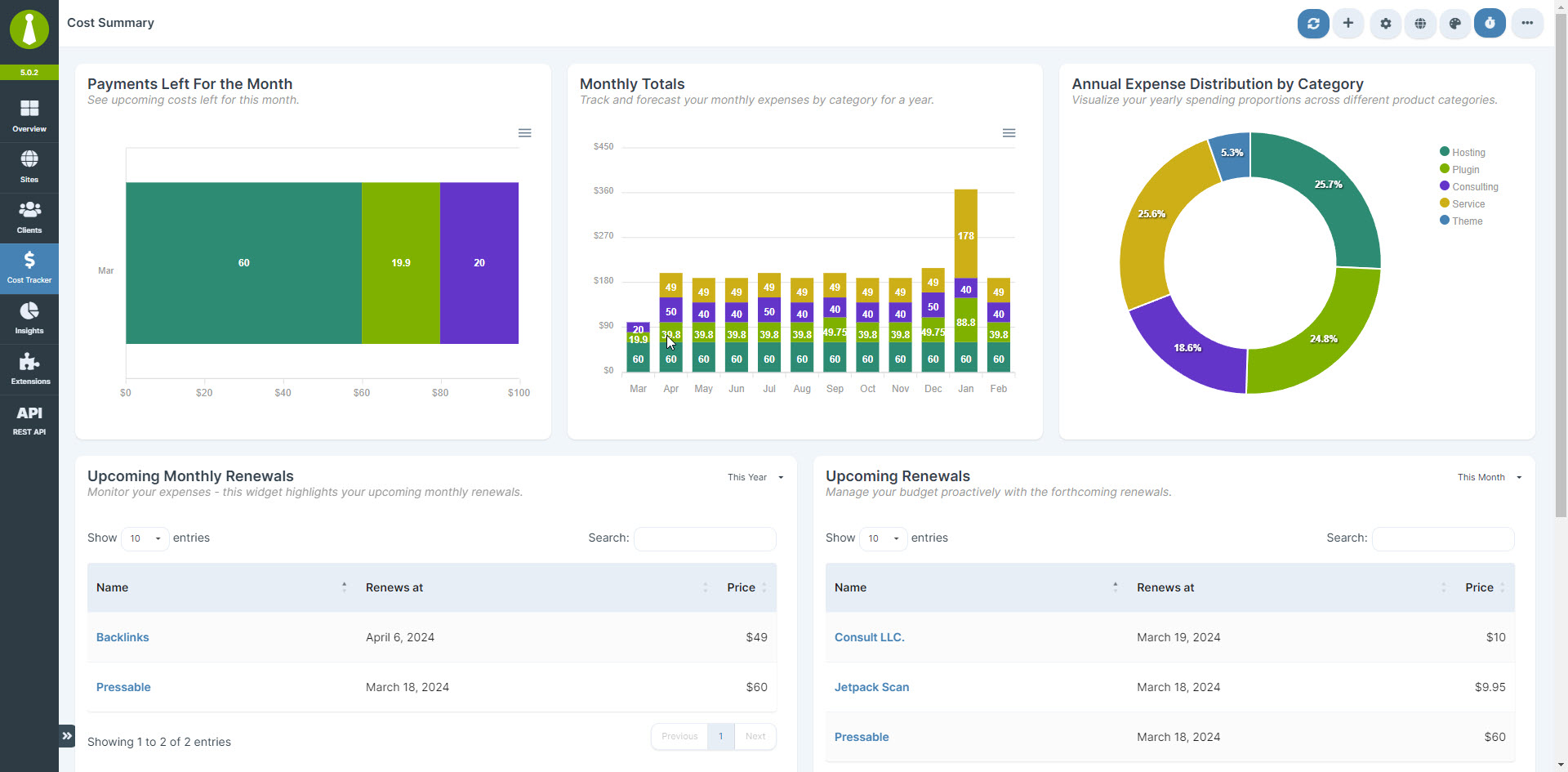
Cost Tracker – Cost Summary 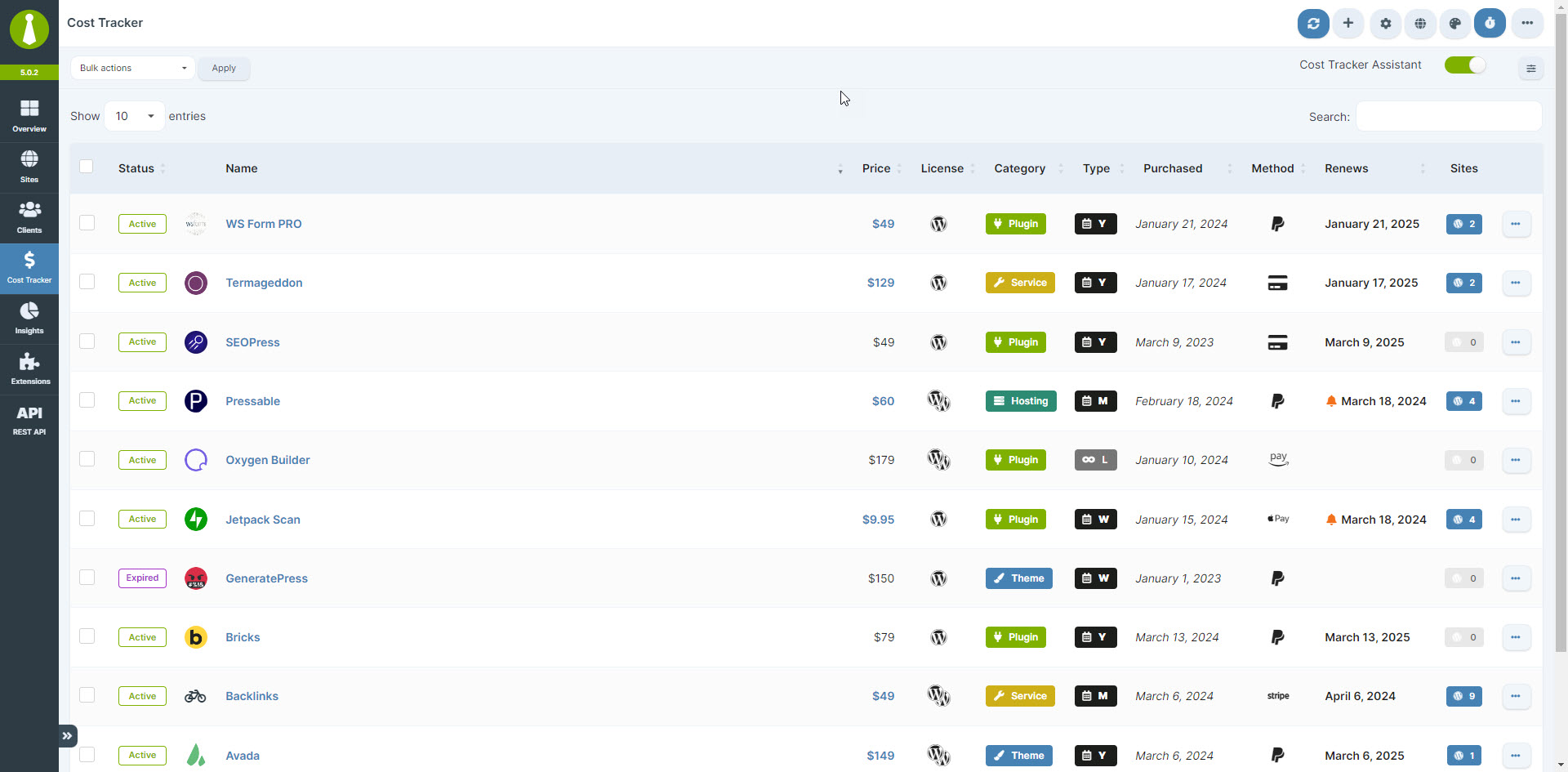
Cost Tracker – Manage Costs 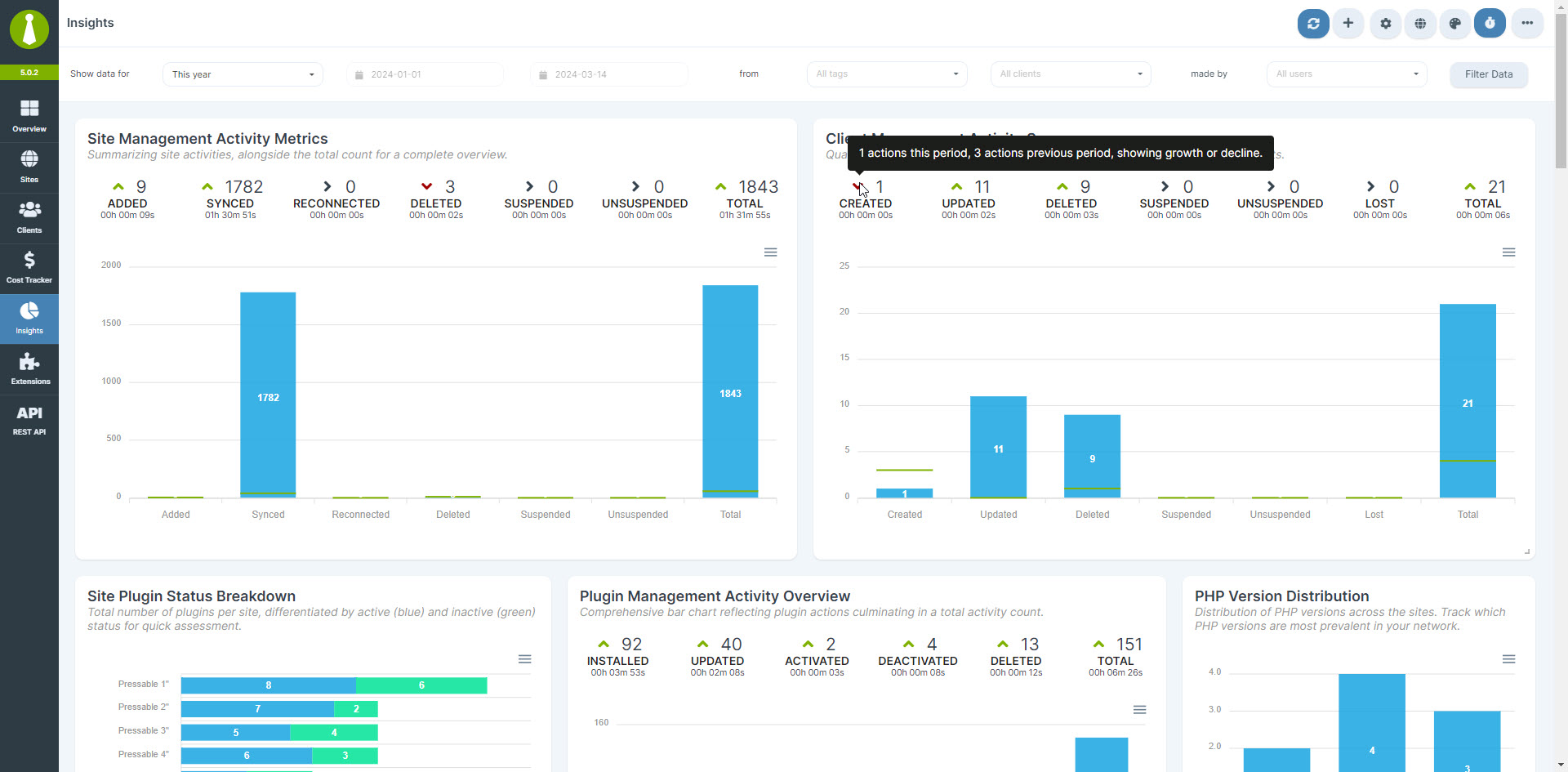
Dashboard Insights


انسٽاليشن
Note: MainWP is not tested on or designed for multisite installs.
However, we have user reports that most functions work correctly, but support will be limited. We DO NOT recommend installing the MainWP Dashboard plugin on a multisite install.
- We HIGHLY recommend a NEW WordPress install for your MainWP Dashboard.
Using a new WordPress install will help reduce Plugin Conflicts and other issues caused by trying to run your MainWP Dashboard from an active site.
Most hosting companies provide free subdomains (“demo.yourdomain.com”), and we recommend creating one if you do not have a specific dedicated domain to run your MainWP Dashboard. If you are not sure how to set up a subdomain, contact your hosting company’s support.
You can even install your MainWP Dashboard on a WordPress site located on your local computer using WAMP or any other setup that allows you to run WordPress locally.
-
Once you have set up the separate WordPress website, install the MainWP Dashboard plugin following your normal installation procedure, either the automatic process by searching MainWP or by uploading the MainWP plugin to the ‘/wp-content/plugins/’ directory.
-
Once installed then Activate the plugin through the Plugins menu in WordPress.
-
Add your first Child Site to the MainWP Dashboard – Documentation
-
Set your MainWP Settings – Documentation
FAQ
-
What sets MainWP apart from other WordPress management platforms like ManageWP or InfiniteWP?
-
MainWP is a self-hosted, open-source WordPress management plugin that prioritizes user privacy and customization.
Unlike SaaS (Software as a Service) platforms like ManageWP, WPUmbrella, or WPRemote, MainWP gives you complete control over your data and allows for extensive customization through its open-source architecture.
-
Can MainWP handle bulk updates for WordPress core, plugins, and themes?
-
Yes, MainWP makes it easy to perform bulk updates for WordPress core, plugins, and themes across all your managed sites. With just a few clicks, you can ensure all your sites are running the latest versions, saving you valuable time and effort.
-
How does MainWP help with client management for WordPress agencies and freelancers?
-
MainWP offers a robust client management system that allows you to organize sites by client, assign tags, and generate customizable client reports. This streamlines your workflow and helps you provide better service to your clients by keeping all their site information organized and easily accessible.
-
Does MainWP offer any features for tracking costs associated with managing WordPress sites?
-
Yes, MainWP has a built-in Cost Tracker. This feature allows you to:
* Record and categorize expenses for each site
* Set up recurring costs
* Generate detailed cost reports
* Gain insights into your expenditure distribution
* Track payments received and upcoming renewals -
What security features does MainWP offer to protect my WordPress sites?
-
MainWP prioritizes security by providing features like real-time security monitoring, malware scanning, and vulnerability detection. The plugin also integrates with popular security plugins.
-
Can I use MainWP to manage WordPress sites hosted on different servers or hosting providers?
-
Yes, MainWP is designed to work with WordPress sites hosted on any server or hosting provider.
-
How does MainWP handle WordPress site backups?
-
MainWP offers multiple backup options, including built-in backup solutions for popular hosting providers and integrations with some of the most installed backup plugins.
-
How do you pronounce MainWP?
-
MainWP is a unique name that we created for our company, so it’s understandable if you’re unsure about how to pronounce it. Here’s the easiest way to remember:
Main + WP = MainWP
Think of it as the word “Main” followed by the letters “WP” (pronounced as “double-u pee”). In phonetic notation, it would look like this: /ˈmeɪn ˈdʌbəl juː ˈpiː/.
But don’t worry if you pronounce it differently – we answer to almost anything, including WP Main and WPMain!
-
I have an idea for MainWP; how do I let you know?
-
Please follow the steps outlined in the MainWP Feature Requests so you can add your idea to the MainWP Community to be voted on.
-
I have more questions. Do you have any other information?
-
Yes, we have a quick FAQ with many more questions and answers here.
جائزا


تعاون ڪندڙ & ڊولپرز
“MainWP Dashboard: WordPress Management without the SaaS” اوپن سورس سافٽ ويئر آهي. ھيٺين ماڻھن ھن پلگ ان ۾ حصو ورتو آھي.
تعاون ڪندڙ
جمع: “MainWP Dashboard: WordPress Management without the SaaS” 16 جڳهن ۾ ترجمو ڪيو ويو آهي. ترجمي ڪندڙن جي مهرباني سندن تعاون لاءِ.
ترجمو ڪريو “MainWP Dashboard: WordPress Management without the SaaS” توهان جي ٻولي ۾.
ڊولپمينٽ ۾ دلچسپي؟
ڪوڊ براؤز ڪريو، چيڪ ڪريو SVN مخزن، يا رڪنيت حاصل ڪريو ڊولپمينٽ لاگ پاران RSS.
لاگ تبدیل ڪريو
5.4.1 – Maintenance Release – 12-10-2025
- Fixed: Resolved an issue where the OpenSSL Key encryption information banner was incorrectly displayed to all MainWP Dashboard administrators.
- Fixed: Addressed a problem that caused delayed Downtime notifications from the Monitoring system on specific hosting setups.
- Added: Implemented
ANDlogic for filtering Tags in the “Manage Sites” list, allowing more precise filtering of site groups. - Updated: Improved output-escaping compliance throughout the plugin to meet WordPress coding standards.
- Updated: Improved the logic used to detect when the
WP REST APIis disabled on the Dashboard site, providing more reliable behavior across different configurations.
5.4.0.23 – Maintenance Release – 10-7-2025
- Fixed: Corrected the flag icon displayed for the Catalan (ca) locale. (#839)
- Updated: Implemented small improvements to enhance the reliability of automatic updates across different server environments.
- Updated: Enabled REST API v2 requests over HTTP protocol on localhost setups to facilitate local development and testing.
- Updated: Standardized translation and escaping functions to ensure more reliable and consistent text formatting throughout the Dashboard (PR838) – thanks DAnn2012
5.4.0.22 – Maintenance Release – 9-23-2025
- Fixed: An issue where site tags were duplicated in the “Manage Sites” table display.
- Fixed: Multiple localization issues to improve translation accuracy and consistency across different languages. (PR832, PR833, PR834) – thanks DAnn2012
- Fixed: An issue with generating site screenshots that occurred under specific server configurations.
- Updated: Team Control support for the Cost Tracker module to enhance permission management and user access controls.
- Updated: Team Control support for the Insights module to improve role-based access and data visibility controls.
- Updated: Error messaging in REST API v2 to provide clearer feedback when connections are disallowed over HTTP protocol for security reasons.
- Dev: SSL certificate verification control in the REST API v2 availability check by introducing an
sslverifyoption in the HTTP arguments ofcheck_rest_api_enabled()to provide more flexible SSL handling options. (PR836) – thanks Alexis - Removed: Deprecated HTTP check notification code that was no longer in use to clean up the codebase and improve performance.
5.4.0.21 – Maintenance Release – 8-26-2025
- Fixed: Resolved database table creation issues for
wp_mainwp_wpandwp_mainwp_api_keyson installations running PHP 8.4. (#827) - Fixed: Eliminated multiple “Undefined array key” PHP warnings that occurred on fresh WordPress installations running PHP 8.4.
- Updated: Changed mShot API base URL from
s0.wordpress.comto s0.wp.com` to eliminate unnecessary redirections and improve screenshot generation performance.
5.4.0.20 – Maintenance Release – 8-19-2025
- Fixed: Currency display now defaults to USD to prevent empty currency formatting issues in financial reports and cost tracking features.
- Fixed: PHP deprecation warning on PHP 8.4+ installations by updating the database connection ping method to ensure reliable connectivity checks across all PHP versions.
- Fixed: REST API v2 responses now properly handle empty or invalid data objects to prevent API errors and improve third-party integration reliability.
5.4.0.19 – Maintenance Release – 8-12-2025
- Fixed: Monthly totals calculation for single-site licenses in Cost Tracker by scaling costs based on the number of associated sites. (#819)
- Dev: New hooks
mainwp_get_sql_websitesandmainwp_get_sql_websites_by_paramsto customize website query parameters, enabling greater extensibility for integrations.
5.4.0.18 – Maintenance Release – 8-5-2025
- Fixed: Issues with sorting and filtering data by PHP version in cases where version numbers contain text strings. (#815)
- Added: Support for custom plugin and theme icons that may be set by third-party developers.
- Added: Element ID for the “Log Out” menu item in the user settings menu to improve accessibility and targeting.
- Updated: Element ID for the “Add New” and “Import Sites” menu items to prevent duplicate ID conflicts.
- Dev: Refined REST API responses to properly support the
selected_sitesfield when creating or updating clients. - Dev: Updated
selected_sitesparameter behavior to allow assignment of multiple sites to a single client. - Dev: Added
mainwp_before_save_cached_iconsfilter hook to allow developers to manipulate cached plugin and theme icons.
5.4.0.17 – Maintenance Release – 7-29-2025
- Fixed: Retrieval of websites by tag to resolve issues with empty fields in MainWP REST API responses.
5.4.0.16 – Maintenance Release – 7-15-2025
- Fixed: Corrected the
[uptime.status]token in Uptime Notification email subjects to display the accurate monitor status. - Fixed: Updated the Event time info in the Uptime Monitor email to display in the user’s configured timezone instead of defaulting to UTC +0.
5.4.0.15 – Maintenance Release – 7-8-2025
- Fixed: Resolved a sorting issue in the “Manage Sites” table that could cause sites to appear in incorrect positions. (#808)
- Fixed: Corrected tooltip text for the Regression Testing add-on to improve clarity.
- Fixed: Resolved an issue where the “Save Selection” function for tags would only preserve sites visible in the current search or filter results. (#810)
5.4.0.14 – Maintenance Release – 6-24-2025
- Fixed: Corrected permissions logic to ensure users without “Manage Extensions” permission can still access extension features they are authorized to use. (#801)
- Fixed: Resolved an issue where ignored plugin updates incorrectly appeared in the “Ignored Themes” list after being unignored.
- Fixed: Corrected the ignore functionality to properly handle version-specific ignores, ensuring updates ignored for one version only don’t automatically ignore subsequent versions. (#802)
- Fixed: Resolved an issue where backup deletions through the Kinsta API integration were not working properly.
5.4.0.13 – Maintenance Release – 6-17-2025
- Fixed: Resolved DataTables warning occurring on the “Sites Changes” widget table on the “Overview” page for certain configurations.
- Fixed: Resolved issue where adding a site would fail for Team Control roles lacking “Manage Clients” and/or “Bulk Install & Activate Extensions” permissions. (#799)
- Fixed: Corrected update counter displaying updates from disconnected sites while those updates weren’t shown in the actual updates list. (#798)
- Fixed: Prevented Uptime Monitor notifications from being incorrectly sent immediately after adding a new site on the first heartbeat.
- Updated: Enhanced updates progress indicator icon to support upcoming regression testing add-on changes.
- Updated: Implemented improvements for better PHP 8.4 compatibility to ensure smooth operation with newer PHP versions.
- Updated: Modified information notice regarding end of support for deprecated PHP versions.
5.4.0.12 – Maintenance Release – 6-10-2025
- Security: Fixed multiple XSS vulnerabilities in administrator areas including Tags Notes, Client Notes, Create Category, Contact Name, and Cost Tracker Notes fields. All vulnerabilities required administrator privileges to exploit. Update to version 5.4.0.12 required.
5.4.0.11 – Maintenance Release – 6-3-2025
- Fixed: Resolved an issue that could prevent staging sites from being created successfully by improving data handling in the cloning process.
5.4.0.10 – Maintenance Release – 5-20-2025
- Fixed: Corrected a typo in the Force IPv4 option tooltip for improved clarity. (#787)
- Fixed: Changed incorrect “Theme advanced automatic updates” option label to “Translation advanced automatic updates” and updated the corresponding tooltip to accurately reflect its function.
5.4.0.9 – Maintenance Release – 5-13-2025
- Fixed: Adjusted phone number and email link escaping from URL to attribute context for improved HTML output. (#781)
- Fixed: Refined uptime monitoring notification sending to include site-specific context.
- Fixed: Updated API backup key handling to clear child website options more precisely. (#784)
- Added: More detailed warning messages for email template operation failures, providing clearer feedback on issues such as permission problems or invalid destinations.
- Updated: Improved incident statistics for uptime monitoring to more accurately count incidents based on importance and monitor type. (#782)
- Updated: Enhanced logging behavior for uptime monitoring notifications with added contextual information.
5.4.0.8 – Maintenance Release – 5-6-2025
- Fixed: Incorrect type property for the Vulnerability Checker which made it appear as a Pro add-on.
- Fixed: Missing error message tooltip from X icon that shows when translation update fails. (#773)
- Fixed: Issue with incorrect menu item being selected when on the Clone add-on page.
- Fixed: Specific UI elements did not respect Team control permissions, causing client information to be exposed to users with permission to Manage clients. (#776)
- Updated: Modal behavior to prevent auto-closing when at least one translation update fails. (#773)
- Updated: Error message that displays when calls fail due to invalid authentication parameters.
- Updated: Database Updater table background in Dark theme for improved visibility. (#779)
5.4.0.7 – Maintenance Release – 4-29-2025
- Fixed: Corrected the display of abandoned plugins and themes to ensure counts and details appear consistently across all views, including per site and per tag views. (#768)
- Fixed: Improved bulk dismiss button handling to properly differentiate between widget and non-widget contexts, resulting in more consistent user interaction.