
وضاحت
LIVE DEMO SITE
WP Ticket Starter Demo Site
Powerful | Easy to use | Beautiful
Customer Support Ticket System is a powerful helpdesk plugin for WordPress that helps you manage customer support directly from your website. Whether you’re a freelancer, agency, or business, you can create, assign, and track tickets with ease — no third-party systems required.
Allow users to submit support tickets via a frontend form. Manage them through a simple, intuitive dashboard. Automatically notify customers and support agents via email. Assign agents, set priorities, track ticket status, and improve response times.
Introduction Video to get you started
RELATED PLUGINS YOU MAY LIKE
- Knowledge Center Starter Great knowledge base software for helping your customers and employees to find answers faster.
- Software Issue Manager Starter The best in class issue and project management solution for successful projects.
- Software Issue Manager Professional Unleash Powerful Issue Management: Software Issue Manager Professional
- Software Issue Manager Enterprise Achieve Development Zen: Software Issue Manager Enterprise
- Employee Spotlight Starter Everything you need to display and manage staff profiles.
- WP Easy Contact Starter Complete contact management solution to start, develop and grow your customer relationships.
- Request a quote Starter The Best Sales Quoting software for WordPress.
- WP Ticket Professional Streamline Support Requests with WP Ticket Professional WordPress Plugin
- WP Ticket Enterprise Enhance Service Excellence with WP Ticket Enterprise
Enterprise grade Customer Service Software & Support Ticket System Features
- Monetize Support with Support Plans
- Empower Your Support Team
- Combat Spam Effectively
- Enhanced Communication
- Seamless Support Anywhere, Anytime
- Create a seamless support experience that enhances customer satisfaction
- Empower Users: Elevate User Engagement with WP Ticket
- Role Based Helpdesk Access Control
- WP Ticket’s Shared Team Inbox Empowers Helpdesk Agents
- Enhance overall system adoption and productivity. – Premium feature (Included in Ent only)
- Secure helpdesk system by allowing you to control access rights – Premium feature (Included in Ent only)
- Promote collaboration among staff – Premium feature (included both Pro and Ent)
- Streamline support processes and reduce manual intervention – Premium feature (Included in Ent only)
- Free up time for higher-priority tasks – Premium feature (Included in Ent only)
- Effective organization of support staff into distinct departments. – Premium feature (included both Pro and Ent)
- Enhance Support Agent Capabilities with Easy Customization – Premium feature (included both Pro and Ent)
- Leverage the power of out-of-the-box customizations – Premium feature (included both Pro and Ent)
- Showcase Latest Support Requests – Premium feature (included both Pro and Ent)
- Enhance Support Efficiency – Premium feature (Included in Ent only)
- Effortless Ticket Organization – Premium feature (included both Pro and Ent)
- Integrate custom fields within WP Ticket – Premium feature (included both Pro and Ent)
- Create Custom Helpdesk Reports with WP Ticket WordPress Plugin – Premium feature
- Arrange actions based on urgency and importance – Premium feature (Included in Ent only)
- Streamlined HelpDesk Support Operations – Premium feature (included both Pro and Ent)
- Stay Informed: Real-Time Notifications for Customers and Agents – Premium feature (included both Pro and Ent)
- Expedite customer support with quick searches – Premium feature (included both Pro and Ent)
- Get a quick, real-time summary of the most important helpdesk metrics – Premium feature
- Powerful helpdesk search forms – Premium feature (included both Pro and Ent)
- Monitor Agent Performance via Integrated Dashboard in WP Ticket – Premium feature (Included in Ent only)
- Save time and resources by eliminating manual data entry and updates – Add-on
- Seamlessly integrate support processes with their email marketing strategy – Add-on
- Automate updates and ensure consistent team data – Add-on
- Combine multiple criteria for targeted information retrieval – Add-on (included both Pro and Ent)
- Simplify migration from other customer support systems – Add-on (included both Pro and Ent)
- Connect customer orders and products with support tickets – Add-on
- Wp Ticket Woocommerce Addon – Add-on
- Elevate overall efficiency with WP Ticket’s Canned Responses Addon – Add-on (Included in Ent only)
- Clutter-free and streamlined customer support experience – Add-on (Included in Ent only)
PLUGIN LINKS
* WP Ticket Starter Demo Site
* WP Ticket Starter Documentation
This plugin’s code was generated by WP App Studio Professional WordPress Design and Development Platform based on the plugin’s design. You can develop a plugin like WP Ticket using WP App Studio plugin and sell its designs by becoming a SellDev author
تصوير
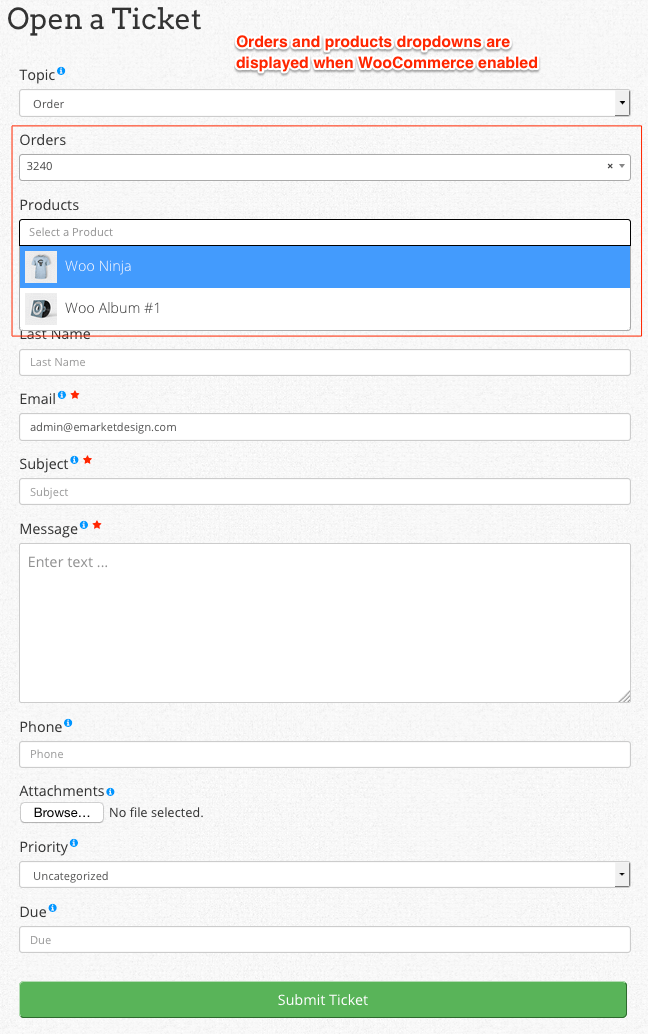
Responsive Ticket Entry form; easily created using setup assistant during plugin activation 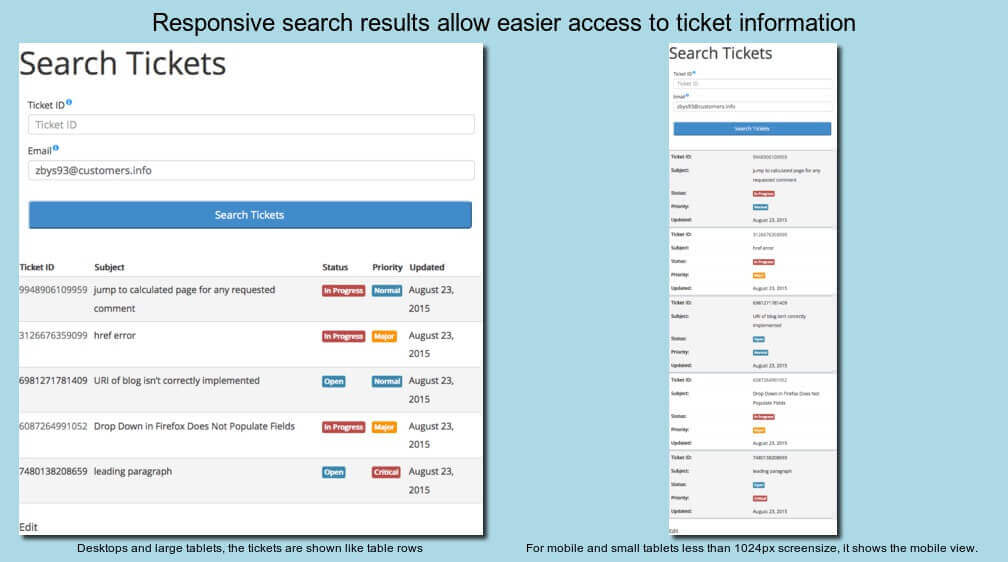
Responsive Ticket Search for all users; easily created using setup assistant during plugin activation 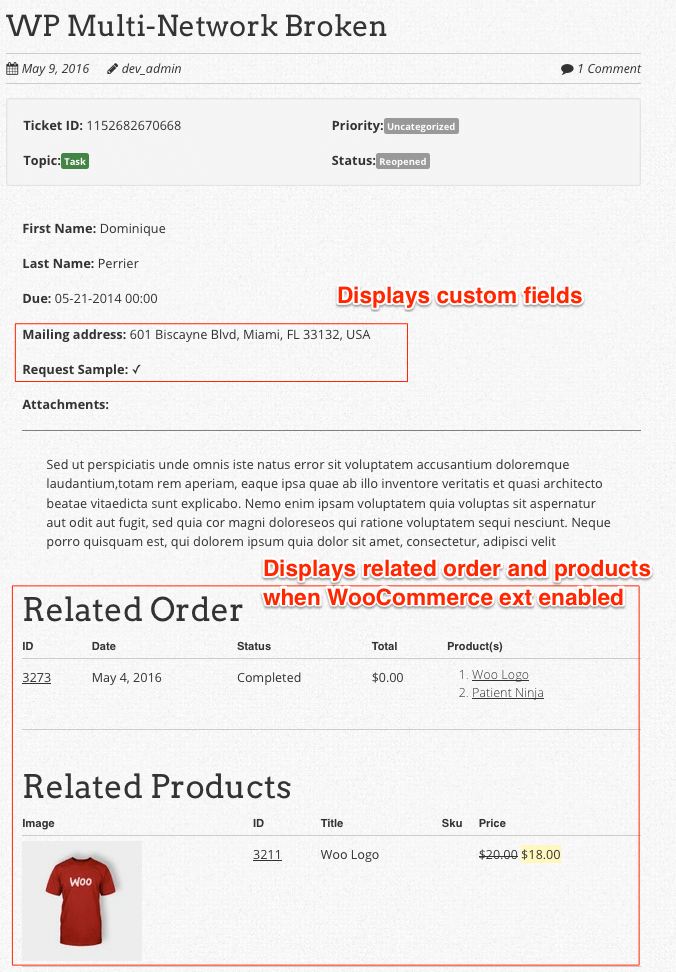
Responsive ticket pages and Recent Tickets sidebar widget on the frontend. Ticket archives are disabled for privacy. 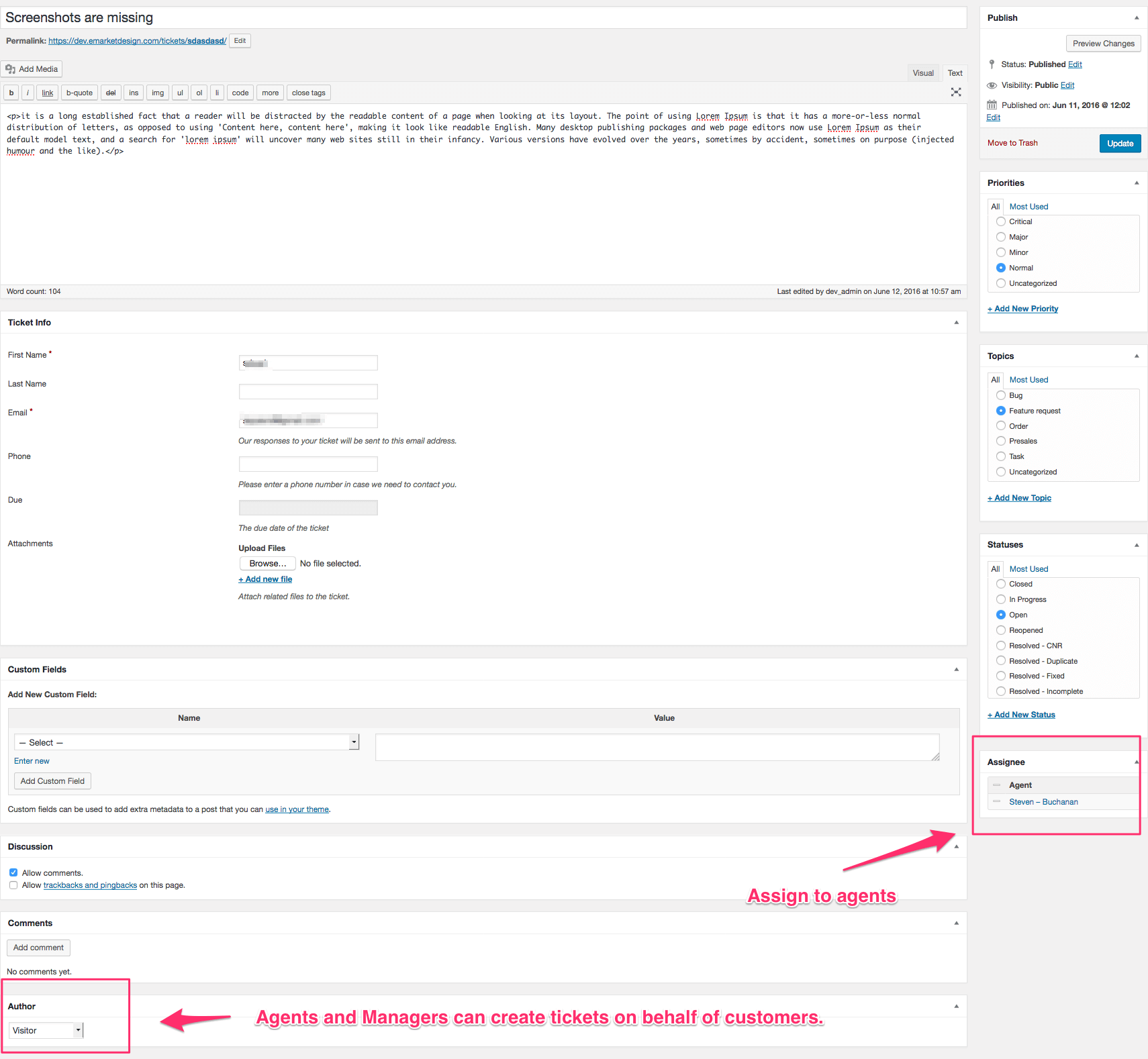
Ticket Edit screen in admin area 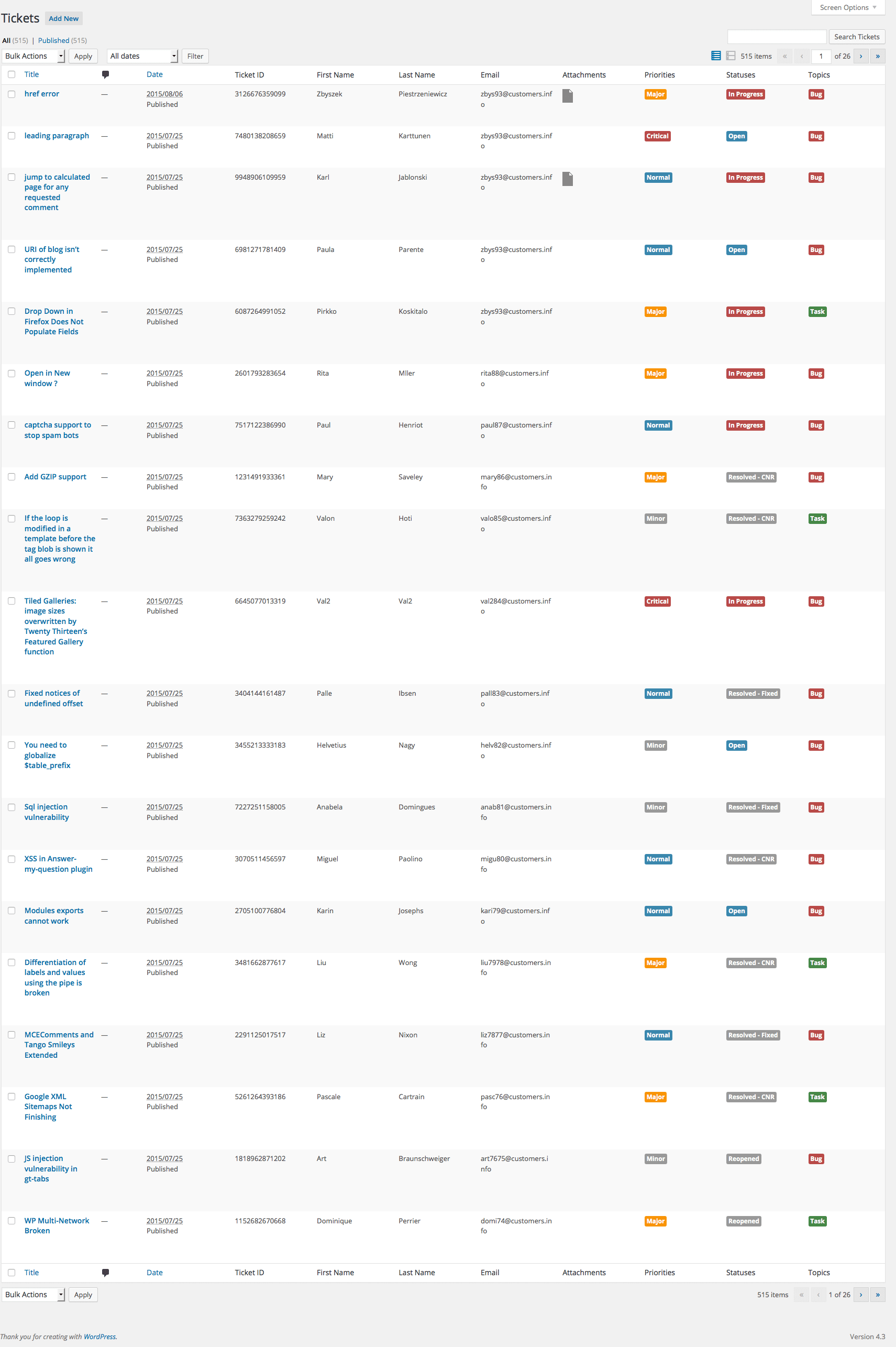
Ticket List in admin area with contextual coloring for taxonomies to easily locate tickets 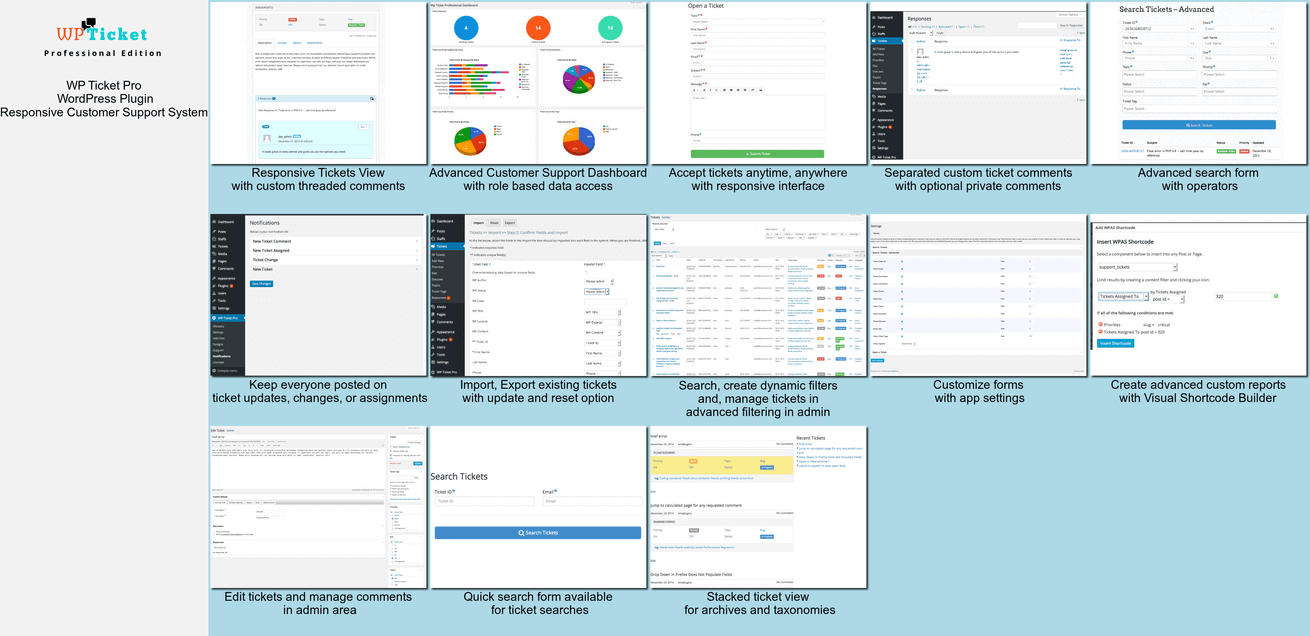
WP Ticket Pro dashboard with statistics and charts in admin area; Advanced filtering, responsive frontend/backend and more 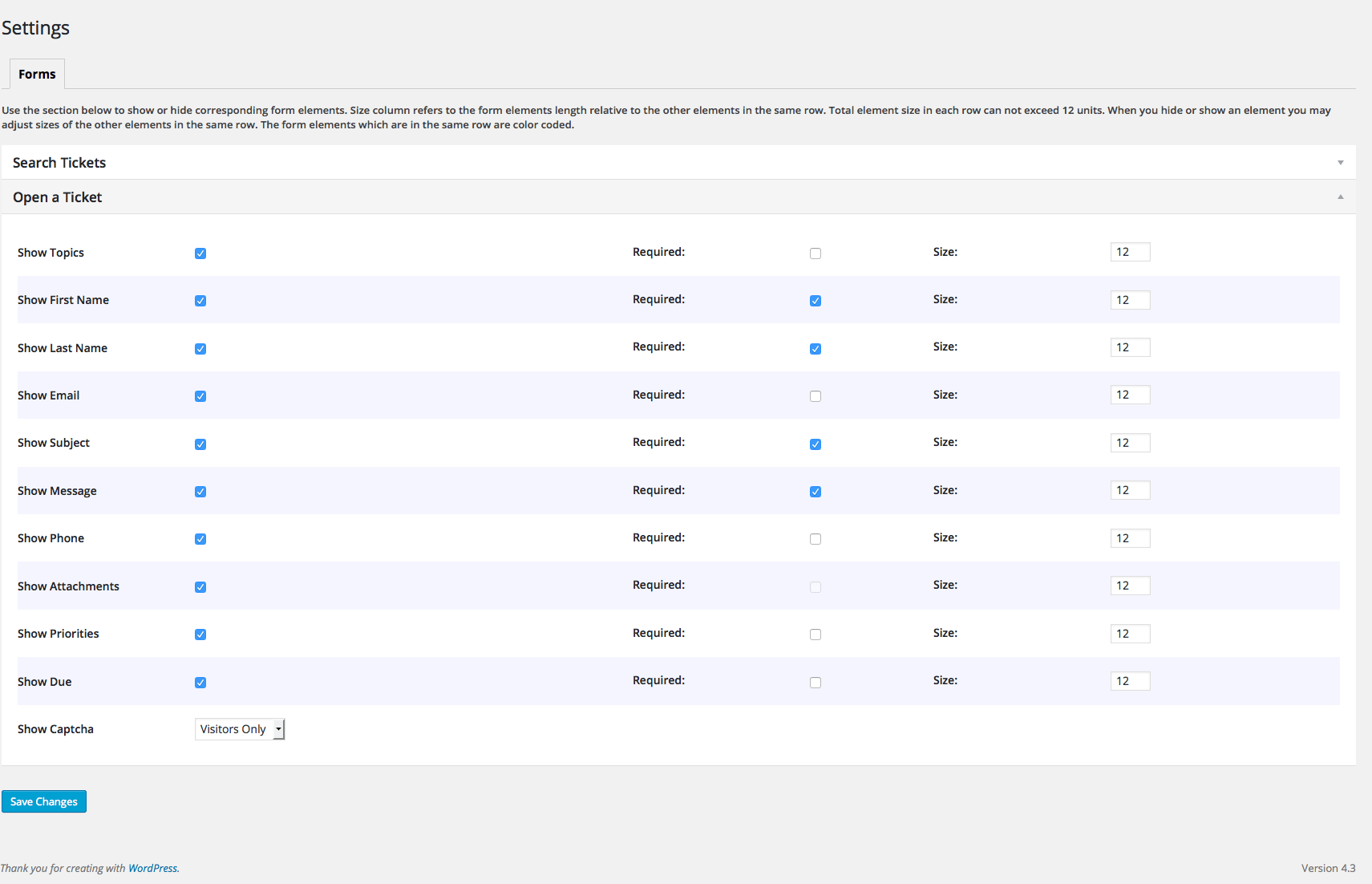
Admin Settings page for WP Ticket Form customization. 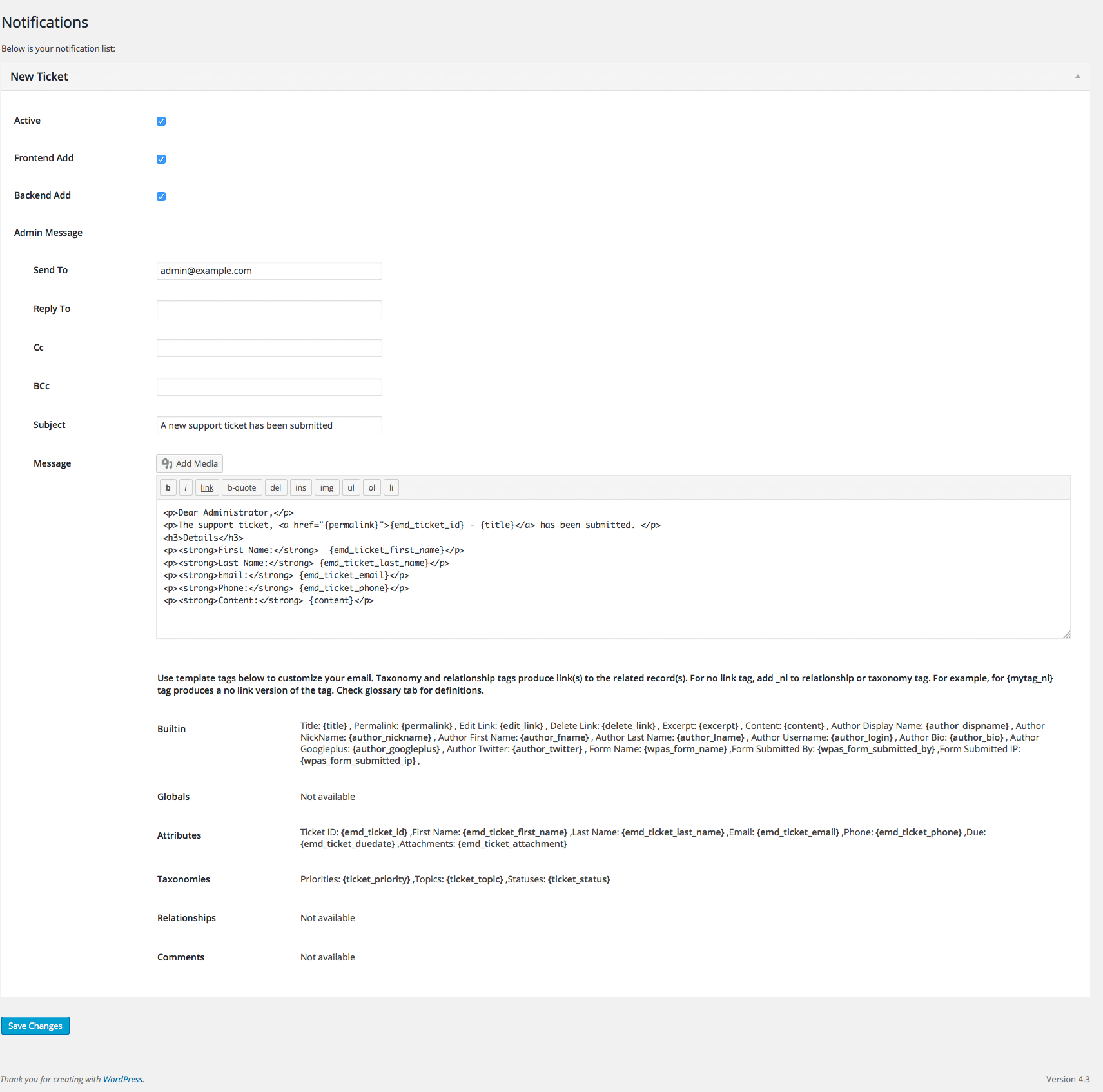
Fully customizable optional email notification screen for customers and admin users 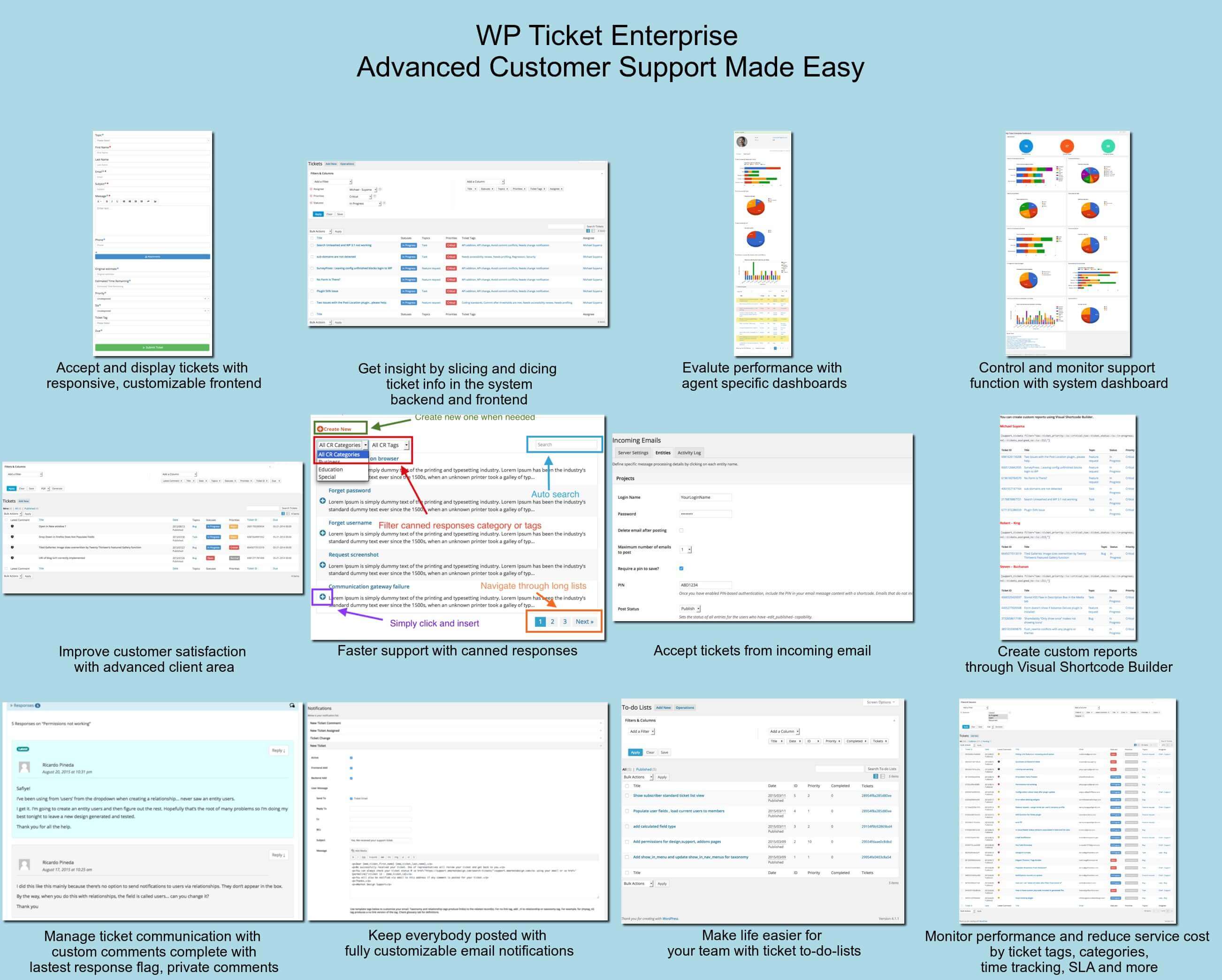
WP Ticket Enterprise Edition is the most advanced and fully featured plugin ever built for WordPress – for enterprise level support 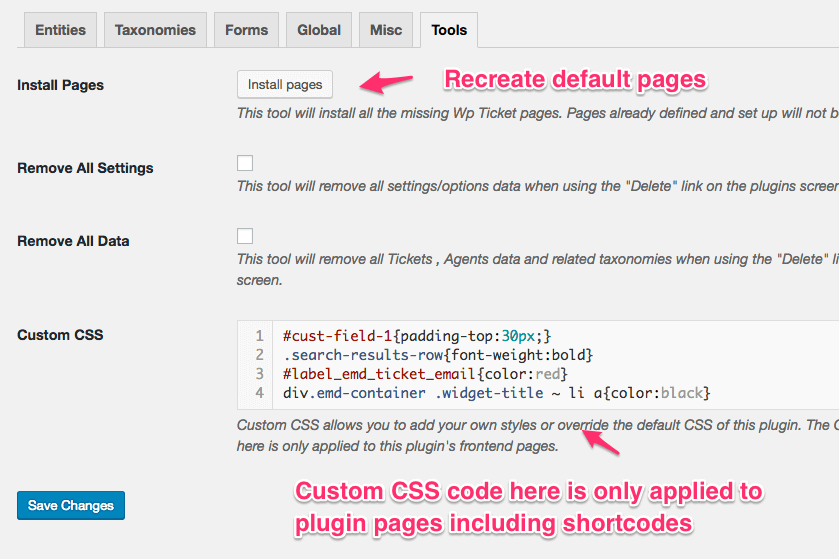
Administrative tools in the plugin settings are available 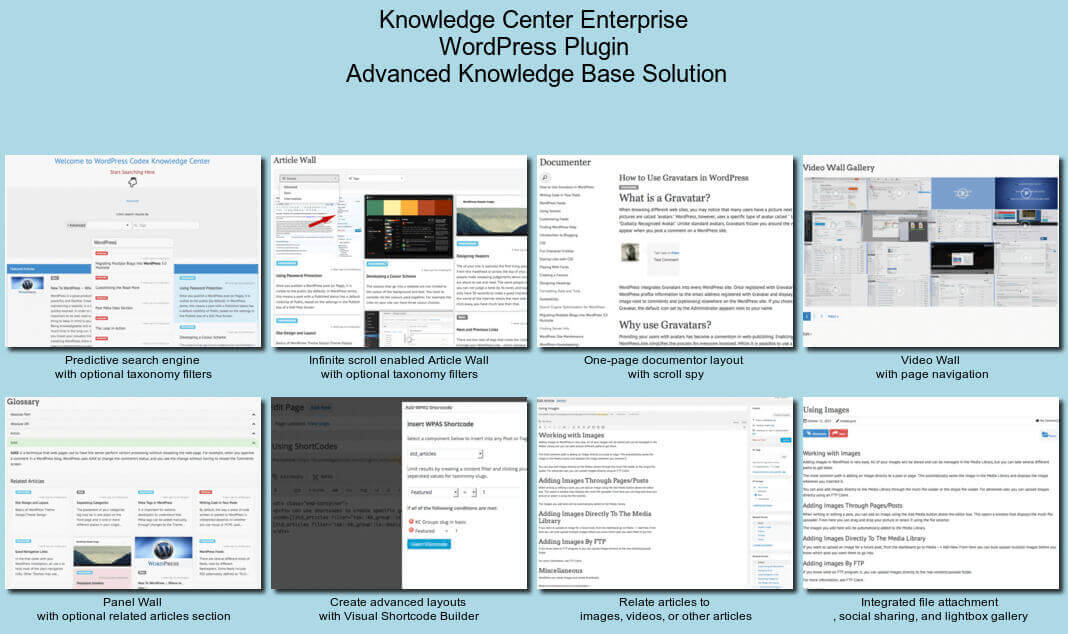
Knowledge Center Enterprise Edition offers the most advanced and complete knowledgebase plugin 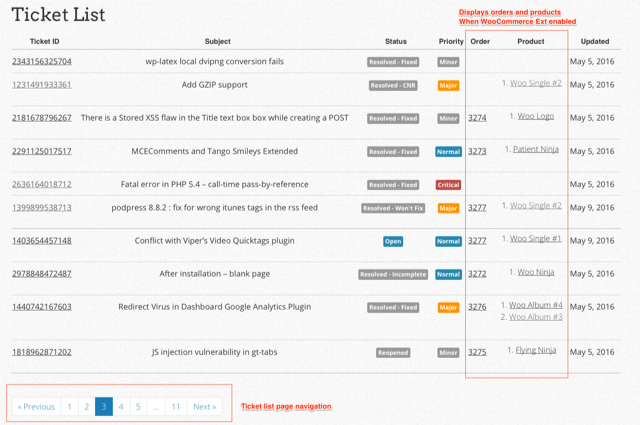
Displays a ticket list in table format in the frontend 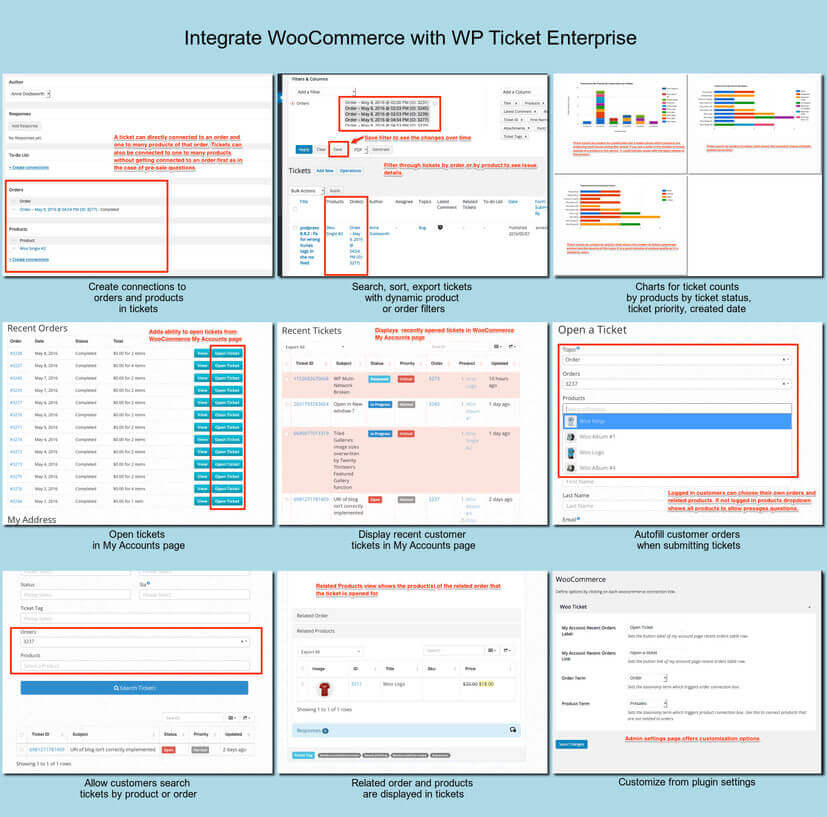
Most comprehensive WooCommerce Integration to this date 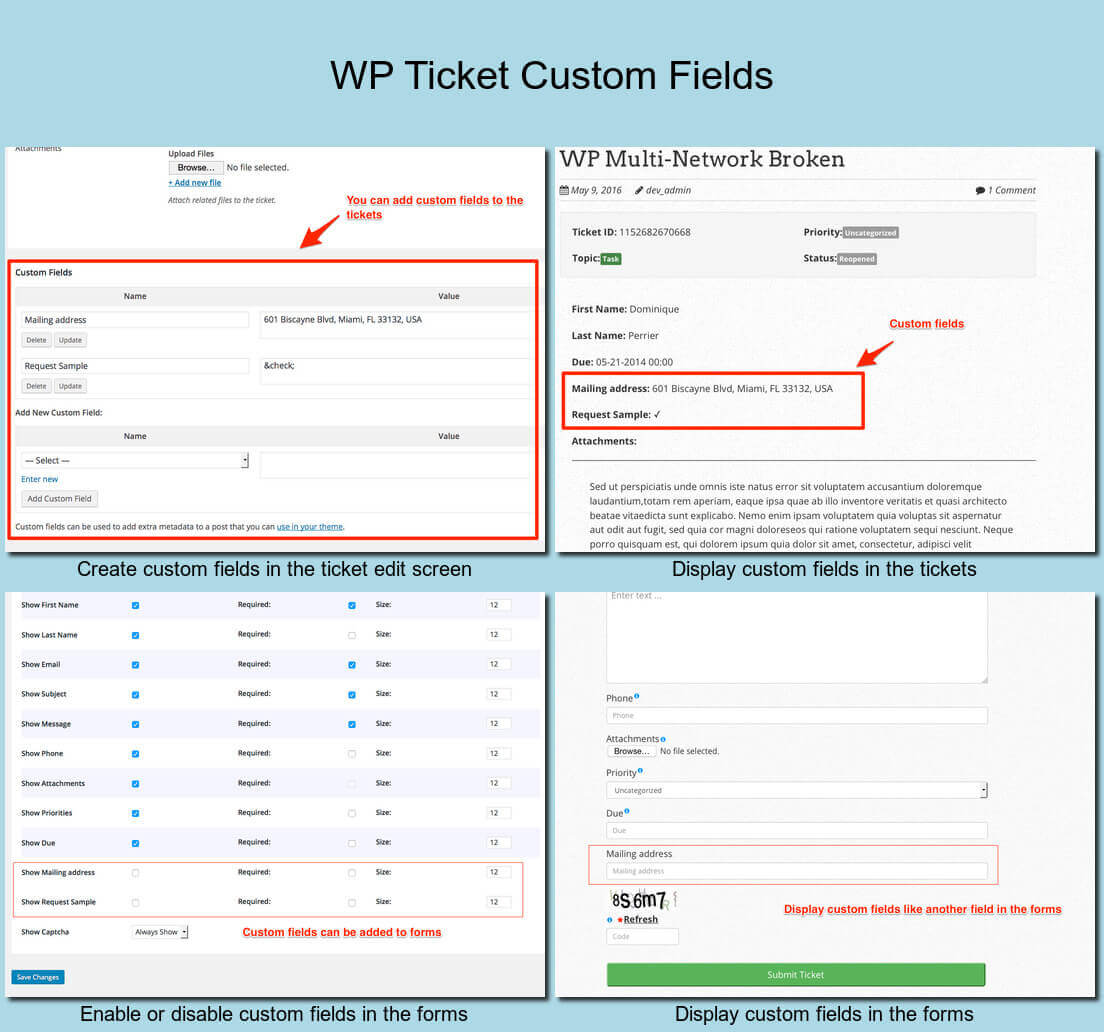
Custom fields support 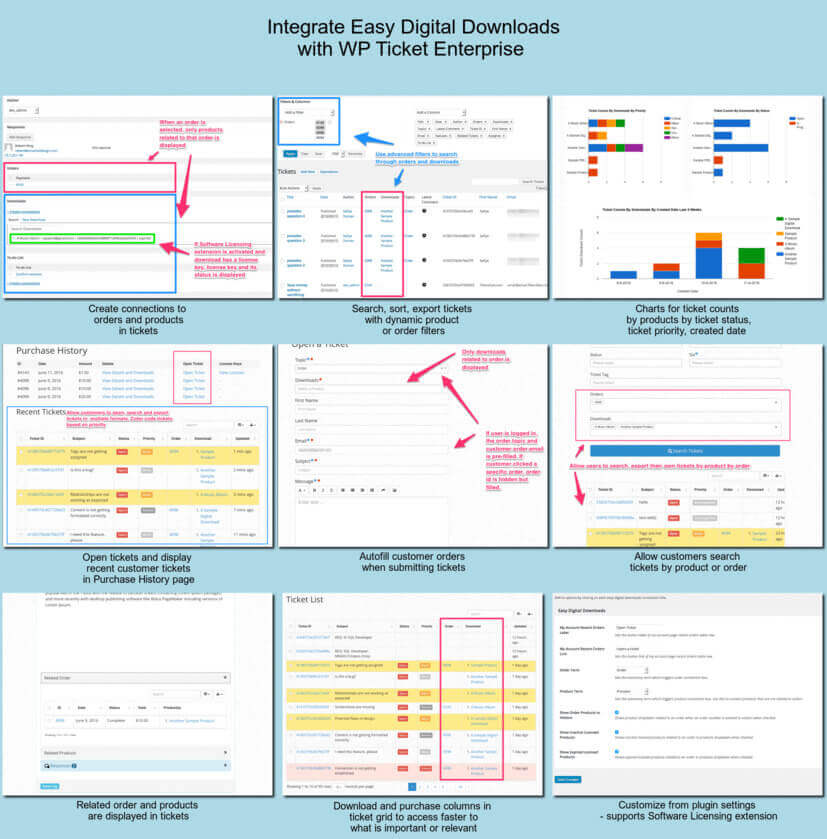
Most comprehensive Easy Digital Downloads Integration to this date 
Agents have their own page, can see their own tickets when logged in, get notified when a ticket is assigned to them 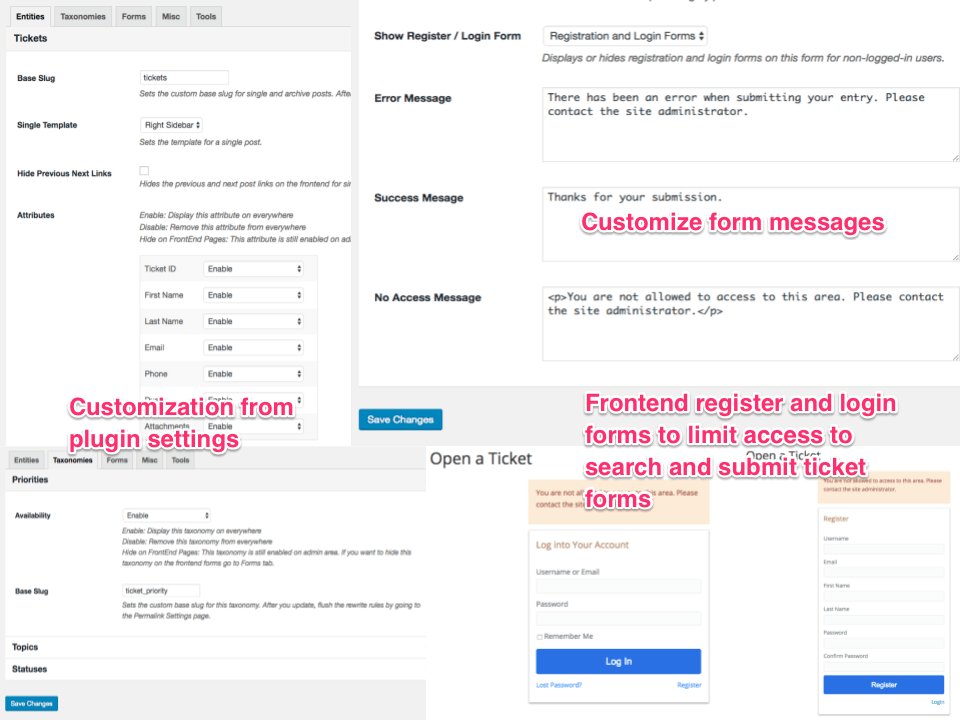
Customization directly from plugin settings without modifying theme template files. Require login/registration to access search and submit forms 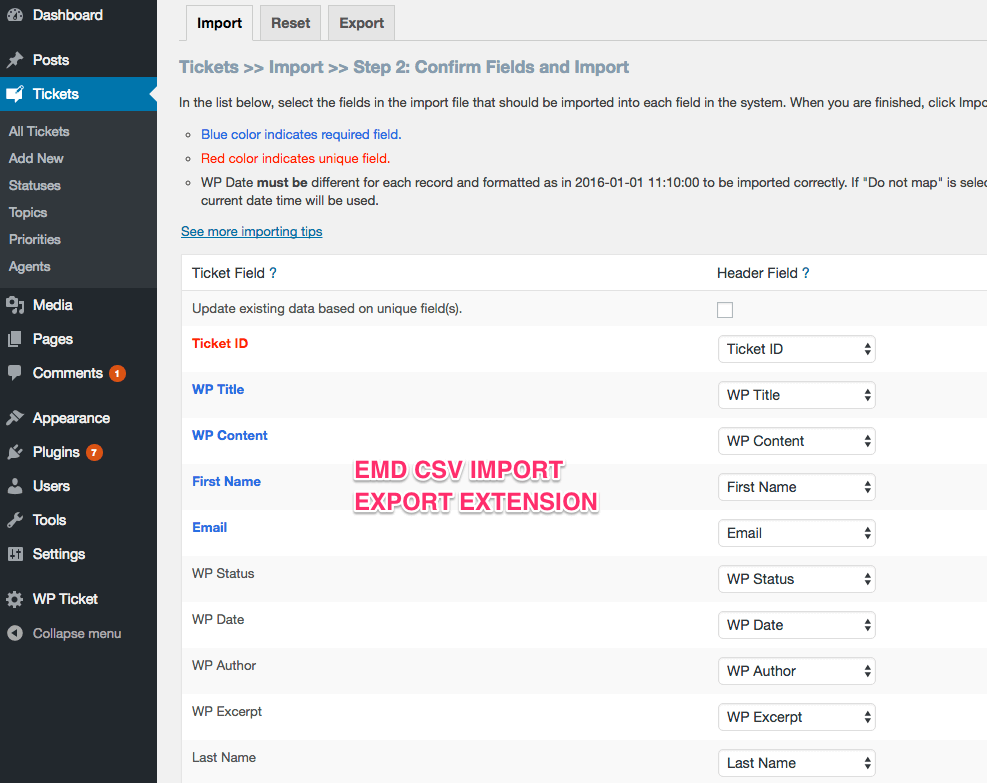
eMD CSV Import Export Extension for bulk import/export from/to CSV files


انسٽاليشن
The simplest way to install is to click on ‘Plugins’ then ‘Add’ and type ‘WP Ticket’ in the search field.
Manual Installation Type 1
- Login to your website and go to the Plugins section of your admin panel.
- Click the Add New button.
- Under Install Plugins, click the Upload link.
- Select the plugin zip file from your computer then click the Install Now button.
- You should see a message stating that the plugin was installed successfully.
- Click the Activate Plugin link.
Manual Installation Type 2
- You should have access to the server where WordPress is installed. If you don’t, see your system administrator.
- Copy the plugin zip file up to your server and unzip it somewhere on the file system.
- Copy the “wp-ticket-com” folder into the /wp-content/plugins directory of your WordPress installation.
- Login to your website and go to the Plugins section of your admin panel.
- Look for “WP Ticket” and click Activate.
FAQ
-
How do users submit a support ticket?
-
Users can fill out a frontend form on your website to create a ticket. The form is added via shortcode or block.
-
Can I assign tickets to different agents?
-
Yes. You can create support agents and assign tickets manually or automatically by department or category.
-
Are there email notifications?
-
Yes. Both users and support agents receive customizable email notifications for new tickets, replies, and status changes.
-
Can I use this for internal helpdesk support?
-
Absolutely. Many users use this plugin as an internal ticket system for staff or IT departments.
-
Yes. The pro version adds advanced features like file attachments, canned replies, SLA tracking, automation rules, and more.
جائزا


تعاون ڪندڙ & ڊولپرز
“Customer Support Ticket System & Helpdesk Plugin for WordPress” اوپن سورس سافٽ ويئر آهي. ھيٺين ماڻھن ھن پلگ ان ۾ حصو ورتو آھي.
تعاون ڪندڙ

ترجمو ڪريو “Customer Support Ticket System & Helpdesk Plugin for WordPress” توهان جي ٻولي ۾.
ڊولپمينٽ ۾ دلچسپي؟
ڪوڊ براؤز ڪريو، چيڪ ڪريو SVN مخزن، يا رڪنيت حاصل ڪريو ڊولپمينٽ لاگ پاران RSS.
لاگ تبدیل ڪريو
6.0.4
- FIXED Resolved an issue while saving form settings
6.0.3
- FIXED XSS vulnerability for noaccess_msg
- FIXED Validate input for emd_form_builder_lite_pagenum function
- FIXED Vulnerability related to emd_get_widg_pagenum
6.0.2
- FIXED Resolved an issue where deleted taxonomy terms were being unintentionally recreated.
- FIXED Removed repeated initialization of default taxonomy terms.
6.0.1
- TWEAK tested with WP 6.8
- FIXED XSS vulnerability when using custom fields
6.0.0
- FIXED WordPress dashboard accordions issue on setting and glossary pages due to changes in core code on WP 6.7.1
5.15.0
- FIXED email sent when an agent is assigned to a ticket
5.14.0
- TWEAK tested with WP 6.5
- FIXED Translation to one textdomain
5.13
- TWEAK tested with WP 6.2
- FIXED XSS issues in the WordPress admin area
5.12.0
- TWEAK tested with WP 6.0
5.11.0
- TWEAK tested with WP 5.9.3 and PHP 8
5.10.9
- FIXED html escaping on notices
5.10.8
- FIXED escaping
5.10.4
- FIXED escaping
5.10.3
- TWEAK update libraries
- FIXED sanitization and escaping
5.10.0
- TWEAK tested with WP 5.8
- FIXED sanitization in form layouts
5.9.8
- TWEAK tested with WP 5.6
- FIXED sanitization
5.9.3
- FIXED Required field validation is not working.
5.9.2
- FIXED multi-select form component missing scroll bars when the content overflows its fixed height.
5.9.1
- NEW Added version numbers to js and css files for caching purposes
- TWEAK updates to translation strings and libraries
- TWEAK tested with WP 5.5.1
5.9.0
- TWEAK Emd Form Builder support for WordPress stock themes
- FIXED Emd Form Builder support for WP Ticket WooCommerce Extension
5.8.0
- NEW Added previous and next buttons for the edit screens of tickets and agents
- TWEAK updates and improvements to libraries
5.7.0
- NEW Added support for Emd Custom Field Builder when upgraded to premium editions
- TWEAK updates and improvements to form library
- TWEAK Emd templates
5.6.0
- TWEAK Cleaned up unnecessary code and optimized the library file content.
- FIXED XSS related issues.
- NEW Added Emd form builder support.
- FIXED Session cleanup workflow by creating a custom table to process records.
5.5.1
- TWEAK Misc updates for better compatibility and stability