
Përshkrim
Easily improve site security with WordPress Hardening, Two-Factor Authentication (2FA), Login Protection, Vulnerability Detection and SSL certificate.
Really simple, Effective and Performant WordPress Security
Really Simple Security is the most lightweight and easy-to-use security plugin for WordPress. It secures your WordPress website with SSL certificate generation, including proper 301 https redirection and SSL enforcement, scanning for possible vulnerabilities, Login Protection and implementing essential WordPress hardening features.
We believe that security should have the absolute minimum effect on website performance, user experience and maintainability. Therefore, Really Simple Security is:
- Lightweight: Every security feature is developed with a modular approach and with performance in mind. Disabled features won’t load any redundant code.
- Easy-to-use: 1-minute configuration with short onboarding setup.
Security Features
Easy SSL Migration
Migrates your website to HTTPS and enforces SSL in just one click.
- 301 redirect via PHP or .htaccess
- Secure cookies
- Let’s Encrypt: Install an SSL Certificate if your hosting provider supports manual installation.
- Server Health Check: Your server configuration is every bit as important for your website security.
WordPress Hardening
Tweak your configuration and keep WordPress fortified and safe by tackling potential weaknesses.
- Prevent code execution in the uploads folder
- Prevent login feedback and disable user enumeration
- Disable XML-RPC
- Disable directory browsing
- Username restrictions (block ‘admin’ and public names)
- and much more..
Vulnerability Detection
Get notified when plugins, themes or WP core contain vulnerabilities and need appropriate action.
Login Protection
Allow or enforce Two-Factor Authentication (2FA) for specific user roles. Users receive a two-factor code via Email.
Përmirësoni Sigurinë, me Really Simple Security Pro
Protect your site with all essential security features by upgrading to Really Simple Security Pro.
Advanced SSL enforcement
- Mixed Content Scan & Fixer. Detect files that are requested over HTTP and fix them to HTTPS, both Front- and Back-end.
- Enable HTTP Strict Transport Security and configure your site for the HSTS Preload list.
Firewall
Really Simple Security Pro includes a performant and efficient WordPress firewall, to stop bots, crawlers and bad actors with IP and username blocks.
- 404 blocking – Blocks crawlers as they trigger unusual numbers of 404 errors.
- Region blocking – Only allow/block access to your site from specific regions.
- Automated and customisable Firewall rules.
- IP blocklist and allowlist.
Security Headers
Security headers protect your site visitors against the risk of clickjacking, cross-site-forgery attacks, stealing login credentials and malware.
- Independent of your Server Configuration, works on Apache, LiteSpeed, NGINX, etc.
- Protect your website visitors with X-XSS Protection, X-Content-Type-Options, X-Frame-Options, a Referrer Policy and CORS headers.
- Automatically generate your WordPress-tailored Content Security Policy.
Vulnerability Measures
When a vulnerability is detected in a plugin, theme or WordPress core you will get notified accordingly. With Vulnerability Measures, you can configure simple but effective measures to make sure that a critical vulnerability won’t remain unattended.
- Force update: An update process will be tried multiple times until it can be assumed development of a theme or plugin is abandoned. You will be notified during these steps.
- Quarantine: When a plugin or theme can’t be updated to solve a vulnerability, Really Simple Security can quarantine the plugin.
Advanced Site Hardening
- Choose a custom login URL
- Automated File Permissions check and fixer
- Rename and randomize your database prefix
- Change the debug.log file location to a non-public folder
- Disable application passwords
- Control admin creation
- Disable HTTP methods, reducing HTTP requests
Login Protection
Secure your website’s login process and user accounts with powerful security measures.
- Two-Step verification (Email login)
- 2FA (two factor authentication) with TOTP
- Passwordless login with passkey login
- Enforce strong passwords and frequent password change
- Limit Login Attempts
With Limit Login Attempts you can configure a threshold to temporarily or permanently block IP addresses or (non-existing) usernames. You can also throw a CAPTCHA after a failed login (hCaptcha or Google reCaptcha)
Access Control
- Restrict access to your site for specific regions.
- Add specific IP addresses or IP ranges to the Blocklist or Allowlist.
Useful Links
- Documentation
- Security Definitions
- Translate Really Simple Security
- Issues & pull requests
- Feature requests
Love Really Simple Security?
If you want to support the continuing development of this plugin, please consider buying Really Simple Security Pro, which includes some excellent security features and premium support.
About Really Simple Plugins
Our mission is to make complex WordPress requirements really easy. Really Simple Security is developed by Really Simple Plugins.
For generating SSL certificates, Really Simple Security uses the le acme2 PHP Let’s Encrypt client library, thanks to ‘fbett’ for providing it. Vulnerability Detection uses WP Vulnerability, an open-source initiative by Javier Casares. Want to join as a collaborator? We’re on GitHub as well!
Foto ekrani
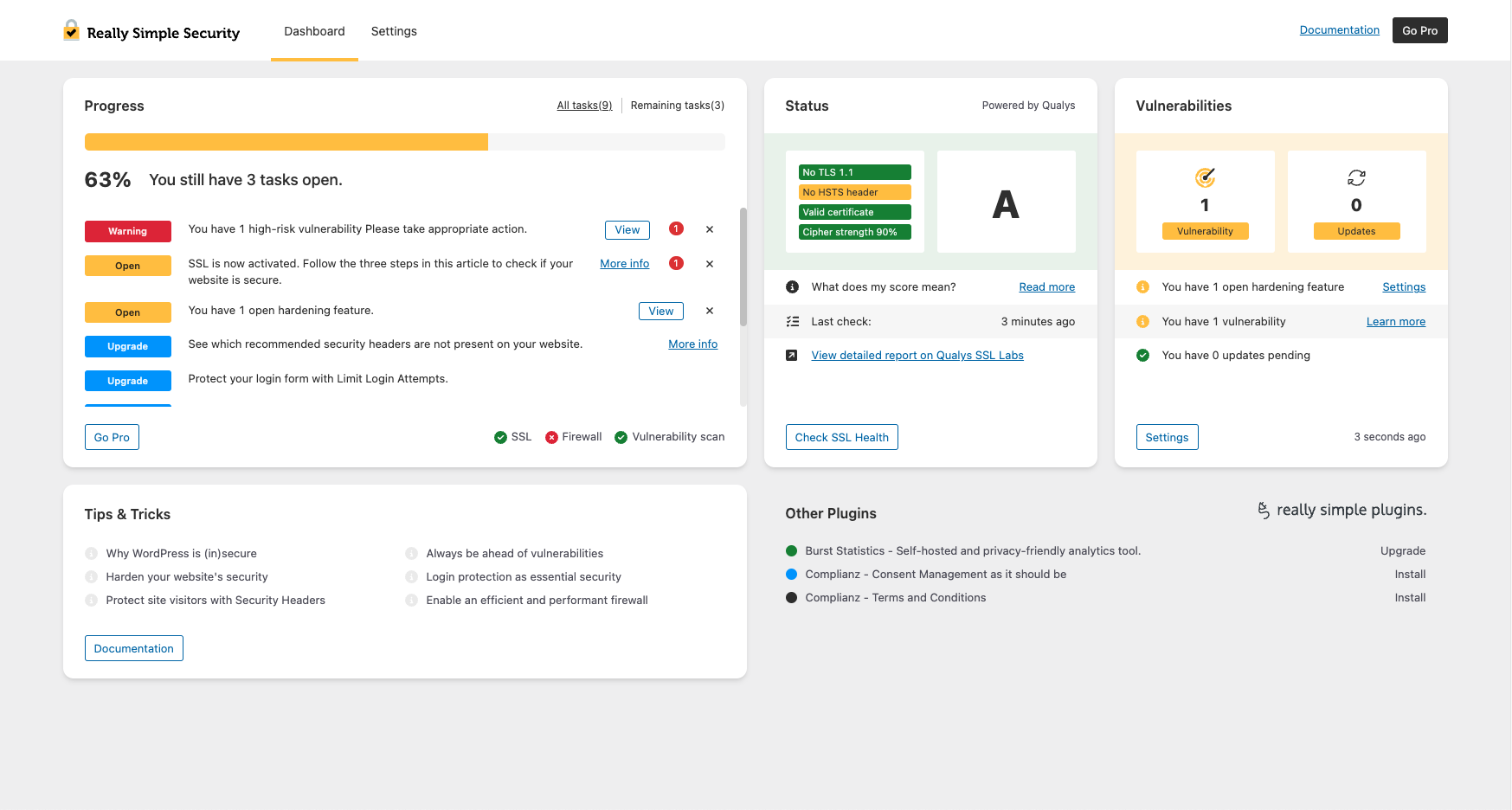
The Really Simple Security Dashboard provides a quick security overview. 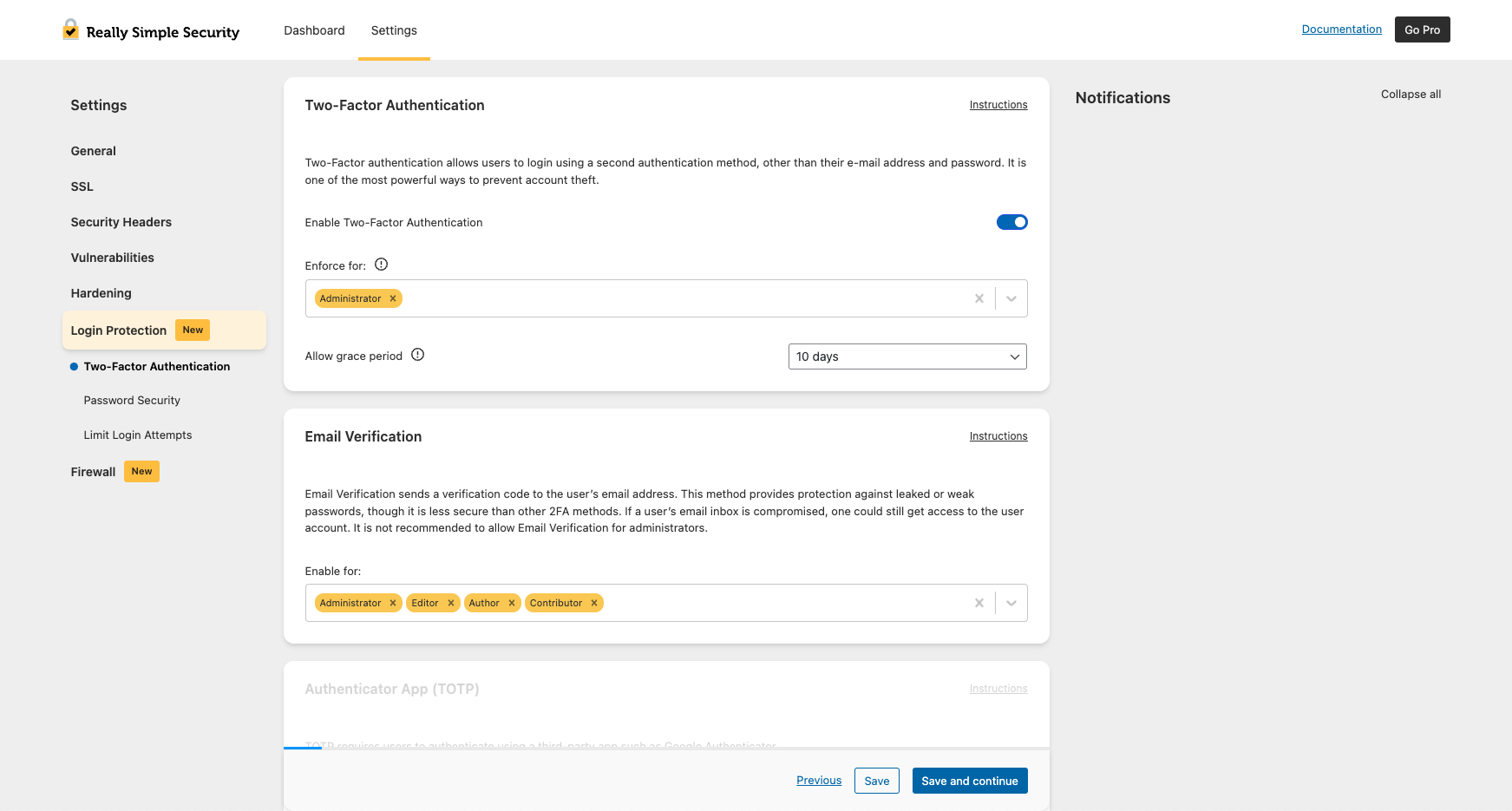
Enable or enforce 2FA per user role. 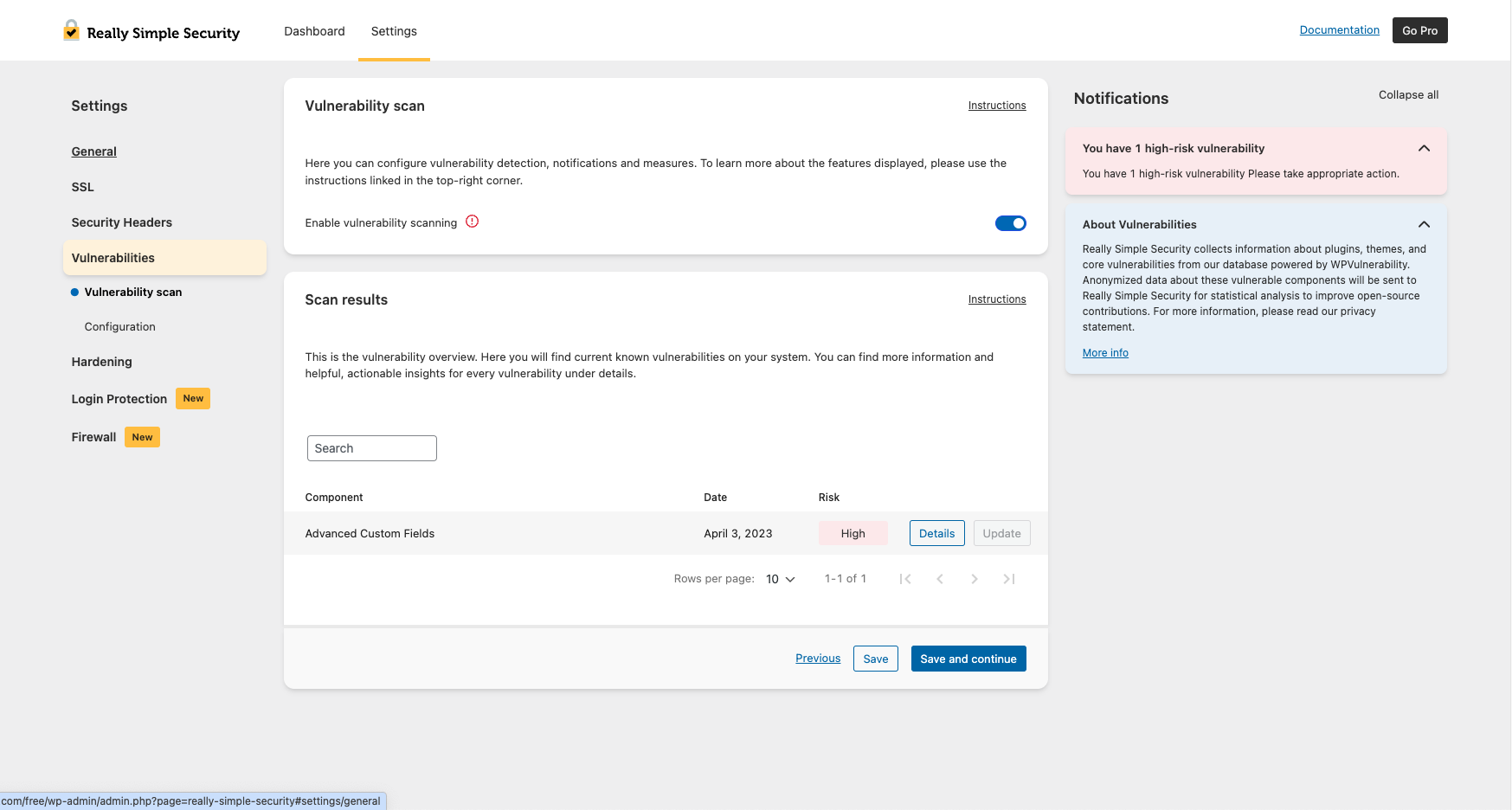
Stay ahead of plugin, theme and WP core vulnerabilities. 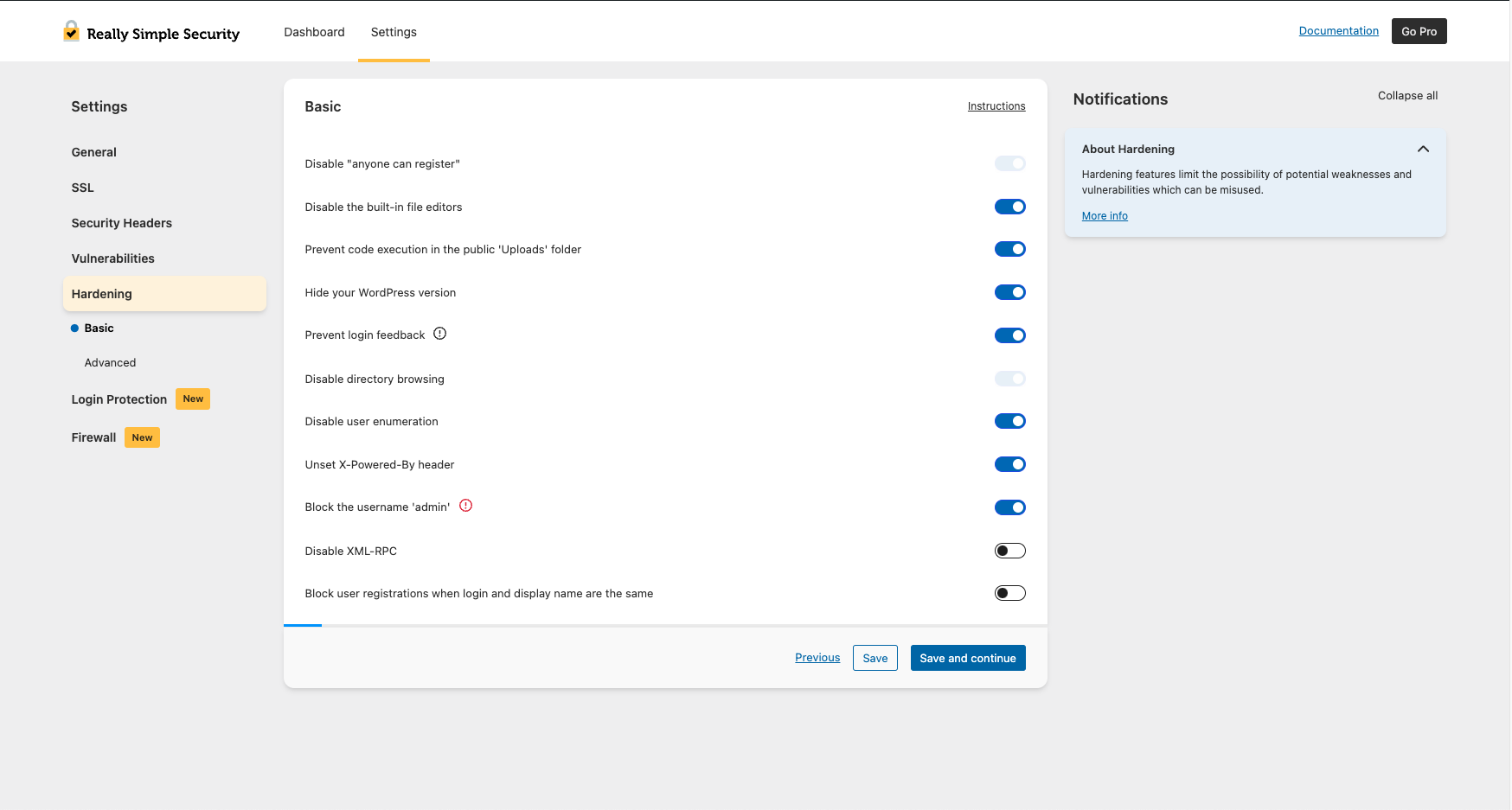
Harden your site’s security with Basic Hardening features. 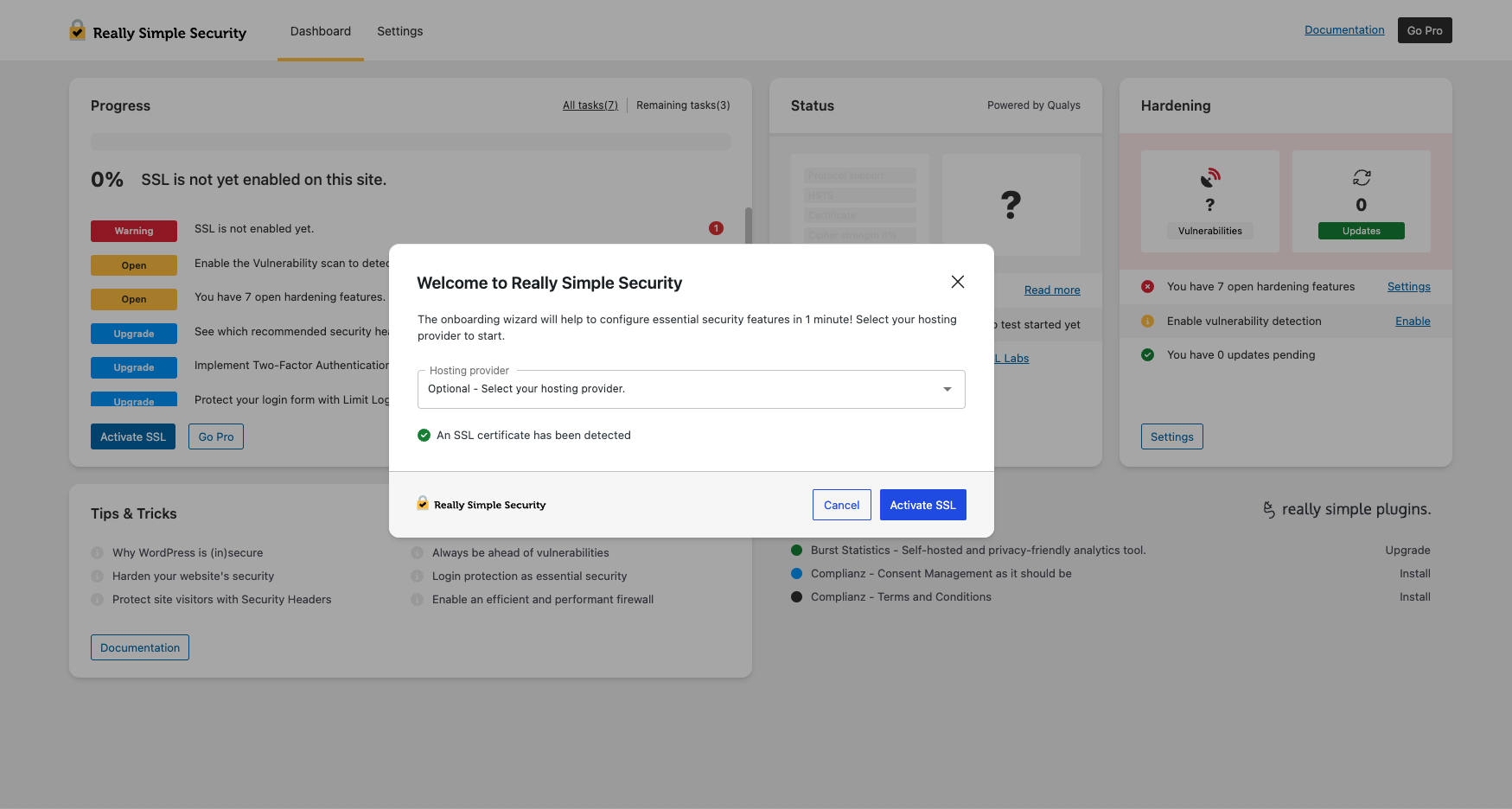
1-minute configuration with the short security onboarding.


Instalim
Që të instaloni shtojcën:
- Make a backup! See our recommendations.
- Shkarkojeni shtojcën.
- Ngarkojeni shtojcën te /wp-content/plugins/ directory.
- Go to “Plugins” in your WordPress admin, then click “Activate”.
- You will now see the Really Simple Security onboarding process, to quickly help you through the configuration process.
PBR
-
Bazë Dijesh
-
For more detailed explanations and documentation on all Really Simple Security features, please search the Bazë Dijesh
-
What happened with Really Simple SSL?
-
All features that made Really Simple SSL the most powerful and easy-to-use SSL generation and redirect plugin are still part of Really Simple Security. The plugin is developed with a modular approach: if you don’t want to use the full set of security features, the unused code will not be loaded and won’t have any effect on your site’s performance.
-
Why Really Simple Security?
-
In our experience, security solutions for WordPress are often hard to configure, trigger many false positives and have a significant impact on site performance. We have been receiving requests from our users to simplify WordPress security for years, so that has become our mission!
-
You couldn’t make us happier! Really Simple Security is GPL licensed and co-created by the WordPress community. All feedback is highly appreciated and has always helped us to better understand users’ needs. For code contributions or suggestions, we’re on GitHub. For suggestions, please open a support ticket You can also express your appreciation by leaving a review.
-
What are Mixed Content issues?
-
Most mixed content issues are caused by URLs in CSS or JS files. For detailed instructions on how to find mixed content read this article.
-
Po prodhohet një dëshmi “Let’s Encrypt”
-
We added the possibility to generate a Free SSL Certificate with Let’s Encrypt in our Really Simple Security Wizard. We have an updated list available for all possible integrations here. Please leave feedback about another integration, incorrect information, or you need help.
-
How do I fix a redirect loop?
-
If you are experiencing redirect loops on your site, try these instructions. This can sometimes happen during the migration to HTTPS or due to conflicting redirect rules.
-
A është shtojca e përputhshme me instalime shumësajtësh?
-
Yes. There is a dedicated network settings page where you can control settings for your entire network, at once.
-
How do I enforce strong passwords?
-
Under Login Protection, you can configure minimum strength settings and require users to change their passwords after a defined interval. Disabling weak password usage is a best practice.
-
How can I change my login URL?
-
You can set a custom login URL under Advanced Site Hardening, which helps prevent brute force login attacks and bots targeting wp-login.php.
-
Does this plugin redirect HTTP to HTTPS?
-
Yes. The plugin enforces HTTPS and handles all necessary redirects, optionally using .htaccess or PHP.
-
Can I use Really Simple Security besides WordFence?
-
Really Simple Security and WordFence greatly overlap in term of functionality. If you like to use specific features from both plugins, we strongly recommend not to enable similar features twice. The benefit of Really Simple Security is that disabled features don’t load any code, so won’t have an impact on site performance.
Shqyrtime


Kontribues & Zhvillues
“Really Simple Security – Simple and Performant Security (formerly Really Simple SSL)” është software me burim të hapur. Në këtë shtojcë kanë dhënë ndihmesë personat vijues.
Kontribues


“Really Simple Security – Simple and Performant Security (formerly Really Simple SSL)” është përkthyer në 58 gjuhë. Faleminderit përkthyesve për ndihmesën e tyre.
Ju intereson zhvillimi?
Shfletoni kodin, shkarkoni depon SVN, ose pajtohuni përmes RSS-je te regjistri i zhvillimeve.
Regjistër ndryshimesh
9.5.5 – 2025-12-16
- Fixed: JavaScript error when using custom roles with 2FA
- Fixed: fatal error caused by hosts class being instantiated twice
- Fixed: fatal error when upgrading from older plugin versions
- Fixed: WP-CLI activate_ssl command now works correctly on first attempt
- Changed: removed two unused files from the plugin
- Changed: updated readme to align with standards
9.5.4 – 2025-11-18
- Fixed: 2FA login error when user has no assigned roles
- Fixed: fatal error when wp-config.php path is empty
- Changed: added file locking to .htaccess and wp-config.php to prevent race conditions
- Changed: clarified .htaccess directory indexing comment
- Changed: replaced site_url() with home_url() in the 404 resource check on the homepage
- Changed: security functions now skip cron jobs and CLI environments
- Changed: Let’s Encrypt wizard final step now shows only SSL activation button
- Changed: added a license.txt file
9.5.3.1
- Fixed: WP-CLI commands not working correctly
9.5.3
- Fixed: text domain loaded too early warning from unused translation
- Fixed: deactivation modal now always displays
- Changed: refactored the onboarding code
9.5.2.3
- Fixed: 2FA reset now correctly calls the 2FA reset service
9.5.2.2
- Fixed: 2FA TypeError when updating from older plugin versions
9.5.2
- Fixed: all users will now appear in the 2FA list
- Fixed: tasks will now always display on multisite
- Changed: activate_ssl WP-CLI command supports –force to skip confirmation
9.5.1
- Fixed: missing getmyuid function check to prevent errors
- Fixed: Right-To-Left CSS now works correctly when SCRIPT_DEBUG is enabled
- Changed: standardized REST namespaces to really-simple-security
9.5.0.2
- Fixed: prevent empty content from being written into .htaccess
9.5.0.1
- Fixed: .htaccess protected from empty overwrites, auto-creation requires filter opt-in
9.5.0
- Fixed: whitelisted LiteSpeed Cache crawler in .htaccess to prevent redirect issues
- Fixed: 2FA grace period email logic to avoid reminders to users with active 2FA
- Fixed: updated hosting provider name from “XXL Hosting” to “Superspace”
- Changed: reworked .htaccess handling with insert_with_markers and WP Rocket integration
- Changed: SBOM added to plugin
- Changed: improved text consistency and updated geopolitical terminology
9.4.3
- Fixed: user ID could be empty in 2FA
- Fixed: learn more button in vulnerability email now links to correct page
- Fixed: rsssl_user_can_manage undefined error when downloading system status
- Changed: improved compatibility with plain permalinks
- Changed: updated links in the plugin
9.4.2
- Fixed: .htaccess redirect requirements for subfolder configurations
- Fixed: re-send email button on 2FA page now shows confirmation message
- Fixed: restored SCSS files
- Fixed: plugin kept redirecting to settings page after activation
- Changed: updated plugin installation via onboarding and dashboard page
- Changed: added notice with option to force verify email address
- Changed: updated minimum WordPress version to 6.6
9.4.1
- Fixed: text domain loaded too early warning
9.4.0
- Fixed: plugin initialization timing to prevent textdomain warning
- Fixed: feedback when email is resent during 2FA setup
- Fixed: Single Sign On link now supports custom login URLs
- Added: SimplyBook in onboarding and other plugins sections
- Changed: more detailed feedback when using CLI commands
- Changed: detect EXTENDIFY_PARTNER_ID and run activate_recommended_features
- Changed: standardized onboarding hoster list to brand names
- Changed: user enumeration now returns 401 instead of 404
9.3.5 – 2025-04-29
- Fixed: 2FA methods can now be set on profile page
- Changed: tested up to WordPress 6.8
- Changed: translation updates
- Changed: check for autoloader in cron
9.3.3 – 2025-04-02
- Changed: added multiple WP-CLI commands to align with recent plugin features
- Changed: added support for custom/multiple roles in Two Factor Authentication
9.3.2.1 – 2025-03-20
- Fixed: properly handle unknown plugins in upgrade requests
9.3.2 – 2025-03-05
- Fixed: removed default checkbox behavior from configuration settings
- Fixed: handle multiple tooltip reasons for disabled select fields
- Changed: added filters to customize Let’s Encrypt Wizard behavior
9.3.1 – 2025-02-12
- Fixed: all instruction links are now correct
- Fixed: undefined array key “m” when showing vulnerability details
- Fixed: prevent errors when downgrading to free
- Fixed: 2FA compatibility with JetPack WordPress.com login
- Changed: email functions require verified email address
9.2.0 – 2025-01-20
- Fixed: added nonce check to certificate re-check button
- Fixed: review notice was not properly dismissible in some cases
9.1.4
- Fixed: shields in UI datatables no longer cut off
- Changed: do not track 404s for logged in users
- Changed: implemented rsssl_wpconfig_path filter in all wp-config functions
- Changed: faster onboarding completion after clicking Finish button