

Beskrivning
Create responsive, modern & dynamic video galleries by simply adding a YouTube USERNAME, CHANNEL, PLAYLIST, SEARCH KEYWORDS, or a custom list of video URLs.
The only dynamic YouTube gallery plugin with deeplinking capabilities.
STANDARDFUNKTIONER
- Skapa obegränsade och sökbara gallerier.
- Automate your galleries using various YouTube sources like,
- ANVÄNDARNAMN
- KANAL
- SPELLISTA
- SÖK NYCKELORD
- Custom YouTube URLs list
- Bädda in direktsändning automatiskt från en YouTube-kanal.
- GDPR-samtycke före uppspelning.
- Gutenberg Block support.
- Shortcode Builder for the old classic editor and other third-party page builders.
- Sidebar Widget (Compatible with Elementor Page Builder).
- Built-in caching for quick page loads.
- Most importantly, a Clear & Beautiful Admin Interface.
- [+] Hooks for Developers.
PREMIUMFUNKTIONER
- SEO: Deeplinking, Open Graph Tags, and Schema.org Markup (via JSON-LD).
- Popup-tema
- Inline-tema
- Slider Theme
- Spellisttema
TRANSLATION READY
Do you speak another language? Want to contribute in a meaningful way to Automatic YouTube Gallery? There’s no better way than to help us translate the plugin. This plugin is translation ready and you can translate to your language easily. Once finished, please reach out to us here to get your language file included in the core.
SUPPORT OCH DOKUMENTATION
We do have documentation on the plugin.
Still, Having Issues? We are just an email away. Please write to us describing your issue using the ”Contact” form available under our plugin’s menu. You should receive a reply within 24 hours (except Sunday).
Also, we answer all support requests on the WordPress.org support forum.
Skärmdumpar
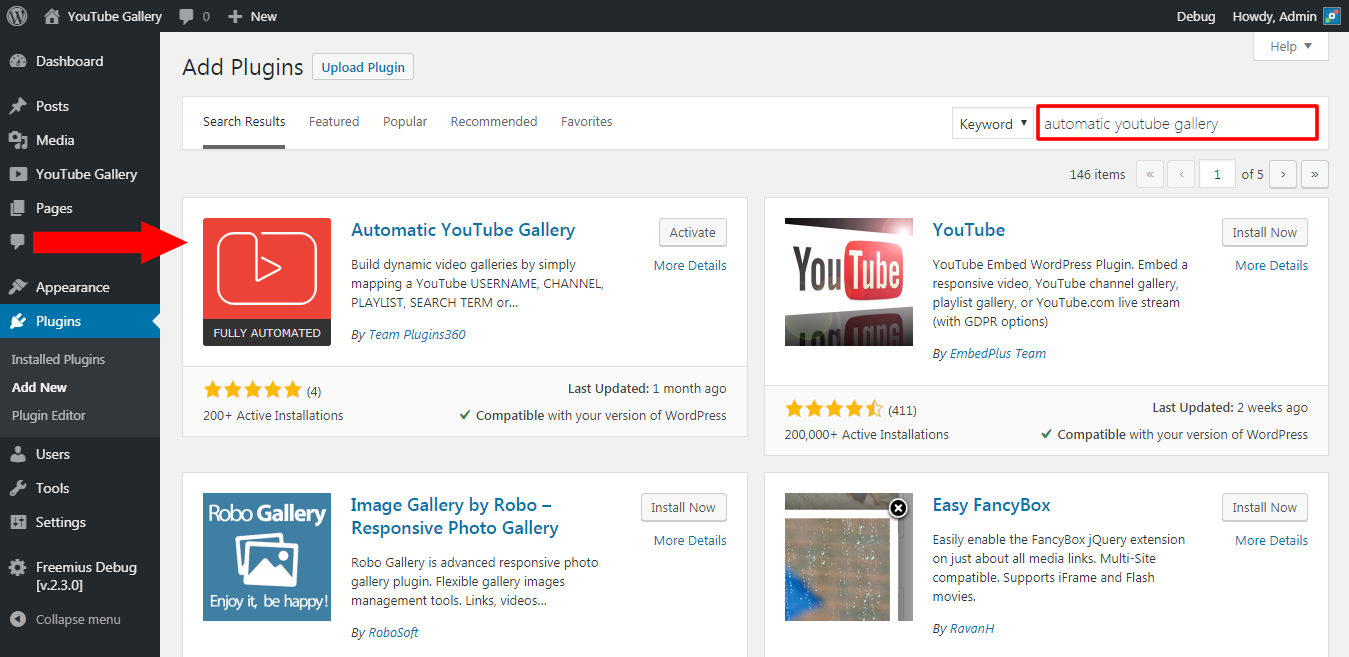
Step 1: Install the Plugin 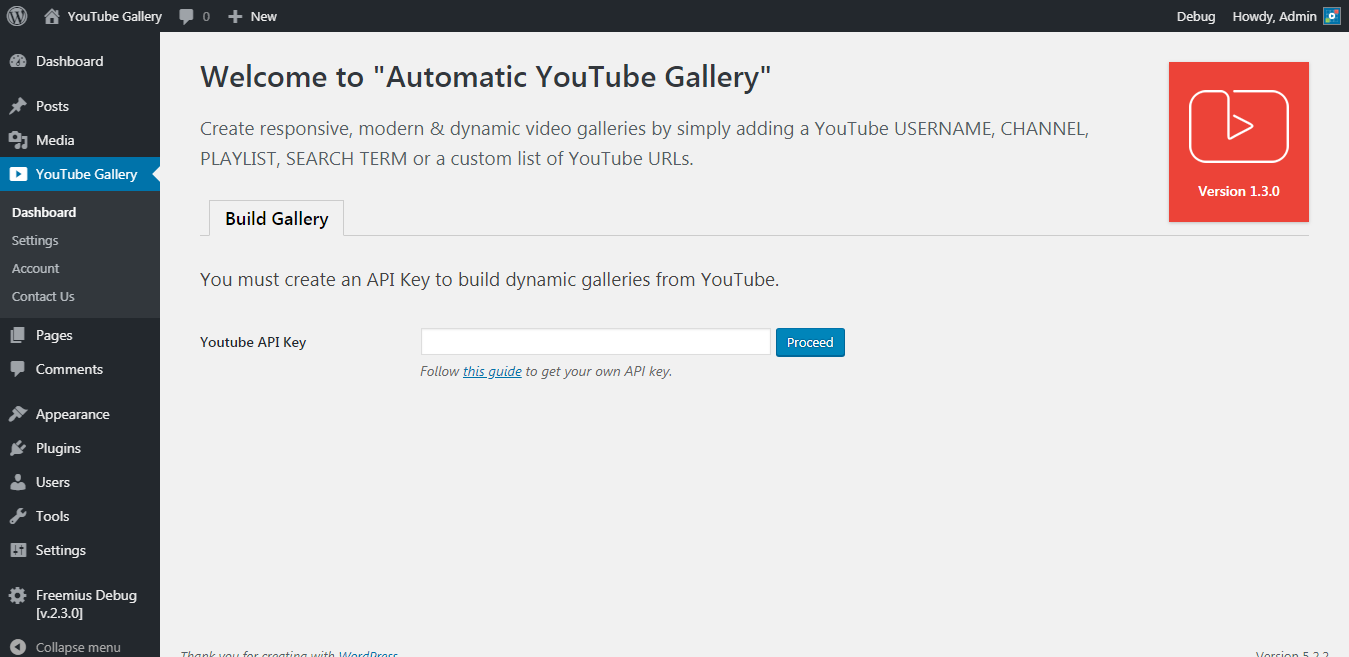
Step 2: Configure the YouTube API Key 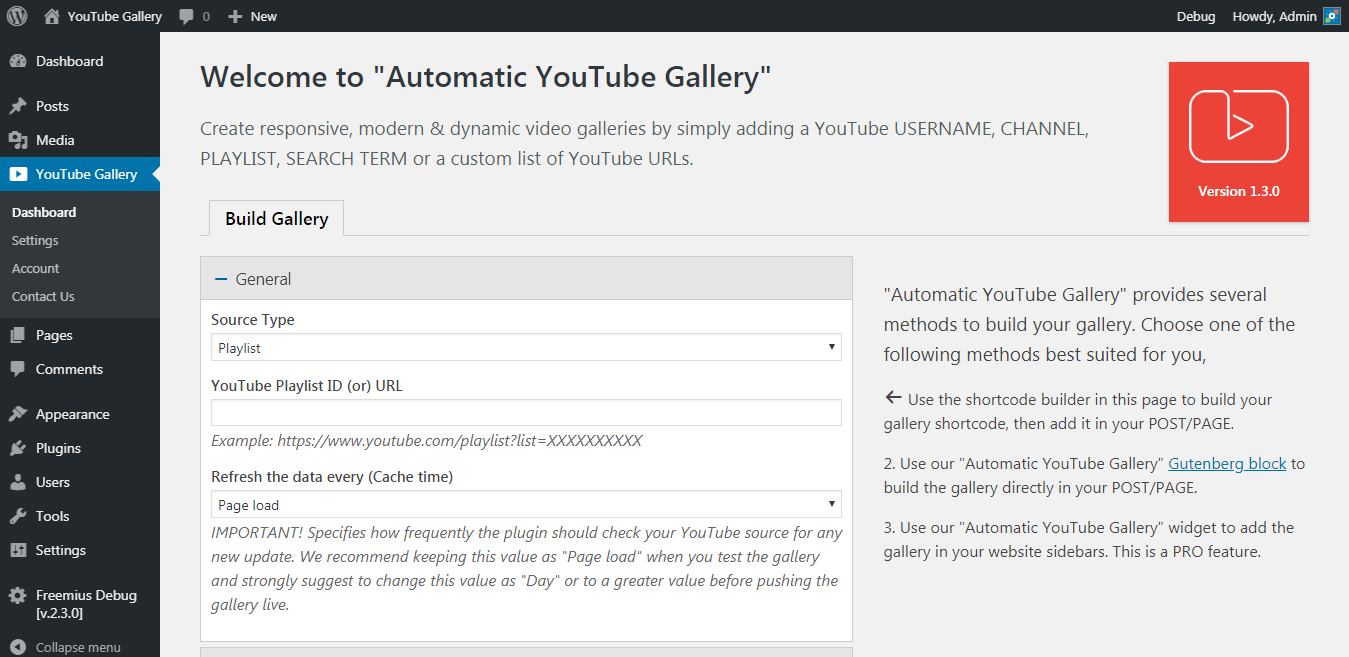
Steg 3: Bygg galleriet 
Klassiskt tema 
Popup-tema 
Slider Theme 
Spellisttema 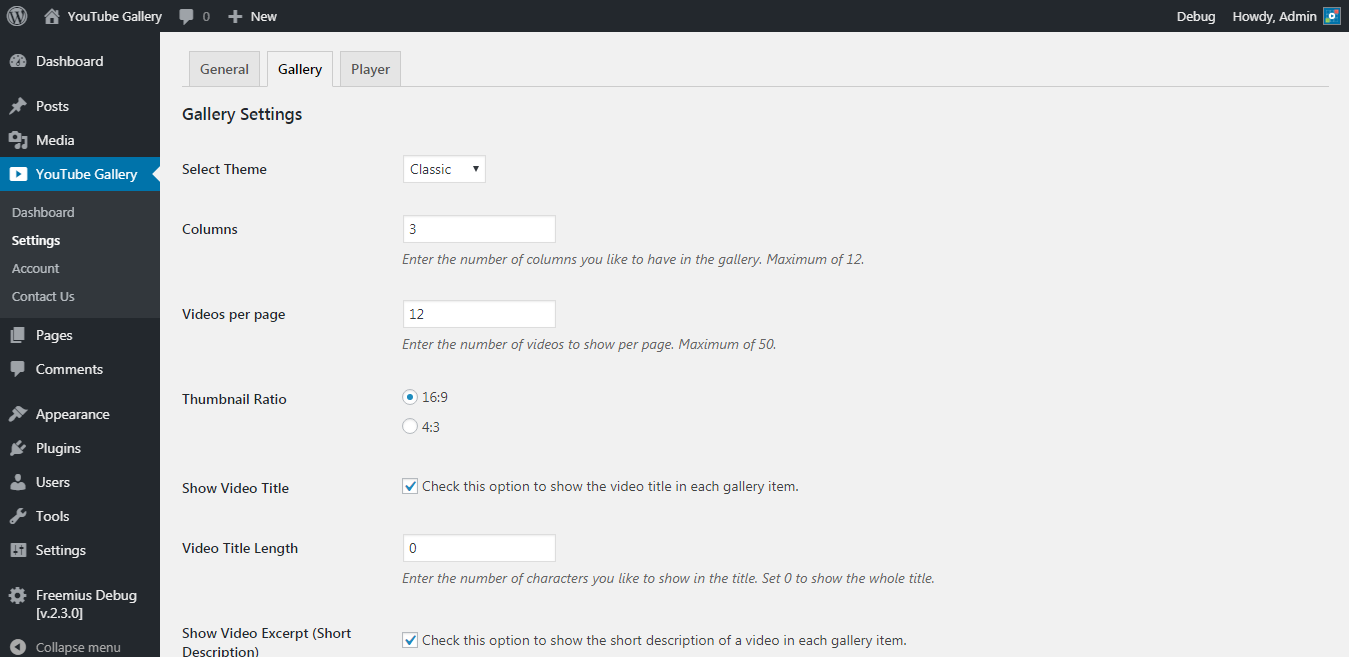
Plugin Settings 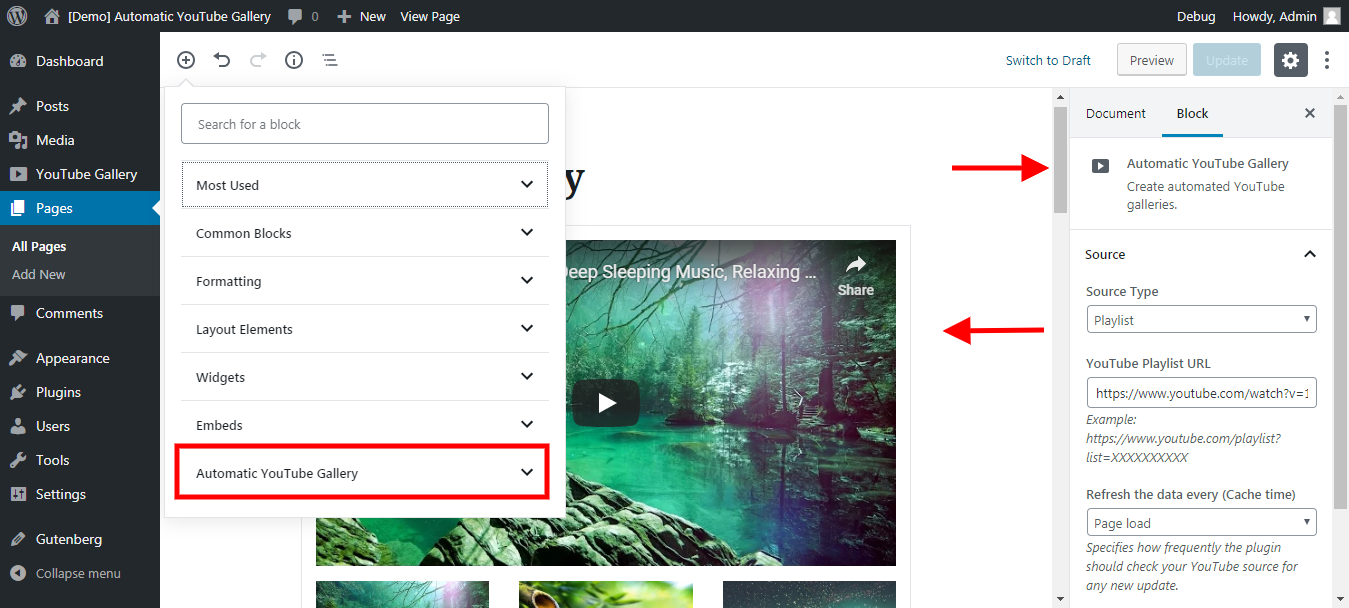
Gutenberg Block 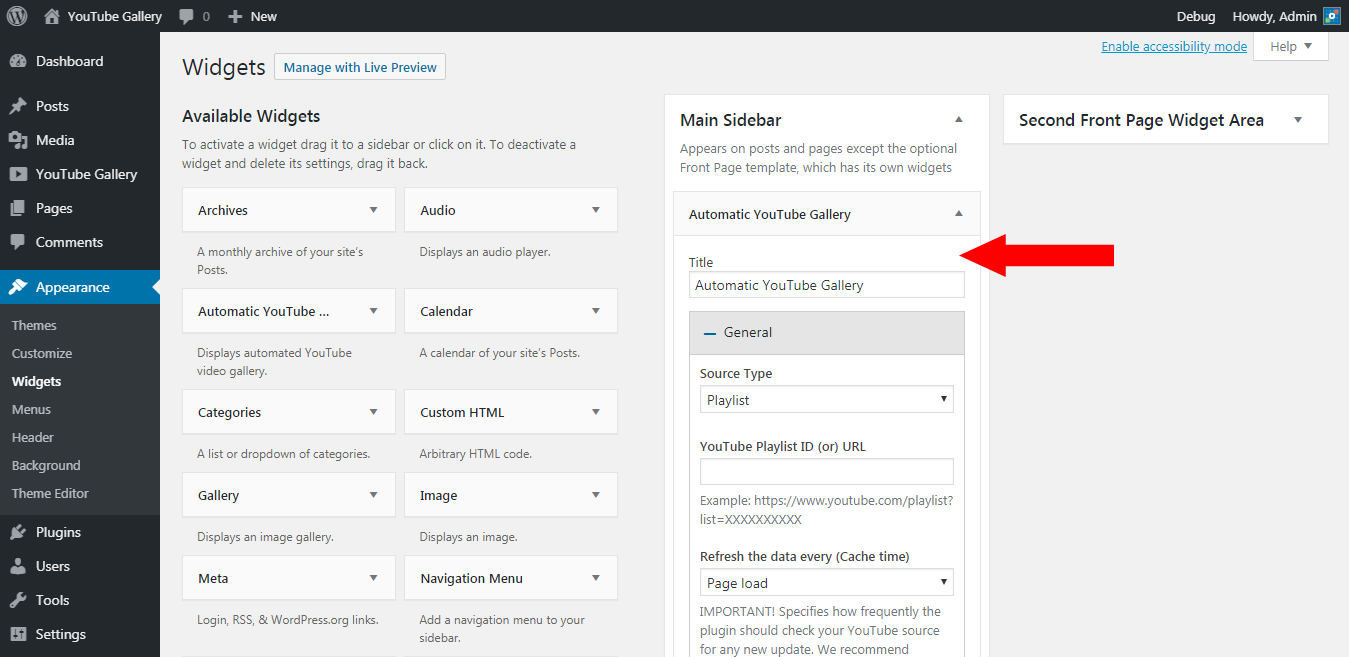
Widget


Block
Detta tillägg tillhandahåller 1 block.
- Automatic YouTube Gallery Build a dynamic YouTube gallery.
Installation
- Download the plugin.
- From the WordPress Admin Panel, click on Plugins => Add New.
- Click on Upload, so you can directly upload your plugin zip file.
- Use the browse button to select the plugin zip file that was downloaded, and then click on Install Now.
- Once installed, click ”Activate”.
- Then, go to the plugin dashboard, and configure your ”YouTube API Key” as per the instructions given on the page. Save the changes.
- That’s it. Now, you can start building your galleries straight away from the plugin dashboard.
For more detailed instructions visit plugin documentation.
Vanliga frågor
-
1. How to get a YouTube Data API Key?
-
Please follow get Youtube API instructions.
-
2. Hjälp! Mitt videogalleri ser inte bra ut!
-
First of all, don’t worry! I promise you that we can get it looking right. This can be caused by a multitude of things, so try the following (in the order of appearance):
- Check your browser’s javascript console to see if there are any errors that may be causing this issue.
- Make sure that your WordPress theme is not including multiple versions of jQuery and is using the latest version.
- Try disabling other plugins that are used for photo galleries, minifying scripts, widgets, or otherwise altering your site’s appearance, one by one, and really determine if you need it.
If nothing works, please describe your issue and submit a ticket on our plugin support forum, you should receive a reply within 24 hours (except Sunday).
-
3. Does the plugin support third-party page builders like ”Elementor”, ”WPBakery”, ”Divi”, etc.?
-
Yes, the plugin is fully compatible with popular page builders like Elementor, WPBakery, Divi, and more.
- For Elementor, the plugin provides a dedicated WordPress widget. You can find it under the ”WordPress” tab in the Elementor editor. Simply drag and drop the widget into your design to embed your video gallery seamlessly.
- Alternatively, for Elementor and other page builders, you can use the plugin’s Shortcode Builder to generate a shortcode. Once created, you can add the shortcode to any section or module of your favorite page builder.
Denna flexibilitet säkerställer att du enkelt kan integrera ditt videogalleri, oavsett vilken sidbyggare du föredrar.
-
4. Is the plugin compatible with WordPress Multisite?
-
Yes, it is. However, do not ”network-activate” the plugin. Activate it only on the subsites on which you need the gallery. This can be done under ”Plugins => Add New” as the Administrator user.
Recensioner


