
Опис
The easiest to use Google Maps, Leaflet and Open Layers Map Plugin (including a Map Block)!
Add a customized Google map, map block or Store Locator to your WordPress posts and/or pages quickly and easily with the supplied shortcode. No fuss. No iFrames and super easy to use! Perfect for contact page maps, routes, maps showing delivery areas and any other use you can think of!
While the free version of WP Go Maps allows you to create a Google map with as many markers as you like, the Pro version allows you to do so much more!
Create Elementor Maps, map blocks and map widgets easily with our WP Go Maps Elementor map block integration, straight out the box!
Do you use the classic editor? We still support map widgets for classic WordPress installations. No need to compromise, the map widget includes the same functionality as our map blocks!
The WP Go Maps Pro Version version allows you create custom Google maps with high quality markers containing locations, descriptions, images, categories, links and directions.
Lite версія (безкоштовно)
- Найпопулярніший плагін для Карт Google на WordPress
- Choose between Google Maps, Leaflet, Azure Maps, Stadia Maps, Maptiler, LocationIQ, Zero Cost or Open Layers Maps
- Супер проста у використанні, не вимагає кодування!
- Створіть стільки маркерів карти, скільки вам потрібно, просто введіть адресу
- Відповідні карти
- Elementor Map block
- Відредагуйте свої маркери карти одним натисканням кнопки
- 9 популярних тем на карті на вибір
- Створіть або додайте власну тему карти
- Перетягніть маркери карти до точного місцезнаходження
- Add a map block to your page
- Карти Google Streetview підтримуються
- Підтримка символів UTF-8
- Функція віджета карти
- Функціональність карти на весь екран
- Підтримка локалізації
- Виберіть один із чотирьох типів карт Google: дорожня карта, місцевість, супутник та гібрид
- Визначте власну ширину, висоту та масштабування для своєї карти
- Додайте анімацію до маркерів карти!
- Магазин функціональності локатора
- Обмежити пошук локатора магазинів по країні
- Додайте багатокутники до своєї карти
- Додати полілінії / маршрути на карту
- Створіть карту менше ніж за 30 секунд!
- Клацніть правою кнопкою миші, щоб додати маркер до вашої карти
- Немає реклами або посилань
- Автозаповнення Карт Google
- Транспортний шар Google Maps
- Встановіть максимальний рівень масштабування для вашої карти
- Подавати маркер на карті через вашу базу даних або файл XML
- Сумісність з плагінами кешування
- Сумісність з Cloudfare
- Останні API Карт Google
- Останній API OpenLayers
- Latest Leaflet API
Професійне видання
- Створити кілька карт!
- Дозвольте відвідувачам отримувати маршрути до своїх маркерів.
- Додайте описи, посилання та зображення до маркерів карти.
- Додайте категорії до маркерів карти
- Маркери фільтрів за категоріями
- Машуп кілька карт
- Advanced map blocks
- Store locator map block
- Directions map block
- Infowindow block
- Map block (filter)
- Додайте різні піктограми маркера або власні значки, щоб зробити вашу карту дійсно виділеною!
- Перерахуйте маркери на карту чотирма способами; основний список, основний стіл, карусель, розширений стіл
- Дозволити відвідувачам використовувати місце розташування карти як початкову або кінцеву точку для вказівки
- Виберіть між Карткою Інфо Індії та Карткою Карти Google
- Експортуйте / імпортуйте маркери у файл CSV для швидкого редагування.
- Посилання Fusion таблиці на ваші Карти Google
- Покажіть місцезнаходження вашого відвідувача на Карті
- Імпортуйте файли KML / KMZ на карту
- Більш розширені параметри для магазину
- Дозволити користувачам використовувати своє місце розташування карти для локатора магазину
- Пошук локаторів за категоріями
- Приховати всі маркери карти, доки пошуковий пошук локатора магазину не буде завершено
- Перемістіть список маркерів у вікні карти
- Кілька функцій віджетів карти
- Додайте піктограми маркера для карт із сітківкою
- WordPress Мережа дружня
- Get the WP Go Maps Professional Edition
Переклади
Get a free copy of the WP Go Maps Pro version in exchange for translating our plugin!
- Англійська – за замовчуванням
- Російська (Олександра Бондарева)
- Німецька
- Французька (Арно Томас)
- Польський (Міхал Котновський)
- Фінська (Johanna Joutti)
- Голландська (Ян Вітер)
- Іврит
- Датська (Патрік Джепсен)
- Італійська (Томмасо Морі та Масімо Брегані)
- Хорватська
- Грецький (Константінос Коукулакіс)
- Румунська (Cosmin Stroe)
- Іспанська (Кармело Віллегас Круз)
- Португальська (Хосе Антоніо Рібейро)
- Бразильський португальський (Роберто Коста)
- Турецька (Suha Karalar)
- Шведський (Мартін Сліпнер)
- Болгар (Любомир Колев)
- Індонезійська (Нено)
- Литовська
- Чехословацький^
^Мовний файл потрібно оновити
Демо-версії
WP Go Maps Lite
- Basic Google Map with Markers
- Store Locator
- Polygons & Polyines/Routes
- Google Maps Transit Layer
- Google Maps Traffic Layer
- Google Maps Bicycle Layer
WP Go Maps Pro
- Google map with advanced markers
- Marker listings – Simple
- Marker listings – Advanced
- Google Maps Directions
- Responsive Map
- Marker Categories (Filtering)
- Advanced Store Locator
- WP Go Maps Editor (Back-end Screenshots)
- Visitor Generated Markers – (WP Go Maps VGM Add-on)
- Custom Map Styling (WP Go Maps Gold Add-on)
Документація
- Installing WP Go Maps
- Creating your first map
- Adding a map block to your page or post
- Google Maps mashup (Pro)
- Exporting and importing map markers (Pro)
- Changing the Google Maps language
- Create a google map and marker using custom fields (Pro)
- View all documentation
Усунення неполадок
Скріншоти

The “Lite” version of WP Go Maps. 
The “Pro” version of WP Go Maps. 
WP Go Maps Pro version: Users can get directions to your map markers 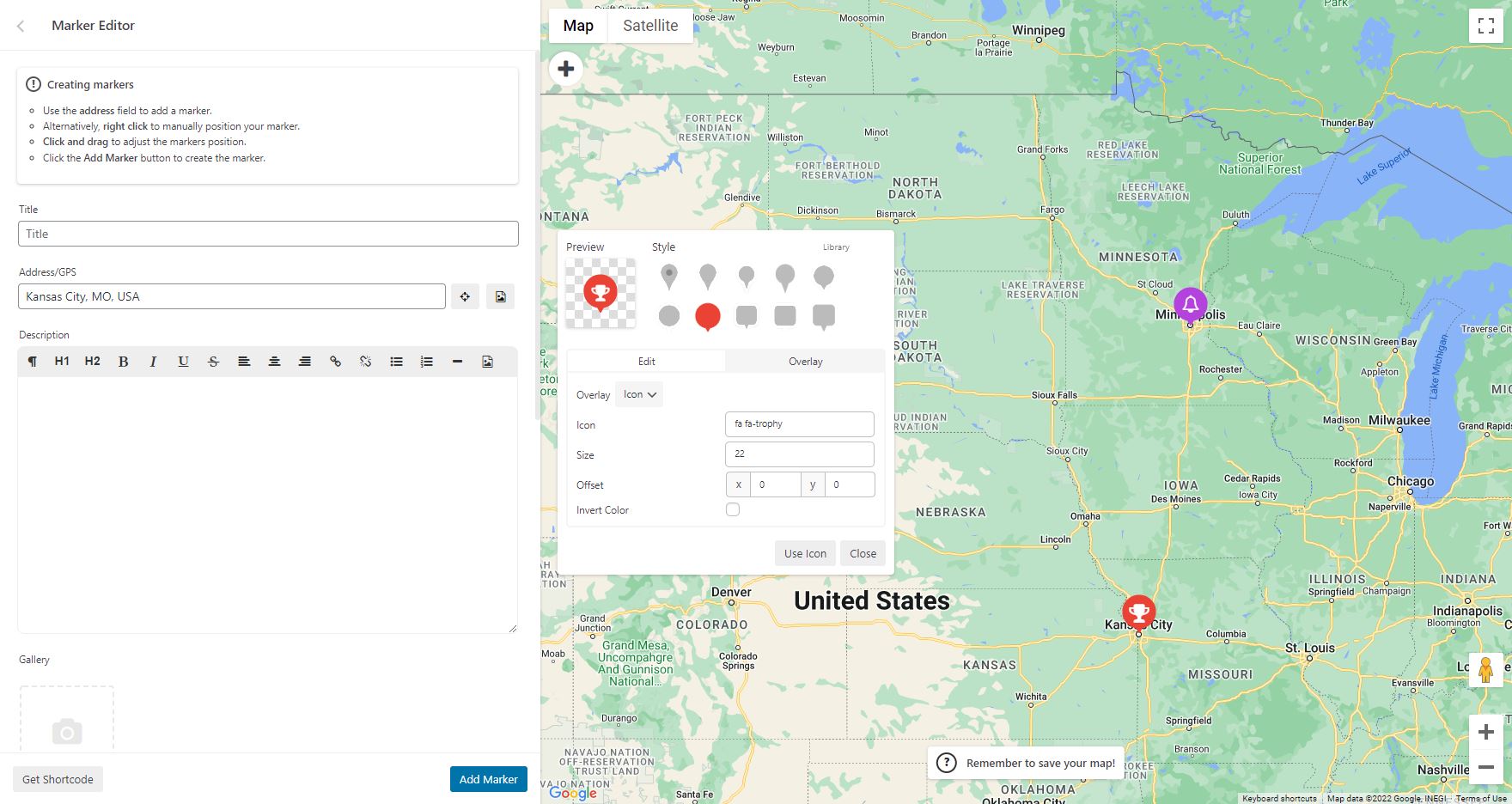
WP Go Maps Pro version: Add custom markers to your Google map 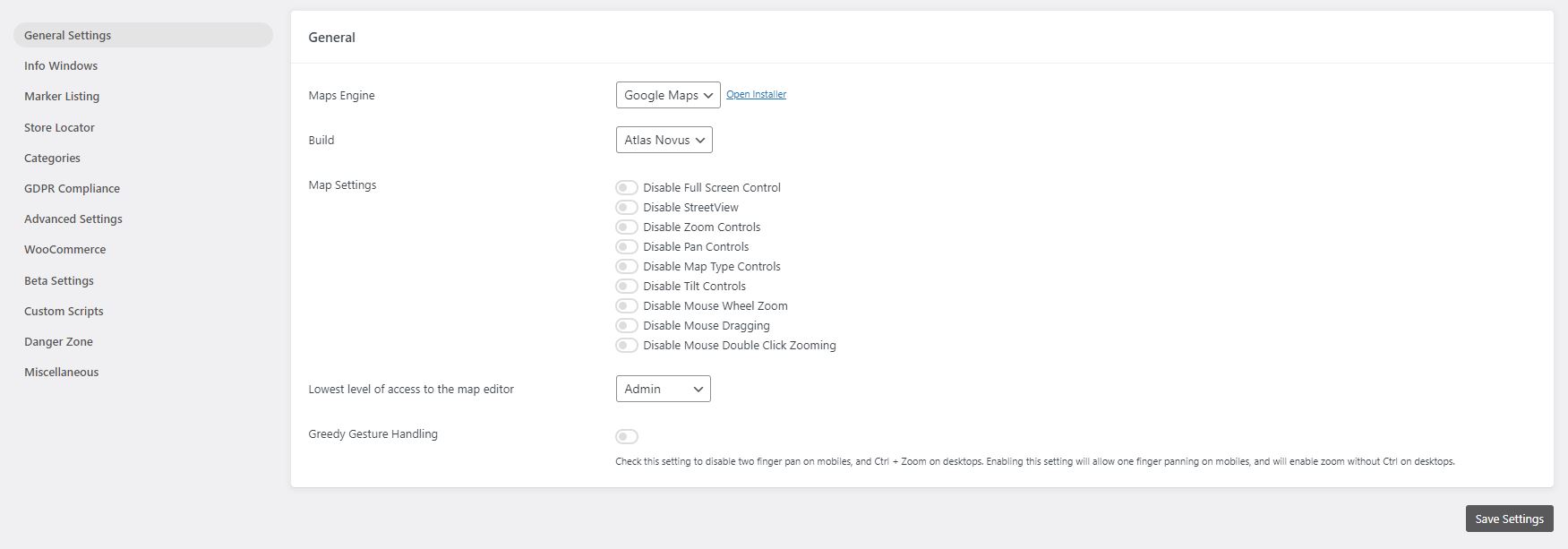
WP Go Maps Lite version: General settings page 
WP Go Maps Pro version: General settings page 
WP Go Maps Pro version: InfoWindow settings page 
WP Go Maps Pro version: Advanced Google map options. 
WP Go Maps Pro version: Map marker listing options 
WP Go Maps Pro version: Export/Import your map markers 
WP Go Maps Pro version: Responsive carousel map marker listing 
WP Go Maps Lite version: Store Locator Settings 
WP Go Maps Lite version: Store Locator Map 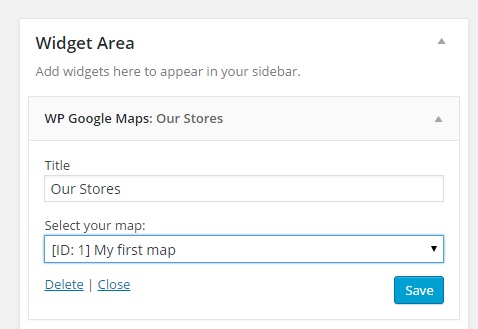
WP Go Maps Lite version: Map Widget 
Виберіть тему для вашої карти або виберіть тему з нашої тематичної бібліотеки


Блоки
Цей плагін надає 2 блоки.
- Map The easiest to use Google Maps plugin! Create custom Google Maps with high quality markers containing locations, descriptions, images and links. Add your customized map to your WordPress posts and/or pages quickly and easily with the supplied shortcode. No fuss.
- Store Locator WP Go Maps Store Locator block, allowing to separate your store locator from your map
Встановлення
First time WP Go Maps user
Thank you for choosing WP Go Maps! In order to create your Google map, simply activate the plugin and click on “Maps” in your left navigation menu.
Once the WP Go Maps page loads, set the options for your map (height, width, map type, zoom level etc) and then use your mouse to drag your Google map to your desired location and press the “Save map” button.
Copy and paste the shortcode into your post or page and WP Go Maps will automatically create the map on your page using the settings you chose above.
Додавання першого маркера карти
To add a marker to your Google map, scroll to below the map in your admin section and enter the address or GPS location in the Address input field. Click “Add Marker” and WP Go Maps will add your marker to the address you specified.
Налаштування Google Maps Store Locator
In order to make use of WP Go Maps Store Locator functionality, simply click on the “Store Locator” tab in the map creation page and select “Yes”
Часті питання
-
How do I get WP Go Maps Pro?
-
Simply visit https://www.wpgmaps.com and purchase the WP Go Maps Professional Edition. Free updates and support included forever.
-
Я встановив плагін, тепер що?
-
Once installed and activated, a link should appear in your left navigation panel within your WP-ADMIN section. Click on the “WP Go Maps” link and follow the on screen instructions.
-
Як мені помістити карту Google на мою сторінку / публікацію?
-
In order to show your custom Google map on your page or post, simply copy the shortcode supplied and paste it into your page or post. WP Go Maps will automatically configure the map to the settings you selected in the map edit page.
-
How do I add a map block to my page or post?
-
It’s super easy to add a map block to your page or post. Simply add a block in the normal page editor, then type in “Map” and you should see the map block option. For more information please review this tutorial
-
Як додати віджет карти до мого віджета?
-
To add your map to your widgets area, simply go to Appearance->Widgets and drag the “WP Go Maps” Map Widget to your sidebar. You then edit the map widget to reflect the correct map.
-
How can I report security bugs?
-
You can report security bugs through the Patchstack Vulnerability Disclosure Program. The Patchstack team help validate, triage and handle any security vulnerabilities. Report a security vulnerability.
Відгуки


Учасники та розробники
“WP Go Maps (formerly WP Google Maps)” — проект з відкритим вихідним кодом. В розвиток плагіну внесли свій вклад наступні учасники:
Учасники


“WP Go Maps (formerly WP Google Maps)” було перекладено на 23 локалізації. Дякуємо перекладачам за їх роботу.
Перекладіть “WP Go Maps (formerly WP Google Maps)” на вашу мову.
Цікавитесь розробкою?
Перегляньте код, перегляньте сховище SVN або підпишіться на журнал розробки за допомогою RSS.
Журнал змін
10.0.04 – 2025-12-04
- Added pro features page and menu item
- Added additional page construction hooks
- Added demo list to maps view page
- Added LocationIQ to engine swap toolbar
- Improved PHP 8.5 stability & compatibility
- Fixed issue where engine swap toolbar would not set tileserver defaults for first time users
- Fixed issue where map list clicks were not being handled correctly for action buttons
- Fixed issue where PHP 8.5 would throw a deprecation warning due to an outdated switch case
- Fixed issue with our internal links, docs, site, support, forums, throughout the plugin
- Fixed issue where bulk marker selection button would not work in some environments