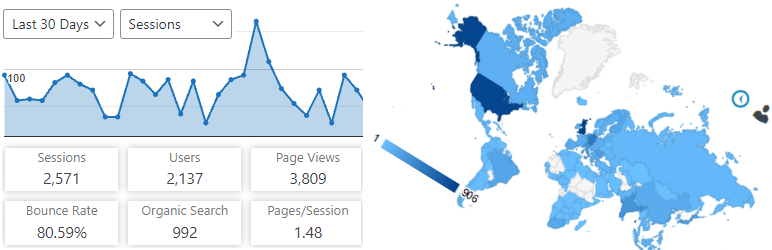

Description
Analytics Insights is a free WordPress plugin that enables site tracking using the latest Google Analytics 4 tracking code. It allows you to view key Google Analytics stats in your WordPress Dashboard.
Google Analytics Reports, Stats and Insights
Analytics Insights displays the reports you need on your dashboard and on the site’s frontend. Audience, acquisition, behavior, engagement and real-time stats are all presented as charts within a dedicated dashboard widget.
In addition to a set of general Google Analytics stats, insights like in-depth Page reports and in-depth Post reports are available.
The Google Analytics tracking code is fully customizable through options and hooks, allowing advanced data collection like custom dimensions and events.
Google Analytics Real-Time Stats
Google Analytics reports, in real-time, in your dashboard screen:
- Real-time number of visitors
- Real-time number of visitors per page
- Real-time device category
Google Analytics Reports and Insights
The Google Analytics insights and reports you need on your dashboard and on the site’s frontend:
- Sessions, organic searches, page views, bounce rate analytics stats
- Locations, pages, referrers, keywords, 404 errors analytics stats
- Traffic channels, social networks, traffic mediums, search engines analytics stats
- Device categories, browsers, operating systems, screen resolutions, mobile brands analytics stats
Google Analytics Tracking
Installs the latest Google Analytics tracking code and allows full code customization:
- Google Analytics 4 tracking code
- Accelerated Mobile Pages (AMP) support for Google Analytics
- Cross domain tracking
- Ecommerce support for Google Analytics
- User privacy oriented features and much more
With Analytics Insights you can easily track events like downloads, page scrolling depth, outbound links, emails. In addition, you can track custom event categories, actions, and labels using annotated HTML elements.
Custom dimensions tracking of authors, publication date, categories, tags is also possible with Analytics Insights.
Google Tag Manager Tracking
As an alternative to Google Analytics tracking code, you can use Google Tag Manager for tracking:
- Google Tag Manager code
- Data Layer variables: authors, publication date, categories, tags, user type
- Accelerated Mobile Pages (AMP) support for Google Tag Manager
Accelerated Mobile Pages (AMP) features
- Google Tag Manager basic tracking
- Google Analytics basic tracking
- Events tracking, custom dimensions tracking, annotated HTML elements tracking
Analytics Insights on Multisite
This plugin is fully compatible with multisite network installs, allowing three setup modes:
- Mode 1: network activated using multiple Google Analytics accounts
- Mode 2: network activated using a single Google Analytics account
- Mode 3: network deactivated using multiple Google Analytics accounts
Screenshots

Google Analytics 4 stats 
Real-Time Google Analytics stats 
Analytics reports per Posts/Pages 
Analytics Insights Geo Map 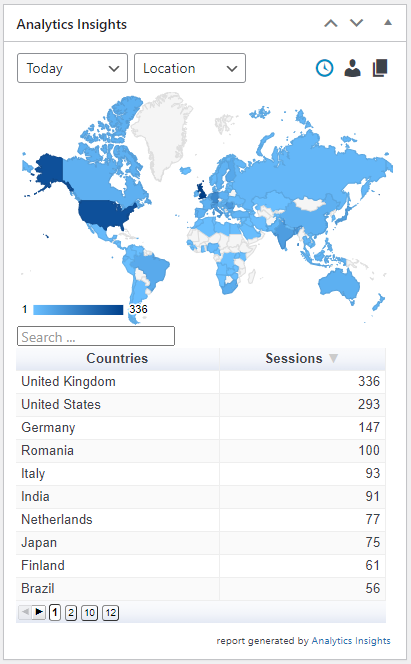
Stats for Top Pages, Top Referrers, and Top Searches 
Google Analytics traffic Overview 
Analytics Insights statistics per page on Frontend 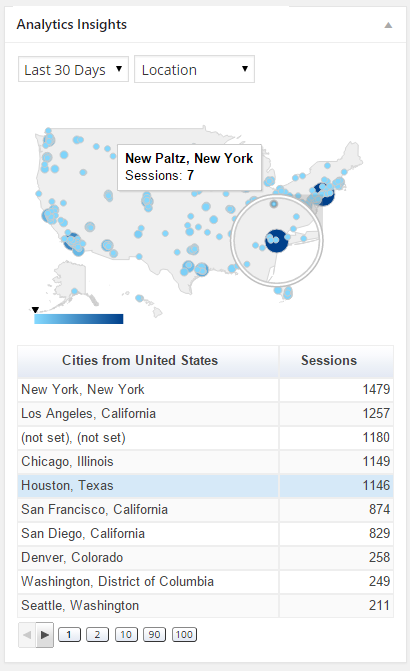
Cities on the region map 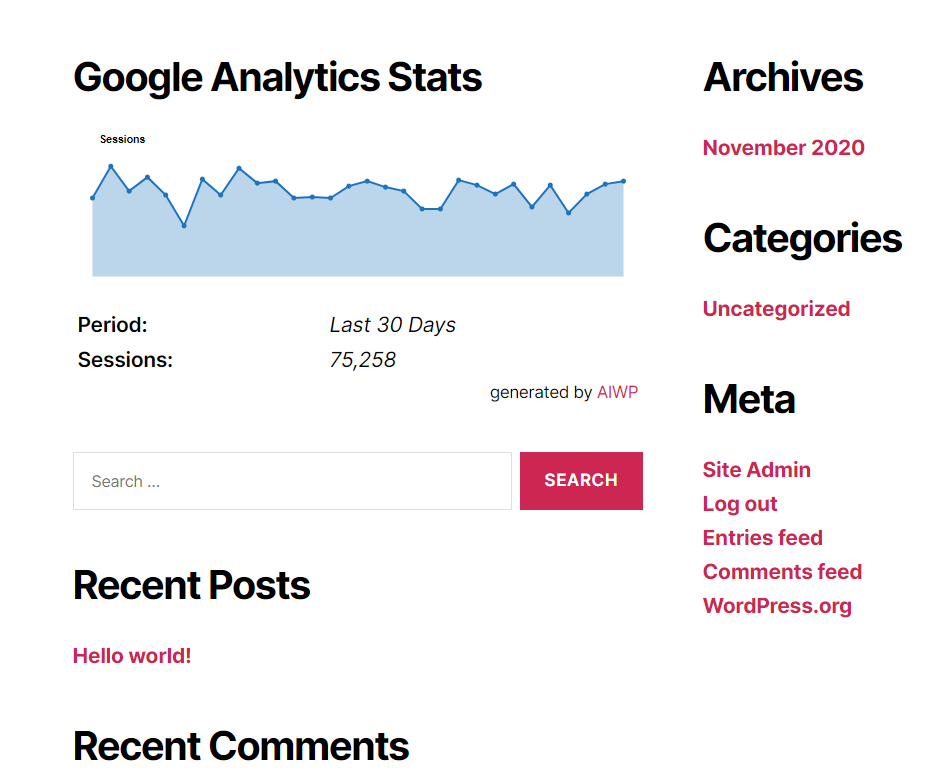
Analytics Insights Widget


Installation
Installation from within WordPress
- Visit Plugins > Add New.
- Search for Analytics Insights.
- Install and activate the Analytics Insights – Google Analytics Dashboard for WordPress plugin.
- Open the plugin configuration page, which is located under the Analytics Insights menu.
- Authorize the plugin to connect to Google Analytics using the Authorize Plugin button.
- Go back to the plugin configuration page, which is located under Analytics Insights menu to update/set your settings.
- Go to Analytics Insights -> Tracking Code to configure/enable/disable tracking.
Manual installation
- Upload the entire
analytics-insightsfolder to the/wp-content/plugins/directory. - Visit Plugins.
- Activate the Analytics Insights – Google Analytics Dashboard for WordPress plugin.
- Open the plugin configuration page, which is located under the Analytics Insights menu.
- Authorize the plugin to connect to Google Analytics using the Authorize Plugin button.
- Go back to the plugin configuration page, which is located under Analytics Insights menu to update/set your settings.
- Go to Analytics Insights -> Tracking Code to configure/enable/disable tracking.
FAQ
-
Do I have to insert the Google Analytics tracking code manually?
-
No, once the plugin is authorized and a default domain is selected the Google Analytics tracking code is automatically inserted in all webpages.
-
Why the numbers on Google Analytics 4 don’t match those from Universal Analytics
-
To put it simply, different technologies and approaches lead to different results.
-
Is Google Analytics 4 tracking supported?
-
Yes, you can use Google Analytics 4 properties and/or Universal Analytics properties for tracking, both are supported.
-
Can I only use a Google Analytics 4 property
-
Yes, you don’t need to create or have an Universal Analytics property. A Google Analytics 4 property is enough for the plugin to be fully functional.
-
How can I suggest a new feature, contribute or report a bug?
-
You can submit pull requests, feature requests, and bug reports on our GitHub repository.
-
Documentation, Tutorials, and FAQ
-
For documentation, tutorials, FAQ and videos check out: Analytics Insights documentation.
Reviews


Contributors & Developers
“Analytics Insights – Google Analytics Dashboard for WordPress” is open source software. The following people have contributed to this plugin.
Contributors
“Analytics Insights – Google Analytics Dashboard for WordPress” has been translated into 12 locales. Thank you to the translators for their contributions.
Translate “Analytics Insights – Google Analytics Dashboard for WordPress” into your language.
Interested in development?
Browse the code, check out the SVN repository, or subscribe to the development log by RSS.
Changelog
6.3.11 (2025.04.27)
- Bug Fixes:
- bugfix for Google Analytics opt-out feature
- Enhancements:
- drop support for DNT (Do Not Track) header, since it is deprecated
6.3.10 (2025.04.27)
- Bug Fixes:
- minor css font update
6.3.9 (2024.11.30)
- Enhancements:
- a new option to set SameSite attribute on Cookie Customization section
6.3.8 (2024.09.21)
- Bug Fixes:
- PHP warning fix on Google Analytics organic report
6.3.7 (2024.07.25)
- Bug Fixes:
- update refresh intervals for Google Analytics Realtime report
6.3.6 (2024.03.15)
- Bug Fixes:
- fix focus/blur event causing the report to refresh while wasn’t on focus
- switch back the Realtime analytics report to 60s refresh intervals
6.3.5 (2024.03.11)
- Bug Fixes: