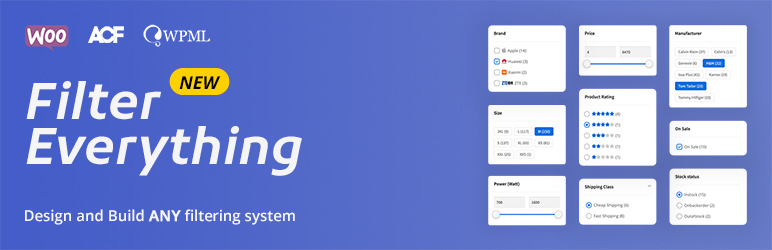

Description
The most universal filters plugin for WordPress and WooCommerce.
It filters any post types and by any criteria. Allows you to sort results and search by key phrase. Compatible with page builders.
Demos
Please see demos of filtering for Clothing, Smartphones, Posts and others.
Key features
- Filters any post types
- Supports any filtering criteria
- Easy integration on a page using Widgets or Shortcodes
- Compatible with almost all page builders (*PRO)
- Contains a lot of useful filter options
- Supports search by keyword
- Allows you to sort filtered results by any criteria
- Supports color swatches and brand logos
- Step-by-step filtering
- Vertical and Horizontal layouts, columns
- Works in both “Submit button” and “Auto-submission” modes
- Ready to use on mobile devices
- Compatible with translation plugins WPML, Polylang
- Supports AJAX
- Contains hooks and features for developers
Find more detailed information about each feature below
Watch the video review from WPTuts
PRO version 💎 features
- Filtering any Post loops/grids (any Custom WP Queries)
- Ability to use Filters on any page including Singular
- Full compatibility with Page builders like Elementor example, Oxygen, Divi, WPBakery Composer etc
- Enhanced SEO options example that allows you to adjust SEO data for the filtering pages
- Clean URLs and Permalinks like /color-blue/brand-acer/ example. Full control over filtering page URLs
- Premium Support
Learn more About the PRO version.
Filters everything in WordPress & WooCommerce
That is any Post types including WooCommerce Products and custom Post types. For example Products, Posts, Pages, Recipes, Real estate objects, Cars — everything.
Filters by any Criteria
They are Categories, Tags, custom Taxonomies, WooCommerce attributes, Custom Fields including created with ACF, Authors etc.
No need to list all possible filters you can create — they can be any, but most popular are:
– Price, Sale price
– Brand
– Product Category, Tag
– Custom Taxonomy
– Custom Fields including created with ACF plugin
– Size, Color – any WooCommerce attributes
– Width, Height, Length, Weight
– On sale status
– In Stock status
– Downloadable, Backordered, Featured product statuses
– Product type
– Shipping Class
– Product Visibility
– Featured image exists/not exists
– Views count
– Post or Product date
– Cooking time
– Calories
– Author
– … any
Widgets and shortcodes
Filters, Sorting field and Chips (selected filters) can be inserted on a page as widgets or shortcodes
This allows you easily to integrate filters on your site independently from a theme or page builder you use.
Page builders
The plugin is compatible with almost all page builders. It was tested with Elementor, Divi, Themify, WPBakery Composer, Oxygen, Beaver builder, Bricks Builder, Breakdance etc.
As the Free version of the plugin supports filtering of the native WordPress loops (Main WP_Query) only, the full support of the page builders is provided in the PRO version.
Fine-tuning filter options
Including URL variable names, views, filtering logic, term sorting, collapsing/expanding, hierarchy, more/less, tooltip, search field, related filters, and more…
Search by keyword field
Allows you to search among filtered results and vice versa – to filter results received from search.
Sorting field
Allows you to create a list of own sorting parameters and to place Sorting field anywhere on your site.
Supports Color swatches and Brand logos
Allows you to make filter terms more visible
«Auto-submission» and «Apply button» modes
“Auto-submission” – filter updates results every time, when you choose option.
“Apply button” – allows you to select desired criteria and updates results after click on the Submit button only.
Step-by-Step filtering
Allows you to display only particular Filter terms in dependency from selection of another Filter.
Vertical and horizontal layouts, columns
You can display Filters widget in sidebar or above the filtered posts
Compatibility with translation plugins
Allows you to translate filters with WPML, Polylang and use them in other languages
Supports AJAX
Thus your visitors can faster to filter without reloading of the whole page.
Compatible with popular Themes and Plugins
Compatible with WPML, ACF, Polylang and others popular. Supports color schemes to allow you easily integrate with your design
Filtering values in any languages
Among them Chinese, Arabic, Hebrew, Hindi etc
Made for developers
Supports hooks, useful functions and templates overriding to allow developers to customize as they like
Screenshots

Common Filters view 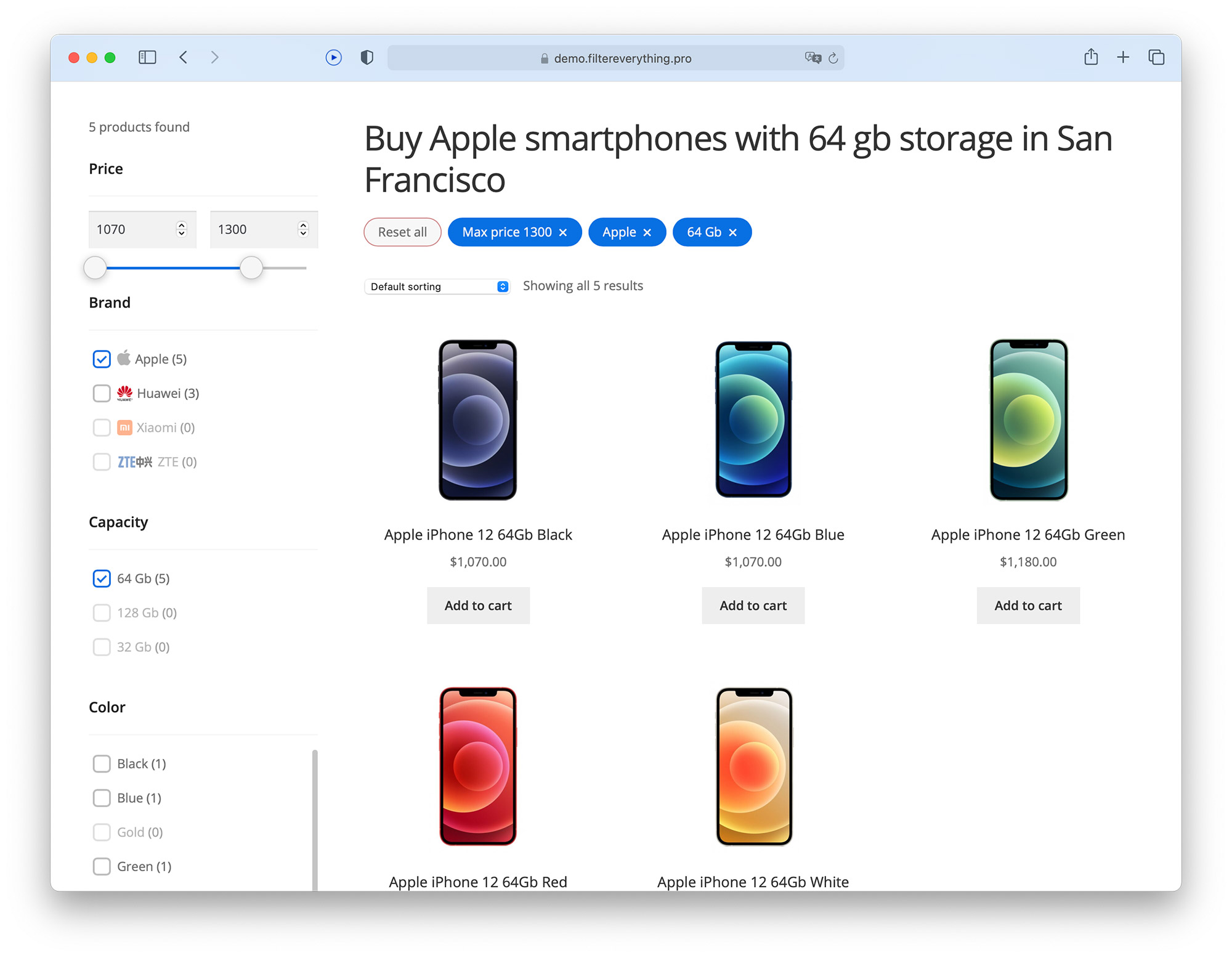
Filtering Smartphones 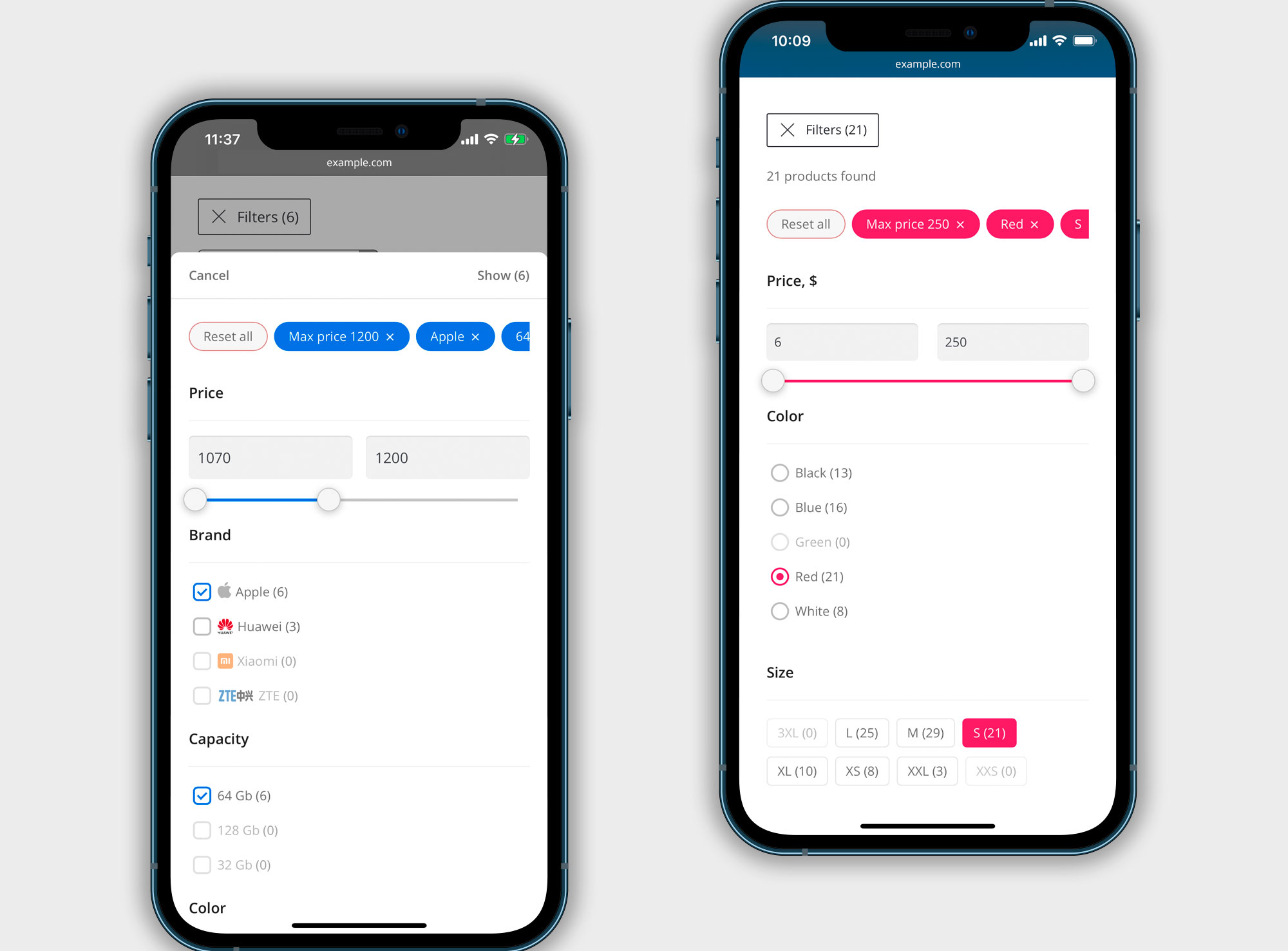
Mobile views 
Filter Set with filters 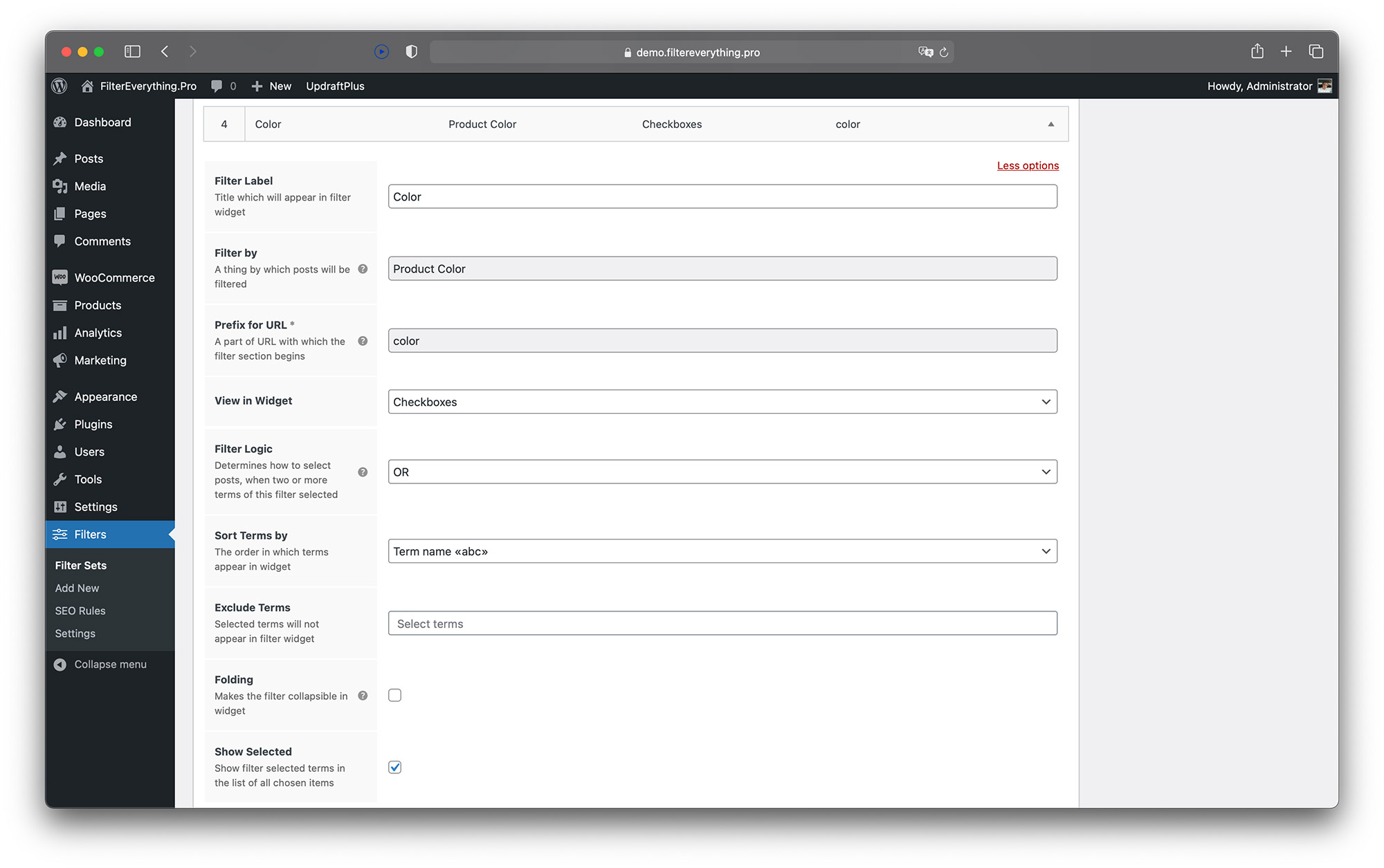
Single filter fields 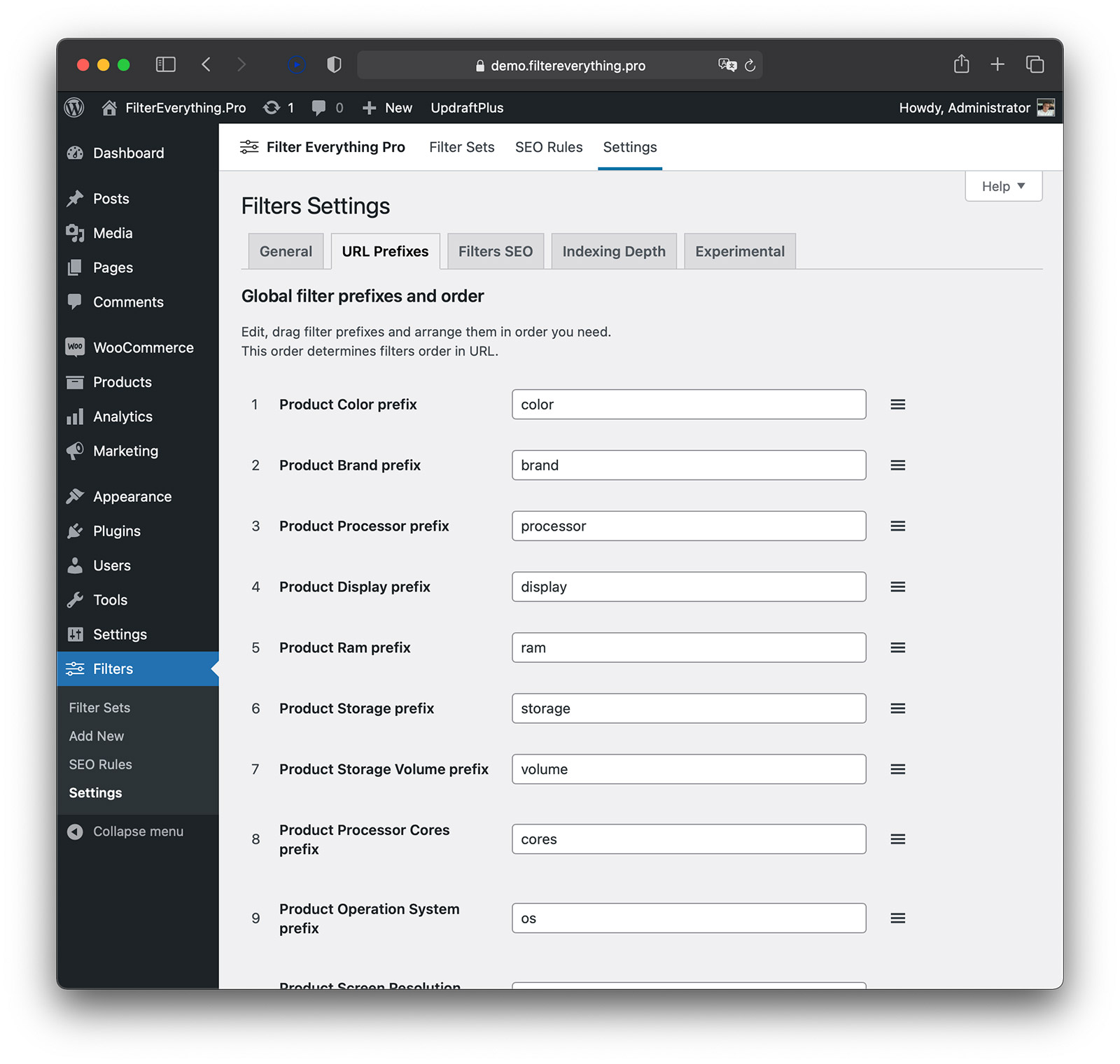
URL prefixes settings


Installation
Uploading via WordPress dashboard
1. From the WordPress dashboard visit Plugins > Add New > Upload Plugin
2. Choose plugin zip file and upload it
3. Install and Activate the plugin
4. After installation, you will find a new menu item “Filters”
5. Read the documentation to get started
Uploading via FTP
1. Download the Filter Everything plugin zip file
2. Extract zip file and upload “filter-everything” folder to the /wp-content/plugins/ directory
3. Activate the plugin through the “Plugins” menu in WordPress
4. After installation, you will find a new menu item “Filters”
5. Read the documentation to get started
FAQ
-
How do I get support?
-
You can try to find a solution to your problem in the plugin documentation or ask your question on the support forum. PRO version users can get more info about support here.
-
The Filter Widget doesn’t appear on desired page
-
Usually if you don’t see the Filter Widget on desired page, you need to:
1. Check if the Filter Everything widget is placed in the correct sidebar (widget area) for this page.
1. Check if the Filter Set post type matches to this post type’s page.
1. Check if the Filter Set location settings matches to this page.
1. Check if all filters terms are not empty and contain at least one post.
Or read please this article -
AJAX feature does not work on my site
-
On those WordPress themes that are created according to the standards, AJAX works automatically. However, if you are having problems, check out the AJAX settings in this article.
Reviews


Contributors & Developers
“Filter Everything — Product Filter & WordPress Filter” is open source software. The following people have contributed to this plugin.
Contributors
“Filter Everything — Product Filter & WordPress Filter” has been translated into 7 locales. Thank you to the translators for their contributions.