

Description
Use MailPoet to create, send, manage, and grow your email marketing campaigns – all without leaving your WordPress dashboard.
Our newsletter builder integrates perfectly with WordPress so any website owner can create beautiful emails from scratch, or by using our responsive templates that display flawlessly across all devices.
Schedule your newsletters, send them right away, or set up new blog post notifications to send automatically, in just a few clicks.
Trusted by 500,000 WordPress websites since 2011.
With a free plan to get started, and scaling paid plans with enhanced functionality available, MailPoet is an email marketing solution suitable for both beginners and proficient email marketers.
Visit our website for more information on plans and pricing
All features
- Create and add a newsletter subscription form to your website
- Manage your subscribers and subscriber lists in WordPress
- Build and send newsletters with WordPress
- Create automatic emails to send new post notifications
- Send automated welcome emails
- Behavior and interest-based subscriber segmentation options
- Pre-built and customizable email and subscription form templates
- Multiple subscription form placements: below pages, fixed bar, popup, slide-in, shortcode, on exit intent
- WooCommerce emails: abandoned cart, first purchase, specific product, product category, order status change, review added
- Customize WooCommerce transactional emails
- Automate subscriber management (add/remove from list, add/remove tags, update subscriber data) (paid plan required)
- Create custom automation triggers and actions (paid plan required)
- Branch your automations with if/else conditions to improve engagement (paid plan required)
- Reliable email delivery with MailPoet Sending Service (available for free – plan required)
- Basic engagement statistics (available for free) and detailed engagement statistics (paid plan required)
- Multi-condition segmentation (paid plan required)
- Google Analytics integration (paid plan required)
- Support via our Knowledge Base and Community Forums (available for free), and Priority Customer Support (paid plan required).
Why choose MailPoet
- Easy to use WordPress newsletter builder
- Beautiful templates that work perfectly across all devices
- No configuration needed: works out of the box
- Manage everything within your WordPress dashboard
- Higher delivery rates with the MailPoet Sending Service
- GDPR compliant
- Free plan for small senders or those just starting out
- Advanced functionality available to help achieve growth.
WooCommerce emails
Promote your business, sell more products, and enhance your customer service with MailPoet’s WooCommerce features.
Use the automated email options to:
- Welcome your new customers when they make their first purchase
- Upsell by sending emails to customers who purchased a specific product or from a specific product category
- Convert more customers by sending a series of abandoned cart emails
- Re-engage customers who haven’t made a purchase in a while with personalized offers (paid plan required)
- Follow up with customers who left a review to encourage more engagement (paid plan required).
And with WooCommerce-specific segmentation options, you’ll be able to send targeted emails to your customers based on criteria such as their country, the number of orders they’ve placed, how much they’ve spent, and if they have an active product subscription (powered by WooCommerce Subscriptions) or membership (powered by WooCommerce Memberships).
In addition, you’ll also be able to increase brand recognition by customizing your WooCommerce transactional emails. Create a unified brand experience by changing the layout, colors, and fonts used in your emails, as well as adding any images or additional information to them.
MailPoet Sending Service
The MailPoet Sending Service is free if you only have a few subscribers, with scaling plans available thereafter. Read more.
Sending emails and newsletters with your host is not a good idea. You might face sending speed limitations and see your emails ending up in the spam box.
To help your sending go without a hitch, we’ve created an advanced email delivery infrastructure built for WordPress. Our technology allows you to:
- Reach inboxes, not spam boxes
- Send your emails super fast (up to 50,000 emails per hour)
- Maintain your sender reputation and improve engagement levels with automated bounce and complaint handling. Stop sending to non-deliverable and complaining addresses, automatically
- Authenticate your emails (with SPF and DKIM) to improve deliverability and avoid spam boxes.
The MailPoet Sending Service is very easy to set up, you just have to enter a key in your WordPress dashboard and you’re all set!
MailPoet plans and pricing
MailPoet is available to download for free. Our free download includes all of the features listed above (with the exception of those indicating a plan requirement) under the following criteria:
- Up to 1,000 subscribers
- MailPoet branding in emails
- Send emails with your own sending method (host, SendGrid, Amazon SES, etc).
Or if you opt for a MailPoet plan, you’ll get access to the MailPoet Sending Service.
A free plan is available for those who want to get started with a few subscribers and would like to use the MailPoet Sending Service. And our paid plans offer features and functionality for those with larger lists who are looking to grow their business using email marketing.
Take a look at our pricing page for full details on what’s included in each plan.
Before you install
Please note:
- Multisite support is limited
- Review our minimum requirements.
Translations
- Albanian
- Arabic
- Catalan
- Czech
- Danish
- Dutch
- Dutch (Formal)
- French (Canada)
- French (France)
- German
- German (Switzerland)
- German (Formal)
- Greek
- Hindi
- Italian
- Japanese
- Polish
- Portuguese (Brazil)
- Portuguese (Portugal)
- Romanian
- Russian
- Serbian
- Slovak
- Spanish (Mexico)
- Spanish (Spain)
- Swedish
- Turkish
- Ukrainian
We welcome experienced translators to translate directly on our Transifex project. Please note that any translations submitted via the “Translating WordPress” website will not work.
Security
Our repository is public on GitHub.
Have a question for us? Reach us at security@ our domain, or report security issues to our Bug Bounty program.
Use of 3rd Party Services
MailPoet uses the following services that are necessary for its full functionality:
- Translate WordPress.com – used to download translations for the plugin.
To improve user experience, MailPoet may use the following 3rd party libraries if the Load 3rd-party libraries setting is enabled:
-
Google Fonts – used in Form Editor which you can use to customize your forms, and in the Email Editor to style emails. This can be individually disabled by a filter. TOS and Privacy Policy
-
WordPress.com – used for searching in Knowledge Base with the help of AI.
-
Mixpanel – used to send data about the usage of the MailPoet plugin when you agree with sharing usage data with us. TOS and Privacy Policy
-
Satismeter – used to ask for feedback. TOS and Privacy Policy
-
Crowdsignal – used to load our deactivation poll to improve our plugin. TOS and Privacy Policy
Loading all these libraries is disabled by default. The option can be enabled in the MailPoet’s Settings > Advanced > Load 3rd-party libraries.
Screenshots

Sample newsletters 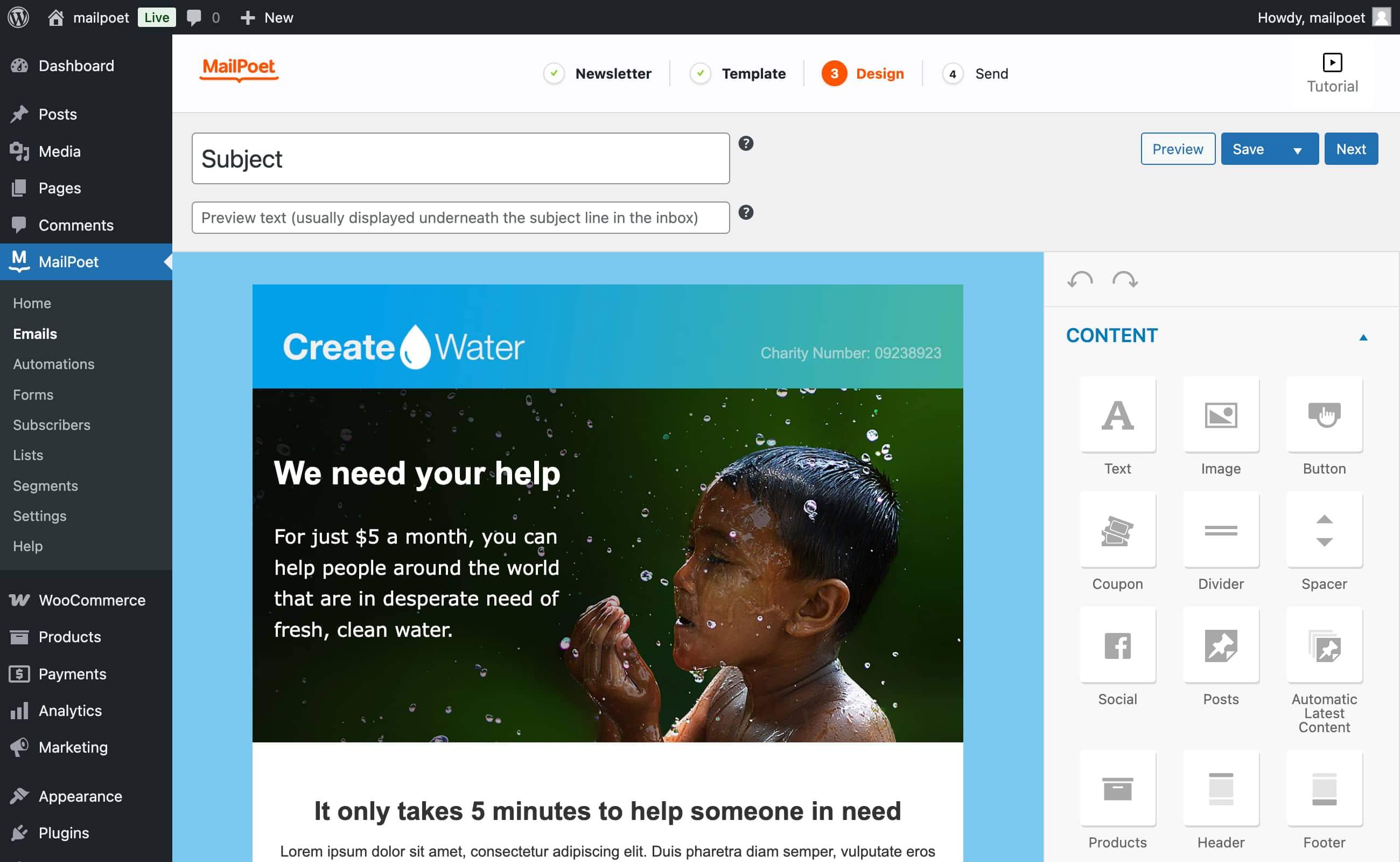
The drag-and-drop email designer 
MailPoet email types 
Newsletter stats (Premium) 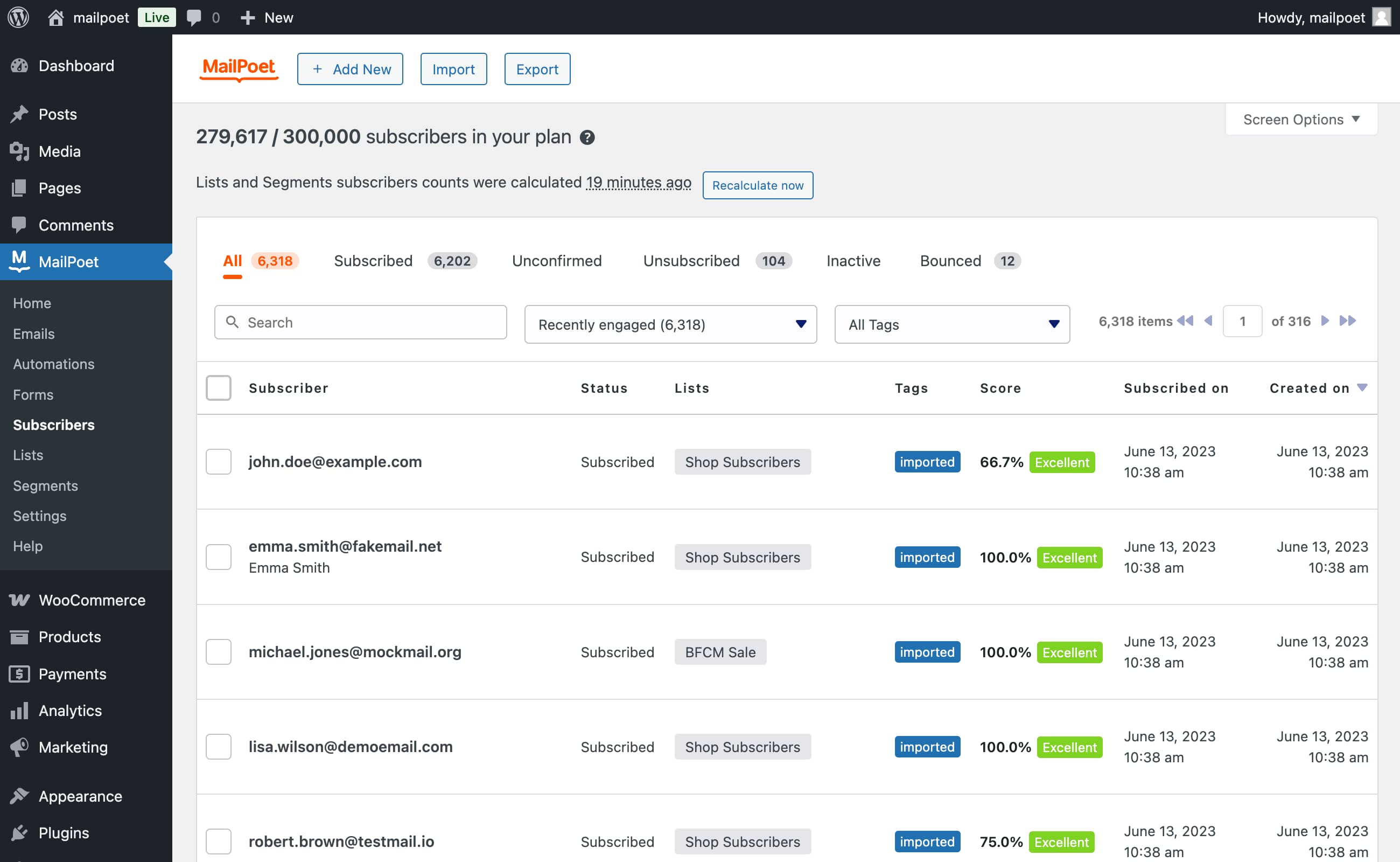
Subscriber import (via a CSV file or directly from MailChimp) 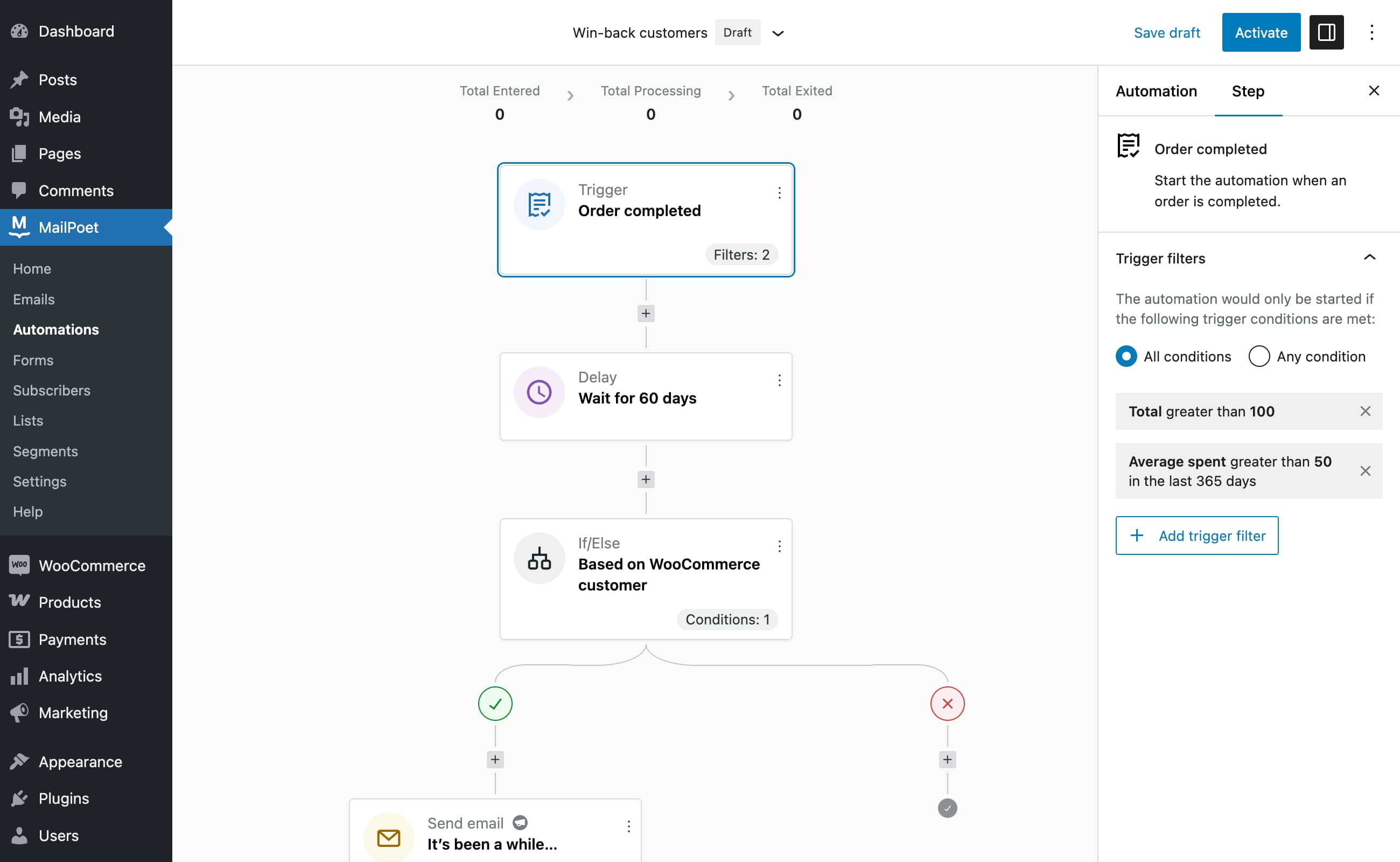
Automation editor (Premium)


Blocks
This plugin provides 1 block.
- MailPoet Marketing Opt-in
FAQ
-
Does MailPoet store the data of the user’s subscribers?
-
We do not store or keep any data from your subscribers. However, if you’re sending with us, we do process all the emails to be sent. It means MailPoet only logs email addresses to ensure that our service runs effectively. We do not track anything else.
-
What is the MailPoet Sending Service?
-
The MailPoet Sending Service is built exclusively to send WordPress and WooCommerce emails. Our in-house technology provides unparalleled speed (over 50,000 emails per hour) and performance, 99% uptime, and zero loss.
-
You have the liberty to choose how you send your emails: your own host (default, but not recommended), the MailPoet Sending Service, SendGrid, Amazon SES, or most SMTP providers including MailGun, etc.
-
Why should I use the MailPoet Sending Service?
-
Our global deliverability rate is 98.5%, often exceeding industry standards. We monitor each and every one of the millions of emails that we send for our users.
Whether you send 10 or 100,000 emails a day, the MailPoet Sending Service routinely handles small business newsletters through to huge mailing lists with tens of thousands of subscribers.
We highly encourage not to send with your host, here’s why.
If you’re just starting with your newsletter, we offer a free plan to get you started.
-
Can I filter specific categories out of my post notification?
-
Yes! In MailPoet you can set either categories or tags to include/exclude. This allows you to only send posts from specific categories or tags, ensuring that non-relevant posts stay out of your emails. You can also set up multiple post notification emails to better target your subscribers’ interests.
-
Is MailPoet GDPR compliant?
-
Yes, we are GDPR compliant. We do not have a Data Processing Agreement though. Our privacy notice can act as an agreement and GDPR takes this into consideration. By using our service, you acknowledge our Privacy Notice.
We suggest that you also add a link to our Privacy Notice in your own Privacy Notice page. What’s important is to make sure that your subscribers are aware that MailPoet delivers your email, if you send with MailPoet that is.
You can also read our Guide to Conform to GDPR.
-
Yes, with MailPoet your customers can subscribe at checkout to your mailing list. You will even be able to send them abandoned cart reminder if they forgot to complete their purchase.
-
Is it MailPoet or Mail poet?
-
It’s MailPoet, not mail poet. We’ll answer to either though!
-
Need help?
-
Check our Knowledge Base or contact us through our support site.
Reviews


Contributors & Developers
“MailPoet – Newsletters, Email Marketing, and Automation” is open source software. The following people have contributed to this plugin.
Contributors


“MailPoet – Newsletters, Email Marketing, and Automation” has been translated into 27 locales. Thank you to the translators for their contributions.
Translate “MailPoet – Newsletters, Email Marketing, and Automation” into your language.
Interested in development?
Browse the code, check out the SVN repository, or subscribe to the development log by RSS.
Changelog
5.17.4 – 2025-12-12
- Fixed: Rendering of Wide width blocks when WooCommerce 10.4.0 is active.
