

Description
PrettyLinks helps you shrink, beautify, track, manage and share any URL on or off of your WordPress website. Create links that look how you want using your own domain name!
PrettyLinks 🌠
PrettyLinks enables you to shorten links using your own domain name (as opposed to using tinyurl.com, bit.ly, or any other link shrinking service)! In addition to creating clean links, PrettyLinks tracks each hit on your URL and provides a full, detailed report of where the hit came from, the browser, OS, and host. PrettyLinks is a killer plugin for people who want to clean up their affiliate links, track clicks from emails, their links on Twitter to come from their own domain, or generally increase the reach of their website by spreading these links on forums or comments on other blogs.
PrettyPay™ Links 💵
PrettyLinks now comes with PrettyPay™. PrettyPay™ enables you to make one-click payments with Stripe to sell e-books, courses, downloads, subscriptions and really, anything — all from your domain name and brand. Share your PrettyPay™ links and start selling anywhere—instantly!
Examples 👇
This is a link setup using PrettyLinks that redirects to the PrettyLinks Homepage where you can find more info about this Plugin:
http://blairwilliams.com/pl
Here’s a named pretty link (I used the slug ‘aweber’) that does a 307 redirect to my affiliate link for aweber.com:
http://blairwilliams.com/aweber
Here’s a link that PrettyLinks generated a random slug for (similar to what bit.ly or tinyurl would do):
http://blairwilliams.com/w7a
Features ✔️
🔗 Create clean, simple URLs that redirect to any other URL
Easily turn your long URLs into short ones within a matter of seconds.
💰 Seamless Stripe Sales*
Create a branded, one-click path to payment with NEW PrettyPay™ Links. Share your link and start selling anywhere – instantly.
🔃 Supports 301, 302, and 307 redirects
Redirect users using one of our three redirect types: 301 (Permanent), 302 (Temporary), and 307 (Temporary).
🖱️ One-Click Link Sharing
Copy and manage your PrettyLinks all in one centralized area.
⚙️ Fully configurable slugs
PrettyLinks will automatically generate 3-4 random characters to use as the slug, but you can also create your own slug to use for your URL.
🔎 Track the Number of Clicks and Unique Clicks per link
Track how well your PrettyLinks are performing by viewing the number of overall clicks and unique clicks on your links.
📊 Generate Highly Customizable Reports
Create reports where you can see a configurable chart of clicks per day. The report can be filtered by the specific link clicked, date range, and/or unique clicks.
💡 Extremely Intuitive Admin User Interface
No need to guess where everything is located. PrettyLinks makes the setup and link management process as simple as possible.
⬇️ Download Click Details
Need to download click data for your links? PrettyLinks has you covered. The plugin will generate a CSV containing all the information you need to successfully manage your links.
… and so much more! Visit our site to learn more about what PrettyLinks can do for you.
* Pro users benefit from no added payment processing fees, while a small 3% fee is added per-transaction for free users.
PrettyLinks Pro 💪
PrettyLinks Pro is a significant upgrade that adds many tools and redirection types. Here’s a glimpse at some of the different features that PrettyLinks Pro offers:
-
Product Displays (NEW!)
Create beautifully styled and responsive displays for your affiliate links to drive more commissions with ease. -
Keyword & URL Replacements
Using one of Pretty Link’s automation features, you can define a list of keywords and URLs, then PrettyLinks will automatically scan your site’s content and replace them with your pretty link. -
Advanced Redirect Types
Take full control over how your users are redirected. With the Pro version, you can now offer Cloaked redirects, JavaScript redirects, Meta-Refresh redirects, Tracking Pixel redirects, and Geographic redirects. -
Automatically Create PrettyLinks for Posts/Pages
Another one of Pretty Link’s powerful automation features. Whenever a new page or post is published, PrettyLinks will automatically create a pretty link for it. -
Link Categories & Tags
Make link management easier by grouping your links together and assigning them a category or tag. -
Expiring Links
Set an expiration date on your links and decide where the user is redirected to after clicking an expired link. -
Link Health
Runs weekly scans on your site to look for and report any broken links you’ve created within the PrettyLinks plugin.
You can learn more about PrettyLinks Pro here:
Integrations ⚡
- Google Analytics – Easily start tracking your links within Google Analytics
- MonsterInsights – See how well your links are performing with the MonsterInsights plugin
What’s Next 🤩
Enjoying your time with PrettyLinks? Consider checking out some of our other projects:
- MemberPress – Full-featured Membership solution for WordPress. Control who has access to your site and sell content securely through payment gateways such as Stripe, PayPal, and Authorize.net
- EasyAffiliate – Complete Affiliate Program management plugin for WordPress. Start an Affiliate Program to dramatically increase traffic, attention, and sales.
- ThirstyAffiliates – Link cloaking plugin made specifically for affiliate bloggers to start making money.
- Buy Now Plus – Easily start accepting Credit Card payments through a simple buy now button on your website or social media accounts using the Stripe gateway.
- Members – Roles and capabilities management plugin for your WordPress site. This is an excellent plugin to use alongside a Membership solution such as MemberPress.
Screenshots
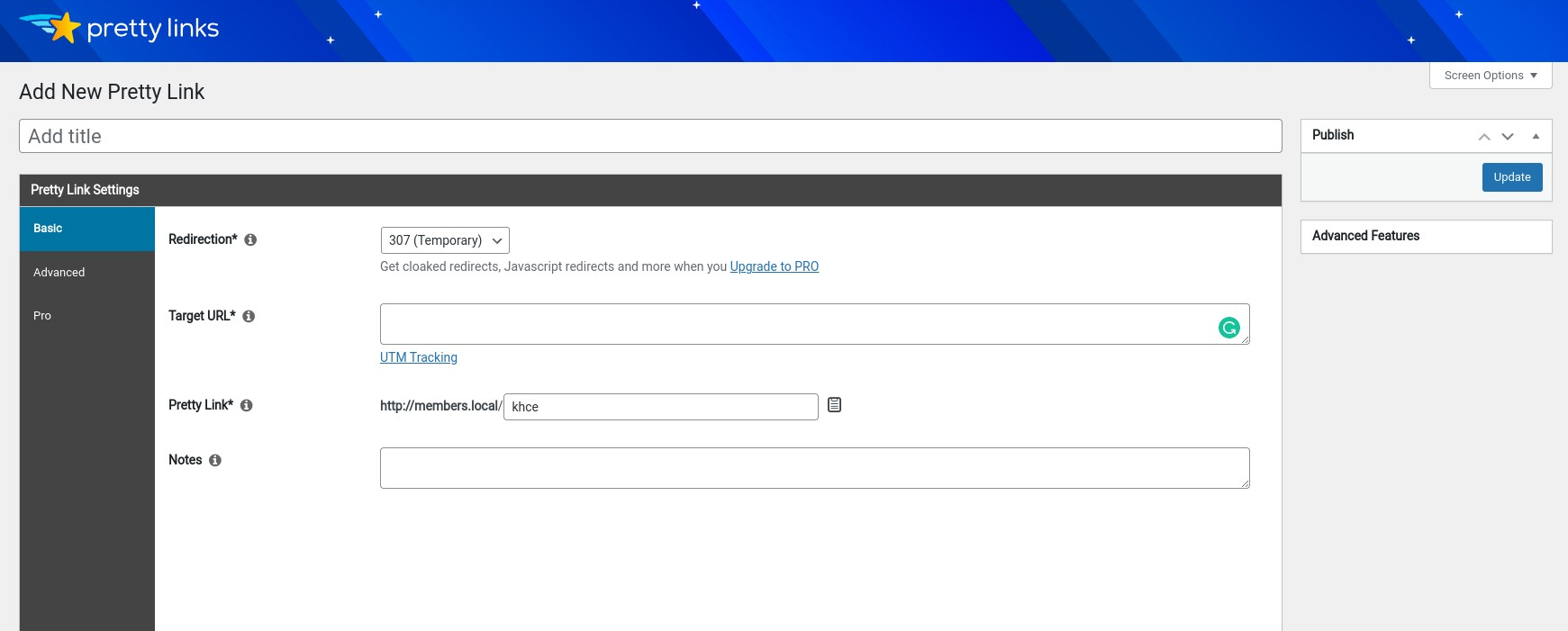
Setting up a Pretty Link 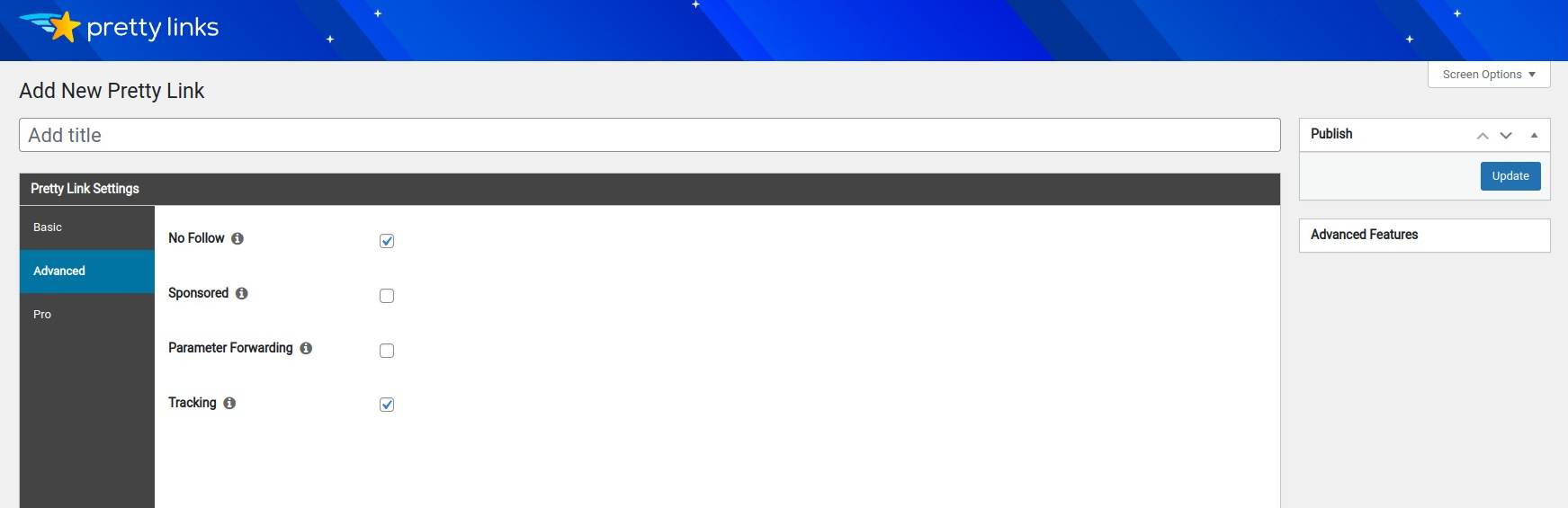
Settings Page 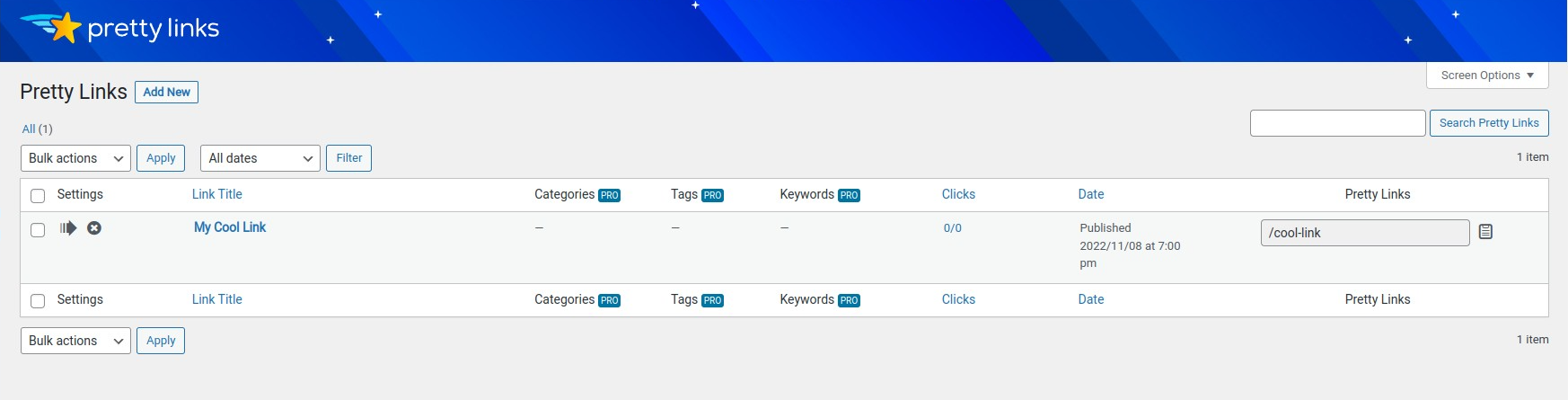
PrettyLinks Listing 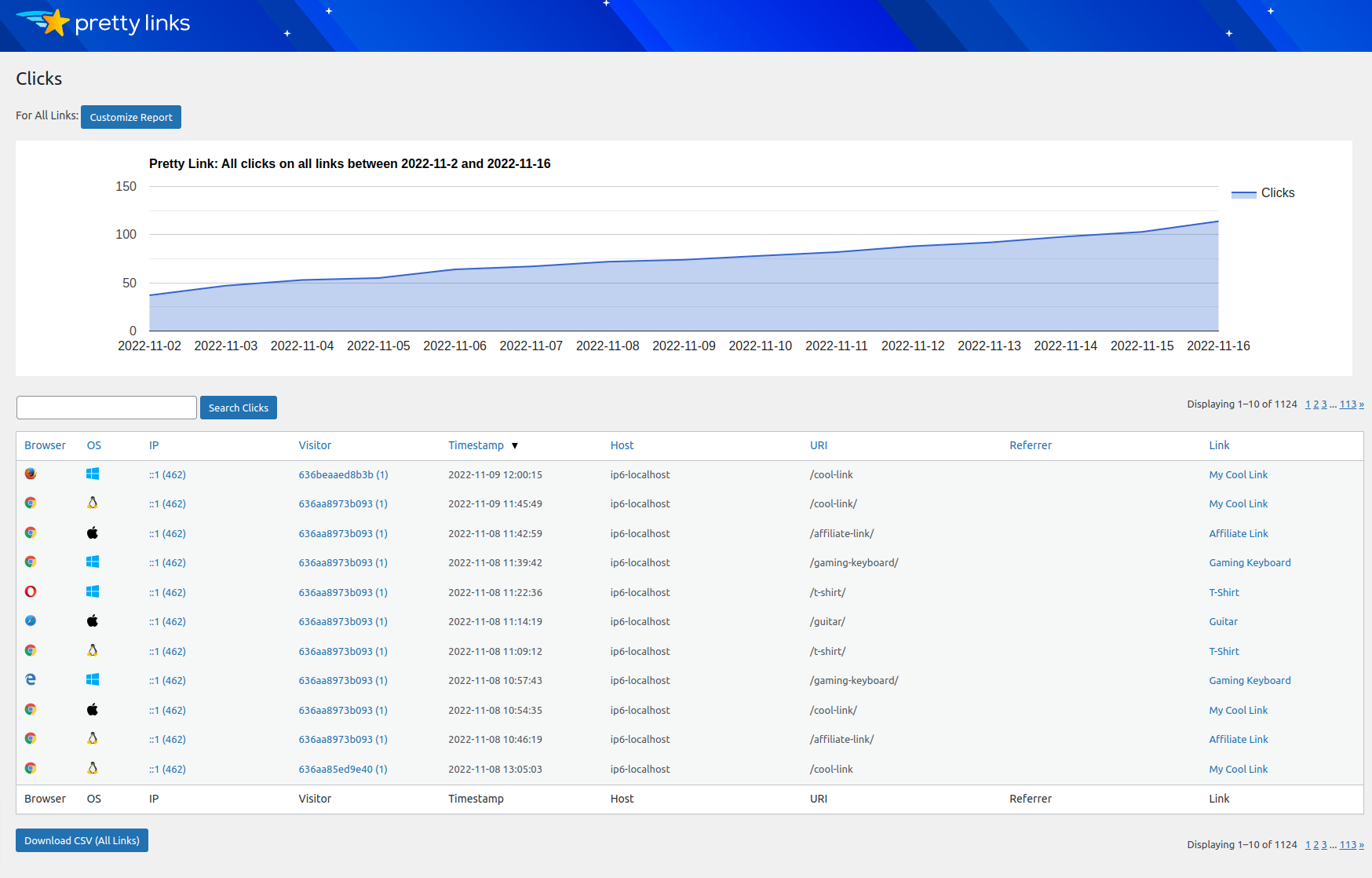
Click Tracking


Installation
-
Upload ‘pretty-link.zip’ to the ‘/wp-content/plugins/’ directory
-
Activate the plugin through the ‘Plugins’ menu in WordPress
-
Make sure you have changed your permalink Common Settings in Settings -> Permalinks away from “Default” to something else. I prefer using custom and then “/%year%/%month%/%postname%/” for the simplest possible URL slugs with the best performance.
FAQ
-
Who will find PrettyLinks useful?
-
PrettyLinks is particularly useful to affiliate marketers. It helps them to clean up, brand, group, organize, and track their links. In addition to affiliate marketing, PrettyLinks is also useful to bloggers, podcasters, merchants, social media marketers, and anyone else who wants to easily take control of their link strategy.
-
Can I use PrettyLinks with any WordPress theme?
-
Absolutely! PrettyLinks operates mainly in the WordPress admin, but the front end features should be totally compatible with any WordPress theme.
-
How do I get started with PrettyLinks?
-
Getting started with PrettyLinks is incredibly easy. Everything you need to know you can find on our Getting Started page.
-
Is PrettyLinks Translatable?
-
Yes! PrettyLinks is ready for translation. See our Translating PrettyLinks documentation for more information on how you can translate the plugin into your language.
-
What are the differences in redirect types?
-
301 (Permanent) redirects are used to tell search engines that a requested URL has been permanently moved to another URL. If you’re confident that your target URL will never change, then use this redirect type. 302 and 307 (Temporary) redirects tell search engines that the requested URL has been moved temporarily, but will be back eventually.
Reviews


Contributors & Developers
“PrettyLinks – Affiliate Links, Link Branding, Link Tracking, Marketing and Stripe Payments Plugin” is open source software. The following people have contributed to this plugin.
Contributors

“PrettyLinks – Affiliate Links, Link Branding, Link Tracking, Marketing and Stripe Payments Plugin” has been translated into 7 locales. Thank you to the translators for their contributions.
Interested in development?
Browse the code, check out the SVN repository, or subscribe to the development log by RSS.
Changelog
3.6.19
Pro: Empty link rotations gaps – show warning before save
3.6.18
- Add link_cpt_id column to links CSV export file
- Fix timeout on options page for sites with a large comments database
- Fix slow loading on add/edit link page when using password manager browser extensions
- Fix CSV import failures caused by UTF-8 BOM
- Fix PHP deprecation warnings
3.6.17
- Add capability check to Ajax endpoints
- Update Growth Tools
- Fix PL search functionality in Gutenberg broken
3.6.16
- Fix admin menu style on mobile view
- Minor bugfixes and security hardening
- Pro: Fix keyword replacements with new line chars in html attributes
3.6.15
- Add Growth Tools menu
- Fix error with new notifications inbox
- Fix error when set_time_limit() function doesn’t exist
3.6.14
- Fix translations error w/WP 6.7
- Fix PHP 8.2 notice
- Fix warning during automatic update
3.6.12
- New In-plugin Notifications inbox
- Fix wrong edition label in lite plugin’s main file