

Description
🔗 Affiliate link management & cloaker tool. Easily manage, shrink and track your affiliate links in WordPress. 🔥
VISIT OUR WEBSITE 🖥️
Click here: ThirstyAffiliates
Check out the PRO Version!
THIRSTYAFFILIATES 💥
ThirstyAffiliates gives bloggers the tools they need to monetize their WordPress website with affiliate marketing.
We’ve made managing your affiliate links as simple as it should be:
- Install & activate the ThirstyAffiliates plugin
- Go to Affiliate Links -> Add New
- Enter the destination URL (your affiliate link) and a title
- The plugin creates a new shortlink/link redirect to your long ugly affiliate link by making a pretty link with your own website URL
- You can then use the new “TA” button in your editor to add your affiliate link to your content easily
eg. http://example.com/recommends/some-product
Features ✔️
💡 SIMPLE
No complex setups. It’s just another post type in your admin and another button on your Visual editor.
When you are writing blog posts, you can highlight a word and click the “TA” button. This works just like the built-in link tool, you can search for the affiliate link you created earlier by name.
You can even use the Quick Add button to add affiliate links to ThirstyAffiliates on the fly while you are writing.
🔗 BUILT-IN AFFILIATE LINK SHORTNER/LINK CLOAKER
Create pretty links from the affiliate links you’ve placed on the site. ThirstyAffiliates will use a /recommends/ prefix by default for your pretty links, but this can be easily changed to match your preferences.
**💰 SEAMLESS STRIPE SALES***
Create a branded, one-click path to payment with NEW ThirstyPay™ Links. Share your link and start selling anywhere – instantly.
⚙️ BETTER LINK MANAGEMENT
You can group your affiliate links into hierarchical categories. eg. placing all Amazon links within an “Amazon” category, or all software links in a “Software” category.
Managing your links in ThirstyAffiliates means there is only one place to change the destination URL if required rather than having to go back and replace the link in potentially hundreds of articles.
🔃 SAFE REDIRECTS & SMART UNCLOAKING
You can choose from 301 (default), 302, or 307 redirects, all of which are safe link redirects.
Link redirects protect your affiliate links from being scraped and replaced by malware in your visitor’s browser.
There is also a smart uncloaking feature so if the affiliate program you are using (such as Amazon Associates) does not like your links behind a redirect, you can still use ThirstyAffiliates. Your links can be conditionally uncloaked on the front end.
🛡️ NO LINK CLASHES OR DATABASE BLOAT
Uses proper custom post types to avoid link clashes that can occur with other solutions.
Keeps its database footprint small to ensure you don’t over bloat your database with useless information.
🖼️ ADD IMAGES TO AFFILIATE LINKS
You can even add images and banners to your affiliate links and recall them for easy insertion when writing your content.
Simply click the new “TA” affiliate link button on your editor, click the cog to open the Advanced Link Picker, and search & choose the image you want to insert and it will be inserted pre-wrapped in your affiliate link.
📊 CLICK STATISTICS & REPORTS
Adds click tracking to your links to track every click.
Comes with built-in reports so you can explore, over time, how much your affiliate links have been clicked and what is popular on your site.
… and so much more! Visit our site to learn more about what ThirstyAffiliates can do for you.
* Pro users benefit from no added payment processing fees, while a small 3% fee is added per-transaction for free users.
THIRSTYAFFILIATES PRO 💪
We have a PRO add-on for ThirstyAffiliates that bolts on extra functionality that might be interesting to advanced affiliate marketers and bloggers looking to automate parts of their affiliate marketing.
Some of our popular PRO features include:
-
Product Displays (NEW)
Create beautifully styled and responsive displays for your affiliate links to drive more clicks and interest with ease. -
Automatic Keyword Linking
Boost your affiliate income by automatically linking affiliate links to keywords throughout your site, great for monetizing your back catalog of content! -
Advanced Statistics Reports
Amazing advanced reports such as performance by category, performance over 24/hr periods (to identify peak click times), Geolocation reports (where people click from), and more! -
Geolocations
Geo-target your visitors based on their country of origin and redirect them to geographically appropriate affiliate URLs -
Google Click Events
Pushes a click event to your Google Analytics on click -
CSV Import/Export
Import and export affiliate links via CSV. Great for managing links across multiple sites -
Amazon API Importing
Search and import affiliate links from Amazon’s Product Advertising API -
High-speed HTAccess redirect
Loads affiliate link redirects into your htaccess file for faster redirecting, meaning WordPress & even PHP isn’t loaded -
Link Event Notification Emails
Get notified about significant events with your affiliate links like when they reach a certain amount of clicks total or a certain amount of clicks in a period of time -
Automatic Link Health Checker
Automatically explores your affiliate links for 404’s or broken links and will notify you when it detects problems
Check out all the ThirstyAffiliates PRO features here
INTEGRATIONS ⚡
- Google Analytics – ThirstyAffiliates has a tight integration with Google Analytics to easily push click events when an affiliate link is clicked.
- Amazon – Integrates with Amazon’s Product Advertising API to allow you to search and import affiliate links within Amazon.
What’s Next 🤩
Enjoying your time with ThirstyAffiliates? Consider checking out some of our other projects:
- MemberPress – Full-featured Membership solution for WordPress. Control who has access to your site and sell content securely through payment gateways such as Stripe, PayPal, and Authorize.net
- EasyAffiliate – Complete Affiliate Program management plugin for WordPress. Start an Affiliate Program to dramatically increase traffic, attention, and sales.
- Pretty Links – Advanced link cloaking and redirection plugin for WordPress used to shrink, track, cloak, and share links.
- Buy Now Plus – Easily start accepting Credit Card payments through a simple buy now button on your website or social media accounts using the Stripe gateway.
- Members – Roles and capabilities management plugin for your WordPress site. This is an excellent plugin to use alongside a Membership solution such as MemberPress.
Screenshots
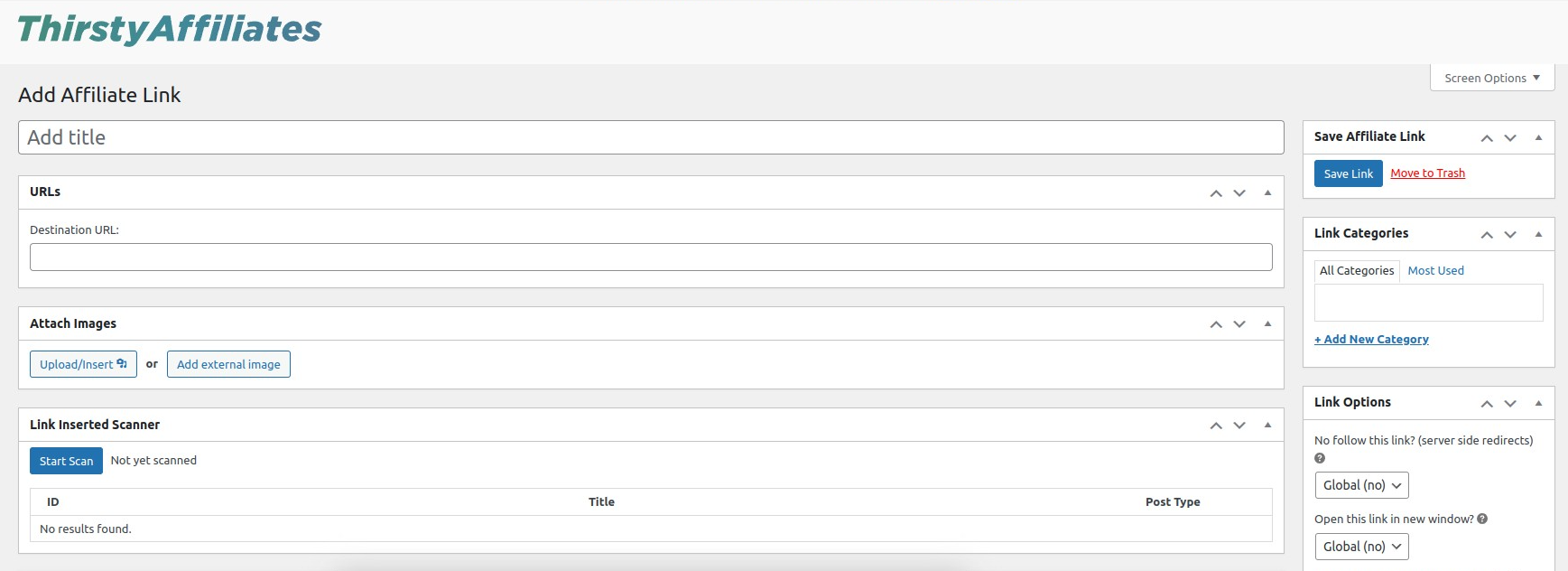
Adding an Affiliate Link 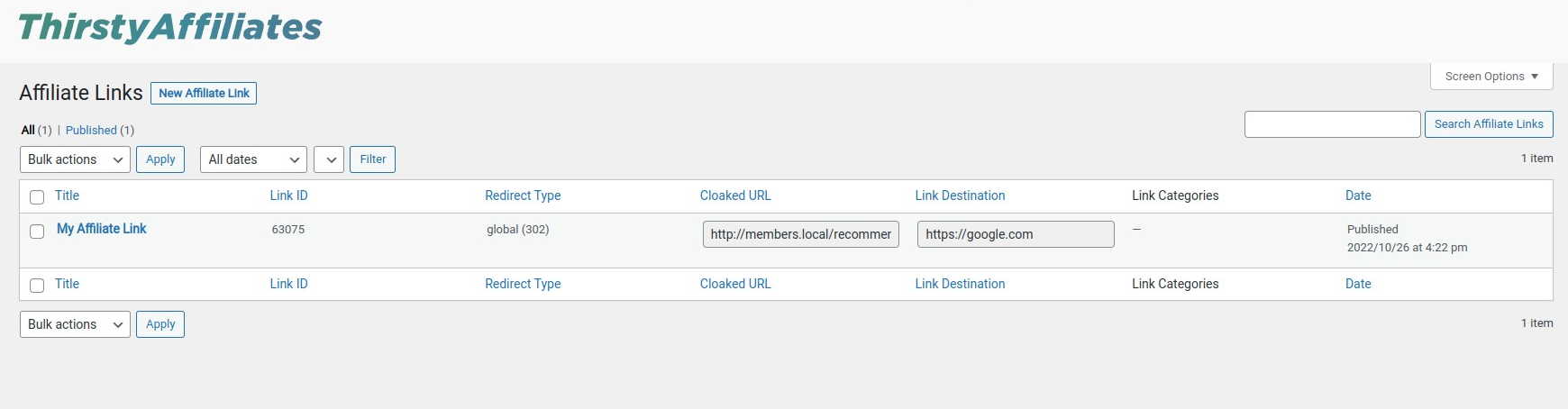
Affiliate Link Listing 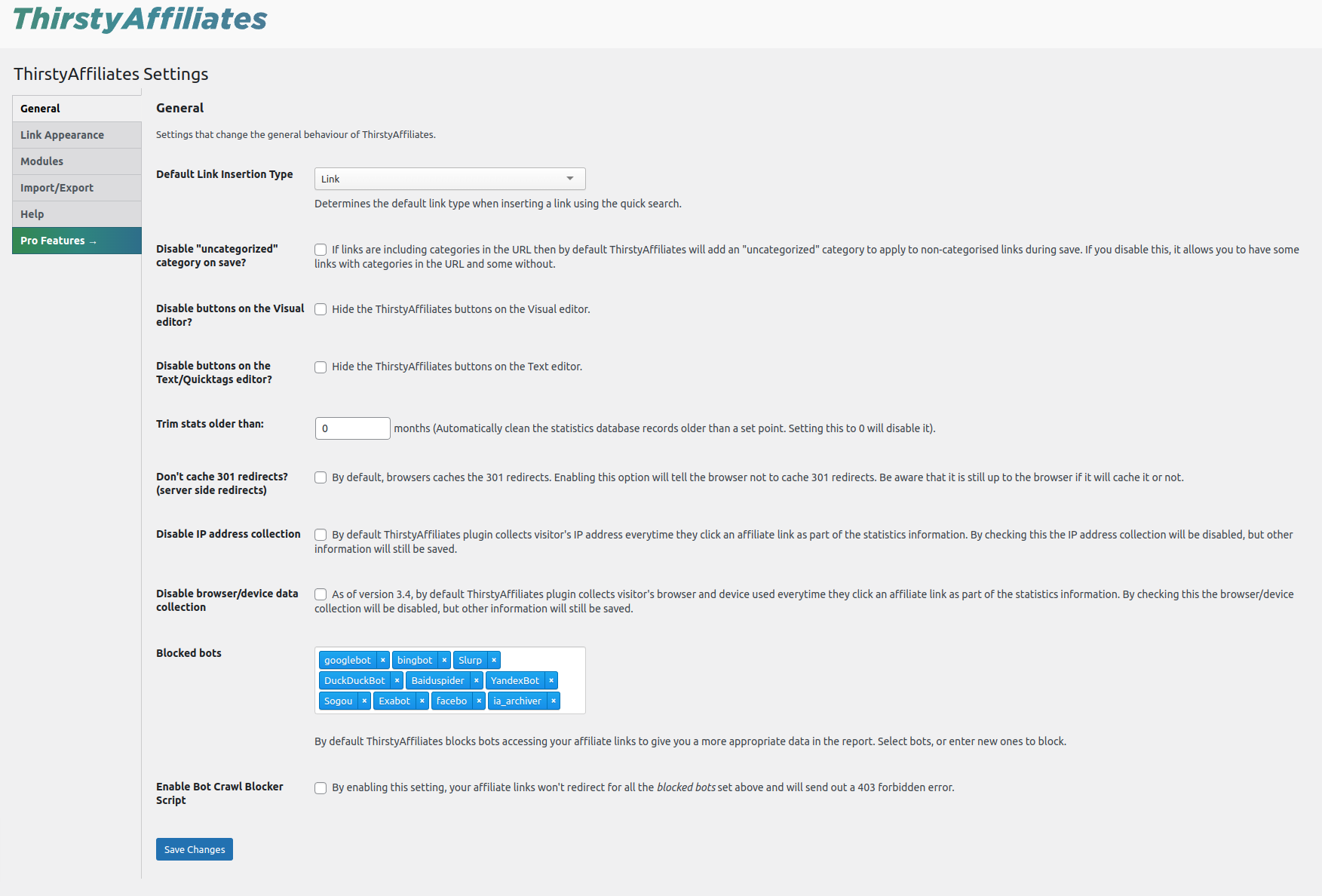
Settings Page 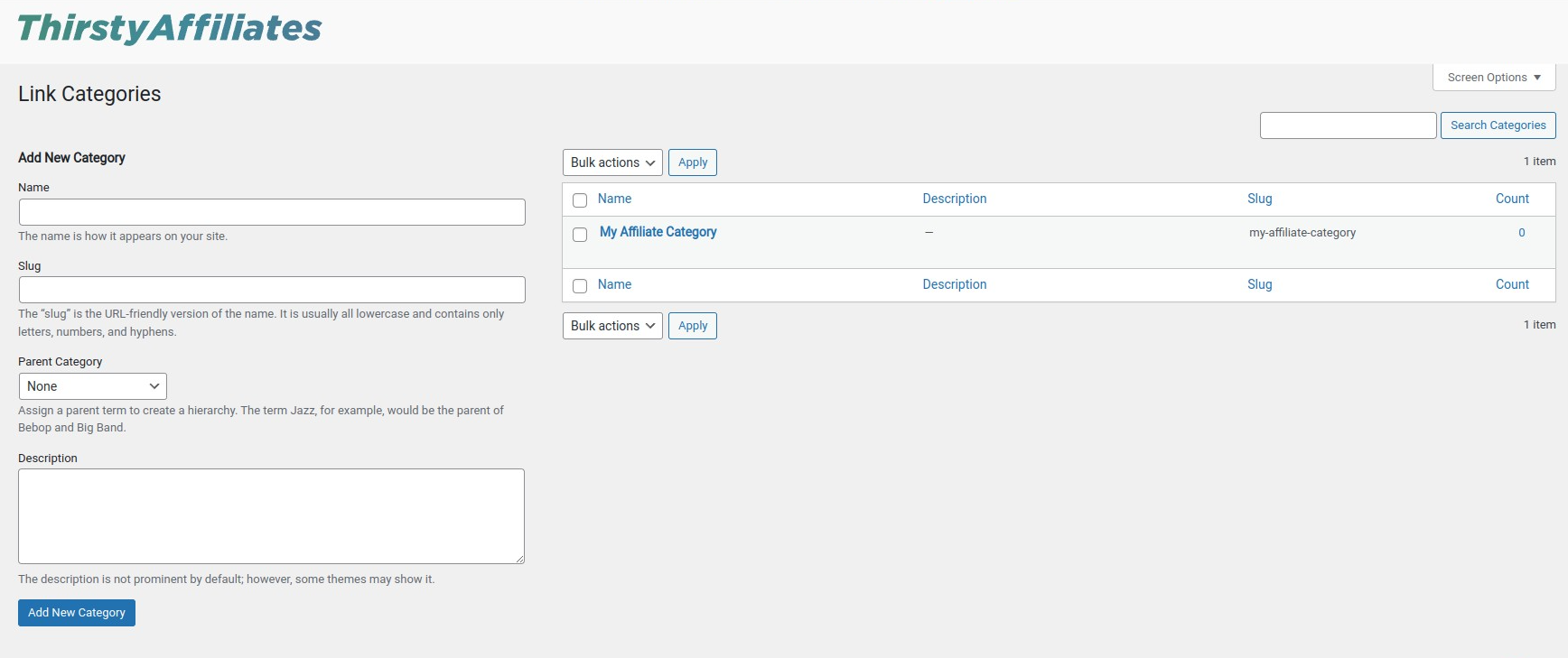
Category Page 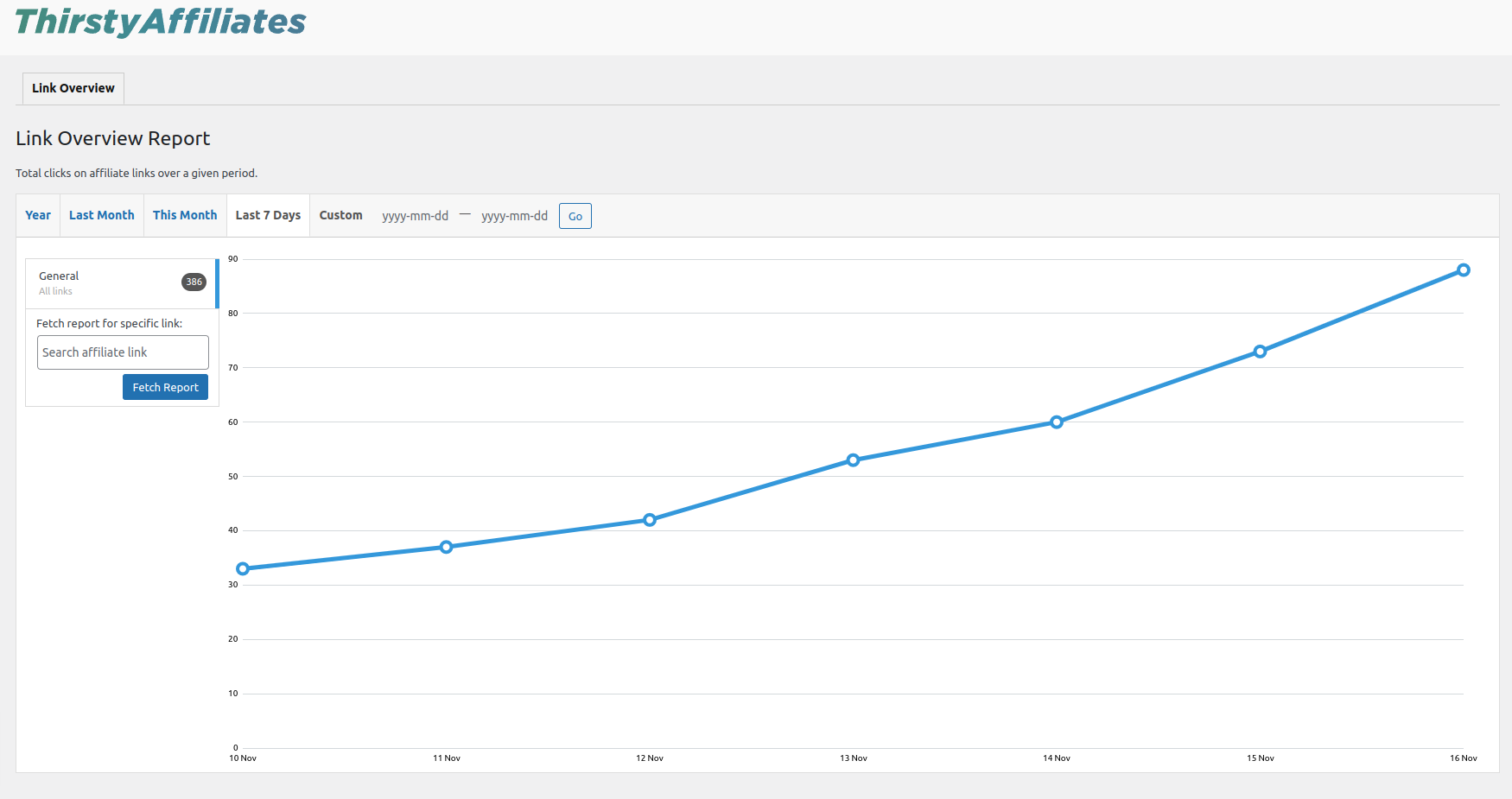
Reports Page


Installation
- Upload the
thirstyaffiliates/folder to the/wp-content/plugins/directory - Activate the plugin through the “Plugins” menu in WordPress
- Visit the new “ThirstyAffiliates” menu and click ‘Add New’ to add an affiliate link.
- Use the new “TA” button on the Visual editor to link up an affiliate link when writing content.
- Visit http://thirstyaffiliates.com/ for more information, info about the PRO version and support.
FAQ
Here are some common questions/problems.
For more resources please see our Knowledge Base.
-
Who should use ThirstyAffiliates?
-
ThirstyAffiliates is aimed at bloggers using WordPress, but really all affiliate marketers of any kind who use WordPress as their CMS can use ThirstyAffiliates to aid in their affiliate marketing monetization.
-
Help, my links aren’t redirecting! It just brings up a 404 error.
-
This is a common issue usually caused by another plugin or theme not flushing redirect rules correctly after setting up another custom post type.
To resolve the problem follow these steps:
- Deactivate ThirstyAffiliates, don’t worry your links are safely stored in the database.
- Reactivate ThirstyAffiliates
- Visit the Settings->Permalinks page and click save.
- Go back to ThirstyAffiliates->All Affiliate Links and view one of the links, it should be redirecting properly.
-
Are there any known conflicts?
-
WordPress supports a very vibrant ecosystem of themes and plugins so from time to time it’s expected that there will be some minor conflicts with other products.
See our Knowledge Base for an up to date list of known conflicts.
-
Is ThirstyAffiliates translatable?
-
Absolutely! ThirstyAffiliates is ready for translation and we also include a number of common languages in our plugin as contributed by our lovely users.
-
Do I need to have coding skills to use ThirstyAffiliates?
-
Definitely not. We have built ThirstyAffiliates to be 100% within the dashboard of your site. Some knowledge of how redirects work might be beneficial, but overall it is a very simple plugin to configure and use.
-
Can I use ThirstyAffiliates to run an affiliate program for my store?
-
No – ThirstyAffiliates is not for running an affiliate program.
ThirstyAffiliates is for affiliates to manage their affiliate marketing efforts from all the programs they belong to.
If you need to run an affiliate program on your store we recommend you check out Easy Affiliate.
Reviews


Contributors & Developers
“ThirstyAffiliates – Affiliate Links, Link Branding, Link Tracking & Marketing Plugin” is open source software. The following people have contributed to this plugin.
Contributors

“ThirstyAffiliates – Affiliate Links, Link Branding, Link Tracking & Marketing Plugin” has been translated into 6 locales. Thank you to the translators for their contributions.
Interested in development?
Browse the code, check out the SVN repository, or subscribe to the development log by RSS.
Changelog
3.11.9
- Security hardening in Shortcode
3.11.8
- Fix regression against old versions of the Pro plugin
3.11.7
- Fix in plugin messaging bug
3.11.6
- Updated Growth Tools
- Properly handle media file deletion
- Extended data not importing for new links
- Search columns include Slug and Destination URL
- Add slug column to Links listing table
3.11.5
- Transform tag to link in block content
- Add filter hook to Link Fixer link data (ta_link_fixer_link_data)
- Fix Growth Tools menu display
3.11.4
- Minor bugfixes
3.11.3
- New In-plugin Notifications Inbox
- Fix broken attachments
3.11.2
- Removed pause option from Customer Portal as Stripe has removed that feature
- Return if post_type query var is not set
- Fix Gutenberg Image block not showing on front-end
3.11.1
- Minor adjustments to the Onboarding Wizard and admin notices
3.11.0
- Added ThirstyPay™ Links
- Added Welcome Onboarding Wizard to help new users get started faster
- Fixed PHP 8.2+ compatibility issues
- Pro: Added Product Displays add-on
3.10.21
- Bug Fix: Link inserter not working on WP 6.4.
3.10.20
- Bug Fix: Scheduling of in-plugin notifications and how empty images are displayed within them.
- Bug Fix: MonsterInsights event tracking with Enhanced JS Redirect.
- Bug Fix: Autolinker not working correctly with WPML (only affects Pro users).
3.10.19
- Improvement: Add WPML compatibility for thirstylinks inserted via Gutenberg editor.
- Bug Fix: Add preventDefault() call back into Enhanced JS Redirect to fix issue with links opening in new tabs twice.
3.10.18
- Improvement: Allow links with query parameters to be matched in Link Scanner.
- Improvement: Allow default event action to run with Enhanced JS Redirect option enabled.
3.10.17
- Improvement: Separate link inserter into its own toolbar group within the Block Editor.
- Bug Fix: Duplicate day showing in Reports when clocks go back.
3.10.16
- Improvement: Excluded unnecessary development files from deployment.
- Bug Fix: Alt text not being added to TA Image block.
3.10.15
- Improvement: Added helpful footer links.
3.10.14
- Bug Fix: 500 errors when using Bot Crawler Blocker.
3.10.13
- Bug Fix: TA Link Inserter jumping to bottom of page on WP 6.1
- Bug Fix: Warning message being HTML escaped
3.10.12
- Bug Fix: PHP warning
3.10.11
- Bug Fix: Security fixes
3.10.10
- Bug Fix: Security fixes
3.10.9
- Bug Fix: Security fixes
3.10.8
- Bug Fix: Security fixes
3.10.7
- Bug Fix: Fatal error on PHP versions lower than 7.3
3.10.6
- Bug Fix: Security fixes
3.10.5
- Bug Fix: Security fixes
3.10.4
- Bug Fix: Inserting links not working for non-admins
- Bug Fix: Allow uppercase extensions in external image links
- Bug Fix: Fatal error in the stats trimmer on PHP8
3.10.3
- Bug Fix: User-specific language setting having no effect on plugin translations