
Description
The easiest to use Google Maps, Leaflet and Open Layers Map Plugin (including a Map Block)!
Add a customized Google map, map block or Store Locator to your WordPress posts and/or pages quickly and easily with the supplied shortcode. No fuss. No iFrames and super easy to use! Perfect for contact page maps, routes, maps showing delivery areas and any other use you can think of!
While the free version of WP Go Maps allows you to create a Google map with as many markers as you like, the Pro version allows you to do so much more!
Create Elementor Maps, map blocks and map widgets easily with our WP Go Maps Elementor map block integration, straight out the box!
Do you use the classic editor? We still support map widgets for classic WordPress installations. No need to compromise, the map widget includes the same functionality as our map blocks!
The WP Go Maps Pro Version version allows you create custom Google maps with high quality markers containing locations, descriptions, images, categories, links and directions.
Lite Version (Free)
- The most popular Google Maps plugin on WordPress
- Choose between Google Maps, Leaflet, Azure Maps, Stadia Maps, Maptiler, LocationIQ, Zero Cost or Open Layers Maps
- Super easy to use, no coding required!
- Create as many map markers as you need by simply typing in the address
- Responsive maps
- Elementor Map block
- Edit your map markers with the click of a button
- 9 popular map themes to choose from
- Create or add your own map theme
- Drag map markers to an exact location
- Add a map block to your page
- Google Maps Streetview supported
- UTF-8 character support
- Map widget functionality
- Full screen map functionality
- Support for localization
- Choose from four Google maps types: roadmap, terrain, satellite and hybrid
- Define your own width, height and zoom level for your map
- Add animations to your map markers!
- Store locator functionality
- Restrict a store locator search by country
- Add Polygons to your Map
- Add Polylines / Routes to your map
- Create a map in less than a 30 seconds!
- Right click to add a marker to your map
- No advertising or links
- Google Maps Autocomplete
- Google Maps Transport Layer
- Set the max zoom level for your map
- Serve your map marker data via your database or an XML file
- Compatible with caching plugins
- Compatible with Cloudfare
- Latest Google Maps API
- Latest OpenLayers API
- Latest Leaflet API
Professional Edition
- Create multiple maps!
- Allow your visitors to get directions to your markers.
- Add descriptions, links and images to your map markers.
- Add categories to your map markers
- Filter markers by category
- Mashup multiple maps
- Advanced map blocks
- Store locator map block
- Directions map block
- Infowindow block
- Map block (filter)
- Add different marker icons, or your own icons to make your map really stand out!
- List your map markers in the four ways; basic list, basic table, carousel, advanced table
- Allow visitors to use their map location as the starting or ending point for the directions
- Choose between the Default Google Maps Infowindow and the new Modern Infowindow
- Export/Import your markers to a CSV file for quick editing.
- Link Fusion tables to your Google Maps
- Show your visitor’s location on the Map
- Import KML/KMZ files to your map
- More advanced options for the Store Locator
- Allow users to use their map location for the store locator
- Store locator search by category
- Hide all map markers until a store locator search is done
- Move your marker list inside the map window
- Multiple map widget functionality
- Add retina-ready map marker icons
- WordPress Network friendly
- Get the WP Go Maps Professional Edition
Translations
Get a free copy of the WP Go Maps Pro version in exchange for translating our plugin!
- English – default
- Russian (Alexandra Bondareva)
- German
- French (Arnaud Thomas)
- Polish (Michal Kotnowski)
- Finnish (Johanna Joutti)
- Dutch (Jan Wind)
- Hebrew (Gal Dotan)
- Danish (Patrick Jepsen)
- Italian (Tommaso Mori & Massimo Bregani)
- Croatian (Sven Kopun)
- Greek (Konstantinos Koukoulakis)
- Romanian (Cosmin Stroe)
- Spanish (Carmelo Villegas Cruz)
- Portuguese (Jose Antonio Ribeiro)
- Brazilian Portuguese (Roberto Costa)
- Turkish (Suha Karalar)
- Swedish (Martin Sleipner)
- Bulgarian (Lyubomir Kolev)
- Indonesian (Neno)
- Lithuanian
- Czechoslovakian^
^Language file needs to be updated
Demos
WP Go Maps Lite
- Basic Google Map with Markers
- Store Locator
- Polygons & Polyines/Routes
- Google Maps Transit Layer
- Google Maps Traffic Layer
- Google Maps Bicycle Layer
WP Go Maps Pro
- Google map with advanced markers
- Marker listings – Simple
- Marker listings – Advanced
- Google Maps Directions
- Responsive Map
- Marker Categories (Filtering)
- Advanced Store Locator
- WP Go Maps Editor (Back-end Screenshots)
- Visitor Generated Markers – (WP Go Maps VGM Add-on)
- Custom Map Styling (WP Go Maps Gold Add-on)
Documentation
- Installing WP Go Maps
- Creating your first map
- Adding a map block to your page or post
- Google Maps mashup (Pro)
- Exporting and importing map markers (Pro)
- Changing the Google Maps language
- Create a google map and marker using custom fields (Pro)
- View all documentation
Troubleshooting
Screenshots

The “Lite” version of WP Go Maps. 
The “Pro” version of WP Go Maps. 
WP Go Maps Pro version: Users can get directions to your map markers 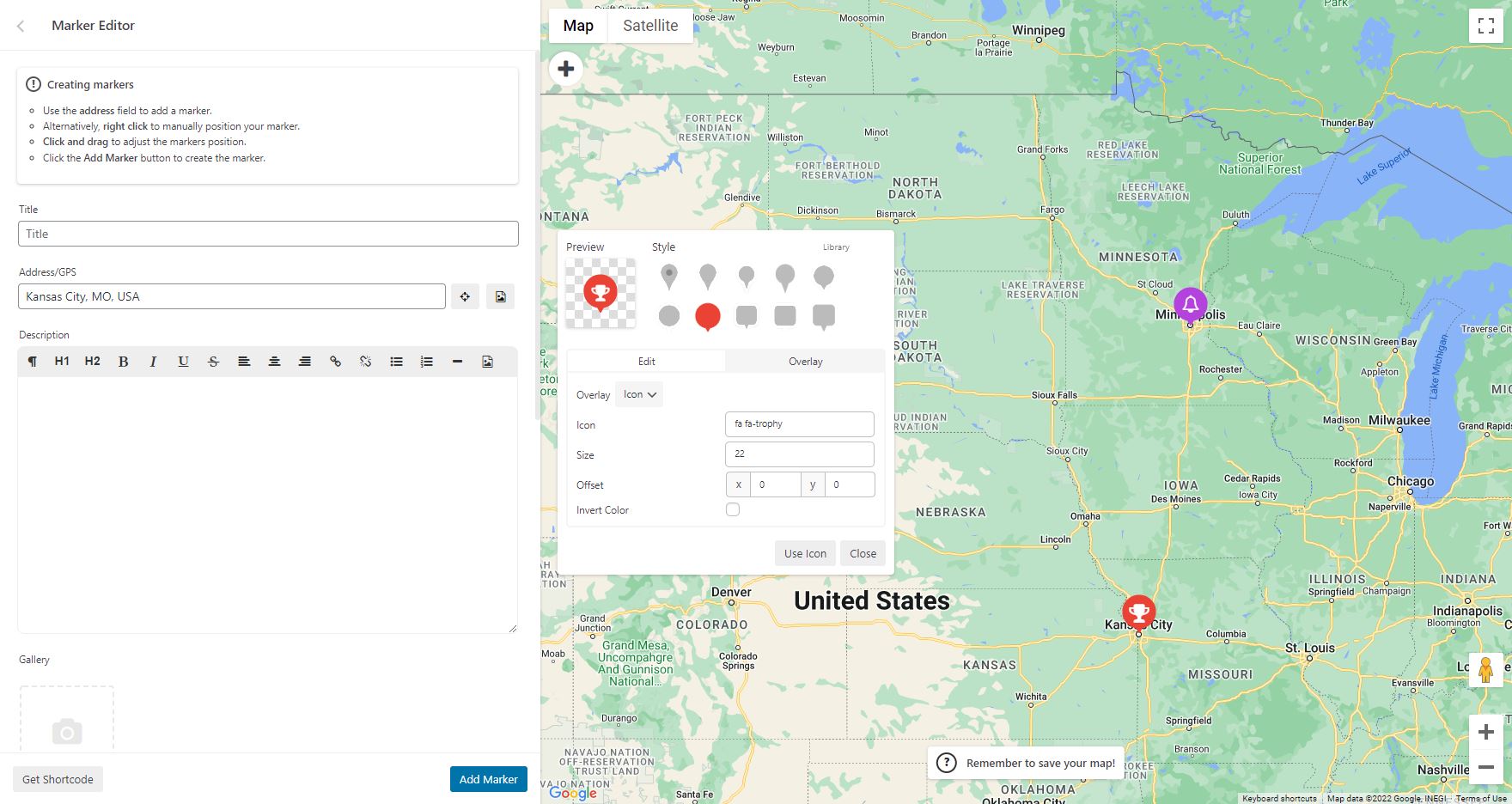
WP Go Maps Pro version: Add custom markers to your Google map 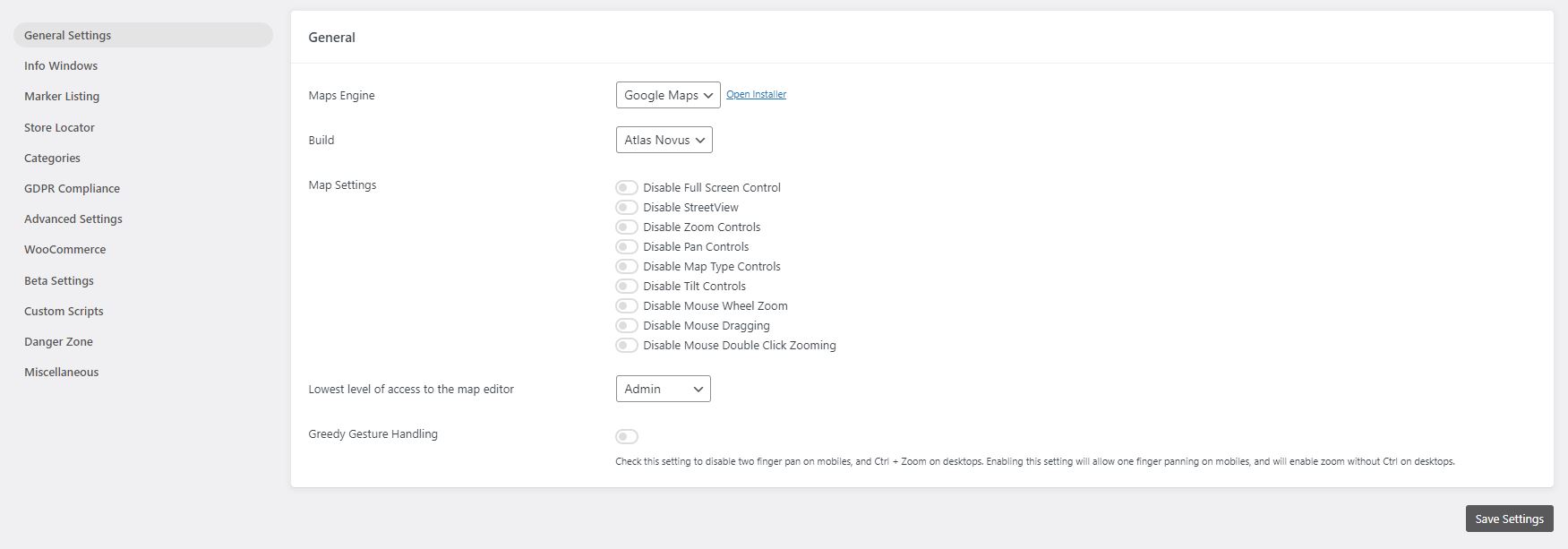
WP Go Maps Lite version: General settings page 
WP Go Maps Pro version: General settings page 
WP Go Maps Pro version: InfoWindow settings page 
WP Go Maps Pro version: Advanced Google map options. 
WP Go Maps Pro version: Map marker listing options 
WP Go Maps Pro version: Export/Import your map markers 
WP Go Maps Pro version: Responsive carousel map marker listing 
WP Go Maps Lite version: Store Locator Settings 
WP Go Maps Lite version: Store Locator Map 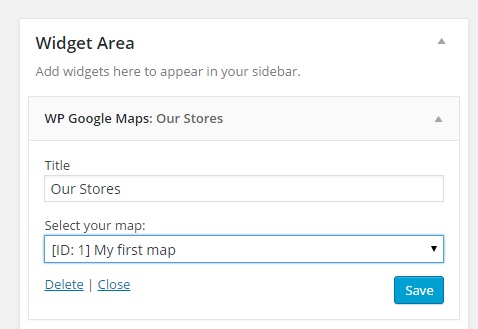
WP Go Maps Lite version: Map Widget 
Select a theme for your map, or choose a theme from our theme library


Blocks
This plugin provides 2 blocks.
- Map The easiest to use Google Maps plugin! Create custom Google Maps with high quality markers containing locations, descriptions, images and links. Add your customized map to your WordPress posts and/or pages quickly and easily with the supplied shortcode. No fuss.
- Store Locator WP Go Maps Store Locator block, allowing to separate your store locator from your map
Installation
First time WP Go Maps user
Thank you for choosing WP Go Maps! In order to create your Google map, simply activate the plugin and click on “Maps” in your left navigation menu.
Once the WP Go Maps page loads, set the options for your map (height, width, map type, zoom level etc) and then use your mouse to drag your Google map to your desired location and press the “Save map” button.
Copy and paste the shortcode into your post or page and WP Go Maps will automatically create the map on your page using the settings you chose above.
Adding your first map marker
To add a marker to your Google map, scroll to below the map in your admin section and enter the address or GPS location in the Address input field. Click “Add Marker” and WP Go Maps will add your marker to the address you specified.
Setting up a Google Maps Store Locator
In order to make use of WP Go Maps Store Locator functionality, simply click on the “Store Locator” tab in the map creation page and select “Yes”
FAQ
-
How do I get WP Go Maps Pro?
-
Simply visit https://www.wpgmaps.com and purchase the WP Go Maps Professional Edition. Free updates and support included forever.
-
I’ve installed the plugin, now what?
-
Once installed and activated, a link should appear in your left navigation panel within your WP-ADMIN section. Click on the “WP Go Maps” link and follow the on screen instructions.
-
How do I put a Google map on my page/post?
-
In order to show your custom Google map on your page or post, simply copy the shortcode supplied and paste it into your page or post. WP Go Maps will automatically configure the map to the settings you selected in the map edit page.
-
How do I add a map block to my page or post?
-
It’s super easy to add a map block to your page or post. Simply add a block in the normal page editor, then type in “Map” and you should see the map block option. For more information please review this tutorial
-
How do I add a map widget to my widget area?
-
To add your map to your widgets area, simply go to Appearance->Widgets and drag the “WP Go Maps” Map Widget to your sidebar. You then edit the map widget to reflect the correct map.
-
How can I report security bugs?
-
You can report security bugs through the Patchstack Vulnerability Disclosure Program. The Patchstack team help validate, triage and handle any security vulnerabilities. Report a security vulnerability.
Reviews


Contributors & Developers
“WP Go Maps (formerly WP Google Maps)” is open source software. The following people have contributed to this plugin.
Contributors


“WP Go Maps (formerly WP Google Maps)” has been translated into 23 locales. Thank you to the translators for their contributions.
Translate “WP Go Maps (formerly WP Google Maps)” into your language.
Interested in development?
Browse the code, check out the