

Running an e-commerce website means protecting your customers, orders, and admin panel must be a top priority. WooCommerce websites are constant targets for brute-force bots and spammers, credential stuffing, fake account creation, and URL probing attacks.
WP Ghost provides a complete security layer designed specifically for websites using WooCommerce.
Enable WooCommerce Brute Force Protection

WP Ghost includes a dedicated option that integrates directly with WooCommerce login forms.
Steps:
- Go to WP Ghost > Brute Force > WooCommerce
- Switch ON the option WooCommerce Support
This activates:
- Brute force protection directly on the WooCommerce login form
- Attack throttling
- Bot blocking on
/my-account/path - Protection for WooCommerce customer authentication
This ensures bots cannot abuse your login form or attempt thousands of password combinations on customer accounts.
Activate Anti-Spam Protection for WooCommerce
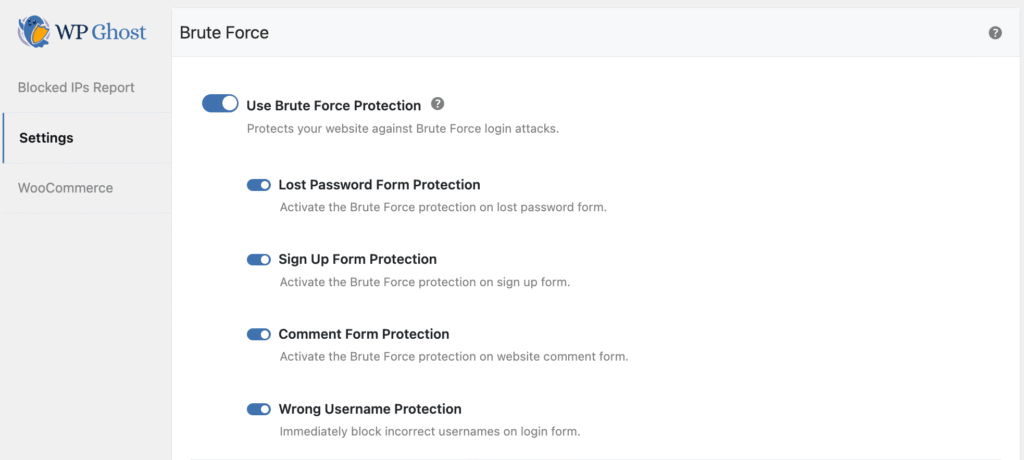
Once you activated the support for WooCommerce in the Brute Force section, you need to make sure you protect the website from:
- Fake accounts creation
- Fake reviews on products
- Spam orders
WP Ghost blocks these using math CAPTCHA and Google reCAPTCHA.
- Go to WP Ghost > Brute Force > Settings
- Enable protection for Comment Form Protection & Sign Up Form Protection
This reduces fake customer account creation and spam comments and reviews.
Configure Login & Logout Redirects for WooCommerce Customers

A good e-commerce experience needs secure and predictable redirects after login and logout.
WP Ghost allows customizing these for Customer user roles.
Steps:
- Go to WP Ghost > Tweaks > Redirects
- Enable: Do Login & Logout Redirects
- Click the User Role tab and select Customer
- Set the Login Redirect URL to /my-account to bring customers straight to their WooCommerce dashboard
- Set the Logout Redirect URL to / to safely send customers to the homepage after logout.
Tips:
- Customer redirects take priority over default redirects
- Ensure the URLs exist on your website
/my-accountmust be published as the WooCommerce Account page
This setup prevents redirect loops, improves the user experience, and eliminates security risks associated with default WordPress login screens.
Enable 8G Firewall and Bad Bot Blocking

Most of the time, e-commerce websites attract price-scraping bots, fake cart bots, payment page scanners, and vulnerability exploitation bots. To prevent these kinds of threats, the best way is to activate the 8G firewall and let WP Ghost handle them.
- Go to WP Ghost > Firewall
- Switch on Firewall Against Script Injection to activate the firewall options.
- Select 8G Firewall from Firewall Strength.
This protects product pages, checkout, cart, and account pages.
Activate Security Headers
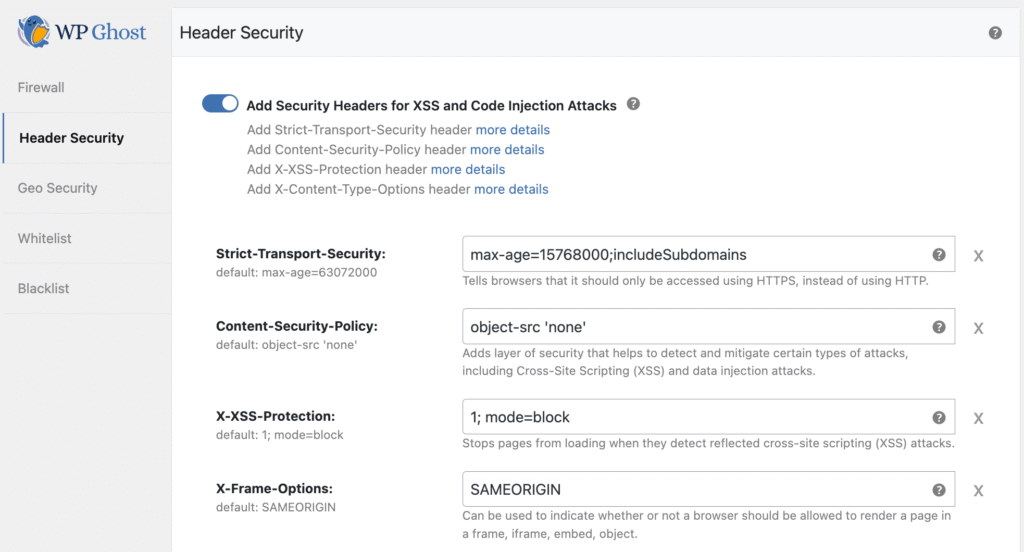
Other ways to attack e-commerce websites are by hijacking the checkout form, session hijacking, XSS attacks on product/checkout pages, and more.
To prevent these kinds of attacks, simply activate the header security and let the browser know the limits.
- Go to WP Ghost > Firewall > Header Security
- Enable recommended headers:
- X-Frame-Options
- X-XSS-Protection
- Strict-Transport-Security (HSTS)
- Content-Security-Policy (if your checkout allows)
Use Country Blocking for High-Risk Areas (Optional)
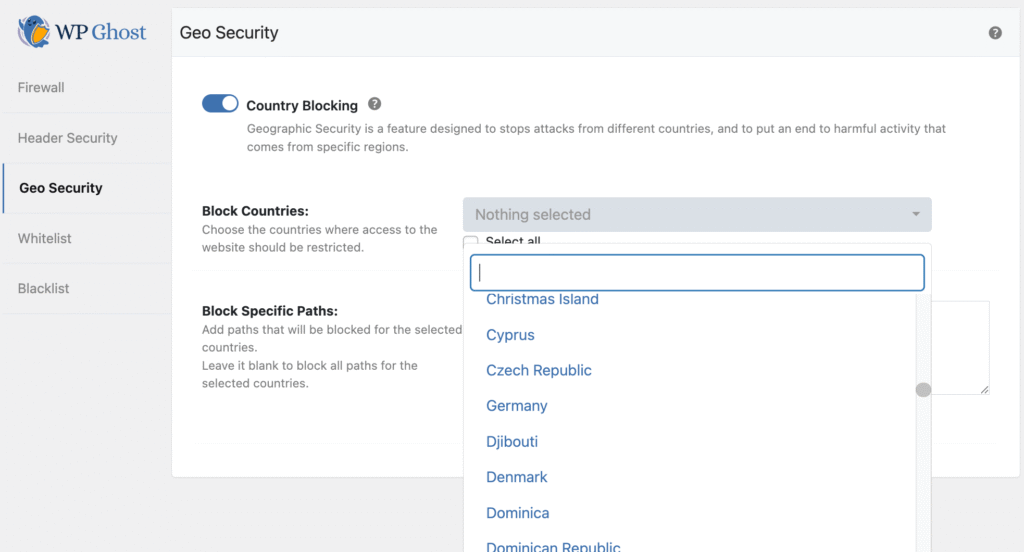
If your store only sells to specific countries, block access from high-risk areas. This significantly reduces bot load.
- Go to WP Ghost > Firewall > Country Blocking
- Block countries outside your shipping/delivery zone
By enabling brute-force protection, anti-spam filtering, secure redirects, the 8G firewall, and security headers, you dramatically reduce your store’s exposure to bots, account-takeover attempts, checkout attacks, and automated vulnerabilities.
This configuration enhances both security and customer experience, allowing your WooCommerce store to run smoothly and safely.
