Keyword Cluster Tool Free (AI-Powered) Grouped Keywords for SEO
Keyword clustering is a huge part of smart SEO. Thankfully, you don’t need to spend weeks coming up with a list of keywords or doing extensive keyword research anymore. My free keyword clustering tool makes it easy to group keywords in the best way for SEO, helping you rank well in Google and other search engines’ SERPs.

Delivered Straight to Your Inbox
"*" indicates required fields
Use This Keyword Cluster Tool to Rank Multiple Pages & Keywords in Google Search Results
Even if you’ve got some SEO experience, you might not have come across keyword clusters before. They’re an easy and powerful way to supercharge your SEO efforts.
Before I show you how to use the keyword cluster tool to the max, let’s take a closer look at what exactly keyword clusters are. And just in case you need a quick refresher, we’ll also recap what a keyword is.
What’s a Keyword?
A keyword is a search term that someone would type into Google. It can be a single word (like “soccer”) or a phrase of several words (like “best soccer cleats for kids”). Web pages rank for specific keywords, based on how well Google thinks that page matches up to what the searcher is looking for.
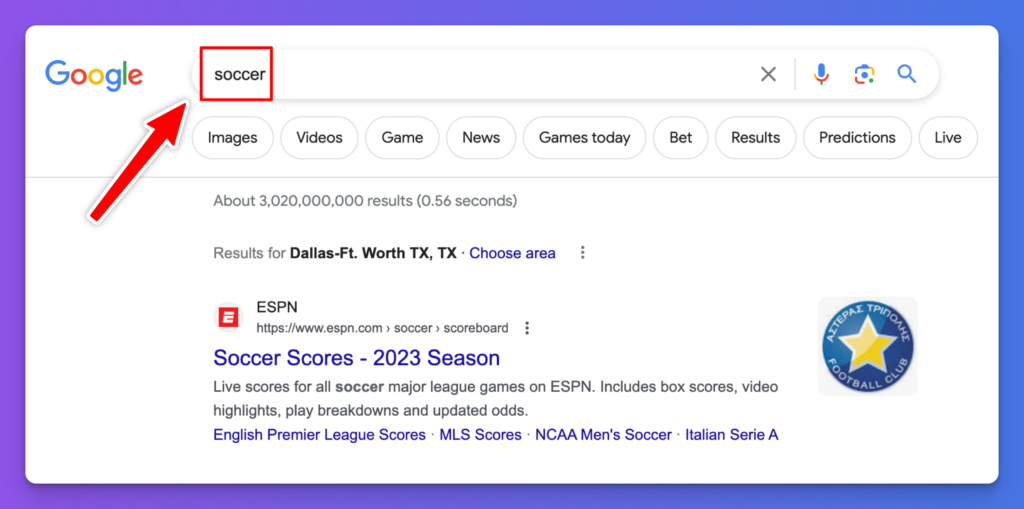
Some keywords are wildly popular, with the top Google searches being for things like “YouTube” and “Amazon”. Other keywords might only get a handful of searches per month.
Keyword research involves finding the “sweet spot” of keywords that have low to medium competition and medium to high search volume. That way, you can create content targeting those keywords – and hopefully succeed in getting your blog post or page to rank high in Google. Luckily, I’ve got a free keyword research tool for ya.
What is a Keyword Cluster?
A keyword cluster is a group of related keywords that all have some topical overlap and often, similar search intent. Creating a keyword cluster is a great way to approach mapping out an entire content strategy that has the potential to rank your content for all the relevant terms in your niche—thus maximizing your traffic driving capabilities.
You can also think of keyword clusters a little more broadly than this. A keyword cluster gives you terms that are closely related, even if they don’t mean the exact same thing. For instance, “indoor soccer cleats” and “outdoor soccer cleats” could both be part of the same keyword cluster as “best soccer cleats”.
How to Use the Keyword Cluster Tool to Group Keywords for Your Site
The keyword cluster tool (which you could also think of as a keyword grouping tool) is easy to get started with. Here’s how to use it as effectively as possible for keyword research that’ll get you great results.
Step 1. Type in a Primary Keyword or Topic
To kick things off with the keyword cluster tool, you’ll need a starting topic or keyword. That could be the topic of your blog itself, or it could be a keyword that you’ve found using my keyword research tool.
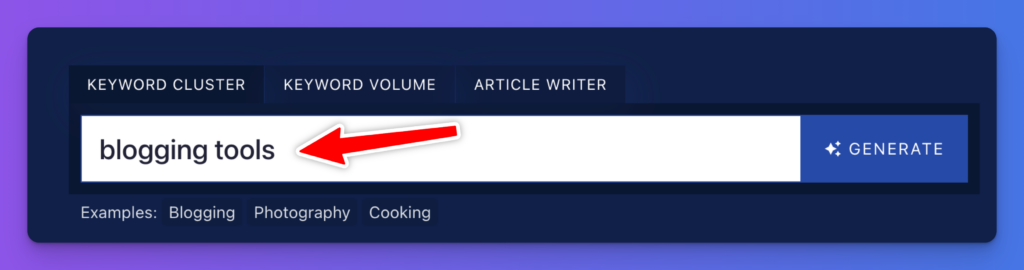
Tip: I’d recommend using a keyword here, especially if you’ve already got a good list of keywords that have medium to high volume and low to medium competition. If you haven’t yet done any keyword research, though, it’s fine to try out this tool with just a general topic in mind.
Step 2. Generate Lots of Ideas to Choose From
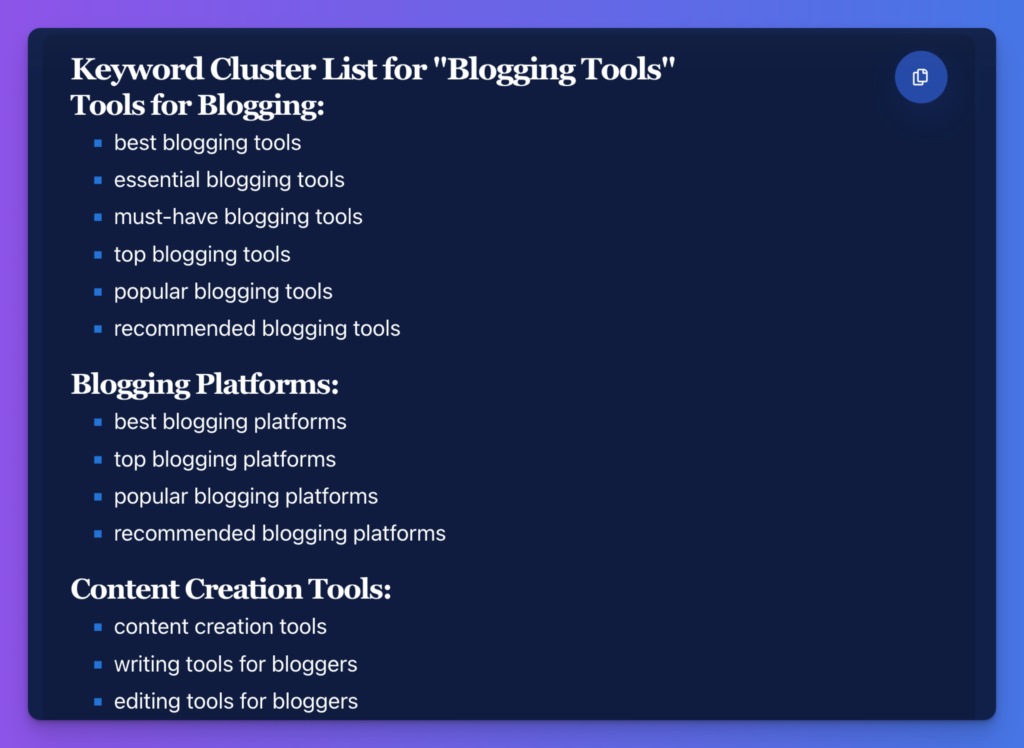
When you run the keyword cluster tool, it’ll automatically come up with a whole list of ideas for you. With a broad topic, it’ll cluster these into lists of closely-related terms. Here’s an example of some of the keyword cluster map for the topic “blogging tools” and as you can see, there’s a loooot of ground to cover:
Here, you’ve got enough topic clusters for a range of different blog posts, with several different closely-related keyword groupings for each one. This could give you a huge amount of content for your blog’s editorial calendar.
Step 3. Run the Keyword Clustering Tool Again for Even Deeper Ideas and Clusters
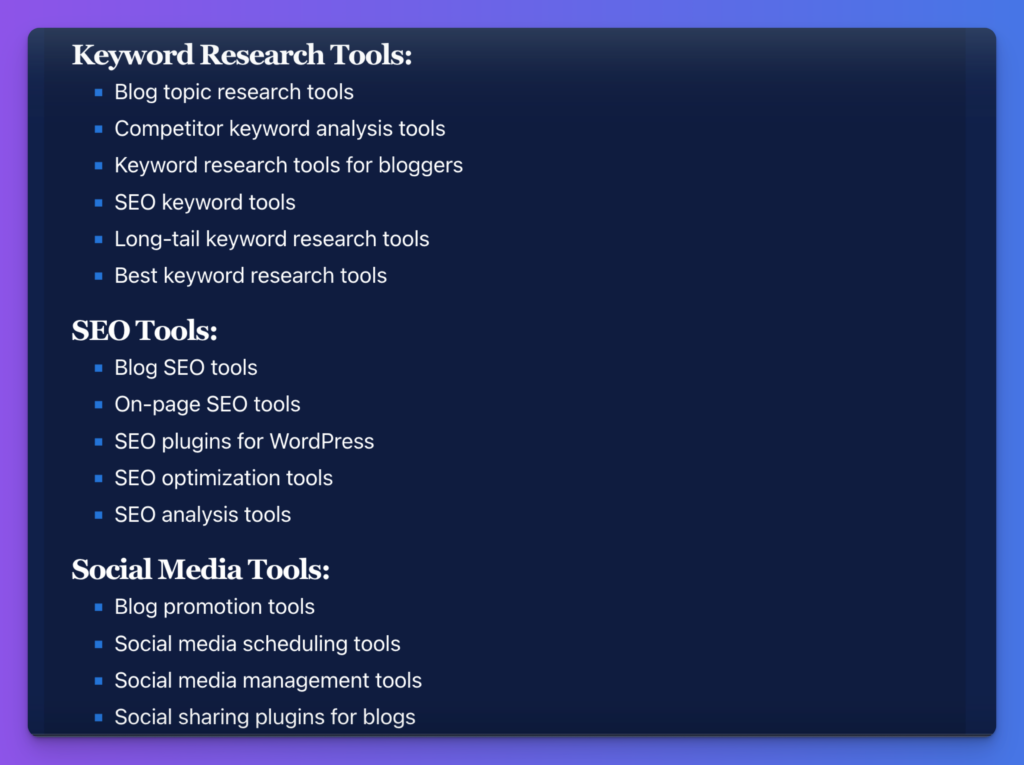
You can run the keyword grouping tool as often as you want. Let’s say you wanna create a piece about “free blogging tools”. You might use that specific term to start your next keyword cluster map, like this:
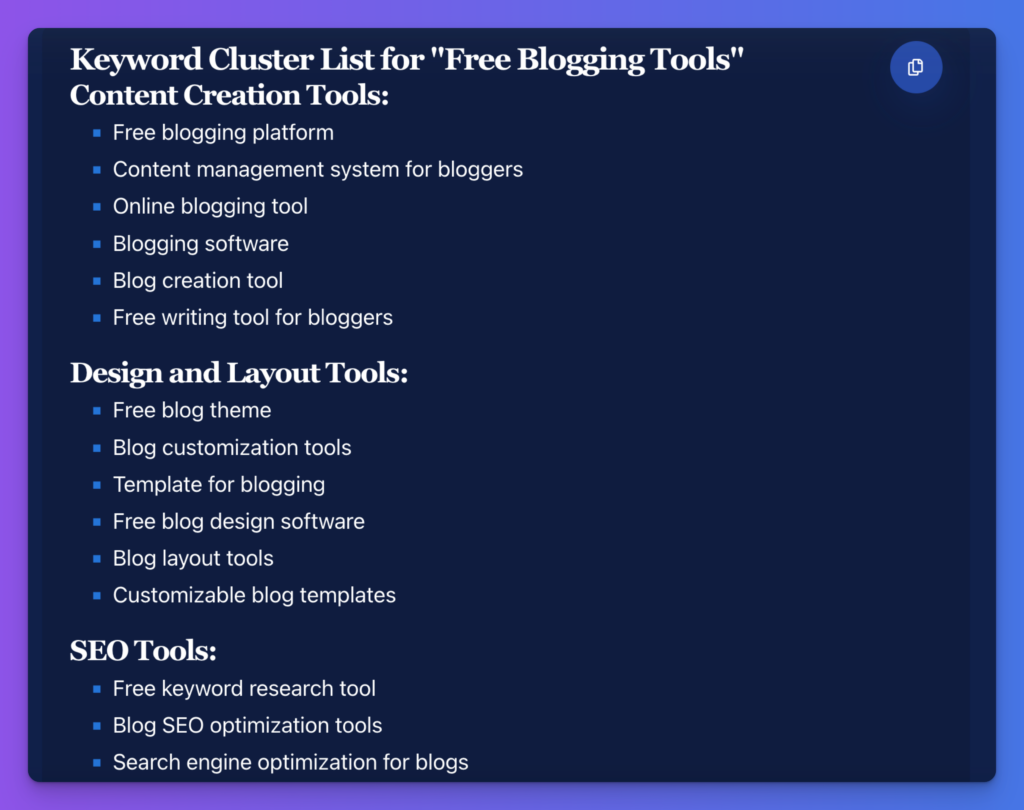
You now have a set of clusters where each different cluster could make for a great, focused single blog post.
Step 4. Plan Out Your Content Around Keyword Clusters
Using keyword clusters at the planning stage means it’s easy and effortless to incorporate them into your posts. Don’t try to cram keywords into your posts after writing them—it’s going to take a lot of editing to create a piece that truly works well for those keywords.
There are a couple of ways to use your keyword clusters as you plan:
- When coming up with topics and titles for your posts. If you’ve used a fairly broad keyword as your starting point, the tool should give you a range of different clusters (sets of closely related keywords) so you can create multiple different posts. You could think of this like a mind map with lots of different subtopics for your starting topic/keyword.
- When you’re outlining a post. The keyword clusters can help you decide what sections and subheadings to include. (It’s always a good idea to use keywords in your subheadings.) You might have your primary keyword from the cluster in the title, but use secondary keywords in the subheadings.
Bonus: Use My Free SEO Checklist Alongside this Keyword Clustering Tool
To get the most from your keyword clusters, you want to make sure you’re following good SEO practices to give your content the best possible chance of ranking well. Spending a few minutes going through my personal SEO checklist could make all the difference.
- Use the Yoast WordPress plugin so you can easily tackle the other tasks on this list
- Make sure your keyword phrase is a good fit for your target audience
- Include keywords in your headers (great for rich snippets & faster indexing)
- Your post or page title should be the only H1 header
- Within the body of your post, use H2 for subheadings and H3 for sub-subheadings beneath those
- Include your cluster of keywords in a natural way, varying these throughout your post (you don’t need to aim for a specific keyword density)
- Add plenty of internal and external links: ideally, at least 3 external links (5 is even better)
- Craft an engaging meta description that will catch readers’ attention
- Write alt text for all your images, including keywords where relevant
- Make sure your blog post is a good length: 1,500+ words in most cases
- Use the meta title tool to craft an SEO title that’ll rank well in Google (and other search engines)
- Include your most important keyword in the post or page permalink (URL)
The Features of This Free Keyword Cluster Tool
The keyword cluster tool is really easy to use—but perhaps you’re curious about how it works. Let’s take a deeper look at its different features.
Topic or Keyword (Can be Broad or Narrow)
The keyword cluster tool can come up with sets of keywords for any topic you want. If you enter a broad topic or keyword, you’ll get a big set of clusters—some of these might include keywords that are different enough to make for several blog posts. If you enter a much narrower topic or a long-tail keyword, you’ll have much more focused clusters, where each one should work as an individual blog post.
You can run the keyword cluster tool as many times as you like. There are no usage limits! Feel free to experiment with different topics and keywords.
Language: Choose Your Preferred Language (RightBlogger Feature)
This free keyword cluster tool defaults to English (US), but inside RightBlogger you can use it in 100+ different languages. So if you’re blogging in a language other than English, check out RightBlogger and you can easily create keyword clusters that work for you—targeting individual phrases and their synonyms in your native language.
You can even set the language picker to English (UK) if you want British English spellings and terms in your keyword clusters.
Keyword Cluster Tool FAQs (Frequently Asked Questions)
How should I use my list of keywords?
Depending upon the starting term you used, you can use your list of keywords in a couple of different ways.
If you had a keyword that’s several words long or a narrow and specific topic to start with, the tool will give you a set of several different subheadings and keyword clusters for each. Each subheading and its keywords can become a separate blog post. You can then use these when coming up with content briefs, either for your own use or when working with freelancers or employees.
If you chose a fairly broad keyword or topic to start off with, I’d recommend using the subheadings within the list as the starting point to run the tool again. That way, you should get keyword clusters that work perfectly for individual blog posts.