
Amongst the many reasons why my first online business eventually devolved into a fiery inferno, one thing I seriously lacked was an in-depth knowledge of all the incredibly useful online business tools, services and platforms at my disposal—that could’ve helped me more effectively launch a profitable online business.
By choosing to start a side business and grow it while keeping my day job, I now had extremely limited time and financial resources.
It was a constant struggle to bring on help. It takes money to hire talented contract developers, designers, writers, and marketers. Then, after they’re on board, you spend a lot of your precious time (which you don’t really have) managing their progress.
I knew that all of the top entrepreneurs I followed like Ramit Sethi, Tim Ferriss and Lewis Howes had a big enough business that they could afford to hire help to amplify their efforts. But I was then left wondering, how did they get there in the first place?
So, I set out to dig deeper into all of the possible ways I could automate, streamline, and outsource the process of building and growing my side business by finding and utilizing the best online business tools.
If you’re still looking for the right side business that aligns with your skills and passions, check out my list of the 101+ best business ideas.
In no time, I came across intricate email marketing platforms, tools for setting up automated sales funnels, social media scheduling services, website themes, plugins and other online business tools that could accomplish exactly what I was looking to do in minutes as opposed to hours (or days). Not to mention the treasure trove of business books and online business courses my mentors told me to check out. My mind was officially blown.
How had I gone through so many of the beginning stages of building a business, like designing prototypes, building a website, and lining up manufacturing without looking ahead and proactively seeking ways to more effectively grow my business without so much of my own personal effort?
Whether your new business is centered around a physical product, a service-based offering, SaaS tool, or the next iPhone app that everyone must have, you need to have an arsenal of useful tools that’ll propel you forward as quickly as possible.
What’s more important is that you avoid overlooking opportunities for streamlined growth. That’s why I like to incorporate strategic insights from successful entrepreneurs who’ve successfully navigated the complex processes of designing prototypes, building websites, and spinning up product manufacturing. By studying smart business presentation examples that showcase these effective strategies for accelerating your efforts, you can equip yourself with a valuable toolkit to propel yourself forward.
117+ Online Business Tools to Grow Your Online Business in 2024
Disclosure: Please note that some of the links below are affiliate links and at no additional cost to you, I will earn a commission. Know that I only recommend tools I’ve used and believe are genuinely helpful, not because of the small commissions I make if you decide to purchase them. Most of all, I would never advocate for buying something that you can’t afford or that you’re not yet ready to implement.
Want the really good stuff?
Join me today and I’ll send you my weekly tips, strategies, and detailed insights on starting a profitable side business.
"*" indicates required fields
Here are my picks for the 100+ best online business tools, apps, resources, browser extensions, WordPress plugins and platforms that will help get your website (or online business) to profitability as quickly and inexpensively as possible.
The Must-Have Online Business Tools
1. WordPress.
In my opinion, having a WordPress hosted website backed by the right monthly hosting plan is the absolute best balance between easy-to-setup website and scalable platform for future growth, especially if your online business model shows early positive growth signs. If you’re new to setting up a visually appealing website, there are an incredible amount of online blogging courses, tutorials, and free resources that can teach you how to get started with WordPress. I also put together one of the most in-depth guides on how to start a blog (that covers everything ranging from how to come up with winning blog post ideas, to effective ways you can drive traffic to your blog and actually learn how to make money blogging).
The free, simple to use Content Management System (CMS) that WordPress gives you is a basic website, published on one of their free default WordPress theme templates in a matter of minutes. For more creative control and advanced features that you’ll eventually want to use for your online business, you’ll want to pick up more complex themes and plugins.
2. Bluehost.
While I’ve since moved on to using Kinsta to host my blog now that I get millions of readers, Bluehost is where it all got started. Their hosting plans are some of the most affordable you’ll find online, ranking them amongst the cheapest hosting plans on the market—starting at just $2.95/mo with a variety of different plans to suit your unique and growing needs. Whether you’re starting your first website or you just want to get your online business up and running quickly, Bluehost is my pick for the quickest & easiest web hosting provider, though there are plenty of other best hosting plans to consider today. On top of just hosting, they also give their customers access to 24/7 expert support to help with any questions, troubleshooting, and customization issues you have as you get going. Plus, they back all of their hosting plans with a 30 day money back guarantee. You can get started right here.
3. OptimizePress.
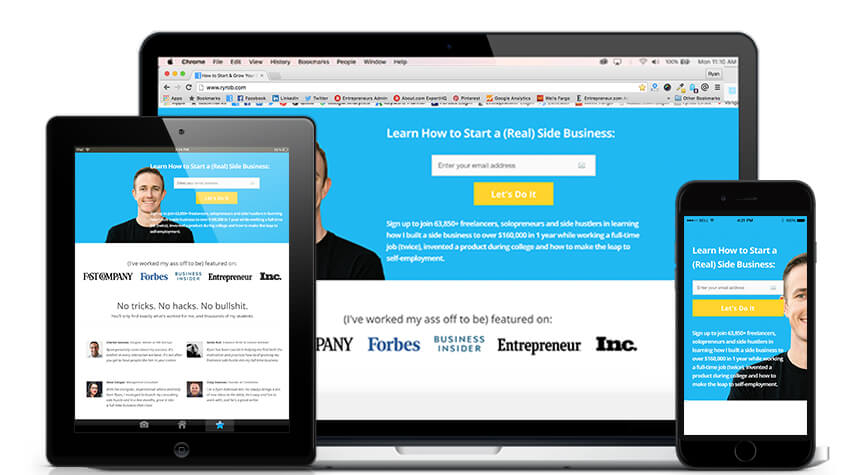
OptimizePress is one of the best WordPress themes for creating conversion-optimized websites, and it’s what I use to power my online business as the website builder behind-the-scenes on this blog. The amazingly simple visual live editor and template library enables you to very quickly build high converting landing pages, make a website, construct member portals, offer gated content, and so much more at an affordable price point.
As an added bonus, all of the pages you’ll create with OptimizePress are automatically fully responsive, so they’ll display perfectly on mobile & tablets—a major consideration when designing your blog layout. The theme is regularly updated with new features, functionalities, and has an amazing support team to answer any questions you have once you get started. On top of that, the theme plays very nicely and has direct integrations with all of the other top online business tools on the market, which makes seamlessly running your business a breeze.
4. ConvertKit.
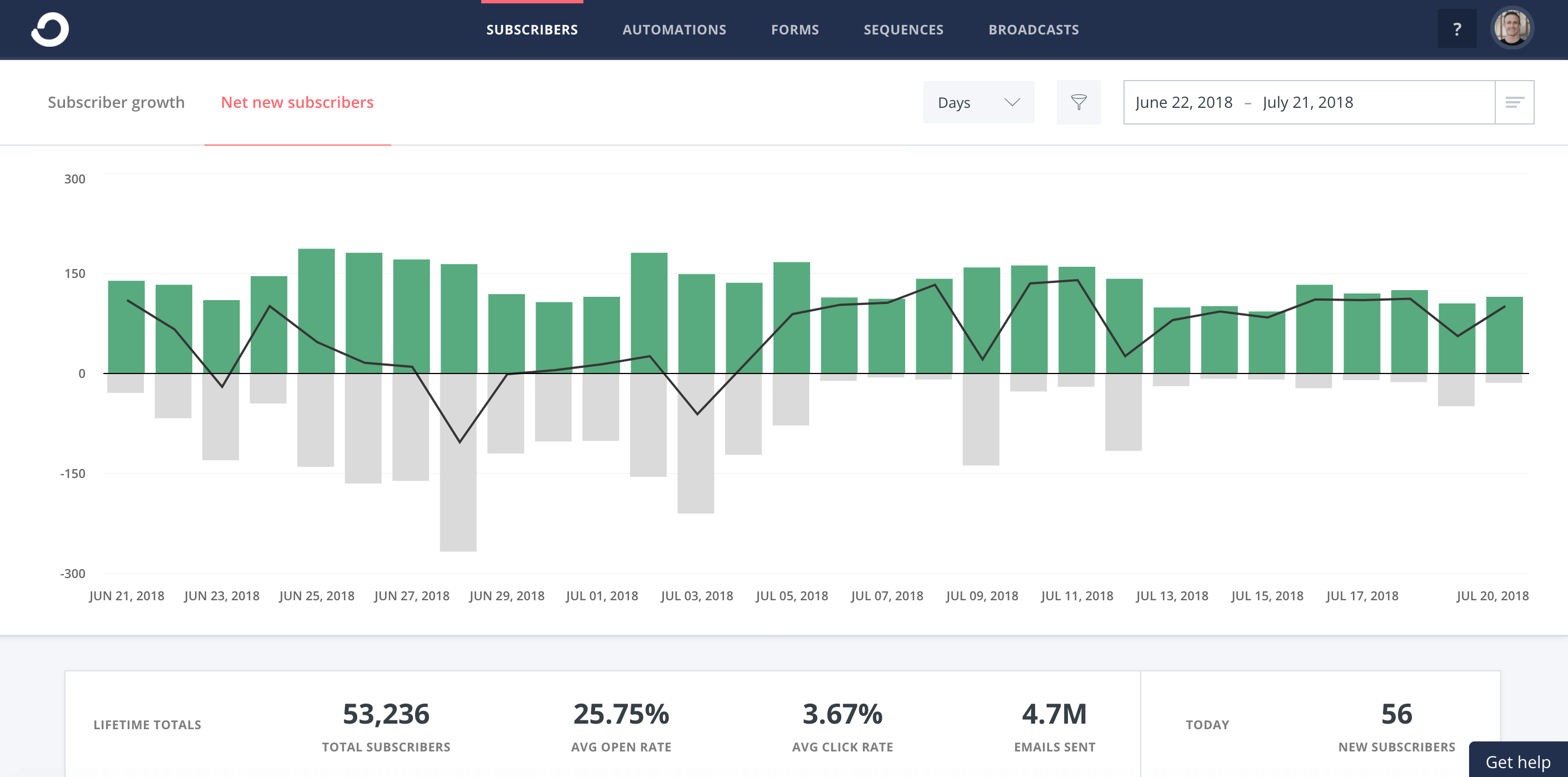
A huge part of getting traction with any online business is building your email list and learning to do email marketing. Your subscribers are one small step away from becoming customers, and they’ll serve as your first group for testing new products, sharing helpful insights, and launching new features. I’ve used several different blogging tools for managing my list, but ConvertKit is my all-time favorite. Their functionality is designed specifically for solopreneurs, bloggers, small business owners, and they’re constantly creating new features with these users in mind.
It’s very affordable (starting at $29/mo) and comes with every feature you need to build lists, quickly generate high-converting landing pages, set up automated emails, message subscribers, and includes numerous helpful email templates to start with. It also integrates directly with WordPress and dozens of other important tools for online business owners, so you can easily install visually appealing opt-in boxes and capture leads. If you want to take your email marketing seriously, check out ConvertKit today, it’s by far my most essential online business tool. Check out this comparison of ConvertKit vs AWeber vs Mailchimp to see for yourself.
5. Shopify.
My very first online store ran on Shopify (one of the top eCommerce website builders on the market today). Beyond just their easy-to-build online business storefronts that you can host on your own custom domain, they’ve released a suite of other online business tools and integrations that allow you to sell your products directly on Pinterest, Twitter, Facebook, and you can even embed shopping carts directly into your existing website. But if you’re still looking for the right blog name ideas, then try out a smart domain name generator that can help you land on a great name for your niche.
With low monthly and per-sale transaction fees on top of a free trial, Shopify is a great option for selling products online without going through the complicated process of custom-building an online store directly into your website.
6. Hunter.
This email finding tool (and awesome Chrome extension) can find the email address of just about anyone you’re hoping to email—in the click of a button. It pulls in all of the social profile information, from sites like LinkedIn, Twitter and Facebook to give you more context about the people you’re emailing, which is essential with my business as a freelance content marketer. Beyond just that, they’re also super useful for email address verification and even released an email verifier tool you can use to make sure an email address is functional before launching your outreach campaigns.
7. Fiverr
If you’re looking for low-cost freelance services for your business, Fiverr is your go-to online marketplace. Their strategy? To effectively cut out the middle-man of the hiring process, Fiverr provides an easy-to-use platform that allows sellers to list a variety of “gigs” including graphic design, copywriting, social media marketing and voiceovers—all at a low cost to you (though not exclusively $5 as “Fiverr” suggests). With Fiverr, you can purchase services on a case-by-case basis: just create an account and make your purchases right from the marketplace.
8. Gmail.
Gmail will help you become significantly more effective with your email follow up (and email organization). Snooze emails to a later date if you can’t deal with them immediately. Send emails to potential clients and trigger them to resurface in your inbox if you haven’t heard back within a week. This online business tool for better managing my email has become an essential part of my content distribution cycle and outreach process for guest blogging—or even when it comes to remembering to follow up on my work from home job or otherwise remote work opportunity leads. The goal of using Inbox is that you’ll never forget to follow up or lose track of important prospects again.
9. Kinsta.
After testing several different web hosting providers for my online business over the years, I’ve found an incredible new home with Kinsta. Since joining their premium WordPress hosting service, they’ve helped me make impressive gains on key factors like site load time, in addition to having one of the best customer service teams I’ve ever worked with. Kinsta comes at a higher price point compared to many of the entry-level hosting providers like Bluehost and HostGator, but once you’re starting to get traction with your website, their unparalleled hosting plans and accessible customer service team makes them the perfect solution for growing your blog to the next level. Check out their month-to-month hosting plans and you’d be glad you did.
10. MailMunch.
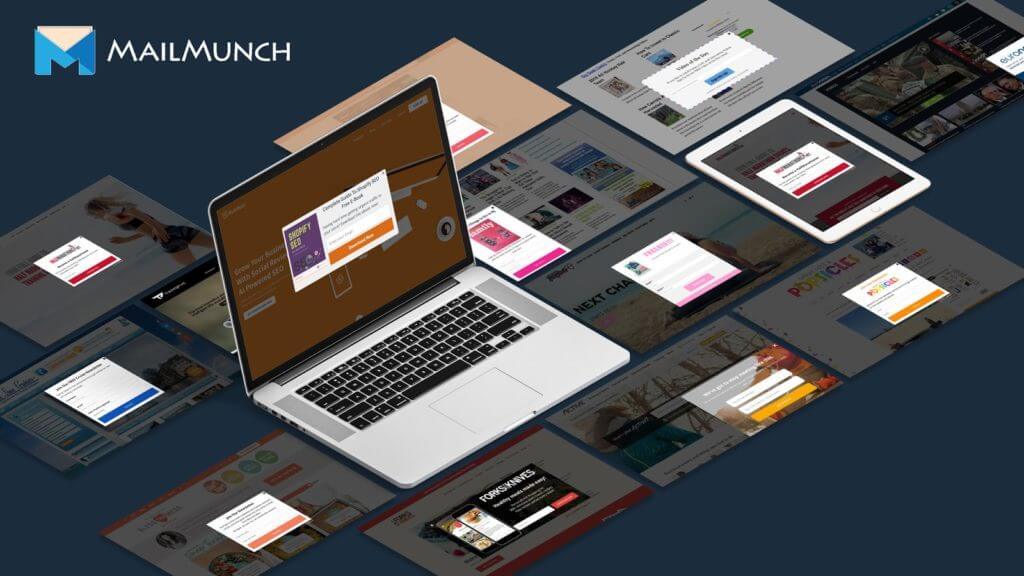
Building your email list shouldn’t be a complicated or time-consuming task. If you want to minimize that legwork from day one (so you can focus on creating content for your readers and getting more traffic to your website), then try out MailMunch. They’re an extremely useful lead generation platform that gives you turnkey tools for turning your visitors into long-term subscribers and customers, with a quick installation in less than 5 minutes. Aside from the speed and ease of use of their tools, they also have a ton of customization options to make your forms and landing pages more personalized for readers—not to mention automatic syncing with your email marketing service provider in real-time. Advanced features you can access include the ability to split test forms, create custom landing pages and send email campaigns from directly inside their application.
11. Omnisend.
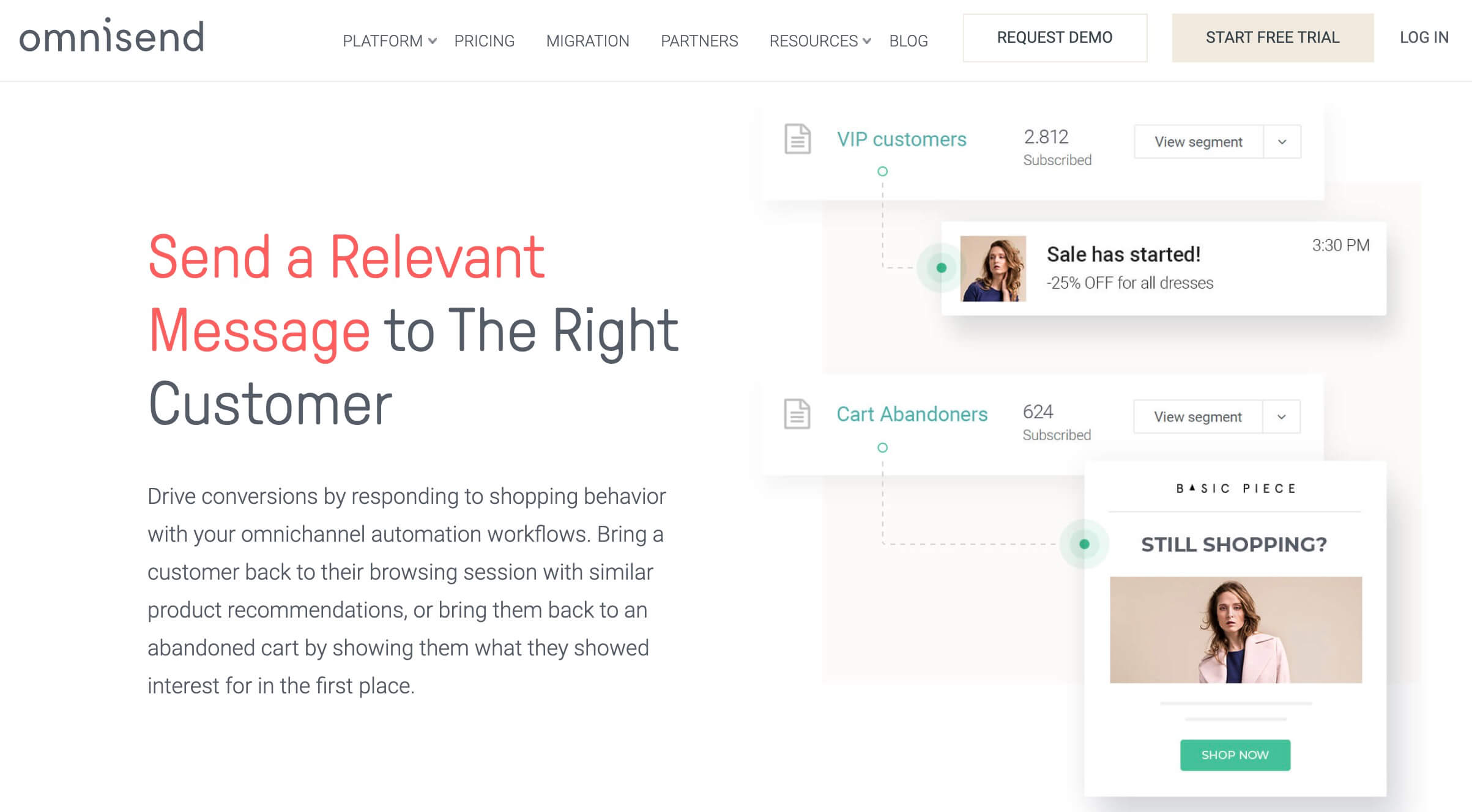
Widely regarded as a leader in marketing automation for eCommerce brands, Omnisend has been creating tailor-made solutions for more than 50,000 eCommerce sellers, online retailers and direct-to-consumer companies for over 6 years. With a focus on helping small to medium-sized teams (and even some larger brands like Unilever & Fred Segal) to grow their sales revenue without adding more work to their plates. Omnisend’s features include highly-relevant emails, texts, push notifications, Facebook Messenger marketing tools, management of Facebook ads, Google ads and more.
12. SavvyCal
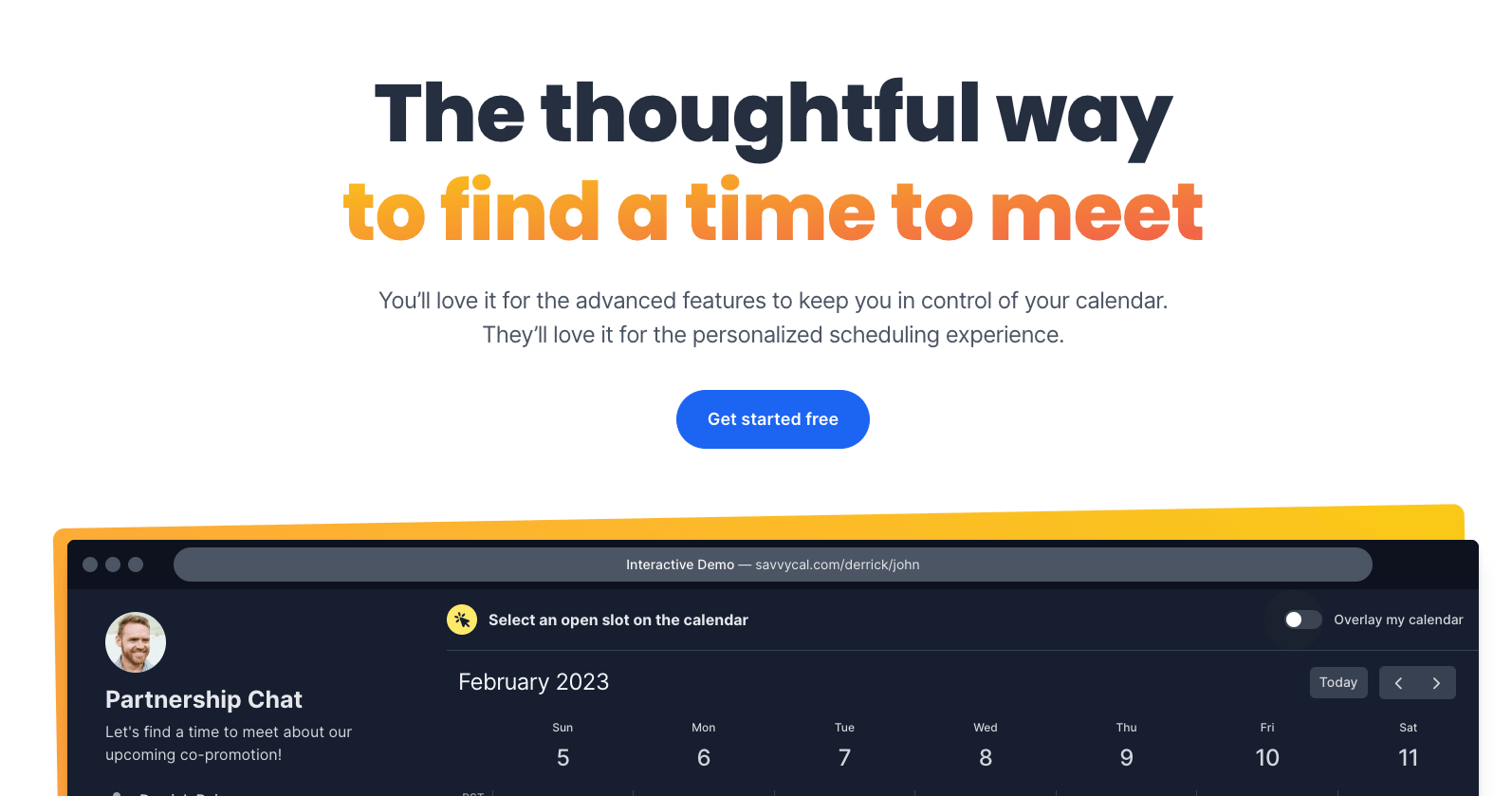
I’m a strong believer that every online business owner, marketer, salesperson and support rep can benefit massively from a good calendar app. These days, SavvyCal is my favorite scheduling app by far. The feature I love most is the ability to overlay your own calendar on someone else’s SavvyCal page, allowing you to instantly see where your availabilities overlap—without the need to switch tabs five times to make sure you’re booking a meeting that works for everyone.
13. ActiveCampaign
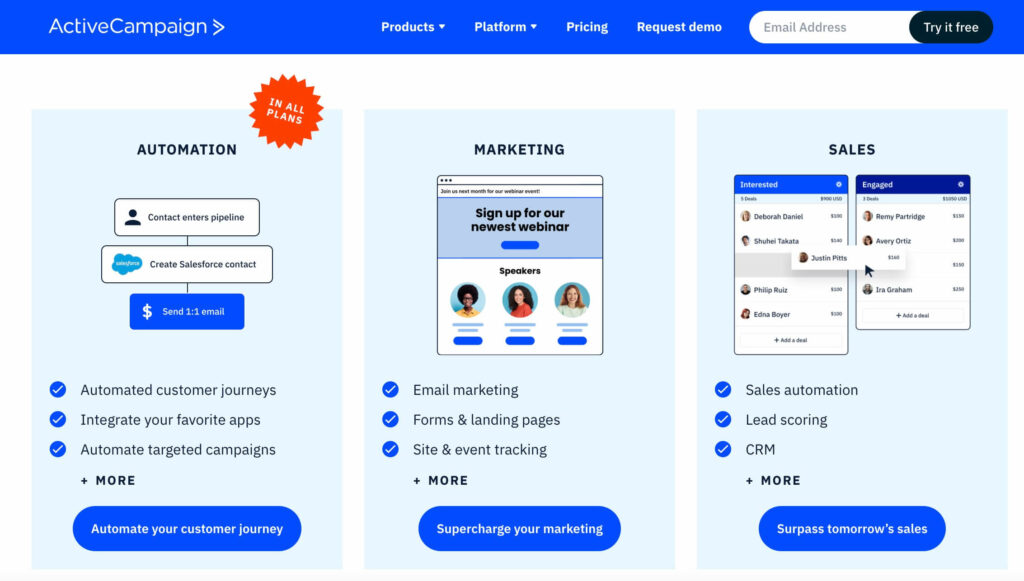
ActiveCampaign is a feature-rich platform offering a powerful mix of email marketing, CRM, and sales automation since 2003. Its suite of tools is designed to help businesses effectively engage with their customers. With ActiveCampaign, you can develop four types of autoresponder emails:
- Welcome emails to warmly introduce your brand to new subscribers
- Timely reminders for important events, such as birthdays or anniversaries
- Automated email sequences that are activated by specific events or customer behaviors
- Retargeting emails, sent to subscribers who didn’t open your initial email
ActiveCampaign offers a visual automation builder and pre-made automation workflows that make creating email sequences quick and efficient. Its AI-assisted predictive sending feature ensures your emails are sent when your subscribers are most likely to engage, thus enhancing open rates and interactions. Plus, it features a diverse selection of triggers, actions, and conditional splits that let you customize your emails to meet your customers’ needs.
Outsourcing Tools and Platforms
14. Dribbble Hiring.
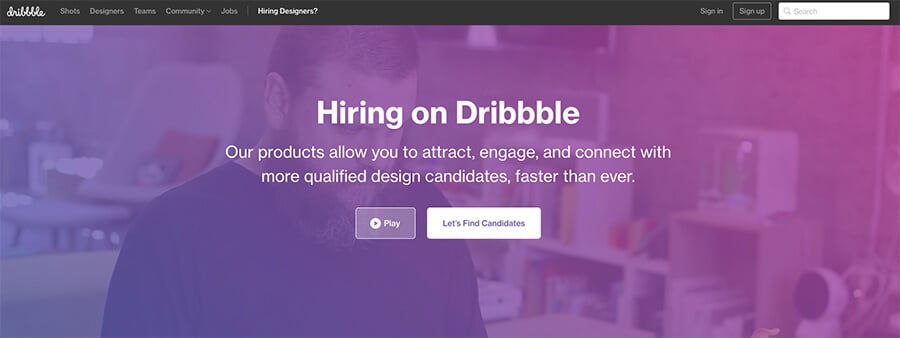
Dribbble Hiring is one of the highest quality marketplaces I’ve used when outsourcing design or development work for my blog. If you’re in a position where you have more financial resources than you do time to build an app or work on a website, then choosing to outsource to these top pros is a no-brainer. What’s really great about Dribbble is that they’re bringing you the top designers and developers in in the world, from their community that’s world-renowned for having top talent. Sign up today and start working with freelance designers and developers that’ve won Apple design awards, Emmys and have built products that are used by millions of people.
15. Penji.
If you don’t have a ton of spare time to find a talented freelance designer, a great (very affordable) alternative is joining an unlimited graphic design service like Penji, a leading choice for online businesses that need design help—since they already have a team of vetted designers ready to tackle any design request you can think of. All you need to do is sign up to try it out and subscribe to the right plan for your design needs. Then you can quickly start requesting graphics, logos, advertisements and many other different types of design assets. To me, the best part is that you can also expect dependable, quick turnaround times without compromising on the quality of your designs.
This is one of my favorite communities to source freelance content marketers and community/social managers that know exactly what they’re doing (and can build a powerful content marketing strategy). They already have the marketing skills you need in a talented freelancer, so this is a great site to list your blogging job opportunities on too. They vet every freelancer in their community very carefully, and ensure there’s nothing but the best, which is a must when you’re trying to grow your online business without sacrificing the quality of your work.
16. Guru.com.
With over 1.5 Million freelancers on their platform, Guru’s concentration on bringing together experienced technical and design-oriented freelancers makes them a great alternative to Upwork, where I’ve historically had more quality issues.
17. Skillbridge.co.
A notch above the rest in terms of talent pool, Skillbridge brands themselves as the access point to the hidden world of elite business consultants, experts, professionals and even a healthy stable of WordPress developer jobs in a format that focuses more on industry-experts as opposed to skills-based experts. Here, you’ll certainly be spending more money for help, but you’re much more likely to find a pro with broad expertise across an entire industry – a valuable asset if you have more money than you do time for growing your online business.
18. Digiserved.
This freelance community focuses on bringing in creative talent and offering pre-packaged services like logo design, image editing, newsletter design, blog post writing, crafting press releases, or even whipping together designs for motivational quotes 😉. What makes them different is their quick & simple checkout process that eliminates the need to search for freelancers, negotiate on price, and worry about deliverable timelines.
19. Toptal.
Toptal is a great place to look for talented software developers if you have the budget for quality help. The platform bills itself as an exclusive marketplace that weeds out all but the best and most decorated developers working on everything from Java to Python. Best of all, Toptal does the head-hunting work for you, so you’ll spend less time searching for the perfect developer and more time building your online business.
20. JobRack.
JobRack is a job board specifically for hiring high-quality Eastern European contractors to help you grow your business. Hiring talented freelancers from Eastern Europe is a growing trend because of their work ethic, language experience and significantly lower wages than Western Europeans. It can be a a great pool to tap into for either outsourcing mundane tasks or getting higher quality results with projects outside of your area of expertise.
21. Sewport.
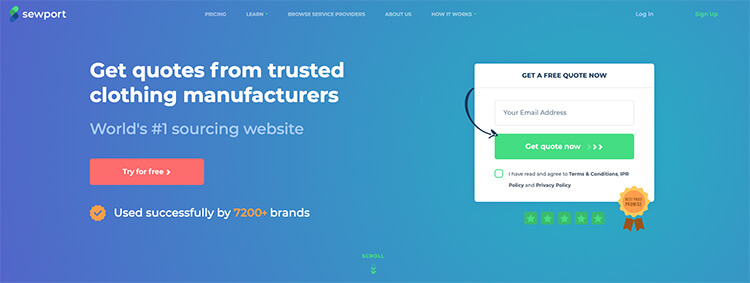
If you’re looking to outsource the manufacturing of your clothing production for a dropshipping or otherwise eCommerce-driven business, then Sewport is a must-stop destination for finding affordable, trustworthy clothing manufacturers based around the world. From sportswear to women’s high fashion, accessories like sunglasses, belts and shoes, more than 7,200+ companies and entrepreneurs are already using the Sewport platform to find and work with high quality factory partners.
Research, SEO & Marketing Online Business Tools
22. Unbounce.
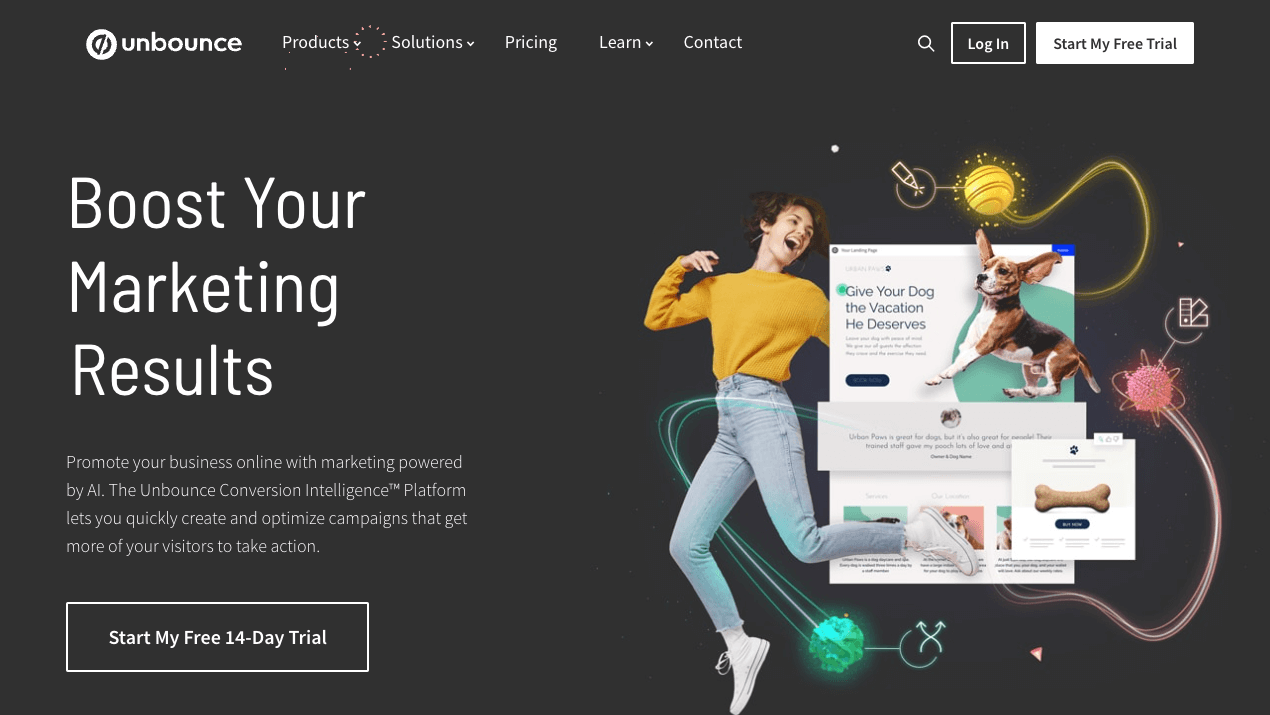
Unbounce has been in the marketing tools game for well over a decade now, perfecting their suite of tools that include a beautiful landing page builder, popups, sticky bars and their latest evolution, the Conversion Intelligence Platform (an AI-powered platform for effortlessly creating high-converting marketing campaigns). All of their tools help marketers convert more visitors into leads (including their tools for setting up automated sales funnels), in order to generate more signups and sales—so be sure to check them out regardless of the online business you’re in today.
23. SEMrush.
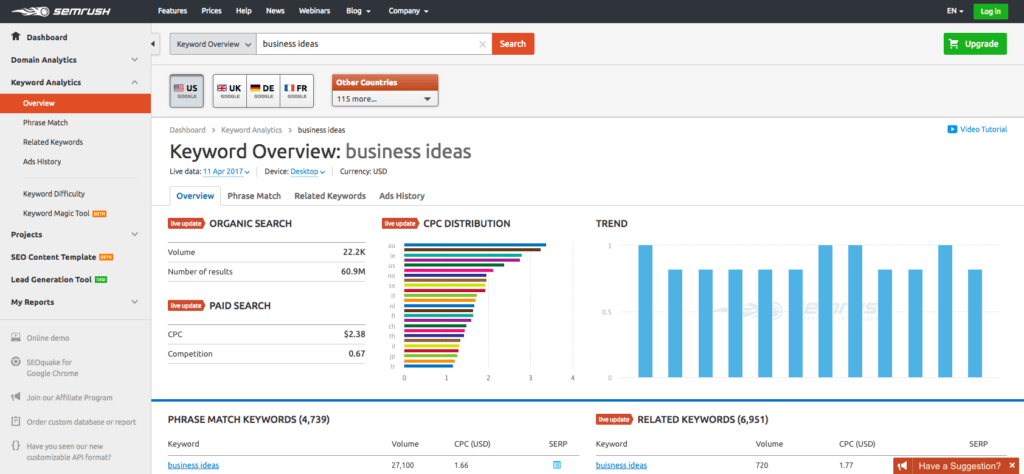
I’ve used SEMrush for several years as one of my top tools to learn how to do keyword research—and now it’s an all-in-one toolkit for digital marketers. From estimating search volume ahead of time on a set of keyword phrases I’m considering writing new blog content about, to examining competitor pages, drafting a competitive blog post outline, checking for backlink opportunities, paid ad analysis and more, their suite of tools have become an essential part of my workflow as a content marketer.
Check out their suite of tools by signing up for a 7-day free trial right here today.
24. Ahrefs.
If you’re new to the world of implementing blog SEO strategies and link building, then signing up for a free Ahrefs account and keeping track of your website’s ranking metrics with this online business tool is the best place to start. Ahrefs tracks a large number of website metrics including how many backlinks are pointing to your website (and where they link to) which builds your site’s authority and ability to rank well on Google, your traffic rankings, best performing content, and much more.
25. Proof.
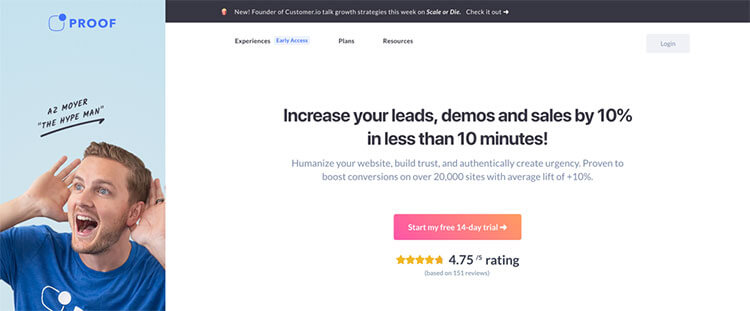
You’ve probably seen social proof notifications popping up in the corner of many websites you regularly visit. The ones that say things like Ben from Austin just signed up or 100 people are looking at this hotel room. Why are marketers using them? Because they work! Proof is the leading provider of social proof software today, helping bloggers and website owners increase their conversation rates by 10-15%. It’s easy to install and can significantly increase conversions on your website.
26. ContactOut
ContactOut Chrome extension shows you the direct contact information of your prospects. It works on top of LinkedIn, so you can find emails and phone numbers or even VoIP numbers, easily. The Chrome extension is a great tool for sales reps, recruiters, and anyone who needs to find direct contact information. It gets you the data you need without having to leave LinkedIn or visiting another site. You can also manage contacts by saving single to multiple prospects in a designated folder which you can set up on the extension too. It’s a must-have tool for anyone who needs to find data quickly and easily.
27. Voila Norbert.
Put simple, Voila Norbert is an email finder. It’s used predominantly by people in sales, marketing, PR, blogging and recruitment. Their tool suite has an industry-leading 98% deliverability, meaning you’re almost certain to find the correct contact information for the people you want to connect with. New users also get 50 free credits to find emails, making it easy to test drive and see how well it works for you. If you subscribe to the platform, Voila Norbert has both a monthly or pay-as-you-go option to choose from. In addition to the email finder, Voila Norbert also has an email verification feature, which filters out invalid/inactive email addresses to help reduce bounces, raise your spam score and improve your email deliverability.
28. Wordable.
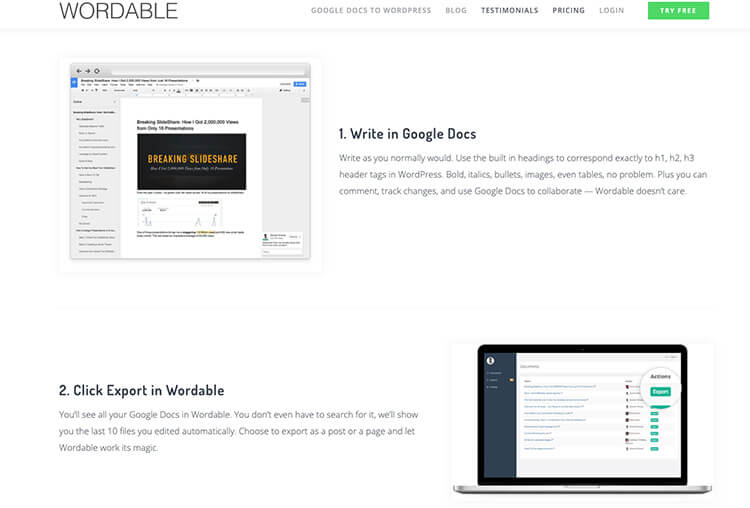
As a blogger that’s fallen in love with drafting content in the simple Google Docs interface, Wordable has become my right-hand savior with how easy it is to quickly export my drafted articles directly into the WordPress backend of my blog with literally just a couple of clicks. If you’ve ever tried copying and pasting from Google Docs into WordPress, then you know just how terrible that process can be—completely jacked up formatting, images randomly disappearing, the wrong header formats. Wordable solves that problem elegantly. This is one of those tools that I didn’t think I needed, until I tried it for the first time—and it completely blew my mind with the clear productivity gains I’d experience from integrating it into my regular content workflow.
29. Ucraft.
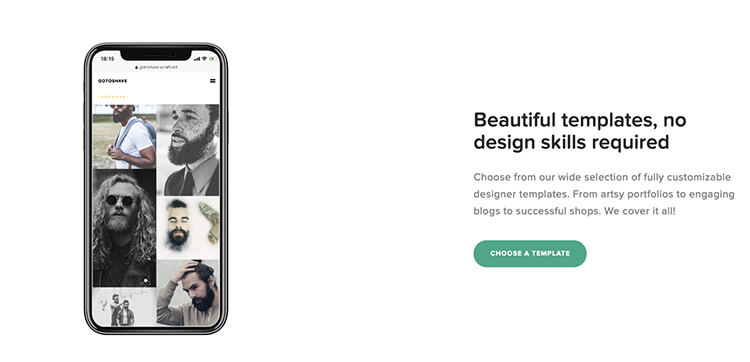
This fantastic tool suite is designed to be a free website builder for busy creators—packed with tons of visually appealing templates, themes and modules to create a great looking website for your social followers to further connect and engage with you. What’s great about Ucraft is that all users get access to a wide selection of fully customizable designer templates ranging from artsy portfolio sites to content-focused blogs and those using eCommerce website builders that can help monetize your audience.
30. QR Code Generator by Uniqode.
Both online and offline businesses can benefit from using branded QR codes to achieve a wide range of marketing-related blogging goals. Uniqode’s QR code generator is my favorite by far. You can use their tools to create QR codes that include your own logo and other customizations that align with your overall brand. And if we talk about the security aspect of using the technology, QR codes are safe. QR codes can be used on everything from eCommerce websites to create an AR-experience for customers to experience a product before purchasing, to delivering targeted coupons for loyal customers and you can even place QR codes on physical products to promote customers to share their new purchases on their social media feeds.
31. Outgrow.
Outgrow has a suite of interactive content tools, all designed specifically to be no-code friendly, with the goal of helping marketing tools acquire more qualified leads. With a range of tools including a quiz maker, calculators, polls, chat bots, assessments, giveaways, surveys (and more) that can quickly embed directly into any page of your website, Outgrow’s tools will help engage your audience more effectively. Trusted by companies like Adobe, Nike, StateFarm, Salesforce and thousands more around the world, you’ll see just how many leads you’re missing out on by not leveraging interactive content with your audience.
32. Buzzsumo.
I use this diverse researching tool to concept potential blog post topics, find key influencers to help distribute my content, and identify opportunities to build relationships with potential partner sites. You can use it to see how many social shares a competitor’s blog post has, which will give you insights as to which social channels that topic may perform best on. It’s a great place to see which topics related to your online business get the most attention, so that you don’t go flying blind the next time you write a new blog post. Going a step further, Buzzsumo also helps you boost the effectiveness of your blog post titles with powerful insights around what’s already working well out there—helping you learn how to write a headline that’ll convert better.
33. Yoast SEO Plugin for WordPress.
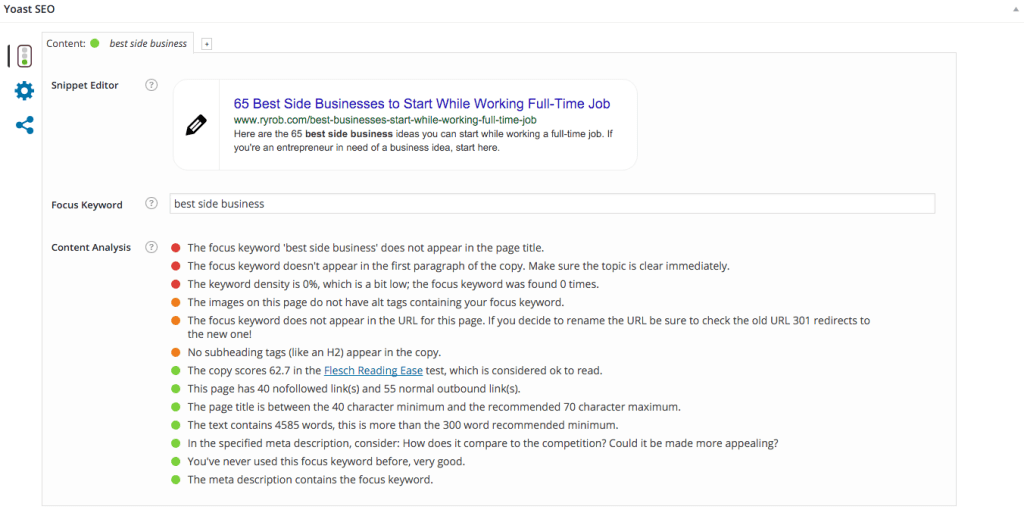
Yoast is legendary in the SEO industry, and their optimization plugin for Wordpress posts and pages lives up to their reputation. All you do is fill in the sections for meta title, meta description, target keyword, then Yoast scans your content and gives you precise recommendations for how to further optimize your content for ranking well. If you’re starting a blog or relying on content marketing to drive new customers into your pipeline, this is a must-have online business tool for your arsenal.
34. Google AdWords.
Affordable, targeted paid marketing to as wide or as narrow a client base as you’d like within Google’s sponsored search results or across their vast display network of partner sites. Cheaply test the viability of your product by driving paid traffic at a quick landing page to see if they’ll sign up for more information about your online business. Attract your first customers who are ready to buy, conduct aggressive A/B testing campaigns, and grow your blog with relatively cheap pay-per-click advertising.
35. Pingdom Website Speed Analyzer.
Pingdom has a nice free tool to troubleshoot slow load times on your website. Aside from just checking how fast a page loads on your website, Pingdom will send you email alerts if your servers are down, and will also show you the exact web elements, based on content type like specific image files, CSS, and HTML that are causing your site to load slowly.
36. Social Snap.
Social Snap is the ultimate social sharing plugin for WordPress. Their features include social sharing buttons, follow buttons, social meta tags, click to tweet and more. It also includes add-on’s like the auto poster for easy publishing to your preferred networks automatically, social login and even the ability to automatically boost old posts. Coming soon is a highly requested feature, their Content Locker that gates content & only releases it after a user shares it through their social channels.
37. Ghostery Chrome Extension.
See which tools and extensions your competitor websites are using. I’ve used Ghostery to learn about interesting new services I could be using to help amplify my results online, in addition to controlling what information I share about myself to the websites I’m browsing.
38. MobileMonkey.
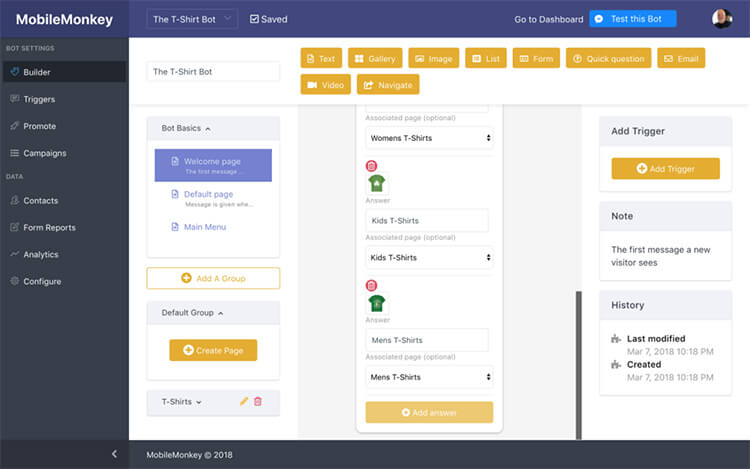
If you thought Facebook was dead for businesses, then think again. MobileMonkey, the leading Facebook Messenger marketing platform has helped small businesses around the world engage more of their fans, generate more leads, and reduce Facebook ad spend with their automated chat bot solutions. With a range of tools to do everything from sending notifications, to capturing leads over Messenger, delivering follow up messages, and an on-site chat platform that connects directly to your website through a WordPress plugin, you’re leaving leads on the table if you haven’t tried an automated chat bot solution like MobileMonkey.
39. Wishpond.
This lead generation and online marketing platform is great for small to medium-sized businesses that are looking to generate leads through social contests, landing pages, conversion-optimized popups, and forms. They also have an awesome email and automated marketing platform built-in. If you want more resources for increasing your lead flow, I highly recommend checking out this list of lead generation tools over on the LeadBoxer blog.
40. NinjaOutreach.
This influencer prospecting and outreach tool can help you find key influencers to help you the right exposure for your online business content. What makes NinjaOutreach special is that you can do all of the outreach right within the tool. You can find content ideas, see which post are successful on different social media platforms, build a list of influencers to connect with, promote your content, and build a strong backlink portfolio.
41. User Interviews.
Quickly get feedback and in-depth reviews on your early products or services from people within your target market with this new service. User Interviews pairs you with high-quality, real survey participants at $10/person with the goal of helping you more easily test new ideas, concepts and products with your target market. You can even publish those insights in the format of a compilation similar to my honest Bluehost reviews list.
42. Snov.io
Need a solution to revolutionize your business? Snov.io is at your service. This all-in-one sales automation platform and CRM works like a swiss knife for your business goals. Snov.io helps you find email leads anywhere on the web, validate contacts, reach out to them on autopilot with triggered email drip campaigns, follow-up without delays, track your outreach performance, prepare highly personalized email content with the help of Snov.io AI Writer — all under the roof of an easy-to-handle CRM.
Snov.io CRM helps you organize your prospects and deals within a pipeline view, conveniently move from one stage of the funnel to the next, ensure the process is absolutely transparent to your sales team, and improve your business results within the nearest time after you embark on your journey with the platform. Not sure whether to try it? The free trial plan that gets renewed every month is always available. for you.
43. Interact.
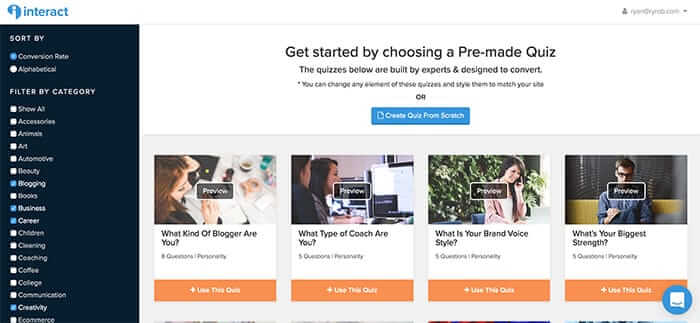
Welcome to the 21st century. Quizzes are the future of marketing, whether you like it or not—and if you’re not employing them in your blogging strategy, you’re missing out on a huge opportunity to engage with your audience in new, exciting ways. But, it can be a pain to try and set up quizzes that sprawl across multiple pages of your website, use complex plugins or clunky integrations. That’s where Interact, the incredible quiz building tool I personally use, comes into play. What’s really great about Interact is that you can start with pre-made quiz templates, switch up the questions, customize them to fit your brand, match your style and launch them in a matter of minutes.
44. Statusbrew.
This top 50-ranked marketing product (as per G2 Crowd) is a social media management tool that helps businesses efficiently manage their social marketing campaigns. With its easy to use interface, you can schedule and publish the posts on multiple platforms at once. Statusbrew also includes customization of posts for different platforms and scheduling, CSV file uploads of multiple posts, an engagement inbox where you can reply to all messages and comments in one place, reports to check the overall performance and insights on your social profiles. They even have the option to add an RSS feed of the industry-leading blogs you care about, so you can share their latest articles on your social accounts. From creating a social media marketing strategy to implementing the day-to-day activities, Statusbrew is a complete package.
45. Nightwatch.
This SEO tool is designed to save SEO pros (including marketers & bloggers) hours of time with accurate global and local rank tracking, as well as site auditing, backlink tracking and in-depth reporting. What makes Nightwatch unique in this competitive SEO tool niche, is their intuitively-designed dashboard that’s completely customizable—and gives you a quick overview of how your websites are performing. They have a 30-day free trial so you can fully explore their suite of tools, which I highly recommend checking out.
Communication & Collaboration Online Business Tools
46. Acquire.
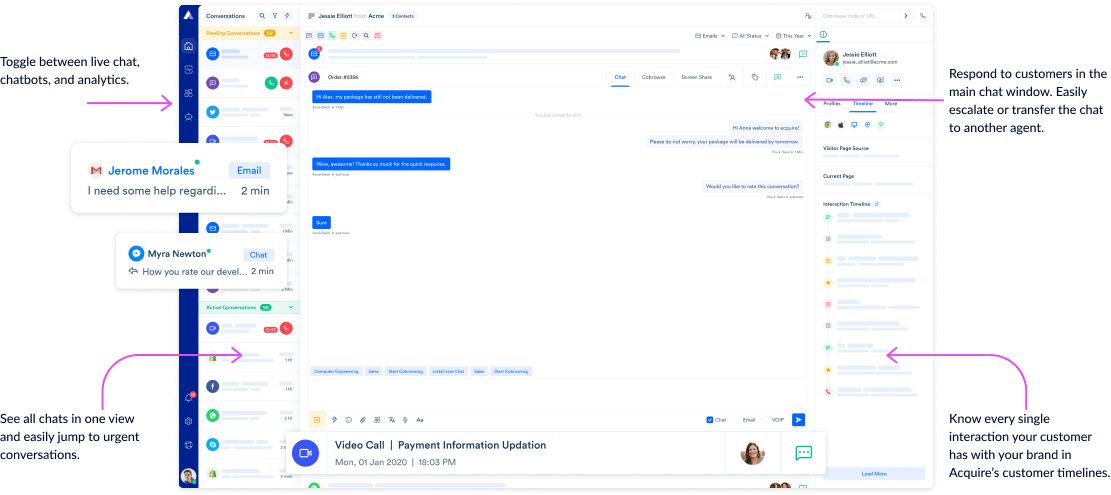
Backed by the famed startup accelerator, 500 Startups, Acquire is a customer communication platform that’s designed to help you bridge the gap between your sales & support teams—and customers, with powerful features like live chat, co-browsing, intelligent automation bots to answer common questions, and much more. Employed by more than 12,000+ companies like Samsung, Audi, Lexus, Cigna and countless more, you’ll be in good hands with choosing Acquire to help streamline your customer communications.
47. Google Drive.
If I were to be stuck on a desert island and could only choose to have access to one online business tool that I’d have to run my company with, Google Drive would be it. You can share and collaborate with others on documents, spreadsheets, slide presentations, video files, and so much more. In fact, my system of Google Docs within Drive is what holds together not only this blog, but serves to manage content for my side projects like VeganTable, too.
48. Chanty
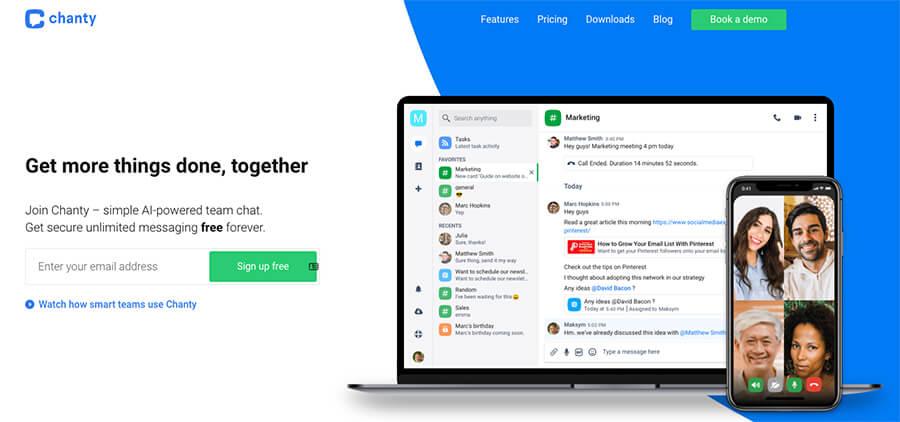
Today, there are countless messaging apps to choose from—with the ubiquitous Slack to a plethora of clones and competitors—it can be difficult to decide on which communication tools will be best for your needs, but in my experience, Chanty is a great option. For one, they’re super easy to set up and use, no matter if your team (or community) is technologically savvy or brand new to using online tools. Chanty comes with free unlimited messaging, task management, audio calls and voice messaging. Even as your blog grows, it’s not expensive to upgrade ($3 per user) and you’ll unlock more features like group audio calls, video calls, screen sharing, tons of useful integrations and more.
49. Slack.
Funny enough, it’s hard for me to even imagine collaborative work without Slack, despite it being such a relatively new tool in the world of group chat. It has very become the go-to messaging app for distributed teams and startups around the world. It’s perfect for group work and collaboration, and removes the tired hassle of checking long email threads for attachments and missing important information.
Images, Graphics & Visual Online Business Tools
50. Venngage.
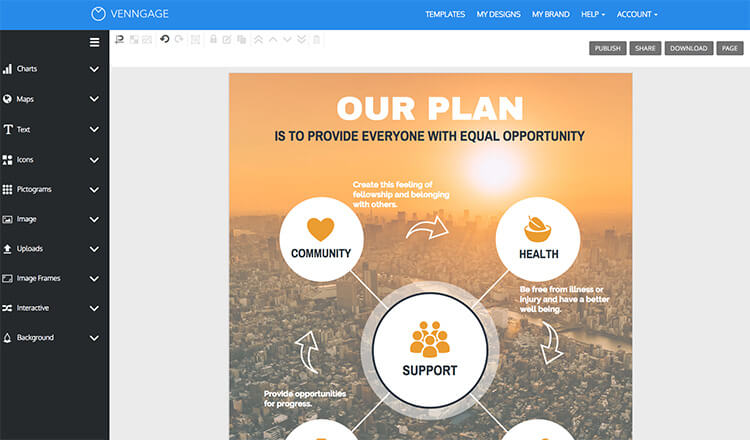
Venngage is an easy to use tool that allows non-designers to create professional looking presentations, proposals, reports, infographics, and more. Most of their functions are drag and drop with built in font, stock images, and preselected color palettes, making it super easy to learn. Business users also have access to the ‘My Brand Kit’ tool, which allows you to upload your own logos and brand colors, and see them automatically applied to templates. My favorite part is that their templates allow you to produce consistently branded and visually appealing materials without having to learn any complicated software or hire a graphic designer.
51. Designhill.
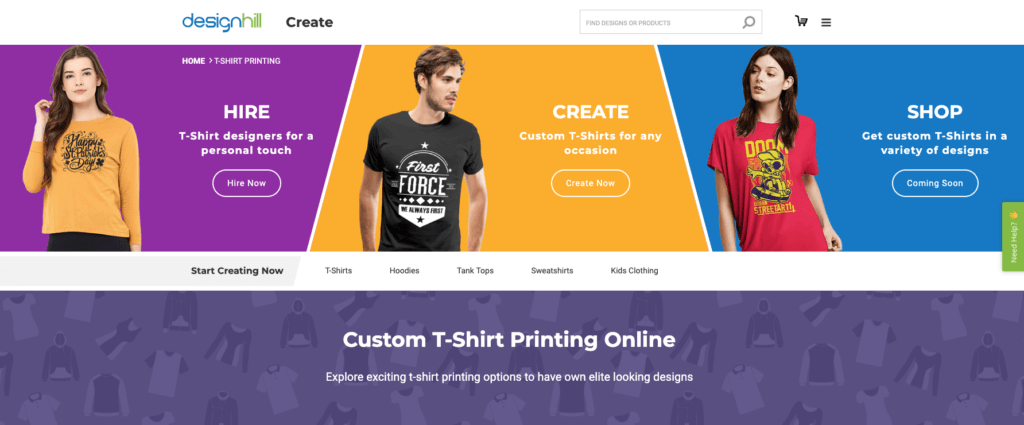
As we all know, t-shirt printing has become a very appealing profitable online business. That means more entrepreneurs than ever are seeking out great tools to start designing (and selling) their own t-shirts. From all of my research, I’ve found that the t-shirt printing tool from Designhill stands head and shoulders above the rest. It lets you create a design in minutes, even if you have no experience at design. They have an easy-to-use, drag-and-drop feature that allows you to add your own artwork or create logos and brand identity from scratch within the tool. The preview option also gives you the ability to see your design on a t-shirt mockup before printing or sending to a customer.
52. CanvasPop.

Nobody likes a boring office, whether at home or otherwise. CanvasPop is an easy to use photo canvas printer where you can take photos from virtually any source—Facebook, Instagram, your camera roll, you name it—and create your very own motivational canvas prints. This is perfect for those of you who want to make your home office that much more stylish. Studies show that an office with personalized decor can be up to 30% more productive and have fewer health complaints, so I’d highly recommend investing in making your space feel comfortable.
53. Design Wizard.
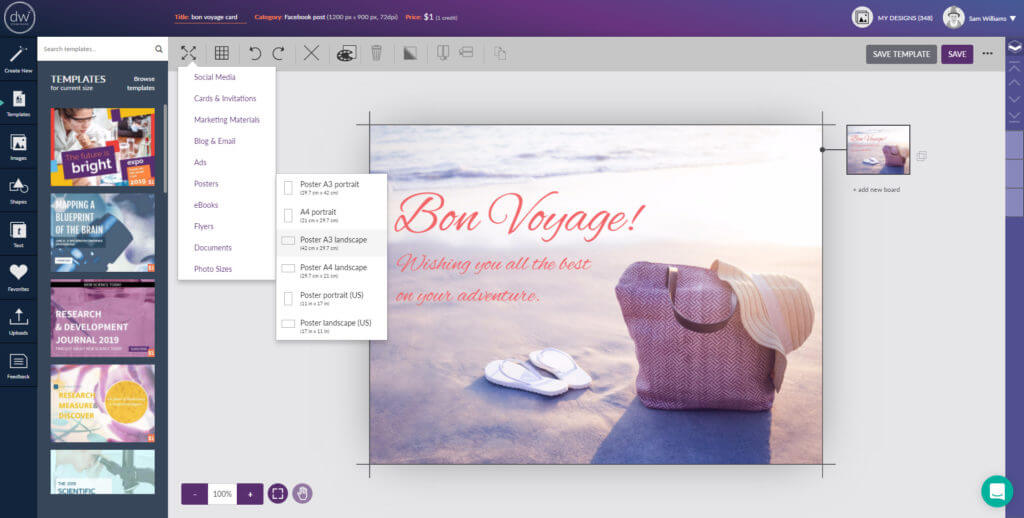
Design Wizard is another easy to use graphic design tool that has many benefits for those of you starting a side business—especially if you’ve got a boot-strapped project. You can use their 1.2 million images and 25,000 professionally designed templates to create professional standard graphics and save money on design costs. If design work is your side hustle, you can even take advantage of the same image and template library to sell a type of design (with variations) to your clients. The ease of use and speed with using their templates is what sets this tool apart, cutting down the time it takes to create great marketing images. Lastly, one more cool thing about Design Wizard, is that they also have a full library of premium HD videos that you can pick and pull from in order to polish off any video projects you take on—such as highlight reels for yourself, or paid gigs for clients.
54. Infogram.
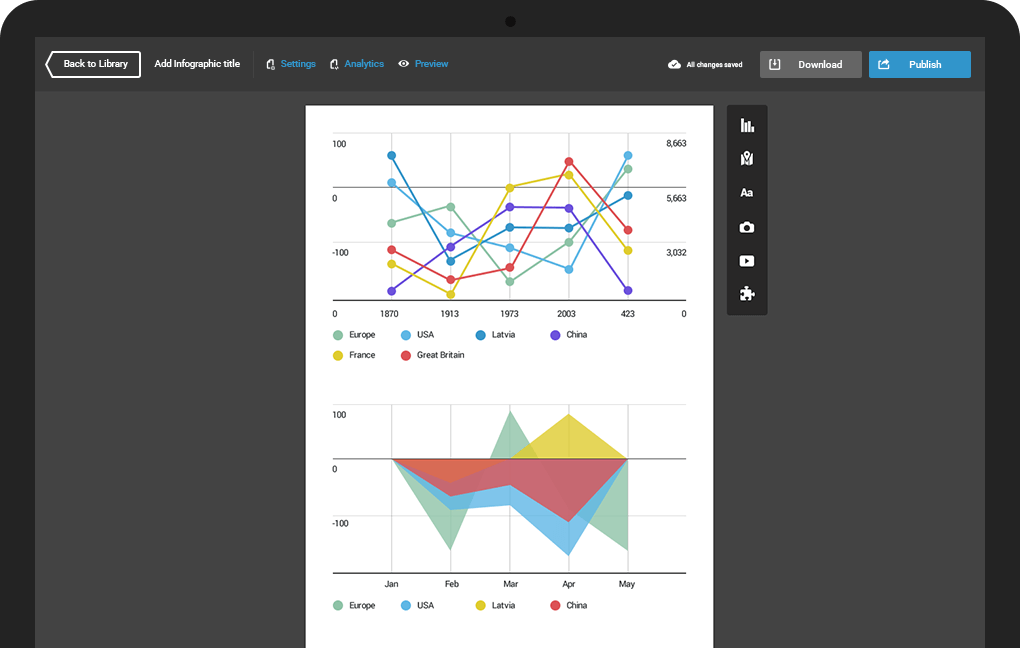
I use Infogram to create beautiful graphic representations of data. It puts Excel graphing and plotting to shame with it’s flexible, easy-to-use interface and vast template library of graphs, charts, tables, and infographic elements.
55. Canva.
Canva offers all sorts of great, easy-to-use visual design tools for free. You can filter out photos, add graphics and icons to them (this is especially useful for creating social media-friendly images), design awesome infographics with drag-and-drop elements, create visually appealing eBooks, and more for your online business. My girlfriend Anjelica uses Canva to help create some of the social content over on her blog too—so check out her guide to Chicago vegan restaurants as a starting point to her great vegan city guides.
56. Adobe Photoshop & Illustrator.
If you want to go for truly unlimited image editing and customization, Adobe Photoshop is the one tool you can rely on to make your images do exactly what you want. A must-have online business tool for those who are ultra design-conscious. Depending upon what you’re doing, having Lightroom to touch up hi-res photos could be a useful, too. Illustrator—the visual creation complement to Photoshop, is the industry standard for creating custom vector graphics, illustrations, icons, and anything else you can think up. If you want to become a master at creating high quality infographics, this will be the tool of your trade.
57. Designfeed.
Designfeed is my favorite new online business tool for quickly generating high-quality social images. With their easy-to-use automated tool, you can create awesome visual content, text-overlay social images, and more. What’s even cooler, is that they give you images sized to fit every relevant social platform, and connect with various social media management tools for quick scheduling. You can sign up for free, right here.
58. Keynote and Powerpoint.
Sometimes you just can’t beat the features of the original presentation software makers. I use these online business tools to create professional eBooks, white papers, and design presentations for client meetings and webinars.
59. Slidebot.
This awesome tool, used by speakers at TEDx, SXSW and other conferences around the world is a recent discovery for me. It takes the manual work out of creating engaging presentations. All you need to do is provide the text that you want on your slides, then SlideBot automatically designs your presentation for you. Each slide is specifically tailored to fit with your content and and you’re able to present, edit, or export a fully editable version to Powerpoint right away. It’s the ultimate value for me because it does all of this in a matter of seconds.
60. Pikwizard.
This free stock photo library is packed with over 100,000+ images and videos that are completely for commercial and editorial use, with no attribution required. They’re adding new images and videos to their library daily, with the goal of getting more than 1 million images and videos on their platform—free for publishers to use. One area Pikwizard thrives in particular, is with their vast library packed with pictures of people—which tend to be rare on free stock photo sites. Their stock image library is also directly integrated with their sister graphic design tool, DesignWizard (also on this list, above) so you can easily import images and quickly edit them, making it a powerful combination.
61. Unsplash.
Now the largest stock photo website on the market, Unsplash publishes a massive catalog of beautiful, free, hi-res images and stock photos that you can use on your blog without worrying about copyright infringement, as all their images come with a free license to use.
62. Awesome Screenshot Chrome Extension.
As the name suggests, this screen capture tool is an awesome way to capture all (or parts) of any webpage you’re on. You can also annotate those screenshots, blur sensitive information, and easily download & share them with collaborators.
63. Mockingbird.
This wireframe tool makes designing anything from a simple landing page to a detailed project proposal easy as pie. You can also collaborate with designers, copywriters, and whoever else you’re working with, directly within the tool to create high quality content for your business.
64. Explainify.
This highly creative video production studio creates quality, custom-made animations and videos for your business, in case you have neither the skill nor the time to do it yourself. This is definitely something I’d recommend outsourcing in the beginning stages of your business.
65. Placeit.
Easily make beautiful app mockups and demo videos with Placeit, an online business tool that gives you hundreds of different mockup templates and scenarios to show off what someone using your app would look like in real life. This is a great tool for adding a human element to your landing pages, long before you’ve actually got the budget for a product shoot of your own.
66. LogoDesign.net
LogoDesign.net is a graphic design tool a few notches above the rest. Unlike many others, it’s an exclusive suite of graphic design features wholly dedicated to creating all-inclusive identity design projects. We’re talking about everything from logo design to favicon design, from brand stationery design to social media designs—you can find everything on their platform.
The variety of logo templates is expansive and always fresh, with new designs added regularly. Their step-by-step logo design process is also ultra simple. Start by adding your company name and choosing your industry. Then follow the intuitive and straightforward design process using their customization studio to tweak the designs as per your brand guidelines. If you have a design idea in mind and you find a matching template, your brand-new logo design can be ready in under 2 minutes. Plus, LDN is very friendly with startup budgets—you can establish your brand’s entire identity design system without breaking the bank, thanks to their nifty AI tools and some very talented designers.
Content Creation & Delivery Tools
67. Teachable.

If you’re thinking of getting into the business of making and selling online courses that teach people how to master a skill set you’ve built, then Teachable is hands down the easiest-to-use (and most affordable) online course delivery platform.
Just shoot your course footage, write your written lectures, create any worksheets students will need to complete and start uploading your content to the backend of your Teachable school. Craft your sales page, connect Teachable to your PayPal or bank account and you’re ready to start accepting payments from students. Teachable also offers regular free information & training webinars to learn more about their platform, selling online courses and if this is the right business model for you. Check it out and sign up right here to learn more today.
68. LeadPages.
This great tool is designed to let you whip up high-converting responsive landing pages in a matter of minutes. Their easy-to-use landing page tool includes great integrations with all the major email marketing platforms to help you capture email addresses, phone numbers, and registrations for your upcoming product launches.