


A lot of people try to build online communities in WordPress, but most never gain traction. The problem usually isn’t the idea—it’s the setup. Without the right platform, it’s hard to spark real conversations or keep your members engaged over time.
That’s why choosing the right community plugin matters so much. It can turn a quiet website into an active space where people want to join conversations, share ideas, and keep coming back.
To find out what really works, I’ve spent weeks testing and comparing the top WordPress community plugins available today. I installed each one on a real WordPress site, created test communities, and put them through scenarios that mirror what actual site owners face.
In this post, I’m sharing my top picks to help you create a thriving, vibrant online community.
Quick Overview – The Best WordPress Community Plugins
If you’re in a hurry, here’s my quick pick:
| Plugin | Starting Price | Best For | Key Feature |
|---|---|---|---|
| BuddyBoss | $299-$449/year | Building a full-featured social network | Member profiles with customizable fields |
| MemberPress | Starts at $179.50/year | Creating premium membership communities | Unlimited membership plans with flexible rules |
| BuddyPress | Free | Building online communities for free | User-created social groups with activity streams |
| Thrive Comments | $49/year (standalone) or $299/year as part of the Thrive Suite | Boosting comment engagement | Comment upvoting and gamification system |
| AccessAlly | Starts at $745/year | Online courses with built-in communities | All-in-one membership and LMS system |
Why Build an Online Community?
Building an online community can turn your WordPress website into an interactive space where visitors become active participants. Instead of just reading your content and leaving, users can connect and build relationships around your brand.
Here are the main benefits of creating an online community:
- More user engagement: Forums, groups, and member profiles give visitors specific, strong reasons to keep coming back to your community.
- Brand loyalty: Active community members often become your biggest supporters. This may involve taking positive actions like posting comments, engaging with you on social media, or even buying your products. I’ve spoken to many store owners who say their community members are their best repeat customers.
- Your community creates valuable content for you: Every discussion and comment from your members is fresh, user-generated content for your website. Search engines are now giving higher rankings to this type of authentic content, which can improve your SEO and bring more visitors to your site. This is the same model that helps power popular communities like Reddit and Quora.
- Create revenue opportunities: You can set up new income sources like paid memberships, online courses, and members-only content.
Why Use WordPress for Your Online Community?
Building your community on WordPress gives you full control. Everything, from your member data to your content, stays on your site instead of a hosted platform that can change its rules or shut down overnight.
It also keeps your community close to the rest of your website. Members can move easily between your blog, store, and online courses without having to log in to another platform.
Hosted platforms like Discord or Mighty Networks may seem easier at first, but you don’t own the platform, can’t customize it freely, and have to work around their pricing and feature limits. With WordPress, you set the rules and keep full control over how your community grows.
My Testing Methodology for Evaluating Community Plugins
Choosing the wrong community plugin can kill engagement before it even starts. I know this from personal experience: when I first tried to launch a forum, I ended up with silent, empty pages and zero activity.
That’s why I don’t just look at a plugin’s list of features. Instead, I personally build test communities and put each plugin through real-life scenarios that mirror what you’ll face as a site owner.
Here’s how I test every plugin in this review:
- Installation and setup time: I track how long it takes me to get a basic community up and running. I also make a note of any technical roadblocks that might confuse someone who is just starting out.
- User experience testing: I always create a test member account and approach the community just like a new user would. This helps me check if the features feel easy to use, or if they’re confusing.
- Performance impact: I run a website speed test before and after I install the plugin. This is because community features can slow down your site if they’re not set up properly.
- Mobile responsiveness: I test every feature on mobile devices, as most community interactions happen on phones and tablets.
- Scalability potential: I try to simulate what happens when a community grows quickly. In this way, I can see how each plugin handles lots of new members and content.
- Value for money: I compare total cost to capability: upfront license prices, any add-ons you’ll likely need, hosting requirements, and how much you can accomplish at each tier as your community grows.
My main goal is to find plugins that are simple and work well for beginners, but can also grow with your community as you get more members.
1. BuddyBoss: Best WordPress Community Plugin for Building a Full-Featured Social Network
| BuddyBoss Pros | ✅ All-in-one solution for building social networks ✅ Modern and user-friendly design, right out of the box ✅ Optional mobile app for native community experience ✅ Strong integration with e-learning and membership tools |
|---|---|
| BuddyBoss Cons | ❌ Can be resource-intensive and needs powerful web hosting ❌ Higher cost compared to simpler forum plugins ❌ Mobile app is a separate and significant additional expense |
| Pricing | $299–$449/year |
| Best For | Building a comprehensive social network similar to a private Facebook |
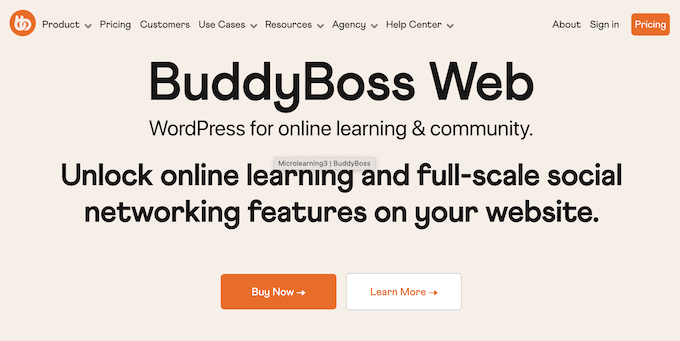
BuddyBoss is the best community plugin for creating an ‘all-in-one’ social network directly inside your WordPress site. It allows you to build your own social media website, including features such as detailed activity feeds, private messaging, profiles, groups, and events.
I’ve tested BuddyBoss extensively, and it stands out for its clean, modern design and rich user-facing features. For more details, you can see my complete BuddyBoss review.
Quick Note: Keep in mind that BuddyBoss costs more upfront than other options on this list, but I believe that you get a lot of value for money. Instead of juggling separate plugins for social feeds, groups, messaging, and gamification, you get everything in one integrated system.
When you factor in the time and setup savings, BuddyBoss is one of the best long-term investments for building a thriving online community.
My Experience
The initial setup process was very straightforward, and I didn’t need any technical expertise to get BuddyBoss up and running. I also really appreciated that the plugin looked great, right out of the box.

When I tested its activity feeds, I was impressed by how seamlessly recent posts and comments flowed across all areas of my community.
I also liked that you can create an online school with collaborative learning, gamification, and an engaging student dashboard to improve the learner experience.
Another benefit is that BuddyBoss allows you to turn your community website into an app. This can be a great option for boosting engagement and getting more signups.