🔥 HOT: Search/label/July%th - Full Archive
Worked with another wonderful kit by AnorieCan be purchased at one of her stores HERE
Would love to see the finished creation!!!!!!!!!!Happy July 4th!!!!!!!!!!!
Good morning friendsI am trying to create some patriotic clusters for July 4thCluster today was created using American Party kitby Designz by AnorieKit can be purchased at one of her stores HERETY Anorie!!!!!!!!
This tutorial is written for those with knowledge of PSPSupplies Needed:Tube of choice: I'm using the wonderful artwork of KajennaTube was purchased at PFD HEREPTU Kit by Designz by Anorie called Stars and StripesKit can be purchased at her store HEREMask of choice
Ok lets get started:Open blank canvas 725x725Open element 18, resize to liking and place to leftDuplicate and move to rightChoose paper of choice and place behind framesPlace tube to centerStart adding elements of your choice
I used the following:Element 3Element 4Element 28Element 35Element 41Element 62Element 72Element 82Element 93Element 98
Apply mask and WA of choiceMy WA came from tube
Place your name where you like itAdd the Copyright and your License Number for the tubeResize to your liking and save as PNGThis tutorial was created on July 1,2023 by RhondaAny resemblance to another Tag or Tutorial is purely coincidental
This tutorial is written for those with knowledge of PSPSupplies Needed:Tube of choice: I'm using the wonderful artwork of MisticheskayaTube was purchased at her store HEREPTU kit by Jen Sweet Temptations called Rocket PartyI am so happy to announce Jen has opened her own store!!!!!!!!!!!!!Check it out HEREKit HEREWA from Pimpin' PSPers HERESparkles from kit used as mask
Ok lets get started:Open canvas 725x725Place tube to left hand sideOpen element 57, resize and mirrorPlace behind main tubeOpen element 77, resize and place in front of truckThis was my base to start adding elements
Use elements of choice from kit. I used the following:Element 4Element 5Element 6Element 8Element 10Element 27Element 34Element 47Element 50Element 54Element 55Element 58Element 61Element 62Element 64Element 69Element 78Element 82Element 87Element 89Element 94Element 97Element 100
Place your name where you like itAdd the Copyright and your License Number for the tubeResize to your liking and save as PNGThis tutorial was created on June 26,2023 by RhondaAny resemblance to another Tag or Tutorial is purely coincidental.
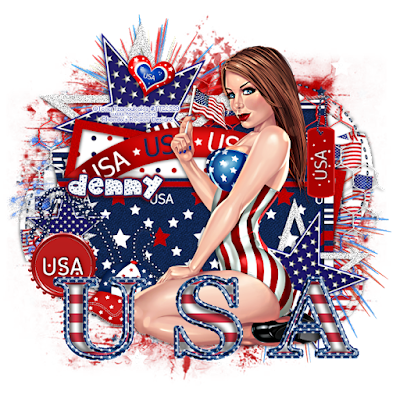
This tutorial is written for those with knowledge of PSPSupplies Needed:Tube of choice: I'm using the wonderful art work of Tony TzanoukakisTube was purchased at his store HEREFTU kit by Addictive Pleasures called USA 2010 HEREScroll to bottom of pageTemplate #25 by Denz Designz HERELink can be found on right hand side near bottomMask of choice
Ok lets get started:Open template, shift D to duplicate and close originalIncrease all layer sizes to your likingDelete top copyright layerOn the 3 star layers of template I applied star element from kitResize and rotate star to your liking (I followed templated)Delete star layers from templateOpen star 2 from kit and place behind starResize and again rotate to your likingI added more noise to my starsDo this for all 3 layers Use papers from kit to fill backs and framesPlace tube of choice to canvas
Use elements of choice from kit. I used the following:BannerCapChainClipFireworksFireworks2HeartTag 2Text
Apply Mask of choice
Place your name where you like itAdd the Copyright and your License Number for the tubeResize to your liking and save as PNGThis tutorial was created on June 23,2023 by RhondaAny resemblance to another Tag or Tutorial is purely coincidental
This tutorial is written for those with knowledge of PSPSupplies Needed:Tube of choice: I'm using the wonderful art work of ZlataTube was purchased at her store HEREPTU kit by Designz by Anorie called AmericanKit can be purchased at one of her stores HERETemplate by Deb found at Creative Misfits Creations HEREWA by Sylly Creationz HEREMask by Kathy at EFR blog (top mask) HERE
Ok lets get started:Open template, shift D to duplicate and close originalIncrease canvas to 725x725Delete top layer, layer 5&6Use papers from kit to fill layers 1,3 and 7Layers 2&4, add noise with settings of choicePlace tube of choice to canvas tag
Use elements of choice from kit. I used the following:Element 1Element 8 


