
Re-uploaded the game files as a combined zip - I believe that should make things work in the Itch.io App. Please let me know if it's working for you now, thanks! -🦖
🔞 ADULT: Profile/laboriousrex - Collection
A member registered Jan 06, 2020 · View creator page →
Creator of
a fun-focused card game with secret, random win conditions
Recent community posts
itch.io Community » General » General Discussion · Replied to enzo gray in Color swapper / sprite art re-palette-er
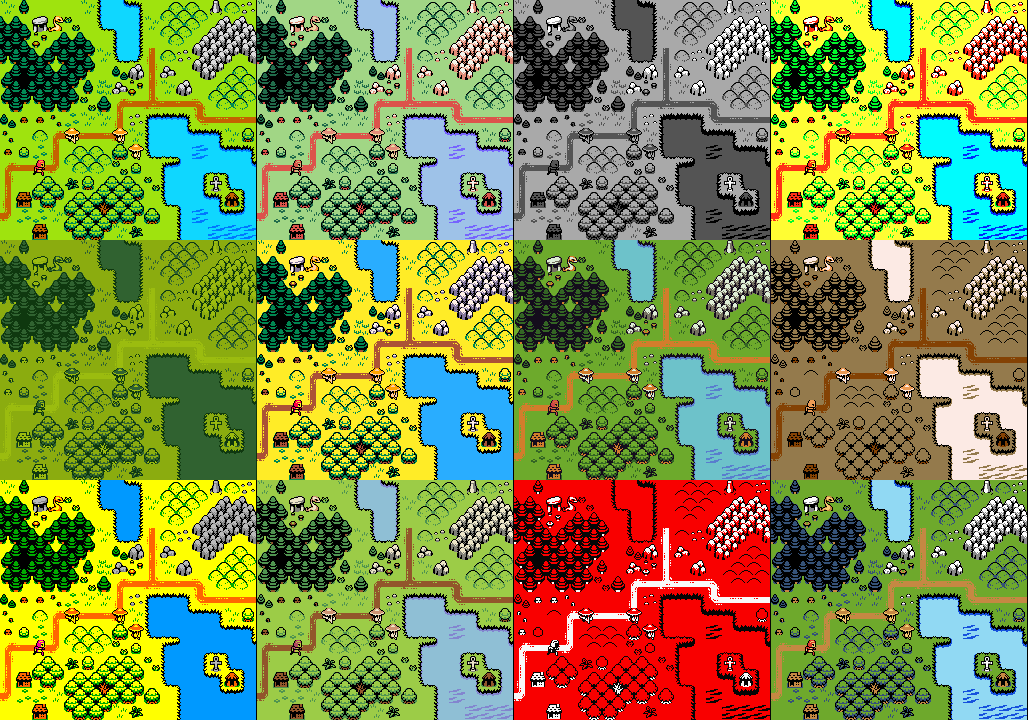
itch.io Community » General » General Discussion · Created a new topic Color swapper / sprite art re-palette-er

itch.io Community » Game Development » General Development · Created a new topic When I found a bug the day before release…
It was the day before our game was supposed to be released, and due to our own reptilian foolishness, we had only just then found the game-breaking bug that had been hiding in our code for weeks.
-
This bug would occur in every playthrough
-
It was detrimental to the game experience
-
We had no clue what was causing it
We had been both developing and playtesting in Godot’s in-editor debugger, so that we could fix bugs as they happened. (“...and the game crashed again. Everyone go get another drink while Rex fixes this one.”)
But like the spider that hides under your bathtub and only scuttles out to Fortnite dance when the water is off, this bug had been completely incognito until now. It was only present in exported builds, and it wasn’t platform-specific. That meant that, to fix it, we would have to re-export our entire project each time we wanted to test our changes.
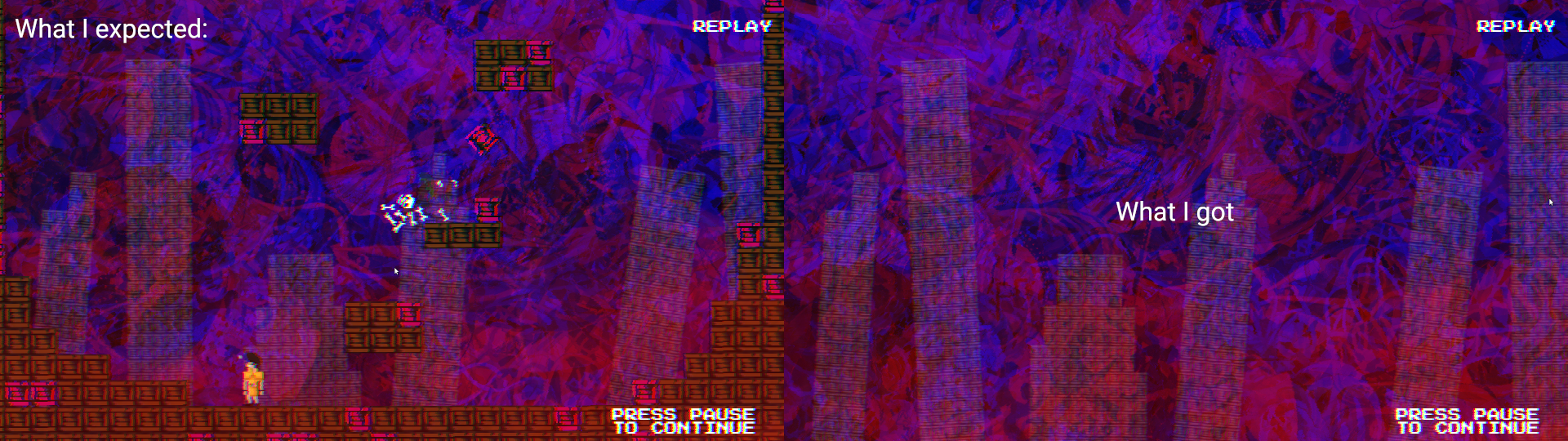
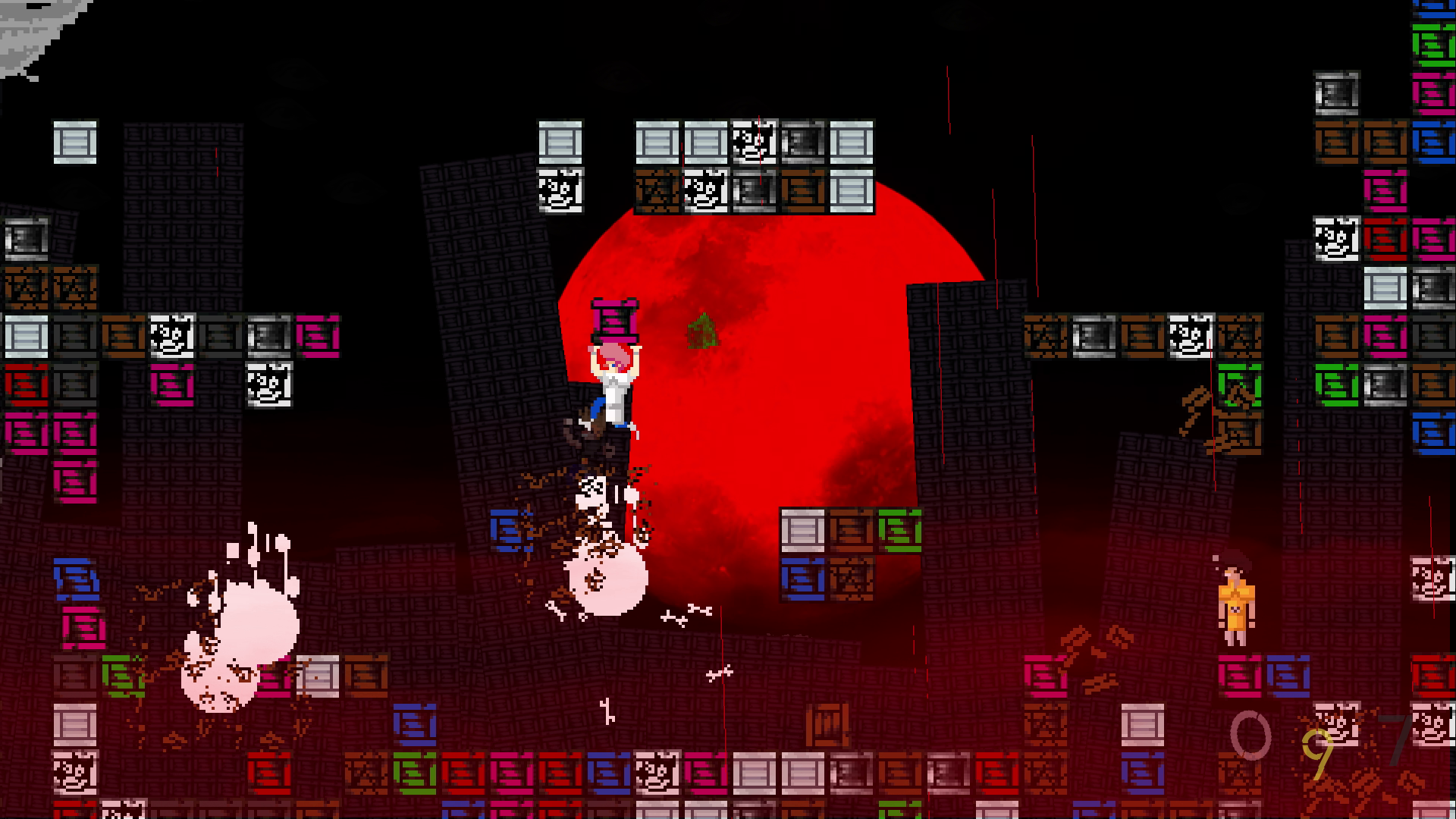
By the way, our game is Crate Punks, a chaotic local battle game that’s all about throwin’ the map.
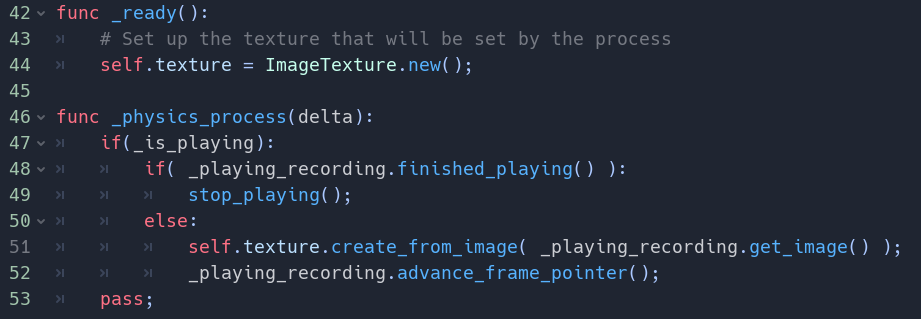
Here’s a look at the troublemaker. Another part of the code game records the most gameplay footage into an array of images, and we are fetching them frame-by-frame by calling get_image().
(Let’s not get into why we’re using _physics_process() instead of _process(), that’s a long story.)
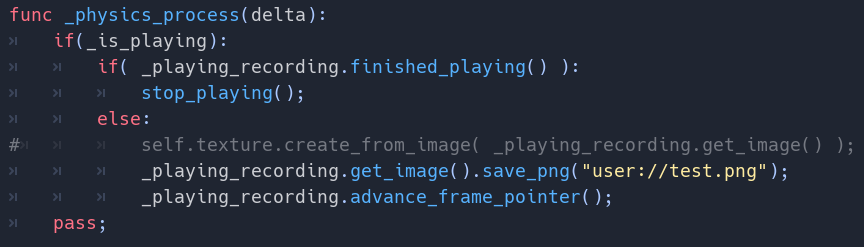
Now, this works perfectly well in the editor, but not in export. We had to get to the bottom of this mystery, and the first step was to verify that get_image() was returning good data. I stuck a quick save_png() call in there, and upon exporting the game again (waiting for all 650MB of the .pck file to export… waiting… waiting…) I found that a gameplay image was indeed saved to test.png, as it should have been.
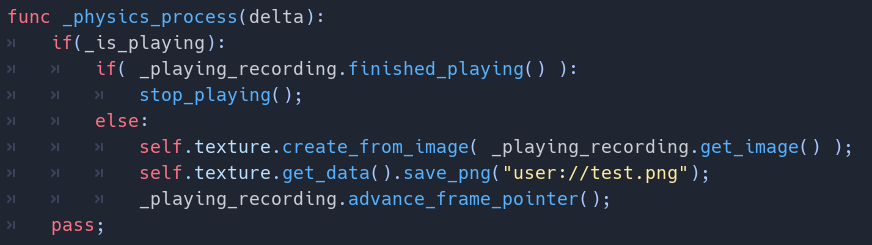
So it (probably) wasn’t a problem with screengrabbing the viewport during gameplay. It was most likely a problem with setting the sprite’s texture. I tried saving the sprite’s texture after setting it (shown below) expecting test.png to be empty… but it turned out to be the exact same data that we put onto the texture. And yet, somehow, even though this texture was being set, it was not displaying.
(Let me take a second to point at that, because the images being used are generated at runtime, this was certainly not an issue with orphaned resources not making it into the exported .pck file.)
It was at that point that I realized this mystery was a lot less like the 40 minute Sherlock Holmes teledramas with Jonny Lee Miller, but rather something akin to the 129 minute film with Robert Downey Jr.
In other words, it was going to be a long ride, and I had best prepare myself for a Dubliners-scored all-nighter that may end in performing some kind of black magick ritual to appease the programming gods of yore.
Maybe I wouldn’t be able to fix the bug overnight. Maybe I would have to delay the game. Not happening. I decided to see this as the final boss of developing this game. Challenge accepted!
First I searched various combinations of “godot (fill in the blank) not working” just to see if I could stumble upon an answer. No such luck. It was time to dig in to the bug! (Using the world’s tiniest shovel.)
When you want to solve a bug whose reason isn’t obvious, the first step is to simplify your project as much as possible, so I started copying code over into a new project. I also wrote a two-liner bash script to export just the .pck file and then run the game, meaning I could test faster. Since I wasn’t exporting a full game, this process was fast enough to test and not be driven insane.

After copying my ViewportRecorder, ViewportRecording, and ViewportRecordingPlayer classes from the game into an empty project, I was able to reproduce the issue. (Sorry, I didn’t take a screenshot!)
Now these simplified bug reproduction projects are great for asking for help on forums. And Godot’s community is very supportive! But I didn’t have time to wait for someone else to help me. This had to be done alone.
Next, I removed the classes from the code and just made as a few basic combinations of capturing a viewport at runtime and setting it to a sprite’s texture. (I did a viewport capture to avoid creating the image from a project resource, in case that was part of the issue.) I put each variation in a tiny class, to remove as many variables as possible, so I could reproduce the bug in a controlled environment.
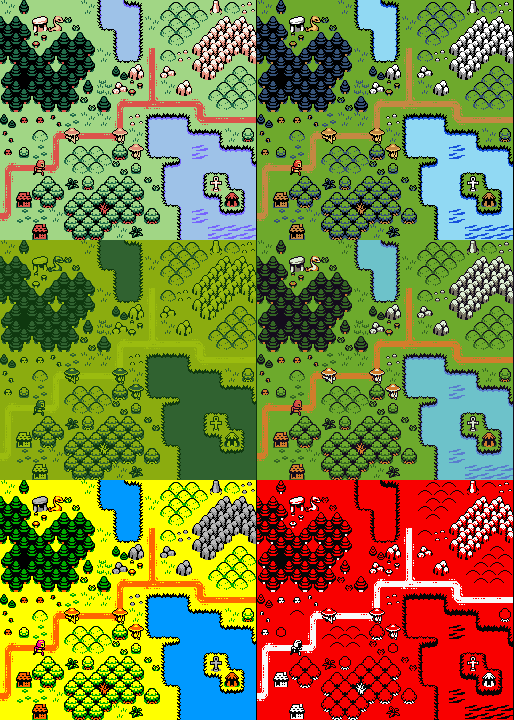
Here are four variations (called red, blue, green, and yellow), and following them, what the results look like in the editor vs export:
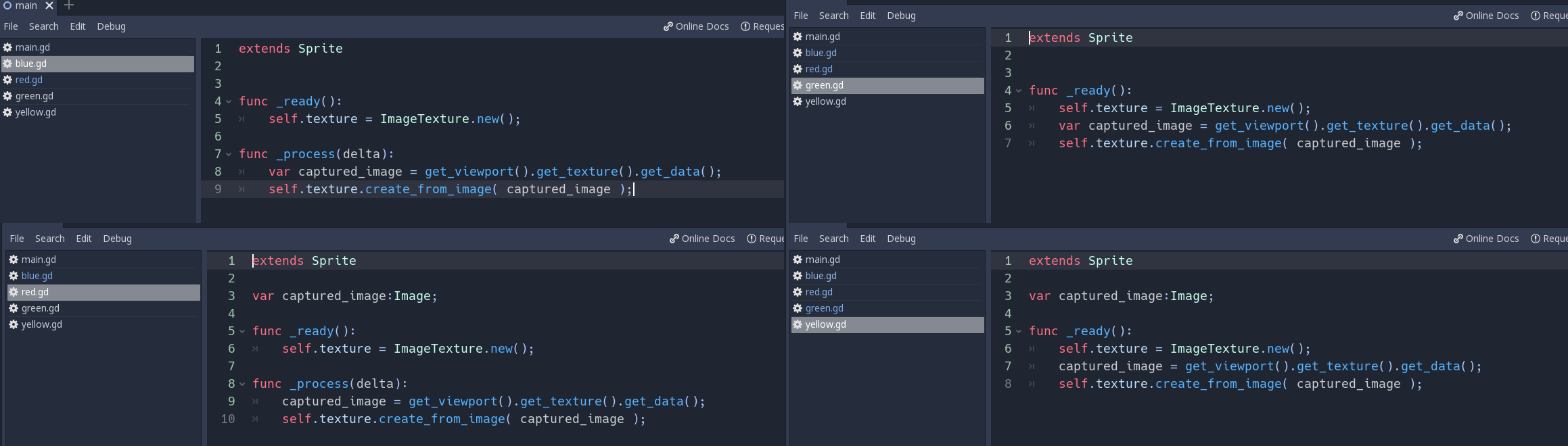
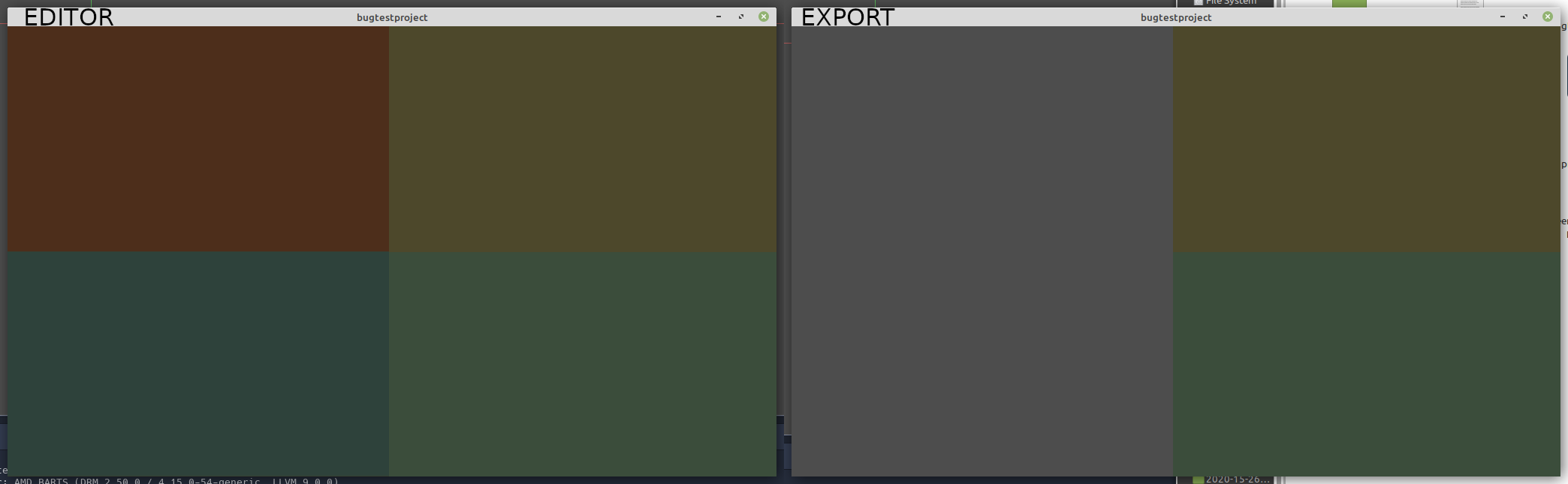
So, it appeared that there was no problem in setting the sprite’s texture in the _ready() function. I was wondering if there was a delay issue going on, where if you set the texture in _process() or _physics_process(), it would not be available to draw during that same frame. It didn’t really make sense with the code I had, but it was a hunch and I figured I ought to follow it!
I made another test, called “purple,” and implemented a sort of buffering system, where I had 2 textures, and I would create a texture in one frame, and then give that texture to the sprite in the next frame. It worked! Then, on a whim, I tried flipping a couple lines so that the buffered texture was being set in the same frame as it was created and… it worked? So it actually wasn’t a buffering issue.
At this point, I had a way to solve the bug in my game, but I wasn’t satisfied just yet. I wanted a clean fix with a bit more understanding. I noticed the (now circumvented) buffering system was doing something that the other tests weren’t: it was making a call to ImageTexture.new() in the _process() instead of the _ready() function. So I tried a final version of the “purple” test where I simply grabbed the viewport, reconstructed the sprite’s texture, and then called create_from_image(). It worked!
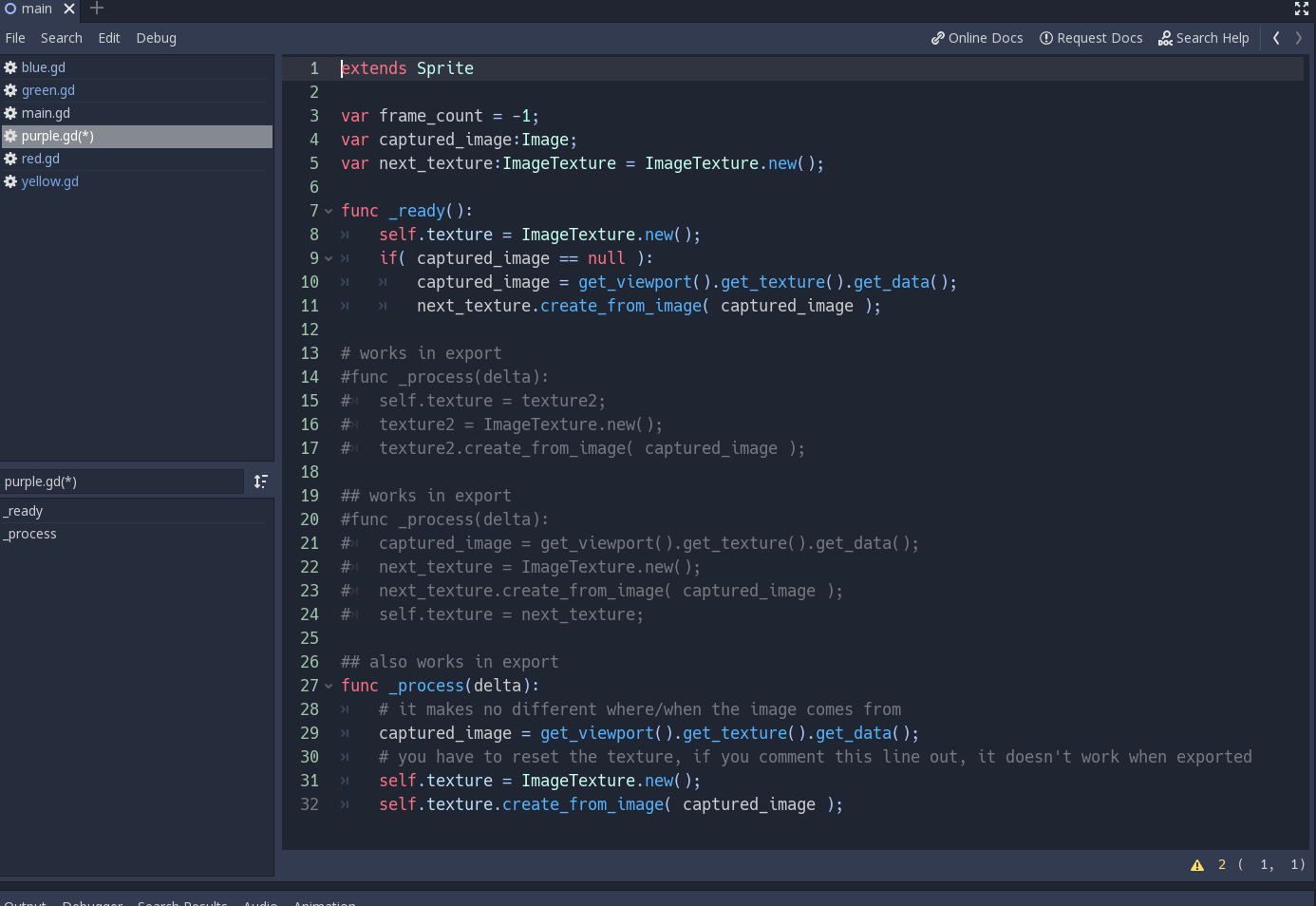
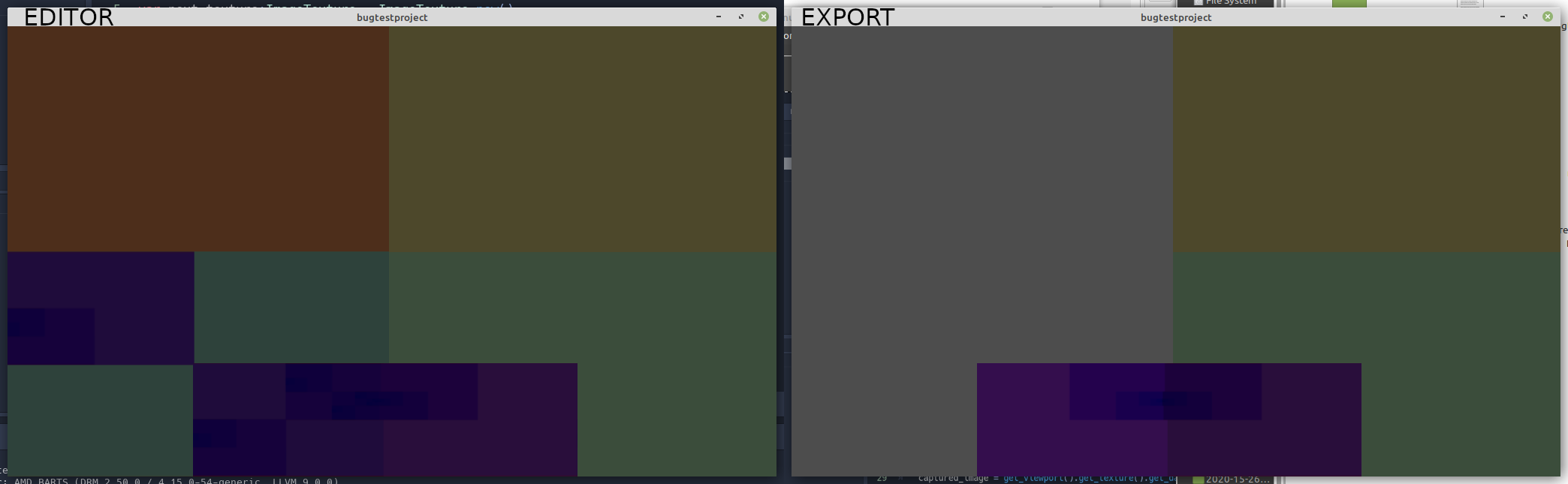
What this meant was that this huge, monstrous, bug that had kept me awake into the wee hours of the morning could be patched with just ONE LINE of code. All I had to do was make sure create_from_image() was only called on a freshly constructed ImageTexture.
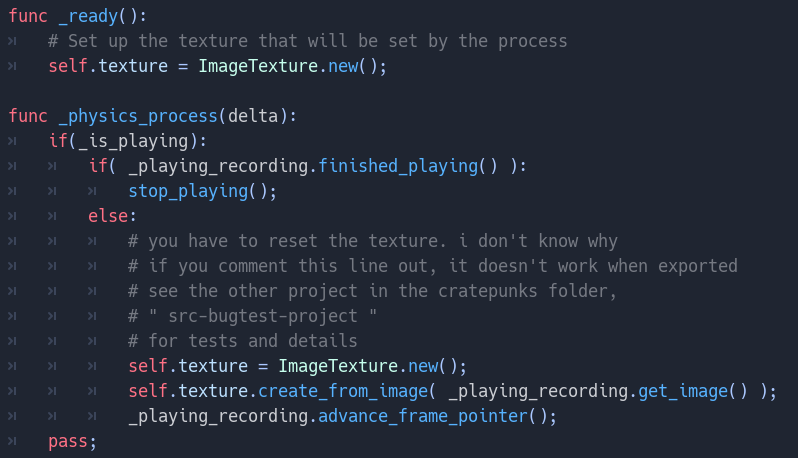
I still have no clue why this works.
It could be a bug.
It could be insanity.
Thanks for indulging in my insanity,
-Rex from Laborious Rex 🦖
itch.io Community » General » Release Announcements · Created a new topic Crate Punks ( local battle game + instant replays )