



Install Steam
sign in
|
language
简体中文 (Simplified Chinese)
繁體中文 (Traditional Chinese)
日本語 (Japanese)
한국어 (Korean)
ไทย (Thai)
Български (Bulgarian)
Čeština (Czech)
Dansk (Danish)
Deutsch (German)
Español - España (Spanish - Spain)
Español - Latinoamérica (Spanish - Latin America)
Ελληνικά (Greek)
Français (French)
Italiano (Italian)
Bahasa Indonesia (Indonesian)
Magyar (Hungarian)
Nederlands (Dutch)
Norsk (Norwegian)
Polski (Polish)
Português (Portuguese - Portugal)
Português - Brasil (Portuguese - Brazil)
Română (Romanian)
Русский (Russian)
Suomi (Finnish)
Svenska (Swedish)
Türkçe (Turkish)
Tiếng Việt (Vietnamese)
Українська (Ukrainian)
Report a translation problem





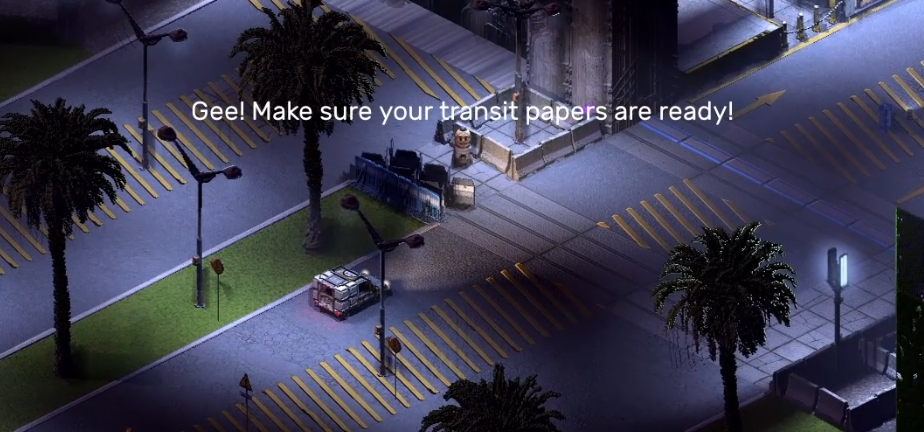 Internally this type of text is called "ephemeral text" because it only appears for a short time. The previous game also had text that would appear like this (e.g. the "GREAT LEADER IS DEAD" message), but the reason you only really saw it in that one intro mission was because of how limited it was in its implementation. Now, however, we have more complicated tools for the narrative. Let's look at what this exact moment looks like in Tiled, which is the WYSIWYG editor we use to create maps.
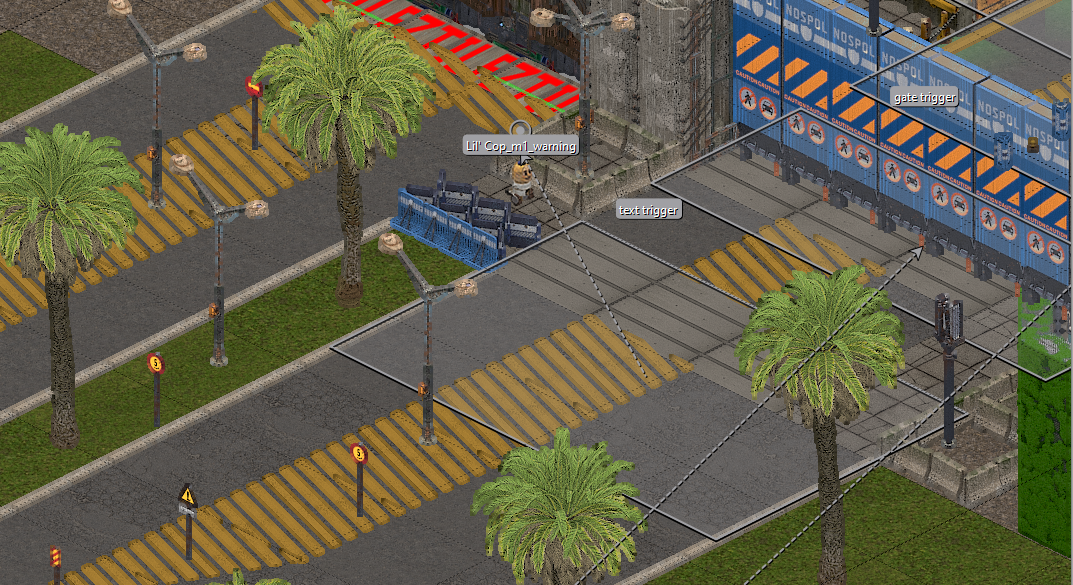 The rectangle in the center with the arrow pointing out towards the Lil' Cop is a type of script object called a text trigger. What that means is when the player crosses into the space marked by the rectangle, it causes text to appear on screen. Since we want to make it as though the Lil' Cop is talking, the text is offset to appear over its head, hence the dotted arrow leading to a point above the Lil' Cop. The Custom Properties of the script object are the following: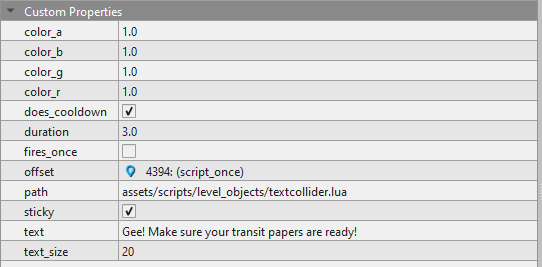
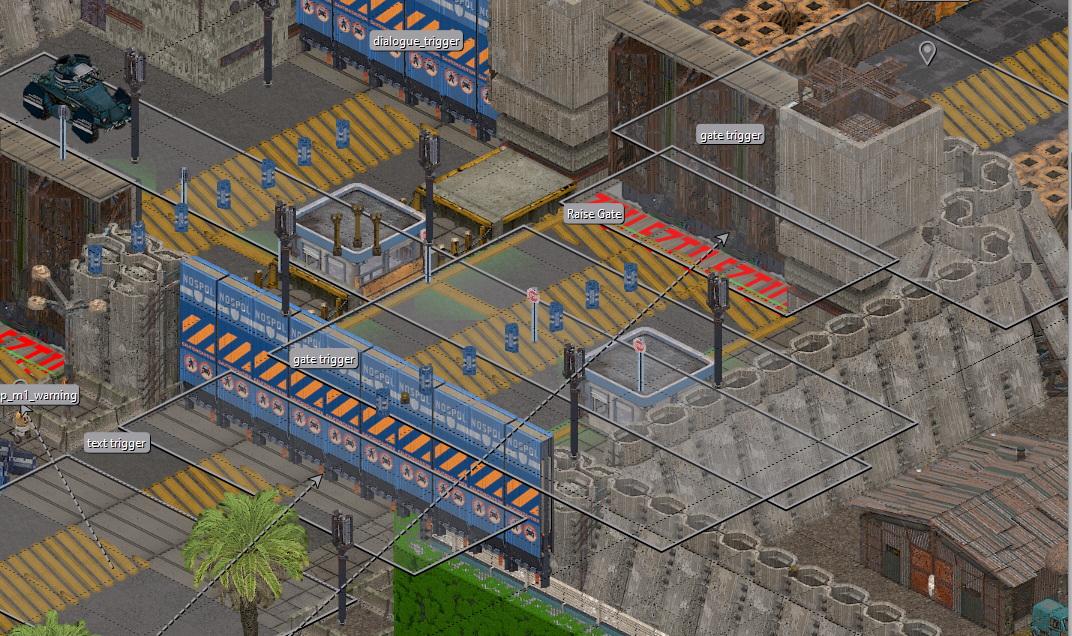 There are four new named script objects to pay attention to here. The first two are both named gate trigger, which sandwich the other two script objects named Raise Gate and dialogue_trigger. The gate triggers are another kind of scripting object that connect to the gate props they are placed under, and as developers we can set whether these gates start raised or lowered. In this exact instance, the first gate starts lowered, with the second one in the raised position.
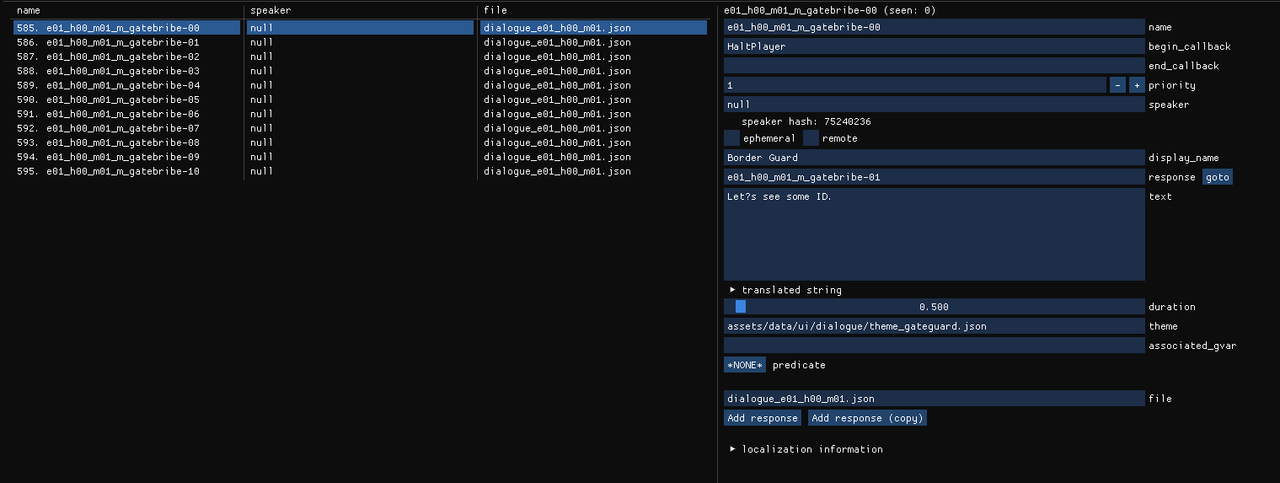 On the left is the list of eleven storylets that play during the dialogue with the Border Guard. On the right is the contents of a selected storylet from that list. Going through the fields from top to bottom: the name field is the same string of text that is in the dialogue_trigger script object in Tiled mentioned before. The begin_callback field contains HaltPlayer, which is a callback that, when this dialogue storylet begins, the player is immediately halted on the spot. The priority value of this storylet is set to a value of 1 which, for the purpose of this storylet, is to make sure that this storylet plays first. The speaker field is left as null, since there is technically no speaker that the player is talking to (speaker being an NPC that was placed in Tiled and given a name). The display_name field - not to be confused with the speaker field above it - is how the character talking is named when they are speaking in-game as in the footage at the start of this post. The response field is how the game links to another storylet to follow after this one finishes; without this the "chain" of storylets will end, which is important for the next paragraph. The text field is what text will appear on screen. The duration slider sets a delay for how long it takes for the "continue" prompt to appear during dialogue (or, if the ephemeral checkbox is marked, how long the text will appear on screen). The theme field points to a .json file that contains the portrait and relevant text colors for the character speaking. Both associated_gvar and predicate are not used in this exchange, but if we wanted to create a situation where a storylet would only play if a player has performed a specific action, then we would use this. Lastly, the file field is the location of the .json file the storylet is saved to.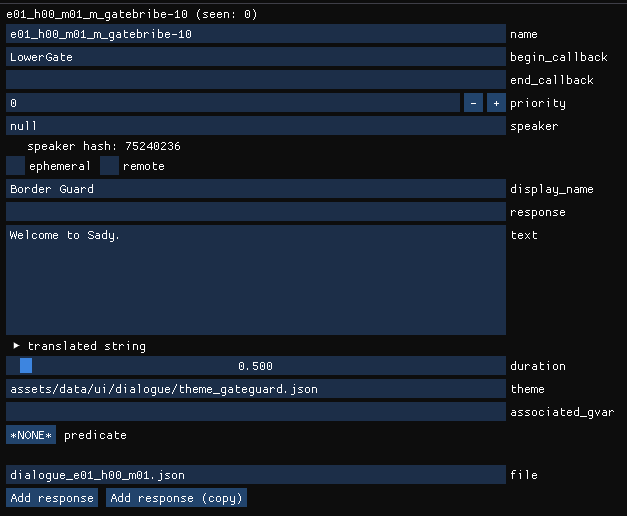
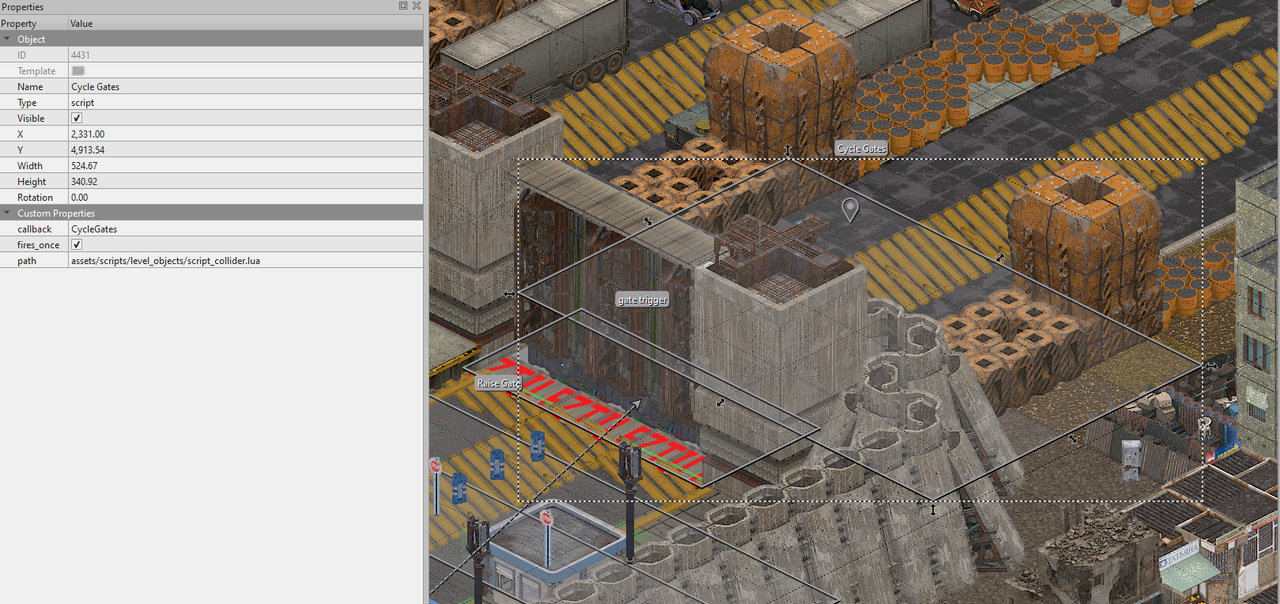 This last callback cycles the gates back to their initial position, raising the one the player has just passed, and lowering the first one, as if to resume the sequence of processing vehicles passing through from Mar Nosso into Sady.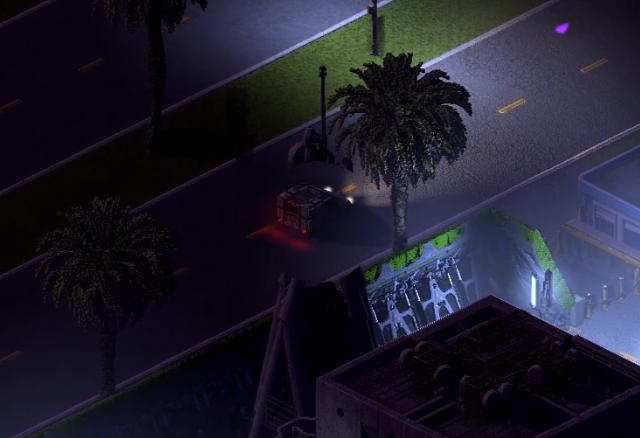
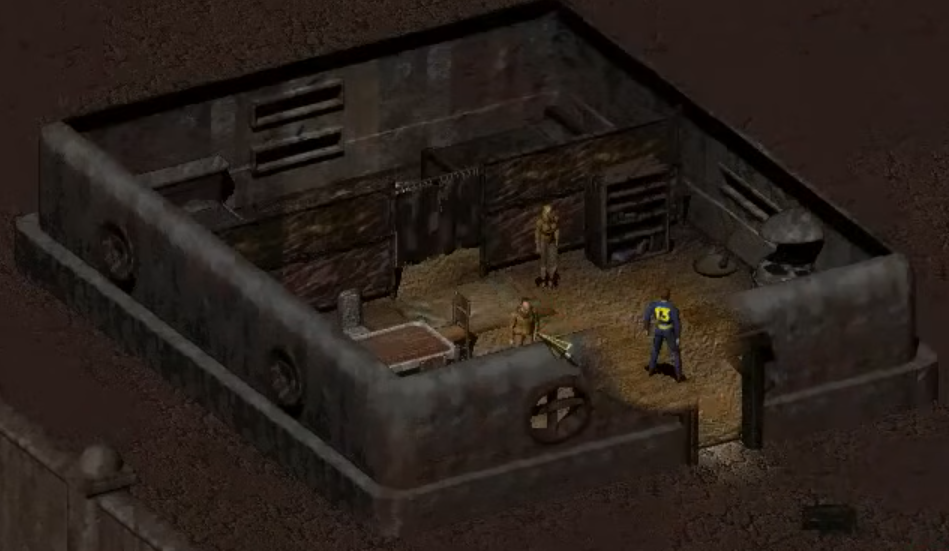 From 0:18 to 0:38 the turret of the SWAT APC on the other side of the checkpoint is visibly tracking the player.
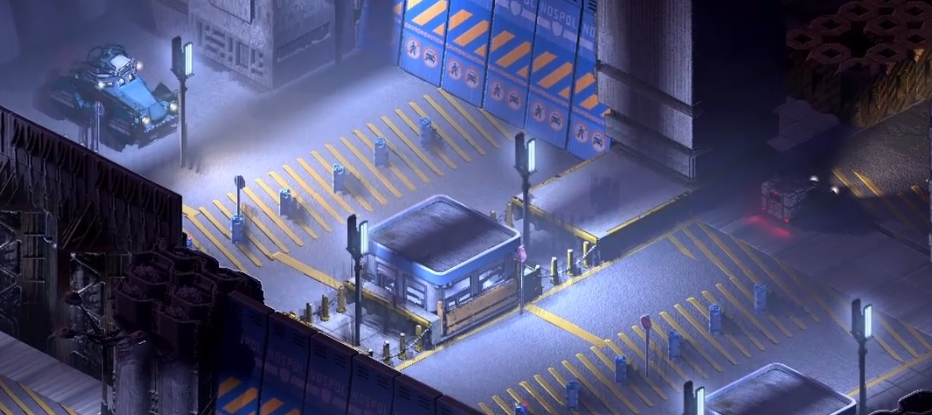 This is done in Tiled by simply placing an enemy SWAT APC, and in the NPC's custom properties setting it to be immovable and to have no loadout. In other words, it's rooted to the spot, and has no weaponry, but since the APC considers the player an enemy, it still "aims" at them, and so the turret tracks them as the player passes through the checkpoint.
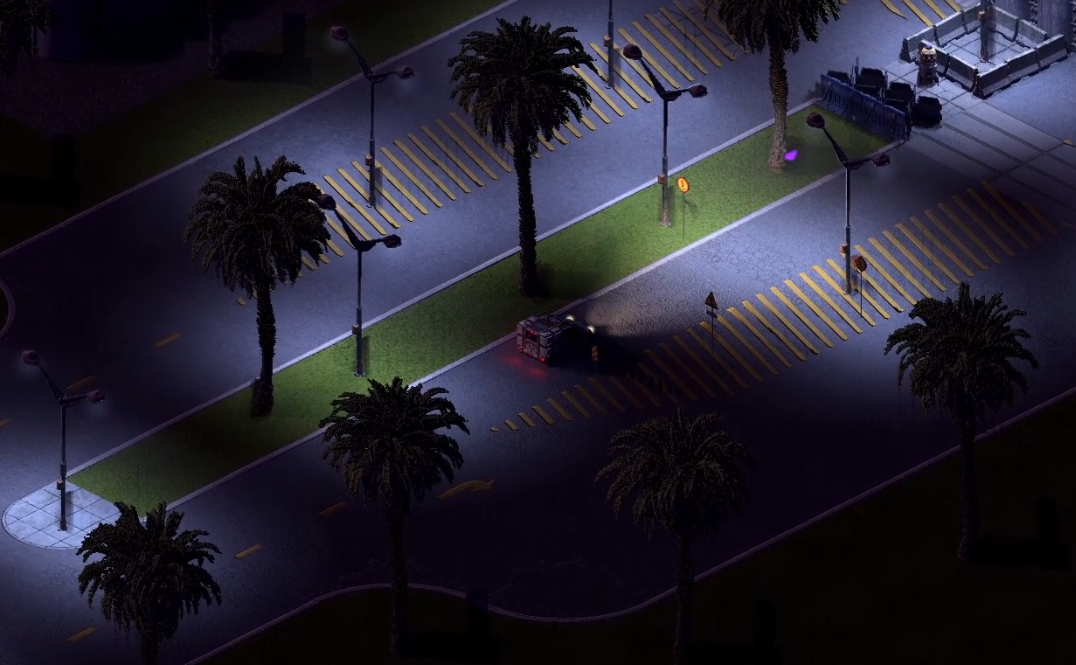 ...And as soon as the player passes through the checkpoint they are met with the quality of Sady's municipal infrastructure.
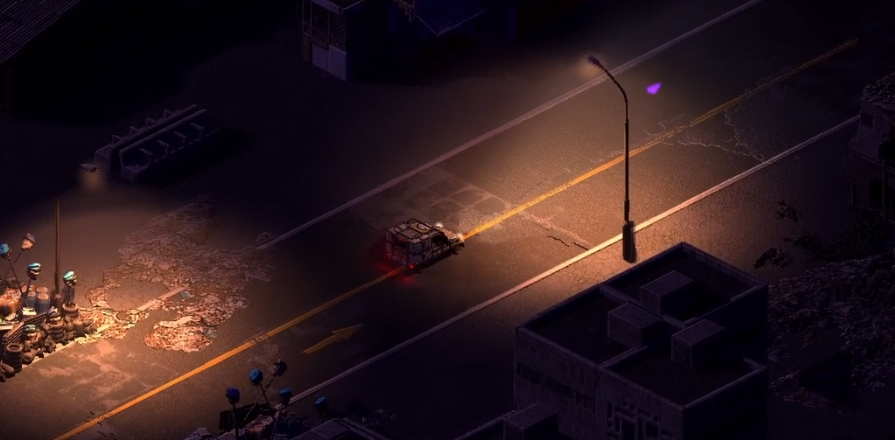 As much fun as it is to have new narrative tools and scripts to play with, it's always important to remember that we can tell a story through architecture too.




 Loading