

Description
A centralized platform for job board, school admissions, events bookings and more.
Focused on stability and simplicity, with this plugin you can create a job board, event bookings or open online registration of courses & classes and start receiving applications from your website out of the box.
The Most User Friendly WordPress Application Form Builder and Manager
Create stunning application forms using drag and drop form builder and publish job ads, admission ads, classes ads and manage received applications like a boss. It’s not only a Form Builder, but a complete hiring & registration solution. Click Here for a live demo.
No Designing or Development Skills Required
Not a tech savvy? ApplyOnline plugin is the solution. Its intuitive drag and drop form builder is made for you, so you may not need a developer and/or designer to create an Application Form Management System for you. Very light on your website without creating any mess and beautifully integrates without worrying for design issues.
Setup is as easy as 1,2,3
- In your WordPress admin panel, go to Plugins/Add New section and search for Apply Online in the search box. Install and activate the plugin created by Spider Teams.
- After activation, go to All Ads section in your WordPress admin panel and create your desired ads with drag and drop Application Form Builder.
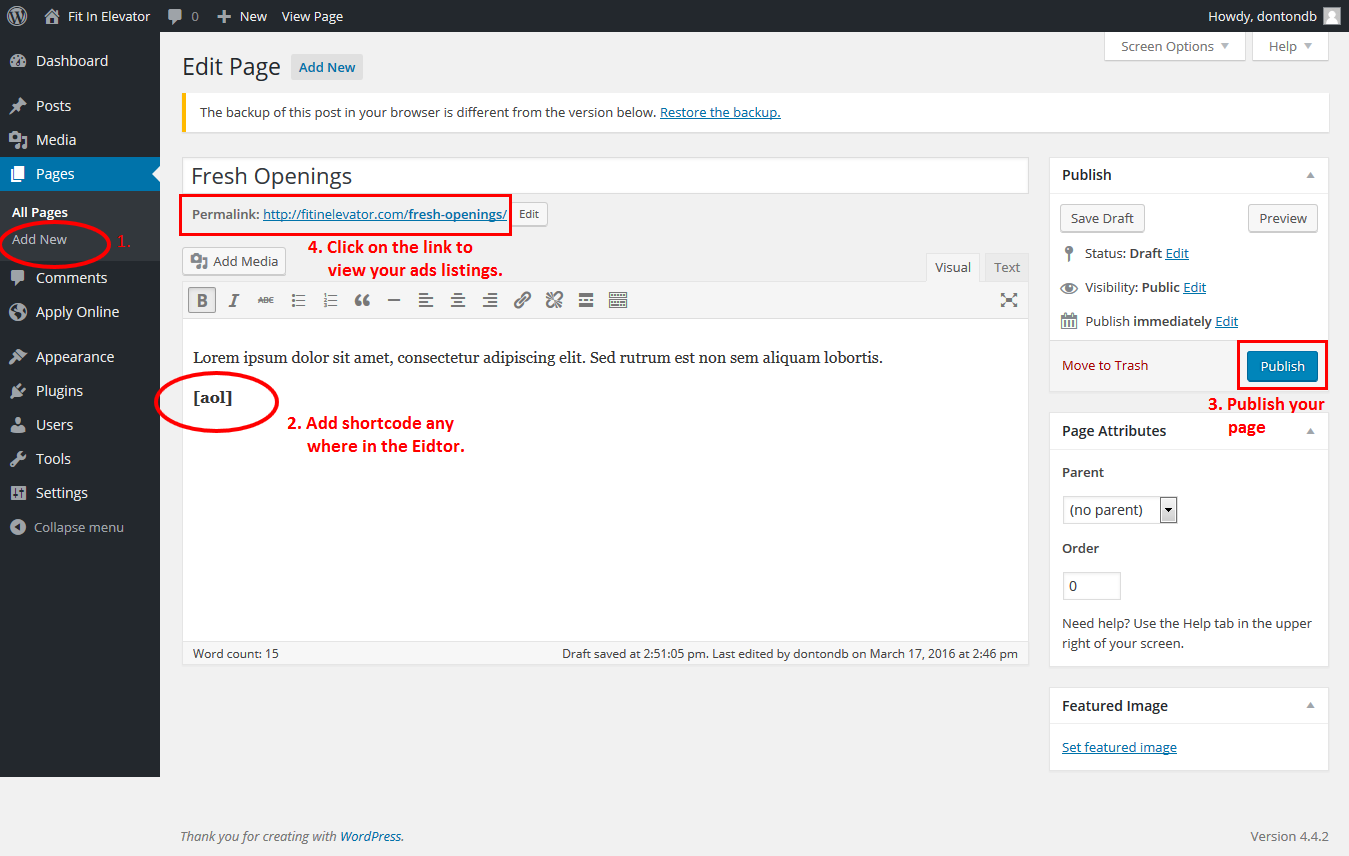
- To list ads on the front-end, create a dedicated WordPress page and write shortcode [aol]. isn’t it so easy?
Multiple Ad Types support with only one plugin
Does your organization collect admission forms and also looking for job ads? Look no further, Ad Types feature is the solution for you. Go to ApplyOnline/Settings/Types in WordPress admin and create as many types as you wish. Just copy generated shortcode and paste into your desired WordPress page.
Powerful Features
- Super simple integration, just install & add a menu link to yourwebsite.com/ads.
- Beautifully integrates into your existing website without worrying for design.
- Create as many ad types as you wish e.g. Career, Classes, Registrations, Admissions, etc.
- Form builder with all HTML form fields to create a stunning application form.
- Ads listing with title, thumbnail image, ad summary, taxonomies and Apply Now button.
- Ads filtration option above the ads listing to narrow down desired ads.
- Ad detail page with description, features and application form.
- Multiple file attachment fields.
- Standard WordPress interface to add, categorize and manage ads.
- Sit back & relax and let someone other with AOL Manager user role fully handle application forms without accessing other sections in the WordPress admin panel.
- Each AOL Manager can write his own comments for the received applications to evaluate the candidate.
- Build a list of recipients to send email notifications when an application is received.
- Hooks and functions for advancements and customization.
- Clear and well formed documentation for developers and non-developers.
- Add-ons to supercharge existing power of the plugin.
Add-ons
- Application Tracker: A next level Application Tracking System where applicants can signup, login, save applications as draft, edit it for multiple times & submit it finally. It includes a dedicated applicant’s dashboard to view history & track the status of their application(s).
- Application Rating: It facilitates hiring and selection process to conduct interviews and rate each applicant to figure-out the best possible candidate. This extension provides a seamless rating experience which is compulsory for modern systems.
- Application Emailer: Get full application along with any attachment in your email when someone submits an application.
- Applications Exporter: Export individual application as PDF & all applications of an ad as CSV.
- Application Dropbox: Save each application form received in your Dropbox account.
- ApplyOnline Conditional Fields: Show/hide required form fields by setting conditions e.g If age is 30years or above, show marital status form field.
- Apply Online Captcha: An effective security solution that adds captcha challenge at the bottom of the application form to keep bots apart.
Click Here for a test drive. Your suggestions and error reports can really help to improve this plugin.
- Created with love by Spider Teams
Screenshots
Public – Ads listing 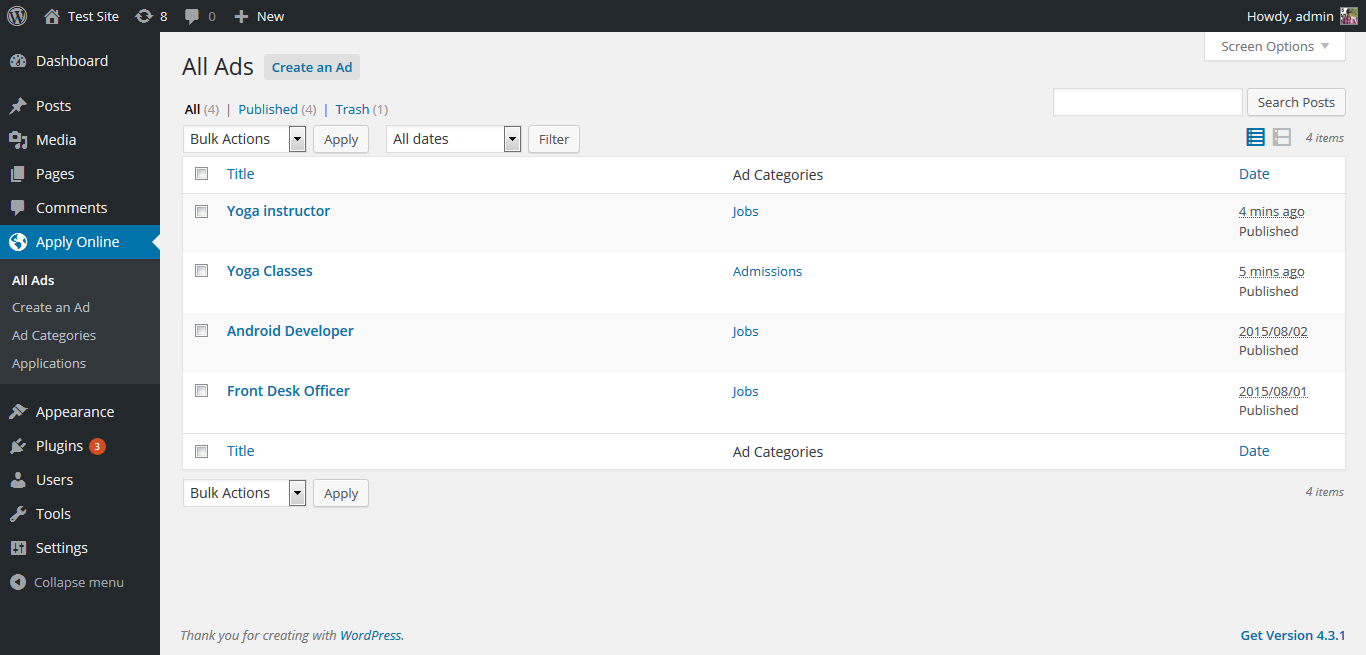
Public – Ads detail page with Application Form 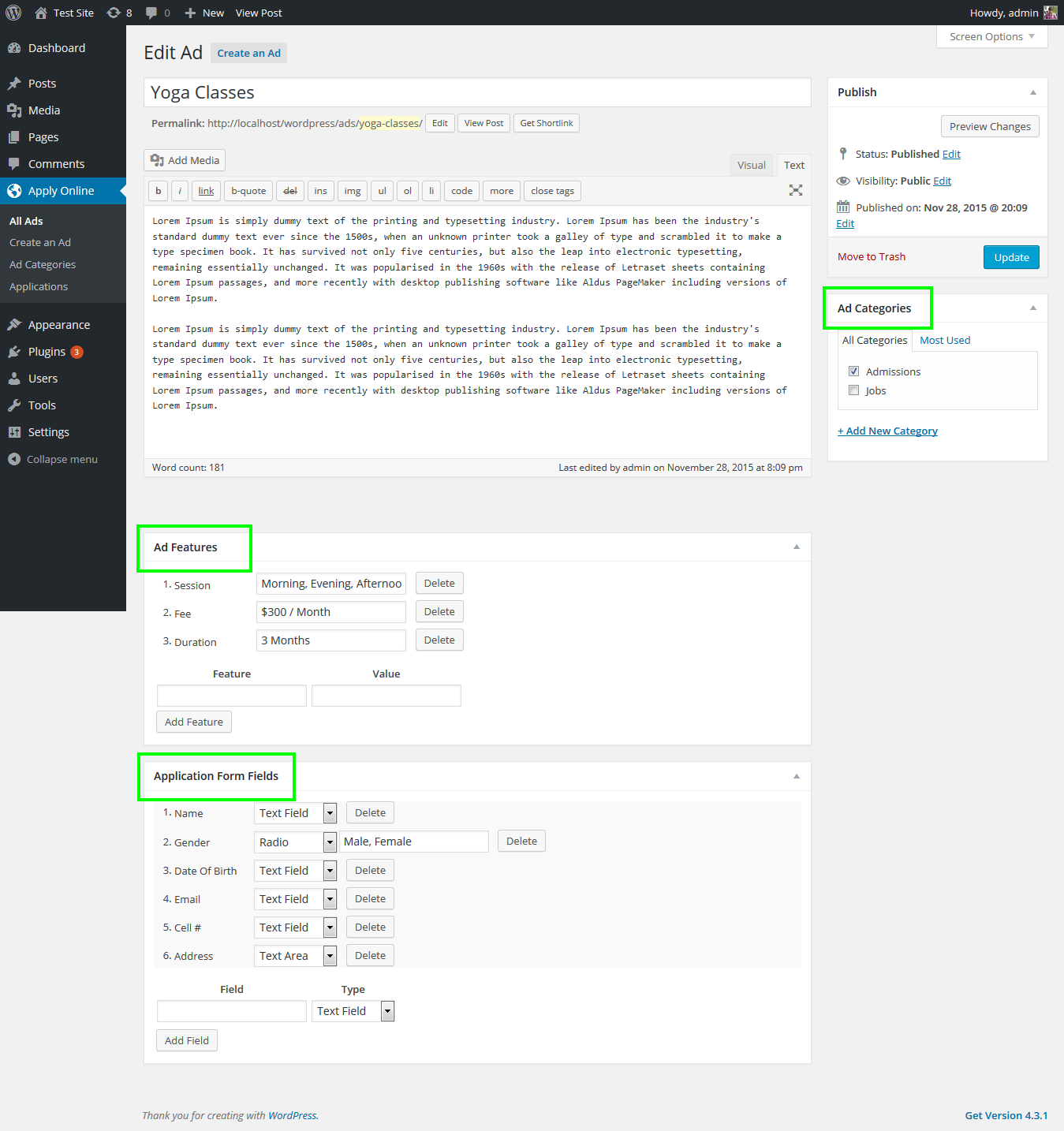
Public – Application Submission. 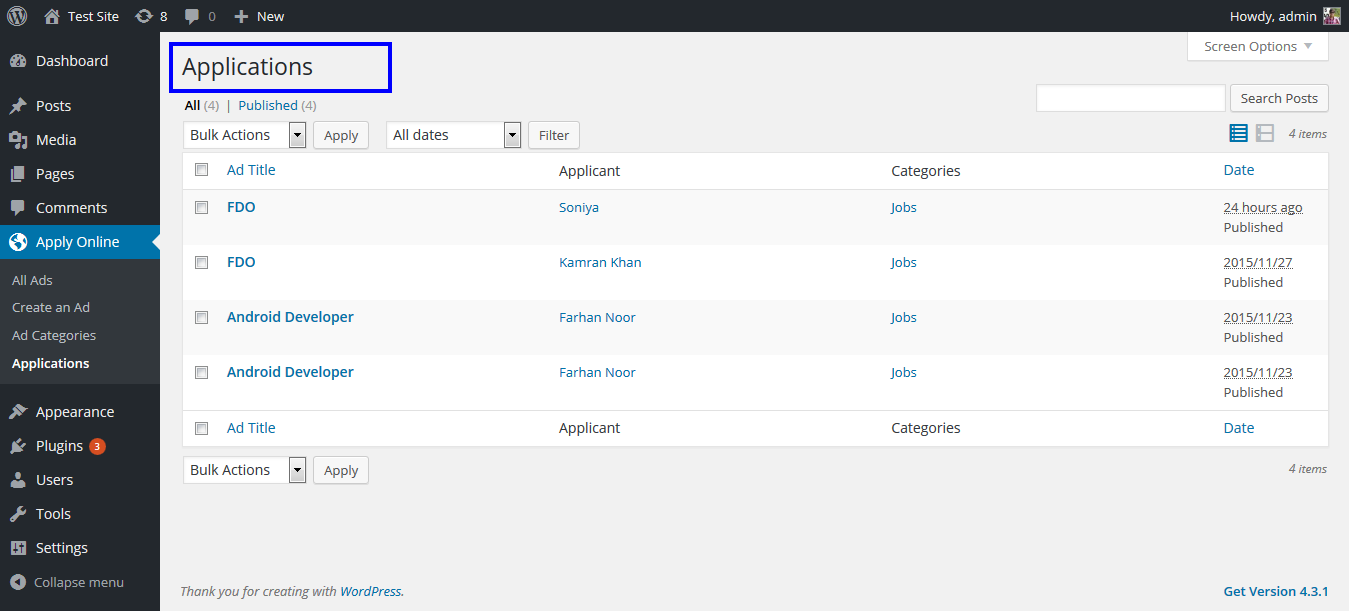
Admin – Application editor with Form Builder 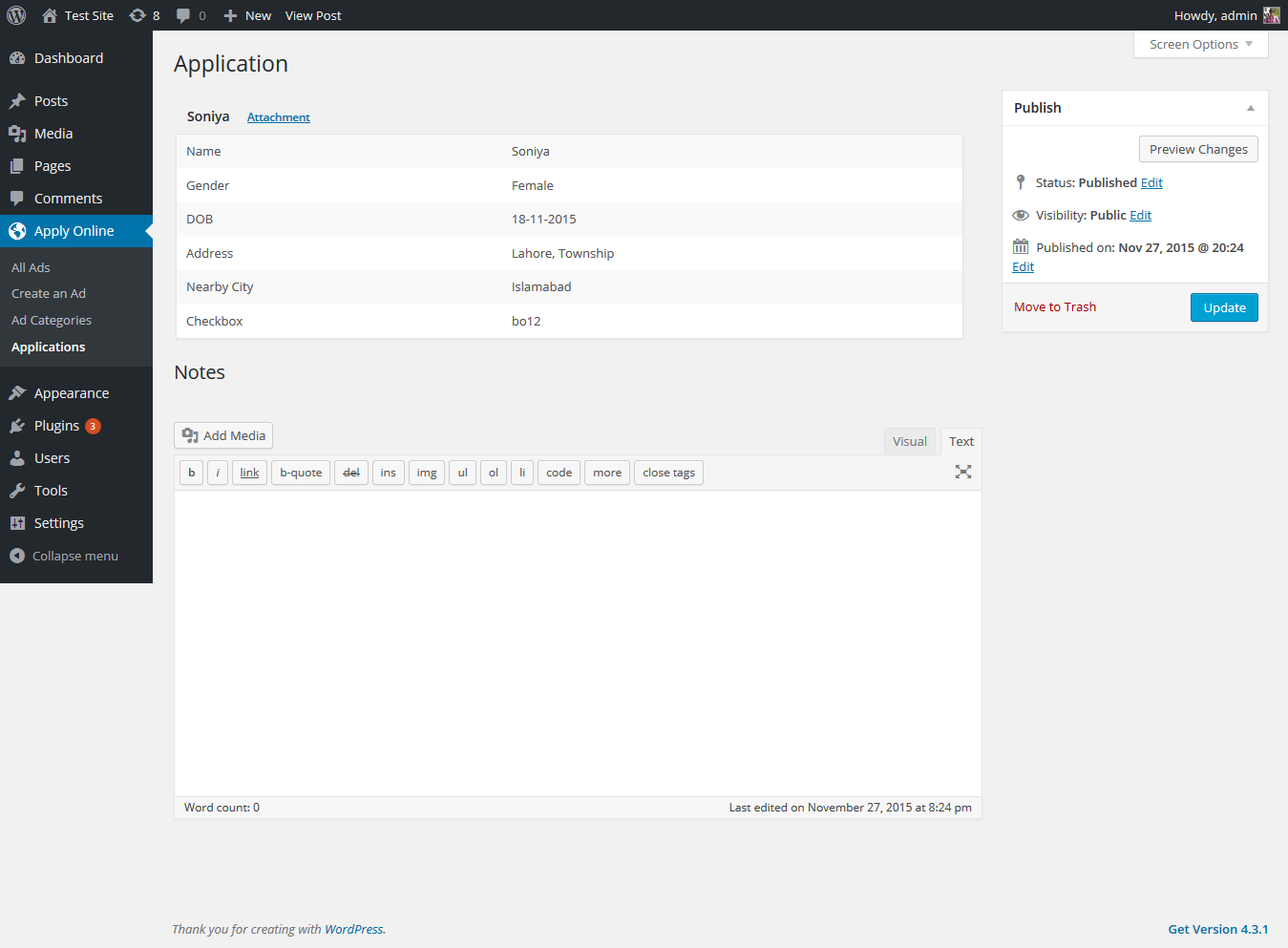
Admin – All received applications 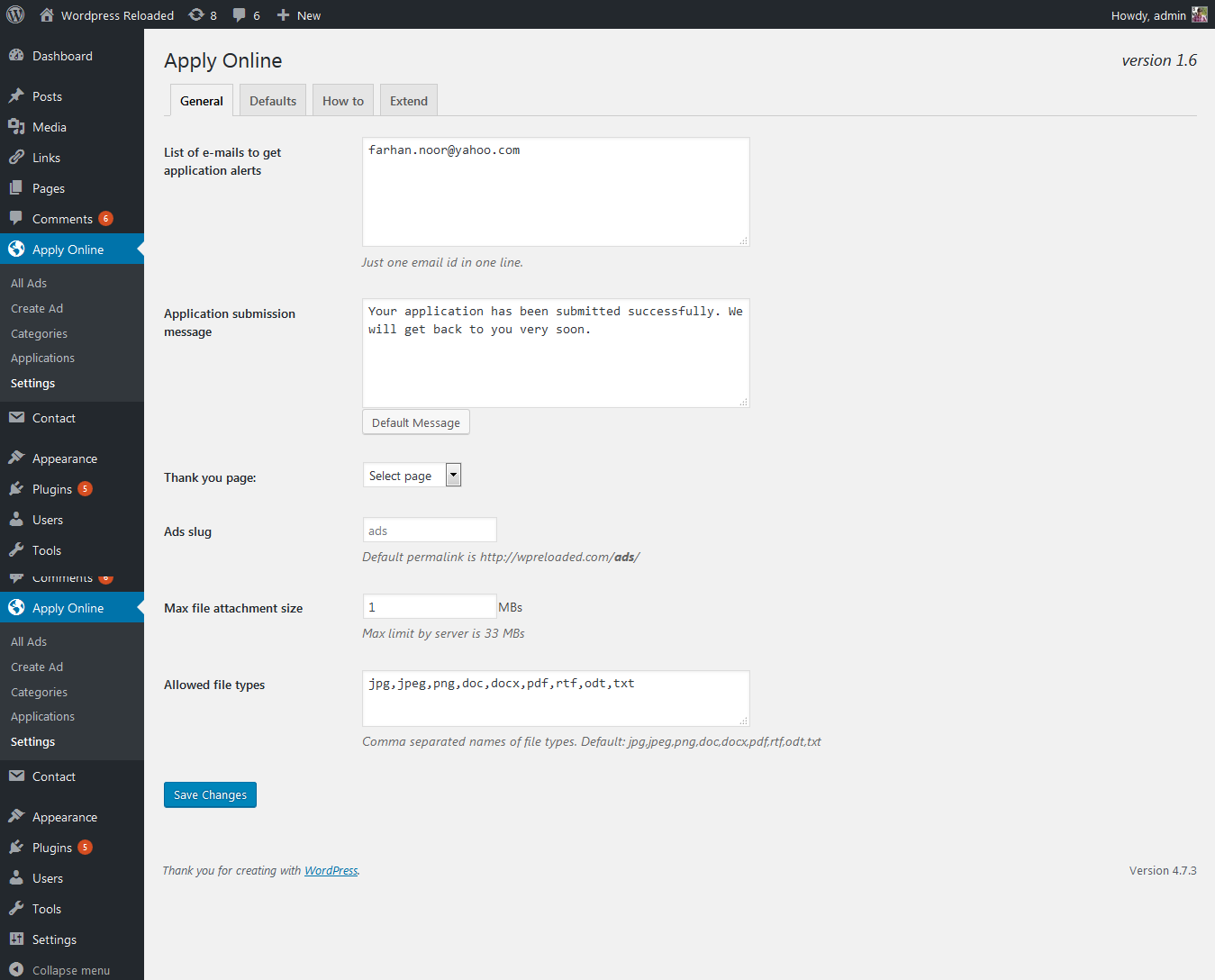
Admin – Received application Quick View 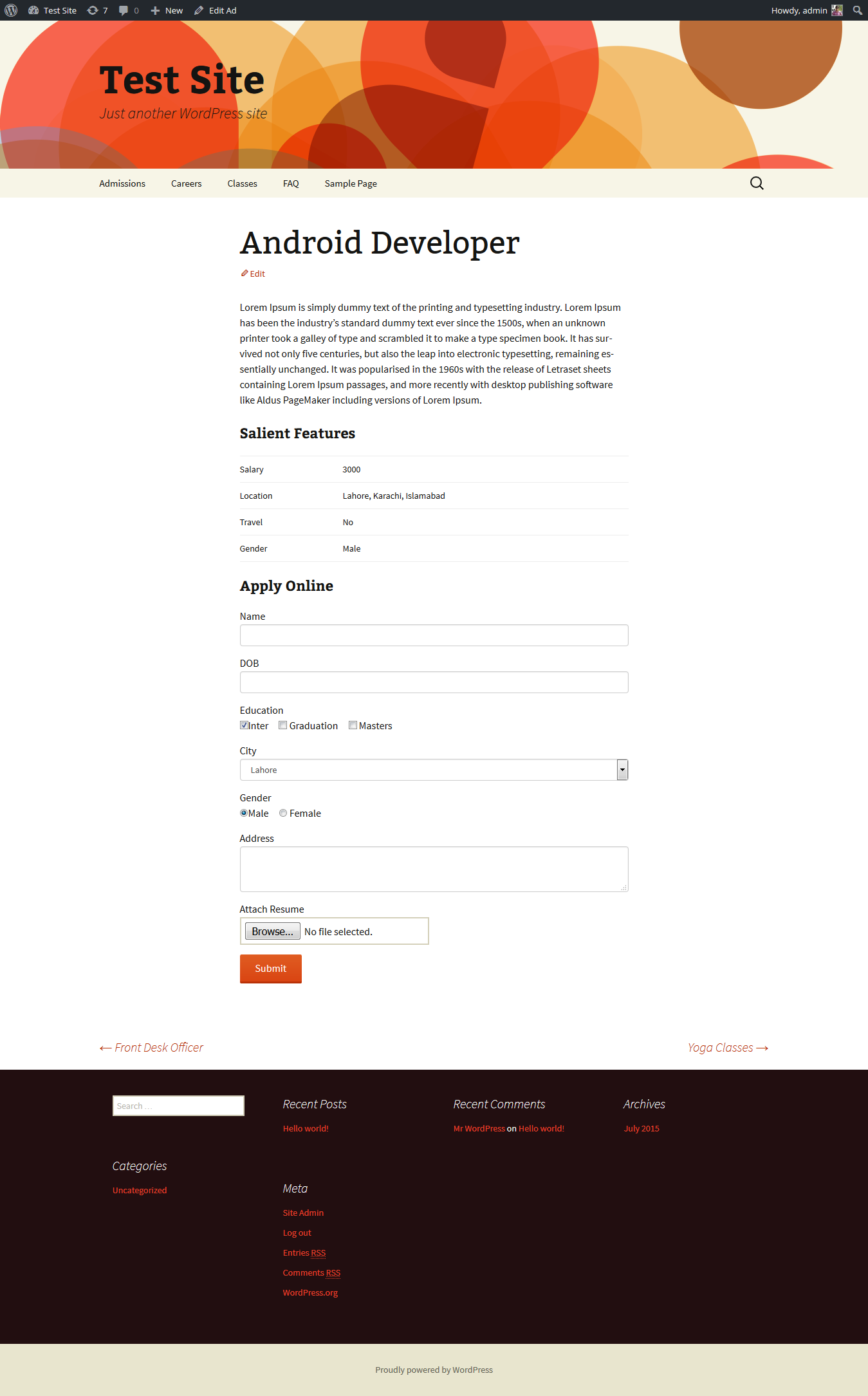
Admin – Received application Full View 
Admin – Received application Print View


Installation
- Go to Plugins/Add New section, Search for ApplyOnline in the search box and install the plugin created by Spider Teams.
- After activation, go to All Ads section in your WordPress admin panel and create your desired ads with drag and drop Application Form Builder.
- To list ads on the front-end, create a dedicated WordPress page and write shortcode [aol]. isn’t it so easy?
- For more information go to FAQs section in your WordPress admin panel under Apply Online/Settings section.
FAQ
-
How to create an ad?
-
In your WordPress admin panel, go to “All Ads” menu and create an ad here.
-
How to show ads on the front-end?
-
Add [aol] shortcode in an existing page or add a new page and write shortcode anywhere in the page editor. Now click on VIEW to see all of your ads on front-end.
-
Can I show selected ads on front-end?
-
Yes, use shortcode with “ads” attribute. Ad ids must be separated with commas i.e. [aol ads=”1,2,3″ type=”ad”]. Deafult type is ad.
-
Can I show ads without excerpt/summary?
-
Yes, use shortcode with “excerpt” attribute i.e. [aol excerpt=”no”]
-
Can I list ads without any fancy styling?
-
Yes, use shortcode with “style” attribute to list ads with bullets i.e. [aol display=”list”]. To generate an ordered list add another attribute “list-style” i.e. [aol display=”list” list-style=”ol”].
-
What attributes can be used in the shortcode?
-
Default shortcode with all attributes is [aol ads=”1,2,3″ excerpt=”no” type=”ad”]. Use only required attributes.
-
Does this plugin have hooks and functions for customization of plugin behavior?
-
Yes, please check plugin reference at WP Reloaded
-
Does this plugin use remote services?
-
No. However if you use our premium add-ons they will upgrade from our servers. For more information, please read our Documentation and Privacy Policy
Reviews


Contributors & Developers
“ApplyOnline – Application Form Builder and Manager” is open source software. The following people have contributed to this plugin.
Contributors
Translate “ApplyOnline – Application Form Builder and Manager” into your language.
Interested in development?
Browse the code, check out the SVN repository, or subscribe to the development log by RSS.
Changelog
Upcoming
Scroll bar with fixed height for form fields section.
Recaptcha integration for secure form submission.
Required field mark in the received application data.
Different layout options e.g. grid layout, list layout, sidebar filter, popup form, etc.
2.6.7.2
New: Nonce for template forms for added security.
2.6.7.1
Fixed: Fatal error on form submission due to incorrect PHP class name.
2.6.7
Fixed: Broken Access Control.
2.6.6
Fixed: 500 Server error.
2.6.5
Fixed: 500 Server error.
Fixed: Replaced jQuery AJAX with JS Fetch API.
2.6.4
Fixed: Removed NULL values for wp_insert_post function parameters.
2.6.3
Fixed: Fixed authorization for Quick View button in applications section in WordPress admin panel.
Fixed: Security patch for CVE-2024-2036.
2.6.2
Fixed: Default file upload path set to private path.
Fixed: Applications table admin ID column width.
2.6.1
Fixed: Critical admin notice if file upload path is public.
2.6
New: Admin email subject option in the settings.
New: Option to use gladd custom size limit for attachment fields in the form builder.
Fixed: Set admin the default email recipient.
Fixed: Settings API callback function.
2.5.7
Fixed: Empty recipients email option in settings.
Fixed: Mail header HTML content type.
2.5.6
Fixed: Paragraph field line break issues.
Fixed: Checkbox & Radio button fields’ styling issues.
Fixed: Security patch for PSID-149593e79c87 & CVE-2023-45756.
Fixed: Security patch for PSID-e59ab80d07f4 & CVE-2023-24391.
2.5.5
Fixed: PHP warning in class-applyonline.php file.
2.5.4.2
Fixed: PHP warning in class-applyonline.php file.
2.5.4.1
Fixed: Attachment link in the Printable version of the received application.
2.5.4
New: Application IDs in the Application table in the WordPress admin panel.
New: Option to write ad title in the email subject.
New: Security patch for PSID-baadd6626a79 & CVE-2023-46080.
Fixed: Email issues due to missing charset in the email header.
2.5.3
Fixed: Attachment link for received application forms.
2.5.2
Fixed: Attachment field issue in the received application data.
Fixed: Security issues.
2.5.1
Fixed: Progress-bar for text-area field.
Fixed: Data sanitization and validation issues.
2.5
New: Application form progress bar.
New: Option to overwrite global settings for each ad from the ad editor screen.
Fixed: Select2 library inclusion in admin panel.
2.4.4
Fixed: Max File Type option appearing in all field types in the form builder.
2.4.3
Fixed: File type field for File Attachment field.
2.4.2
Fixed: Email Notification issues.
Fixed: Application submission confirmation at the application page.
2.4.1
Fixed: Added support for PHP 8
2.4
New: Email notification subject & message option in the plugin setting.
New: Keyword Search added in application filter on ads listing page.
Fixed: Application data hidden after upgrading from an older version.
Fixed: Paragraph field text added in the received application & print format.
2.3
- New: Exclude attributed for [aol] shortcode.
- New: aol_before_application & aol_after_application Action hooks added for received applications.
- Fixed: Bulk edit options updated.
2.2.2
- Fixed: Character limit on some form fields in Application Form Builder.