🔞 ADULT: Material maker - Collection
Material Maker
A downloadable tool for Windows, macOS, and Linux
Material Maker is a procedural materials authoring and 3D model painting tool, based on the Godot Engine. Materials and brushes are defined as graphs where nodes create or transform textures, and can be exported for the Godot, Unity and Unreal game engines.
Most nodes are defined as GLSL shaders, and when connecting them, Material Maker will generate combined shaders (instead of rendering an image for each node). It is also possible to create new nodes either by combining and grouping existing nodes, or by writing your own GLSL shaders.
Material Maker is available for Windows, Linux and MacOS.
The source code is available on GitHub, as well as the online documentation. Github is also where you can report bugs or suggest new features.
Material Maker also has a Discord server and this is where you can ask (and answer) questions.
You can also share the awesome materials you created on the Material Maker website.
Materials you can create
Material Maker can be used to create several types of materials, and new custom material types, as well as new export targets for existing materials, can be added if needed.
- Static PBR material: this is the most common material type, and exporting it will generate a few textures (albedo, metalness, roughness etc.) you can import in your favorite game engine
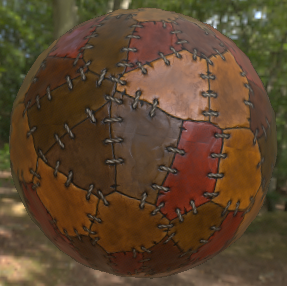
- Dynamic PBR material: a PBR material with motion, that will be exported as a shader (and optional textures).
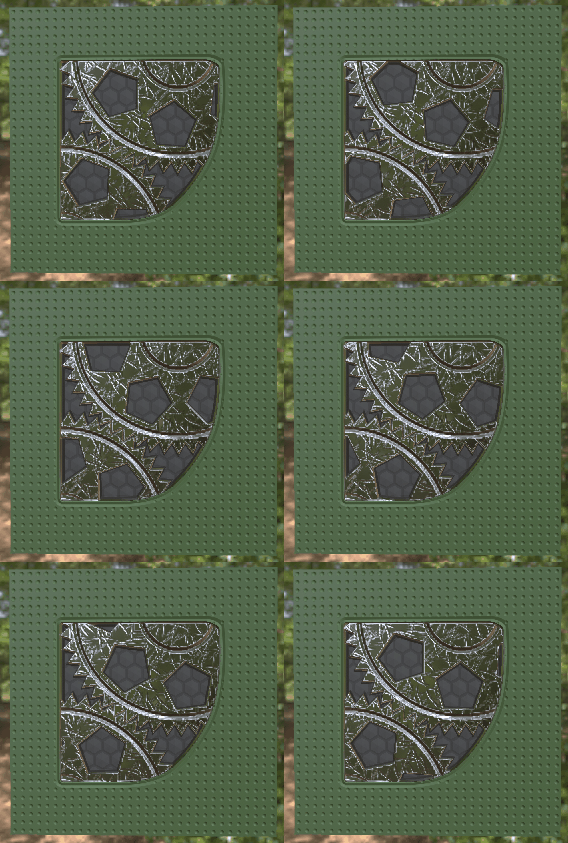
- Raymarching material: a raymarching scene inside the mesh it is applied to, exported as a shader.
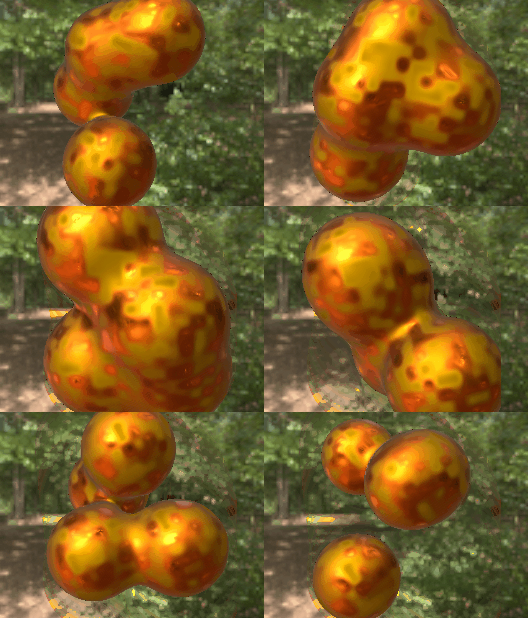
- Dynamic unlit materials are also exported as shaders and can be used to create all sorts of VFX.

Features as of version 1.4
- A simple texture generation engine that defines a very small set of node types (shaders, buffers, node groups, image, text, switch...) that can be connected to describe procedural textures. The engine does not generate an image for each node, but combines shaders until it reaches a buffer node or the target Material node (textures described as combined shaders are resolution independent).
- An experimental painting engine that can paint albedo, roughness, metallic, emission, normal map, depth and ambient occlusion components of a 3D object's material at the same time, use generated shaders as brushes and can map patterns on brush, screen or texture space. The painting tool supports multiple Paint, Procedural and Mask layers.
- A website dedicated to sharing procedural materials and brushes.
- A base library of ~250 nodes that define shapes, patterns, filters and transforms on textures, as well as 2D and 3D shapes described as signed distance functions. Those nodes can be accessed from the Library panel or the nodes context menu of the graph view.
- New group nodes and shader nodes can easily be created using the user interface (creating shader nodes require some GLSL knowledge).
- A graph view where material graphs are edited, with several available material types (Static PBR, Dynamic PBR, 3D PBR, Raymarching, Unlit).
- For all material types, exports ready-to-use materials for the Godot and Unity game engines. For Unreal 4, manual setup of the material is necessary, Material Maker only generates image files and shaders. For Unreal Engine 5, Material Maker generates a python script that must be executed in Unreal to automatically build the material.
- A hierarchy view that shows the hierarchy of group nodes in the current material.
- 2D preview panels that shows the textures generated by the selected nodes and can export the result, as a single image, or as several images or a spritesheet for animations.
- A 3D preview panel that shows the current PBR material on a model. Basic shapes (Cube, Sphere...) are available and custom models can be loaded in .OBJ format.
- An Histogram panel that shows the current node's output tonal distribution.
- A Reference panel where images files can be dropped and that can be used to pick colors and gradients.
Pay what you want
Material Maker is free and open source, but it is still possible to help the project in many ways.
- If you don't feel like paying anything, just click the "No thanks, just take me to the downloads" link when prompted for a donation. You can still help the project by submitting awesome materials on the website, reporting bugs, suggesting new features, or even contribute code on Github.
- You can, of course, donate when downloading. Thanks a lot for doing so.
- If Material Maker is really useful to you and you wish to contribute more, I have a Patreon. Backers have Discord benefits, and this will help me spend more time on this project.
Translations
Translation files can be installed using the Download button in the Preferences dialog.
TroubleShooting
- If you have problems running Material Maker on MacOS (or any other platform), please contact me on Discord
- If you want to run a 32 bits version of Material Maker 1.0 under Windows or Linux, you will just have to:
- download and install the 64 bits version
- download the 32 bits version of Godot 3.4.4 for your OS from here
- in Material Maker install dir, replace the executable file with the 32 bits Godot executable
- you now have a 32 bits Material Maker
- For any other problem, please don't hesitate to contact me on Discord
Download
Click download now to get access to the following files:
Development log
- I need your help (just 2 clicks)72 days ago
- Material Maker 1.484 days ago
- Material Maker 1.4RC698 days ago
- Material Maker 1.4RC5Aug 25, 2025
- Material Maker 1.4RC4Aug 07, 2025
- Material Maker 1.4RC3Jul 30, 2025
- Material Maker 1.4RC2Jul 12, 2025
- Material Maker 1.4 RC1Jul 03, 2025
Comments
Log in with itch.io to leave a comment.
Hi, the program just closes instantly
Hi! Could you please give more details (operating system, GPU, memory etc.)?
Please don't hesitate to contact me on Discord so I can investigate the issue.
Hello, RodZilla! Here's some things I have in my computer:
OS: Windows 11 pro
CPU: intel i5-6500
GPU: GTX 1060 6gb asus rog strix OC
RAM: 16 gb (8x2) ddr4, 3000mhz
SSD SATA, and some more HDD's
Are your GPU drivers up to date? Would it be possible for you to run Material Maker from command line and show a screenshot of the messages? Thanks in advance!
hi quick question. what license is material maker using?
MIT
thanks
It crashes instantly right after I open it, I heard it doesn't need vulcan graphics cards so it should be able to open with my graphics card.
It opens the loading screen but the program shows for 1 second then it closes
Vulkan is needed for 1.4, but not for 1.3.
windows 10, Material Maker 1.4, just drop me unexpected error, when any action in programm
Can you please give more information (which CPU, GPU, are your drivers up to date?).
Sure. I have an Intel Core i5 and an NVIDIA 1650 Ti, with all video drivers up to date. The previous version of Material Maker worked correctly.
Hello,
just wanted to ask: if i have fbx (unity standard) or gltf objects I cannot import them into the tool, right?
Thank you!
Gltf is supported, not fbx.
Are there any plans for fbx?
I think FBX is proprietary or something. I could be wrong though.
Godot 4.3 onwards supports loading FBX files using the open source ufbx library. This functionality is also available in export templates; see Runtime file loading and saving in the documentation.
FBX will be supported in 1.5.
Thank you very much
export for web from godot? (webgl2 /compatible and webgpu later)
to keep it small https://godotengine.org/asset-library/asset/3862
Material Maker relies on Compute Shaders for texture generation, so a web export is no more possible for 1.4.
When I open the app it opens for about 3 seconds and then it would close itself without any notification or anything or crash report